Live Home 3D - House Design

Live Home 3D - House Design

Download on App Store
Spark by MWM logo
Logo of Live Home 3D - House Design
Live Home 3D: Visualize Your Dream Home and Garden in Stunning Detail

The most intuitive house design app for DIYers and pros. Scan your room with LiDAR, create detailed 2D floor plans, and explore your future space in 3D or AR before you spend a dime on renovations.

Publisher

Belight Software, ltd

Category

Productivity

Downloads

9M+

User Rating

4.6/5

Total Ratings

53K+

Locales

10

Design Made Visible

Discover the interface used by 9M+ users.
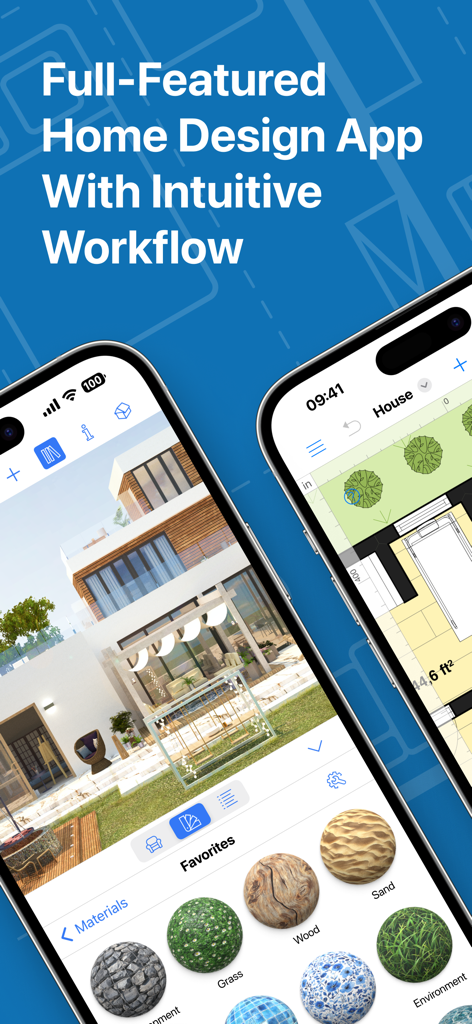
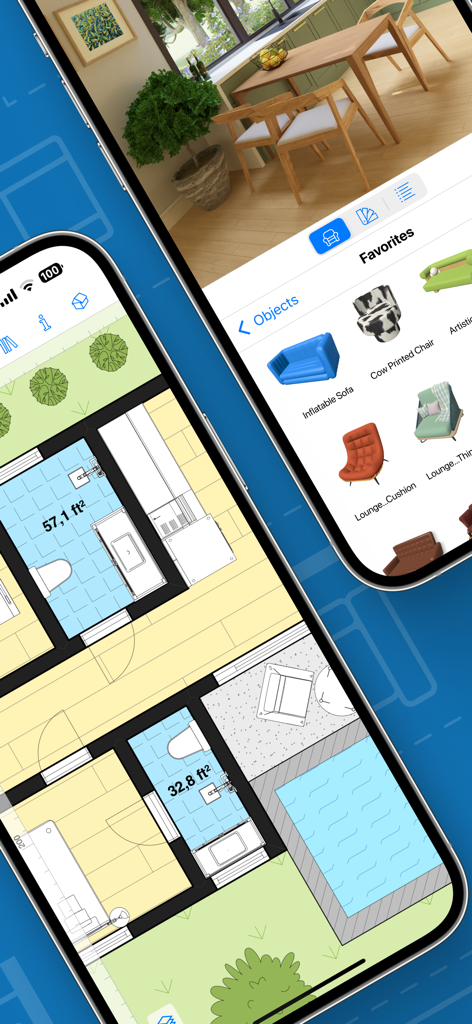
Live Home 3D app interface showing 3D house rendering and 2D floor plans

Live Home 3D app interface showing 3D house rendering and 2D floor plans

Live Home 3D app interface showing 2D floor plans and 3D interior design views on mobile devices

Live Home 3D app interface showing 2D floor plans and 3D interior design views on mobile devices

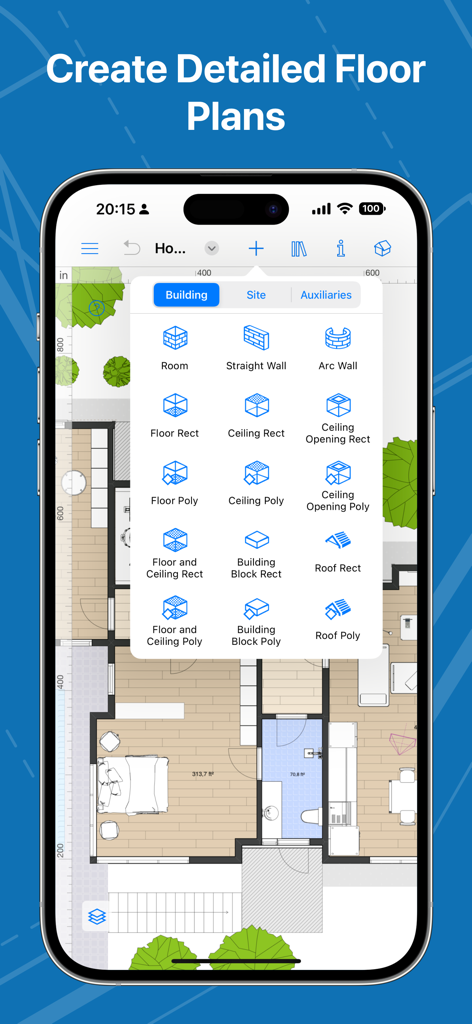
Smartphone interface of Live Home 3D showing a 2D floor plan layout with building tools

Smartphone interface of Live Home 3D showing a 2D floor plan layout with building tools

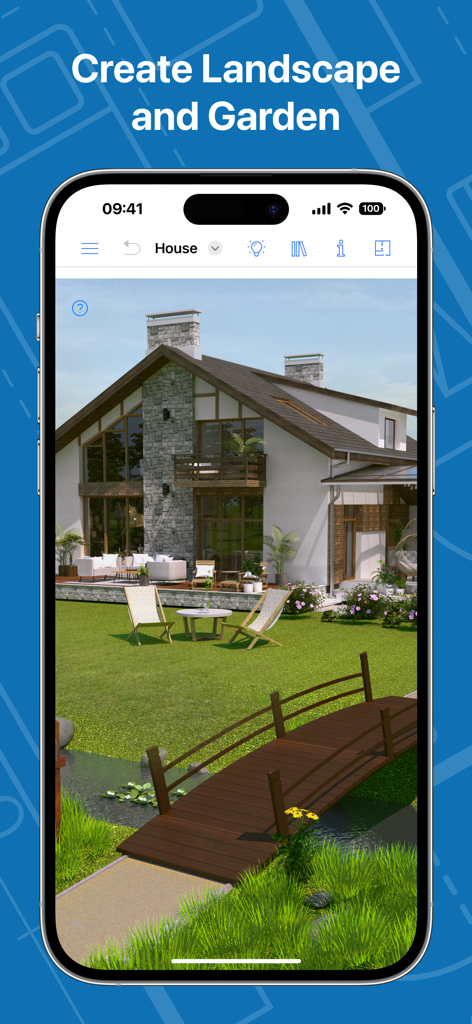
A 3D landscape and garden design showing a modern house with a wooden bridge and lawn on a smartphone screen

A 3D landscape and garden design showing a modern house with a wooden bridge and lawn on a smartphone screen

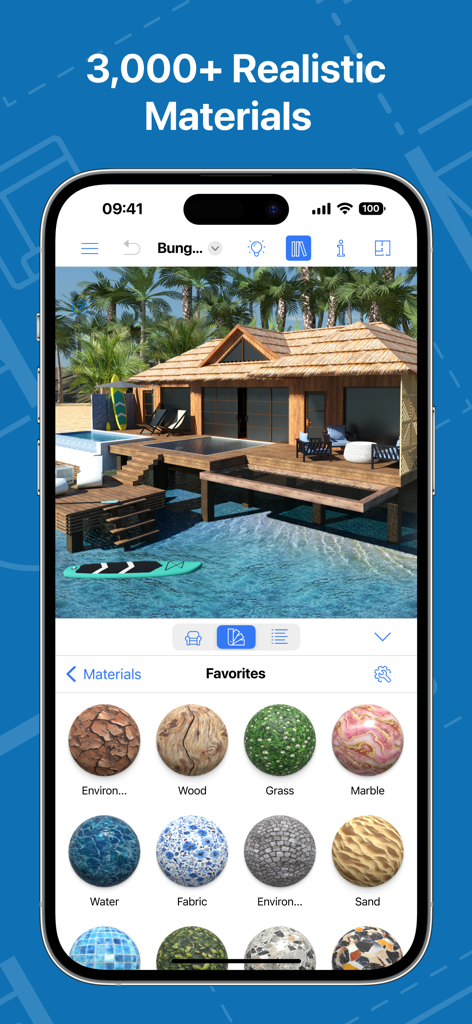
A 3D house design app interface showing a tropical bungalow and a selection of realistic textures including wood marble and grass

A 3D house design app interface showing a tropical bungalow and a selection of realistic textures including wood marble and grass

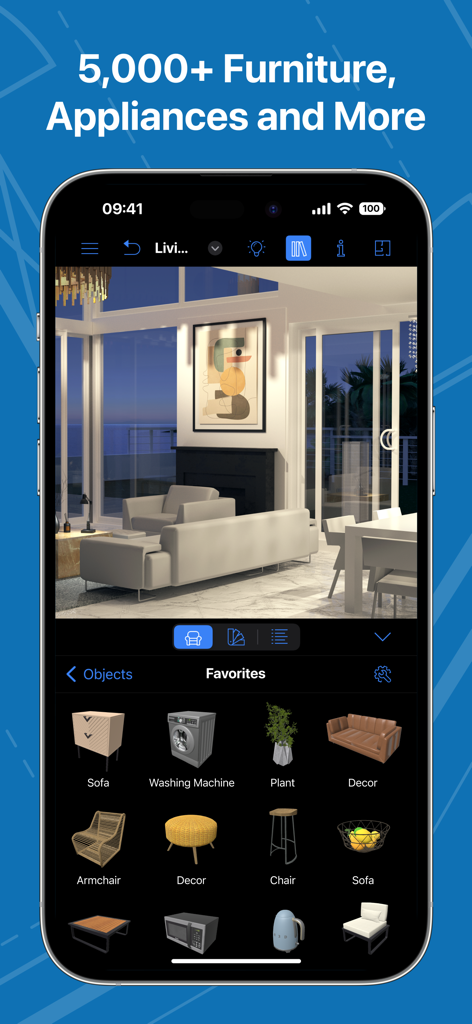
Interface of Live Home 3D app showing a 3D living room design and a library of furniture and appliances.

Interface of Live Home 3D app showing a 3D living room design and a library of furniture and appliances.

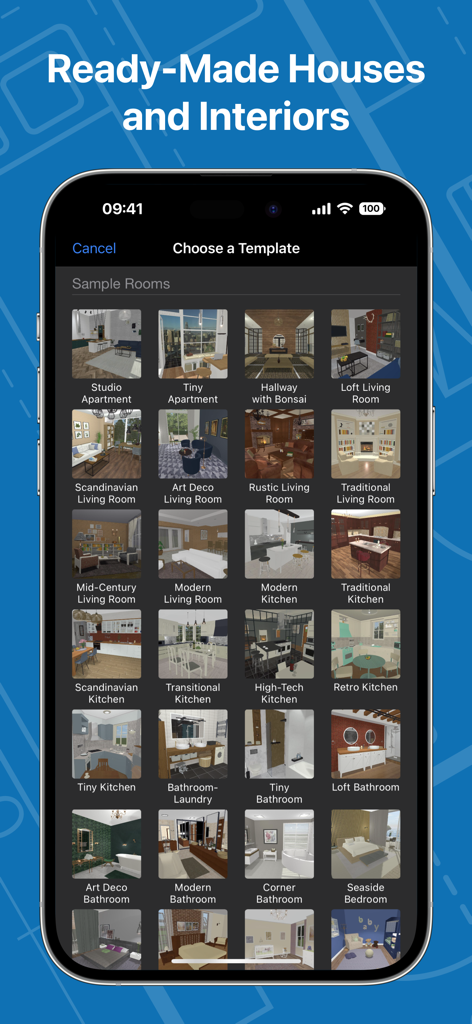
A smartphone screen displaying a variety of pre-designed house and interior room templates in the Live Home 3D app.

A smartphone screen displaying a variety of pre-designed house and interior room templates in the Live Home 3D app.

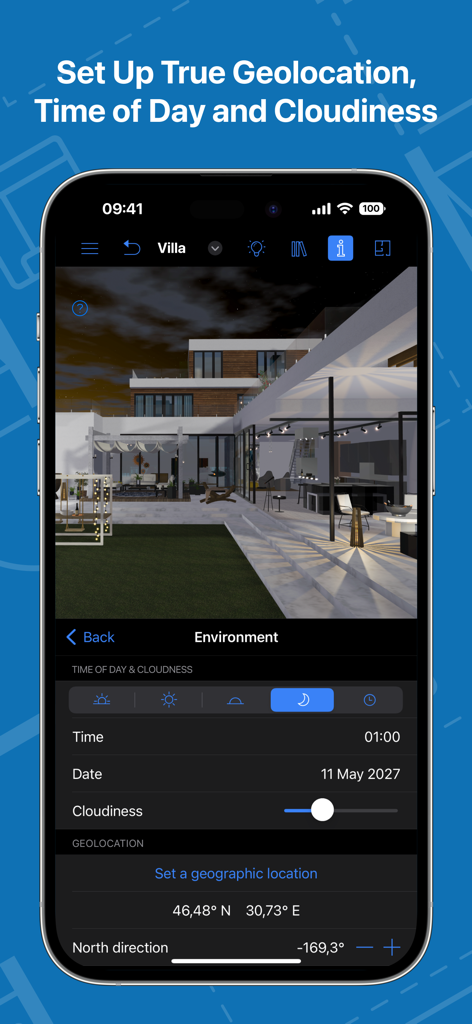
Interface of the Live Home 3D app for adjusting environment lighting and geolocation

Interface of the Live Home 3D app for adjusting environment lighting and geolocation

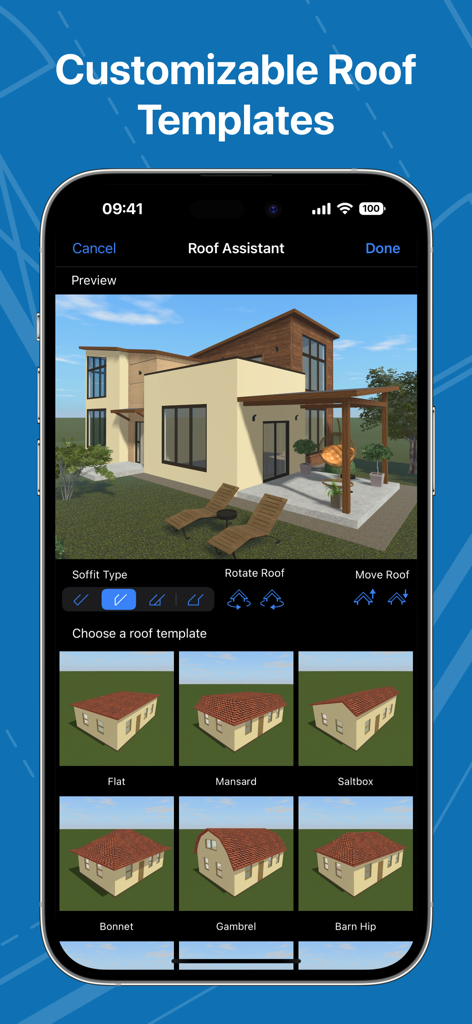
A smartphone interface showing the Roof Assistant feature in the Live Home 3D app with various roof template options for a 3D house model

A smartphone interface showing the Roof Assistant feature in the Live Home 3D app with various roof template options for a 3D house model

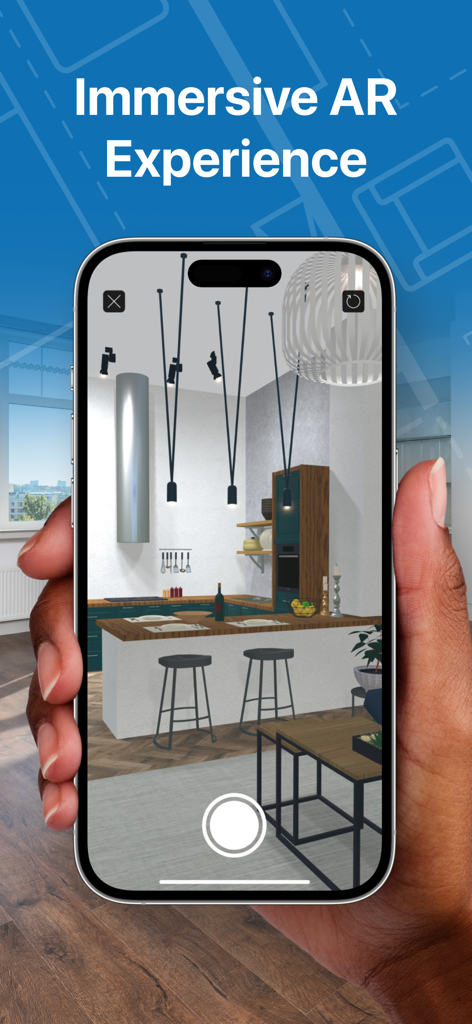
Smartphone screen showing a 3D kitchen interior design in augmented reality

Smartphone screen showing a 3D kitchen interior design in augmented reality

Design Your Dream Home Like a Pro

The tools that make this app stand out, trusted by 9M+ users.

📱

Instant LiDAR Room Scanning

Ditch the measuring tape. Use your iPhone or iPad to create a perfect digital twin of any room in seconds.

🕶️

Immersive 3D Walkthroughs

Step inside your project using AR or Apple Vision Pro to experience the flow and lighting of your future space.

🏠

5,000+ Customizable Objects

Furnish your vision with a massive library of furniture and materials to ensure your style fits perfectly.

Loved by users worldwide

Trusted by 9M+ people who love this app.

"

"Live Home 3D was a total game-changer for our kitchen renovation. The LiDAR room scanner allowed me to create a perfect digital twin of my space in minutes, and the AR walkthrough feature let me visualize the new cabinets before we spent a dime. It turned a stressful project into an exciting design process!"

Sarah Jenkins
"

"As a real estate professional, I use Live Home 3D to help my clients visualize the potential of every property. The high-resolution 3D renders and 360-degree panoramas are incredibly professional, making it easy to share my vision with contractors and buyers alike. It's the most powerful design tool on my iPad."

Marcus Thompson

About the app

Everything you need to know about Live Home 3D - House Design.

Description

Build a home, renovate an apartment or plan your garden with Live Home 3D—an intuitive home, interior and landscape design app that turns all design tasks into an exciting process, while giving you the powerful tools that no other app in the store can deliver. With Live Home 3D, you will be able to: • Create detailed 2D floor plan layouts. • Walk through your 3D interior designs. • Hone your design skills with the ready-made house and interior design samples (e.g., kitchens, bathrooms, living rooms, etc). • Add and move furniture and other objects (5,000+ items), and apply physically based materials (3,000+ supplied materials). Thousands of free models can be imported from the Trimble 3D Warehouse. • Import 3D models from other applications in all of the most popular formats.   • Project your 3D home into real-world surroundings, and even walk around or inside the house using View in the AR option. • Scan your room or house using the Room Scanner feature based on LiDAR technology to recreate its digital copy in the app (only for devices with LiDAR sensors built-in). • Achieve natural lighting by setting up true geolocation, time of day and cloudiness. • Adjust light fixtures throughout the house to achieve a realistic lighting scene. • Set multiple cameras to create flyover videos and 3D renderings of your projects from different angles. • Work with the fully customizable roof; create corner windows and complex openings. • Easily share your projects among iOS, iPadOS, visionOS, macOS or Windows devices. Share your projects with friends, contractors or on social media. • Export 2D floor plans as PDF and 3D views of your projects as high-resolution images. • Render realistic home interior and outdoor walkthrough videos. • Create Stereo 3D Video, 360° Video, Stereo 3D 360° Video and 360° Panorama JPEG images. Note: All exports have watermarks in the Free version of the app. Only one project at a time can be used in the Free version. The Standard Features In-App purchase removes the watermarks, save limitations and the 2-floor limit of the Free version.  The Pro Features In-App purchase additionally unlocks the advanced features listed below: • Export quality extended to Ultra HD for movies and 360° Panoramas, and to Hi-res (16,000 x 16,000) for still shots. • Terrain editing tools for landscape design: create elaborate terrain with elevation lines and pits, lay driveways and plan out your garden or backyard. • Material Editor that allows you to create sophisticated custom materials, controlling their texture and light emissive properties.  • 2D Elevation view that displays the side view on walls and roof; a perfect tool for working with openings, niches and wall panels.  • Custom-shaped roofs: freely edit roof segments to roofs of any form and complexity.  • Multi-purpose Building Block tool for creating columns, beams or even furniture. • A wider range of camera settings. • Export the entire house design or several objects to USDZ, glTF, SCN, SCNZ, FBX or OBJ formats. • Light Source Editor with a wide range of settings that helps you create custom lamps or achieve the best lighting for your projects. Note: In-app purchases made in the app for Phone/iPad/Apple Vision do not apply or transfer to the version for the Mac or other platforms.

Latest Version

4.11.2

Size

435.9 MB

First Released

Oct 23, 2018

Ready to Bring Your Dream Home to Life?

Join over 9 million creators and start your next renovation or design project today. Download Live Home 3D for free on iPhone, iPad, and Apple Vision Pro.

Download on App Store
FAQ

Frequently Asked Questions

Everything you need to know about Live Home 3D - House Design

What is Live Home 3D?

Live Home 3D is an intuitive home, interior, and landscape design app. It provides powerful tools for creating detailed 2D floor plans, 3D interior designs, and planning gardens with an exciting process.

Can Live Home 3D create 2D floor plans?

Yes, Live Home 3D allows users to create detailed 2D floor plan layouts. This feature is central to the app's design capabilities, enabling precise room and structure planning within the interface.

Does Live Home 3D support 3D interior design walkthroughs?

Yes, Live Home 3D enables users to walk through their 3D interior designs. This feature allows for an immersive exploration of created spaces, enhancing the design process for a realistic view.

How many furniture and object items are available in Live Home 3D?

Live Home 3D offers over 5,000 furniture and other objects. Additionally, users can apply more than 3,000 supplied materials and import thousands of free models from Trimble 3D Warehouse.

Does Live Home 3D include an Augmented Reality (AR) feature?

Yes, Live Home 3D features a "View in AR" option. This allows users to project their 3D home designs into real-world surroundings and walk around or inside the virtual house for an immersive experience.

Can Live Home 3D scan a room using LiDAR technology?

Yes, Live Home 3D includes a Room Scanner feature based on LiDAR technology. This allows users with LiDAR-enabled devices to recreate a digital copy of their room or house within the app.

What export formats does Live Home 3D support for projects?

Live Home 3D can export 2D floor plans as PDF, 3D views as high-resolution images, and realistic walkthrough videos. It also supports Stereo 3D Video, 360° Video, Stereo 3D 360° Video, and 360° Panorama JPEG images.

Does the free version of Live Home 3D have limitations?

Yes, the Free version of Live Home 3D applies watermarks to all exports. It also limits users to working on only one project at a time and has a 2-floor limit for designs.

What does the Standard Features In-App purchase offer in Live Home 3D?

The Standard Features In-App purchase in Live Home 3D removes watermarks, lifts save limitations, and eliminates the 2-floor limit present in the Free version of the app, enhancing usability.

What advanced features does the Pro Features In-App purchase unlock in Live Home 3D?

The Pro Features In-App purchase for Live Home 3D unlocks advanced functionalities such as Ultra HD export, terrain editing, Material Editor, 2D Elevation view, custom roofs, Building Block tool, and expanded export formats.

Do in-app purchases for Live Home 3D transfer between platforms?

No, in-app purchases made in Live Home 3D for Phone, iPad, or Apple Vision do not apply or transfer to the version for Mac or other platforms. Purchases are platform-specific.

Does Live Home 3D offer ready-made house and interior designs?

Yes, Live Home 3D provides ready-made house and interior design samples. These include various styles for kitchens, bathrooms, and living rooms, helping users hone their design skills easily.

How does Live Home 3D handle lighting in designs?

Live Home 3D achieves natural lighting by setting true geolocation, time of day, and cloudiness. Users can also adjust light fixtures throughout the house for a realistic lighting scene.

Can users customize roofs in Live Home 3D?

Yes, Live Home 3D features a fully customizable roof tool. Users can create corner windows, complex openings, and with Pro Features, freely edit roof segments for any form and complexity.