Locker: Hidden Photo Vault

Locker: Hidden Photo Vault

Download on App Store
Spark by MWM logo
Logo of Locker: Hidden Photo Vault
Locker: Hidden Photo Vault – Your Private World, Hidden in Plain Sight

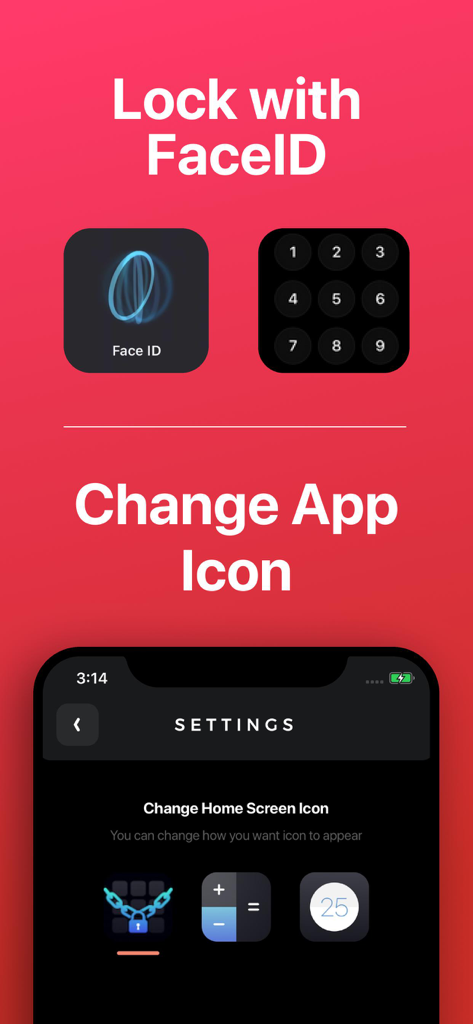
Stop worrying about the accidental swipe. Secure your most sensitive photos, videos, notes, and app links behind FaceID protection. Use our stealth mode to disguise the app icon as a calculator or timer for the ultimate digital fortress.

Download on App Store

Publisher

Relentless Consulting, Inc

Category

Utilities

Downloads

4M+

User Rating

4.2/5

Total Ratings

11K+

Locales

21

Privacy in Plain Sight

Discover the interface used by 4M+ users.
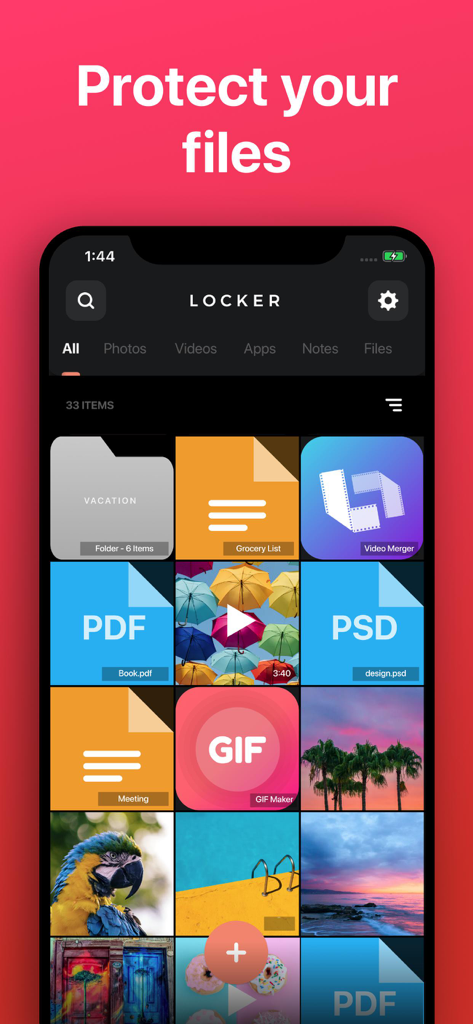
Interface of the Locker app showing a grid of protected photos, PDF documents, and private notes

Interface of the Locker app showing a grid of protected photos, PDF documents, and private notes

Locker app interface showing FaceID security options and settings to change the app icon to a calculator for privacy

Locker app interface showing FaceID security options and settings to change the app icon to a calculator for privacy

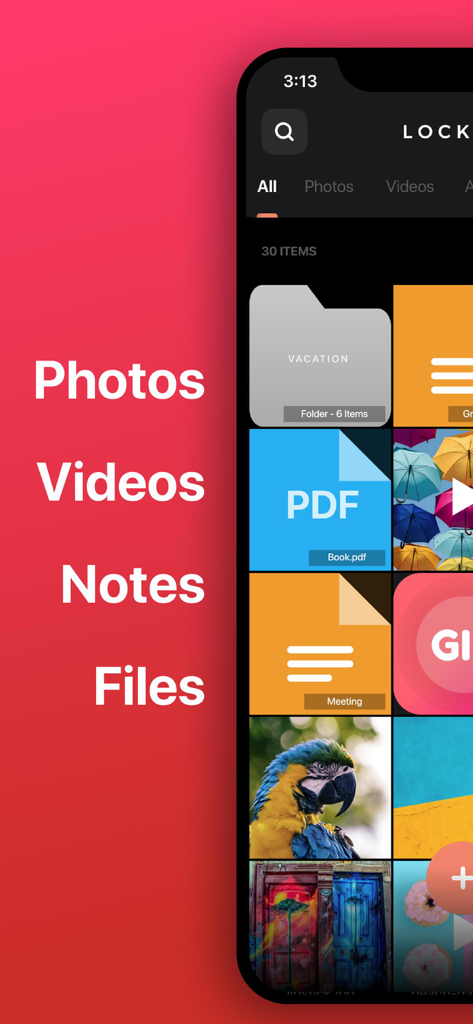
Interface of the Locker app showing organized private folders, PDF files, notes, and photos in a secure vault.

Interface of the Locker app showing organized private folders, PDF files, notes, and photos in a secure vault.

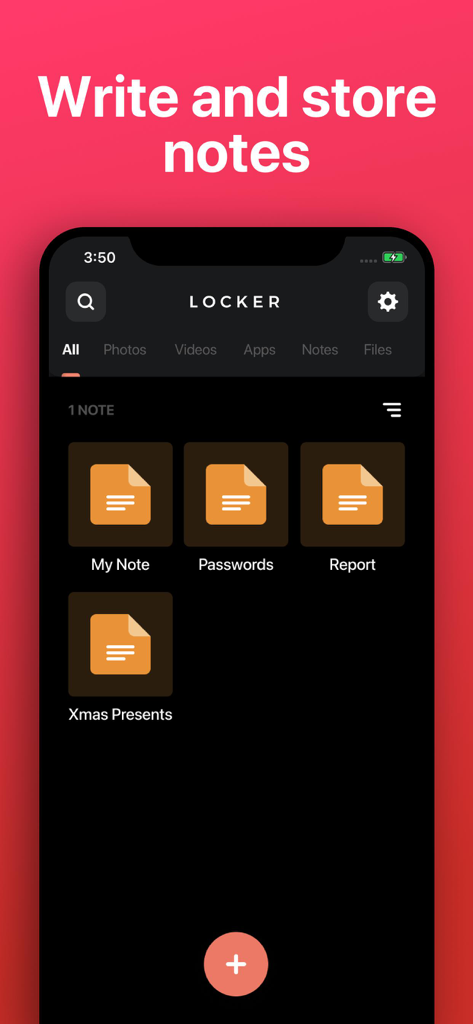
A screenshot of the Locker app showing the interface for writing and storing private notes.

A screenshot of the Locker app showing the interface for writing and storing private notes.

Total Privacy in Plain Sight

The tools that make this app stand out, trusted by 4M+ users.

🎭

Social Camouflage

Disguise your vault as a harmless calculator or timer to keep prying eyes away from your home screen and ensure plausible deniability.

🛡️

Biometric Lockdown

Eliminate 'accidental swipe' anxiety. Use FaceID or TouchID to protect your private media with a secondary layer of authentication that stays on your device.

📱

Invisible App Shortcuts

Declutter your home screen and hide sensitive apps by moving their access links into your secure vault where only you can find them.

Loved by users worldwide

Trusted by 4M+ people who love this app.

"

"I love that I can change the icon to a calculator! It is such a relief when I hand my phone to friends to show them a photo; I do not have to worry about them accidentally swiping into my private life. The FaceID protection is seamless and keeps everything secure."

Jordan M.
"

"Locker is the perfect digital vault. I use it to store sensitive work documents and private notes that I do not want on my main camera roll or iCloud. Knowing that my files stay local and are never stored on a server gives me total peace of mind."

Sarah L.

About the app

Everything you need to know about Locker: Hidden Photo Vault.

Description

Store your Photos, Videos, Notes, Files and App Links behind FaceID/TouchID protection! • Change Locker’s app icon to a calculator or timer! • Set up FaceID, TouchID, or PIN protection to access your Locker! • Store any type of file! Protect your: • Photos & Videos: Store photos and videos in your Locker rather than your Photos library • Notes: Write private notes directly inside the Locker app! • Files: Store any file inside your Locker where only YOU can access! • App links: Add app links to Locker, so you can remove them from your home screen while still easily accessing them. NOTE: Apps cannot be removed from your device's "App Library", so there is no way to completely password-protect an app. Note: You will not be able to access your Locker if you choose not to set up FaceID / TouchID and you forget your PIN. We are not responsible for lost files and we cannot remove information or apps from other areas of your device. If app is deleted, or device is lost/broken, you files will not be recoverable except if you have a previous backup of your device. Files are only stored on your device, are never stored on our servers and are not accessible by Locker developers. This app includes an optional auto-renewable subscription (Premium Pass): Premium Pass beings with a free trial period, then an auto-renewable monthly subscription when trial ends. Payment will be charged to your Apple account at confirmation of purchase and will automatically renew (at the duration/price selected) unless auto-renew is turned off at least 24 hrs before the end of the current period. Account will be charged for renewal within 24-hours prior to the end of the current period. Current subscription may not be cancelled during the active subscription period; however, you can manage your subscription and/or turn off auto-renewal by visiting your Apple Account Settings after purchase. Any unused portion of the free initial period will be forfeited when you purchase a subscription. Privacy Policy: https://float.support/locker/privacy Terms of Use: https://float.support/locker/terms

Latest Version

4.1.2

Size

42.3 MB

First Released

Jul 24, 2017

Secure Your Private Life in Stealth Mode

Join over 4 million users who protect their photos, notes, and apps behind FaceID and secret icons. Take back control and hand over your phone without the anxiety.

Download on App Store