MagiConnect T-Cast TCL Remote

MagiConnect T-Cast TCL Remote

Download on App Store
Spark by MWM logo
Logo of MagiConnect T-Cast TCL Remote
MagiConnect T-Cast: The All-in-One Remote & Casting Hub for Your TCL TV

Elevate your home entertainment. Effortlessly control your TV, cast web videos, and share your favorite memories from your iPhone to the big screen.

Publisher

Shenzhen Falcon Network Media Co., Ltd.

Category

Utilities

Downloads

6M+

User Rating

4.4/5

Total Ratings

18K+

Locales

47

Entertainment at a Glance

Discover the interface used by 6M+ users.
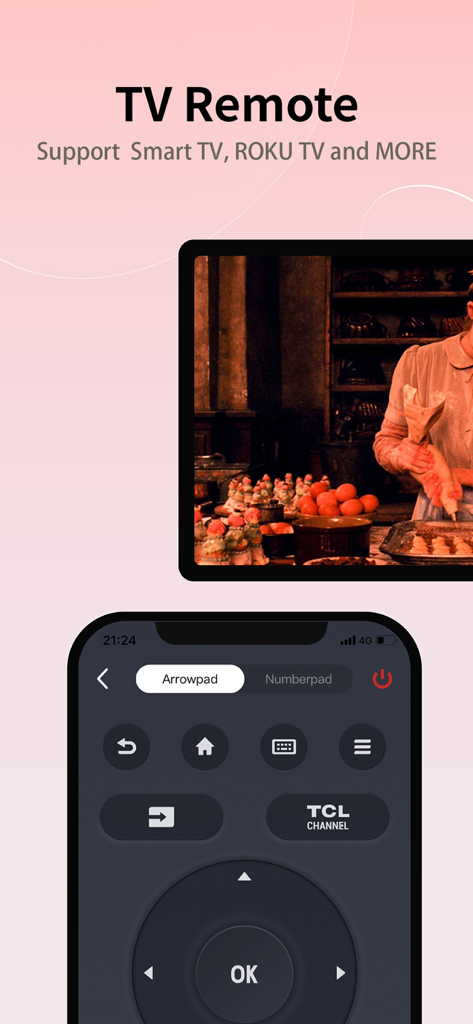
MagiConnect T-Cast mobile app interface for TCL Smart TV remote control

MagiConnect T-Cast mobile app interface for TCL Smart TV remote control

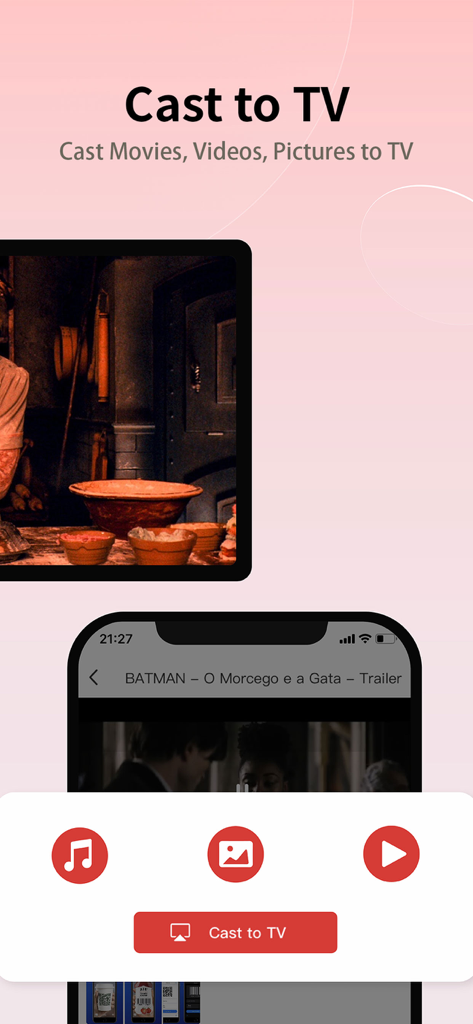
MagiConnect T-Cast app interface showing options to cast movies videos and pictures from an iPhone to a TV

MagiConnect T-Cast app interface showing options to cast movies videos and pictures from an iPhone to a TV

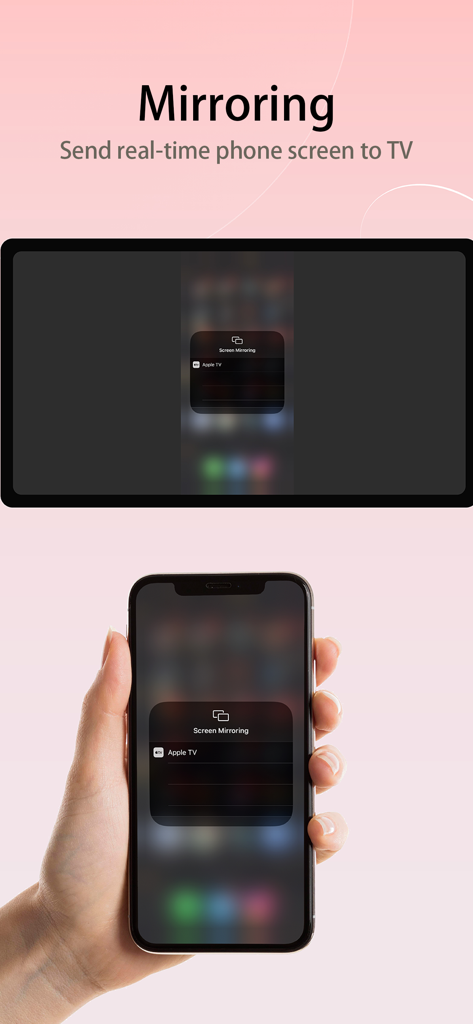
iPhone screen mirroring to a smart TV using the MagiConnect T-Cast app

iPhone screen mirroring to a smart TV using the MagiConnect T-Cast app

Revolutionize Your Living Room Experience

The tools that make this app stand out, trusted by 6M+ users.

📱

Smart Remote & Precision Typing

Stop struggling with slow TV D-pads. Use your iPhone keyboard and fluid touch gestures to search and navigate through your favorite apps in seconds.

📺

Seamless 4K All-In-One Casting

Instantly 'throw' local photos, videos, or trending streams from YouTube and Twitch directly to your TV. Share your world on the big screen with one tap.

🔗

Universal Entertainment Hub

The only controller you need. Effortlessly manage your TCL TV, Chromecast, Fire Stick, and Xbox from a single, intuitive interface.

Loved by users worldwide

Trusted by 6M+ people who love this app.

"

"I lost my physical remote months ago and honestly haven't looked for it since. The keyboard feature makes searching for shows so much faster than clicking around with a D-pad. Being able to cast my vacation photos directly from my iPhone to the 65-inch screen during family dinners is the cherry on top!"

David S.
"

"As someone with a TCL TV, an Xbox, and a Chromecast, this is the ultimate hub. The touch remote is incredibly responsive and makes navigating apps a breeze. I love how I can launch YouTube or Twitch on the TV directly from my phone without any lag. Essential for any smart home setup."

Sarah L.

About the app

Everything you need to know about MagiConnect T-Cast TCL Remote.

Description

MagiConnect T-Cast Smart TV Remote TCL Smart TV Remote give you access to casting online videos and all local videos, music, and images to TV, Chromecast, Amazon Fire Stick, Xbox or Fire TV, or other DLNA Devices. Cast to a bigger Screen and enjoy movies on TV now! Nscreen ( TV Remote ) is now MagiConnect T-Cast. Designed for all Smart TV brands and Internet TV boxes or Sticks, T-Cast allows you to control your TV via your phone. Features: • Multiple navigation modes, including Button Remote with Direction, Touch Remote, and Mouse Remote(only support some specific models) • Cast your local files(Photos, GIF Pictures, Videos, etc.) from phone to TV • Quick launch TV apps through one click on the phone • Share screen capture when you watch social media or save to phone All Cast in One. With Magiconnect, you can cast to: • Chromecast • Smart TVs: Sony, Hisense, Xiaomi, Panasonic, etc. • Amazon Fire TV and Cast to Fire Stick • Smart, Smart Stick, and Smart TVs • DLNA receivers • Xbox [NOTICE!]: • To use the Reminder app and send reminders and notes to TCL TV, please use the TCL HOME app on your phone [IMPORTANT]: • Please make sure you open T-Cast on TCL Smart TV, find it on T-Channel or APPLICATIONS • Please make sure your TV and phone are connected to the same Wi-Fi Network • Disable the AP isolation option on Router(if applicable) • Please enter TV Connection to detect the device again HOW TO USE: 1、Use your phone to control the TV; 2、Cast the latest films and dramas to the bigger screen; 3、Share your photos videos and music on TV; T-Cast is a Universal Remote Control for Smart TCL TV. T-Cast universal TV remote brings flawless experience as an alternative to a TV remote with much more handy and useful functionalities. TV remote T-Cast is aiming to support all the possible TV Models providing more than just a remote app. What's MagiConnect T-Cast? • Multi-function remote control and Home Entertainment Hub for all TV brands and other DLNA devices Supported Medias Channels: Hungama washFree IGN Twitch Youtube Toongoggles DarkMatter Kidsflix Amagi cocoroTv XUMO asianCrush midnightPulp electricNow OTTera Upcoming: Anime Channel Erosnow Celebrity Drama Channel Supported Devices: (included but not limited to the following Models) TCL Smart TV: TCL P65 Series 4K UHD TV TCL S6500 Series FHD TCL P6 Series 4K UHD TV TCL P8M Series 4K UHD TCL P8S Series 4K UHD TCL C6 Series 4K UHD TCL C70 series TCL Xess X2 TCL P60 series TCL Xclusive X1 TCL EP68 series TCL C76 series TCL EP66 series TCL ES56 series TCL EP64 series TCL P66 series TCL ES58 series TCL Series X X7 TCL Series X X6 TCL Series X X4 TCL Series X X2 TCL Series C C8 TCL Series P P8M TCL Series P P8S TCL Series P P6 TCL Series P P4 TCL Series P P20 TCL Series S S6800 TCL Series C C6 TCL Series C C4 Other Devices and Smart TV Brands: Samsung Sony Hisense Xiaomi and Mi TV Stick Panasonic, Xbox, etc. Thomson Smart TV: Thomson C65 series Thomson C64 series All Smart TV All Streaming Models include TCL Models Help & Support: • Messenger Group: https://m.me/join/AbbEyPXk7GJSz1Tt • Telegram Group: https://t.me/tcastapp Statement on auto-renewal: • Subscription period: A month • Subscription price:$1.99 per month • Payment: after the user confirms the purchase and makes the payment, it is credited to the iTunes account • Cancel renewal: if you want to cancel renewal, please manually turn off the automatic -- Renewal: the apple iTunes account will deduct fees within 24 hours before expiration. After successful deduction, the subscription cycle will be postponed for one subscription cycle Privacy Policy:https://hwtcast-html-o.api.leiniao.com/privacy/terms_conditions.html Terms and Conditions:https://hwtcast-html-o.api.leiniao.com/privacy/terms_conditions.html Auto-renewal service agreement:https://hwtcast-html-o.api.leiniao.com/privacy/PaidServicesTerms.html

Latest Version

2.4.699

Size

56.9 MB

First Released

Jan 29, 2018

Master Your Home Theater in Seconds

Join over 6 million users who have traded their lost remotes for a smarter, faster way to control TCL TVs and cast everything they love to the big screen.

Download on App Store
FAQ

Frequently Asked Questions

Everything you need to know about MagiConnect T-Cast TCL Remote

What is MagiConnect T-Cast TCL Remote?

MagiConnect T-Cast TCL Remote functions as a universal remote control and home entertainment hub. It casts online and local videos, music, and images from a phone to various TVs and DLNA devices.

Can MagiConnect T-Cast cast videos and photos to a TV?

Yes, MagiConnect T-Cast supports casting local files such as photos, GIF pictures, and videos from your phone to a TV. It also casts online videos and dramas.

What navigation modes does MagiConnect T-Cast provide?

MagiConnect T-Cast offers multiple navigation modes. These include Button Remote with Direction, Touch Remote, and Mouse Remote, with Mouse Remote supporting specific models only.

Does MagiConnect T-Cast support screen mirroring?

Yes, MagiConnect T-Cast supports screen mirroring. It allows users to send their real-time phone screen directly to a TV.

Which devices are compatible with MagiConnect T-Cast?

MagiConnect T-Cast is compatible with Smart TVs (TCL, Sony, Hisense, Xiaomi, Panasonic, Thomson), Chromecast, Amazon Fire Stick, Xbox, Fire TV, and other DLNA devices.

How much does a MagiConnect T-Cast subscription cost?

The subscription price for MagiConnect T-Cast is $1.99 per month. Payment is charged to the iTunes account after purchase confirmation.

How do I connect MagiConnect T-Cast to my TV?

To connect MagiConnect T-Cast, ensure T-Cast is open on your TCL Smart TV (T-Channel or APPLICATIONS). Both the TV and phone must connect to the same Wi-Fi Network. Disable the AP isolation option on the router if applicable.