Microsoft 365 Copilot

Microsoft 365 Copilot

Download on App StoreDownload on Google Play
Spark by MWM logo
Logo of Microsoft 365 Copilot

Microsoft 365 Copilot: Your AI-First Assistant for Professional Excellence

Reclaim your time and streamline your workflow. Chat with AI to summarize complex documents, analyze data, and create polished content effortlessly from anywhere.

Download on App Store

Publisher

Microsoft Corporation

Category

Productivity

Downloads

117M+

User Rating

4.7/5

Total Ratings

4M+

Locales

33

Efficiency in Action

Discover the interface used by 117M+ users.

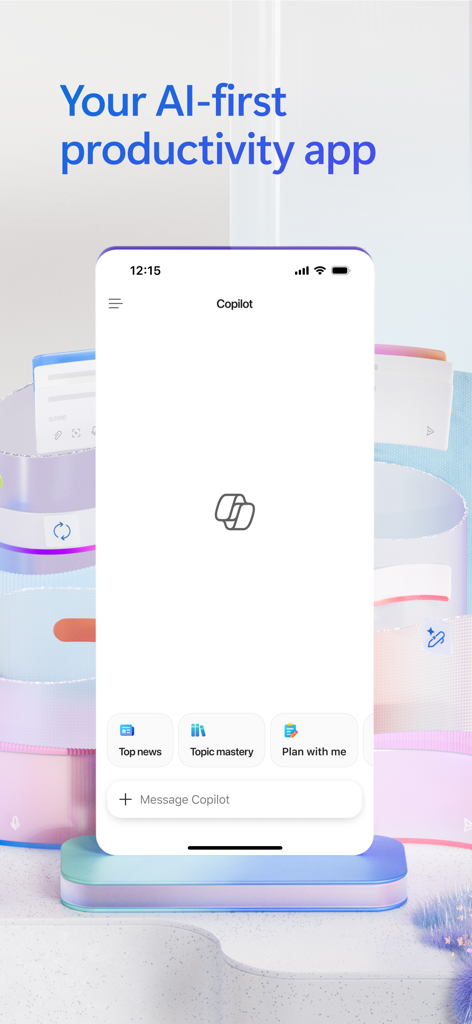
Microsoft 365 Copilot mobile app interface with AI chat and productivity features
Microsoft 365 Copilot mobile app interface with AI chat and productivity features

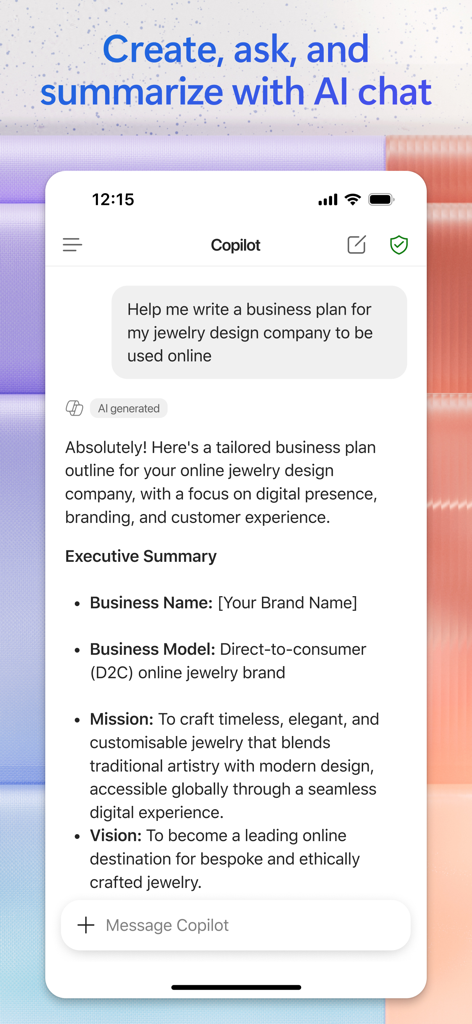
Microsoft 365 Copilot app showing an AI-generated business plan for a jewelry design company in a chat interface

Microsoft 365 Copilot app showing an AI-generated business plan for a jewelry design company in a chat interface

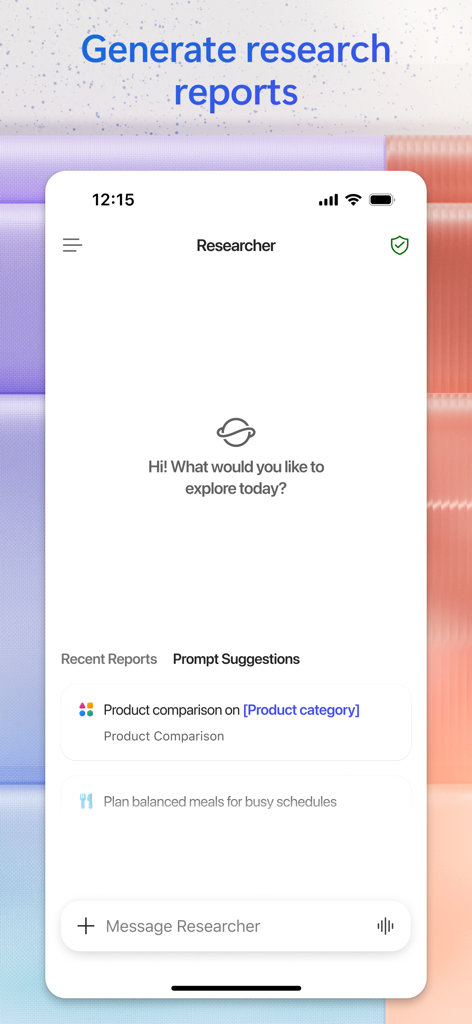
Microsoft 365 Copilot app interface showing the Researcher feature with prompt suggestions for generating research reports and product comparisons.

Microsoft 365 Copilot app interface showing the Researcher feature with prompt suggestions for generating research reports and product comparisons.

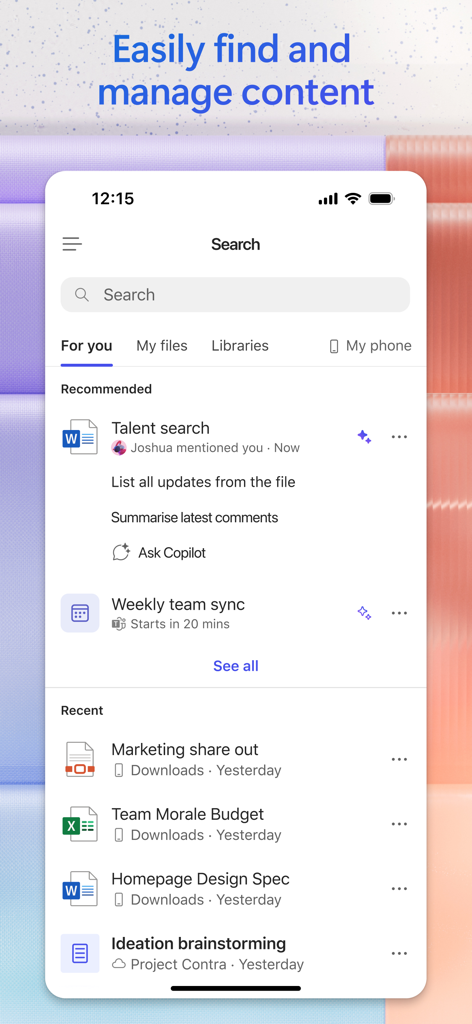
Microsoft 365 Copilot search interface displaying recommended and recent office documents

Microsoft 365 Copilot search interface displaying recommended and recent office documents

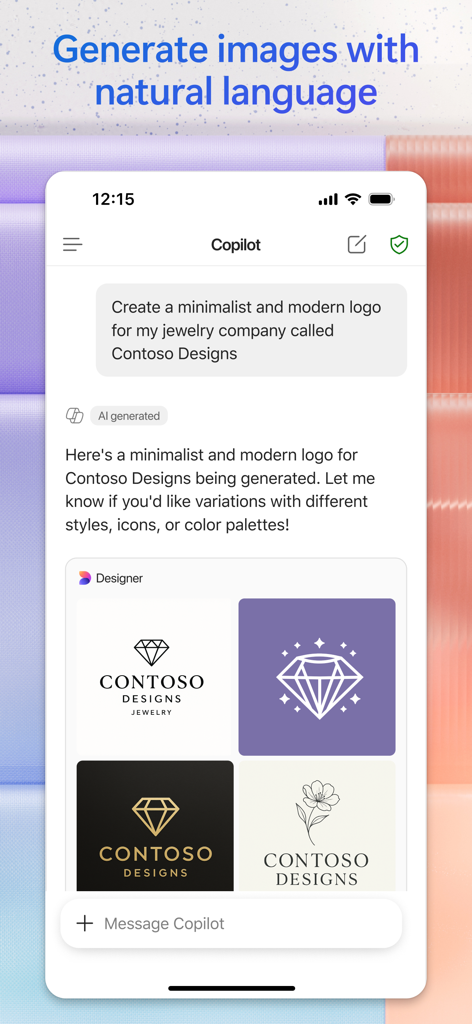
Microsoft 365 Copilot app interface showing AI generated logos for a jewelry brand

Microsoft 365 Copilot app interface showing AI generated logos for a jewelry brand

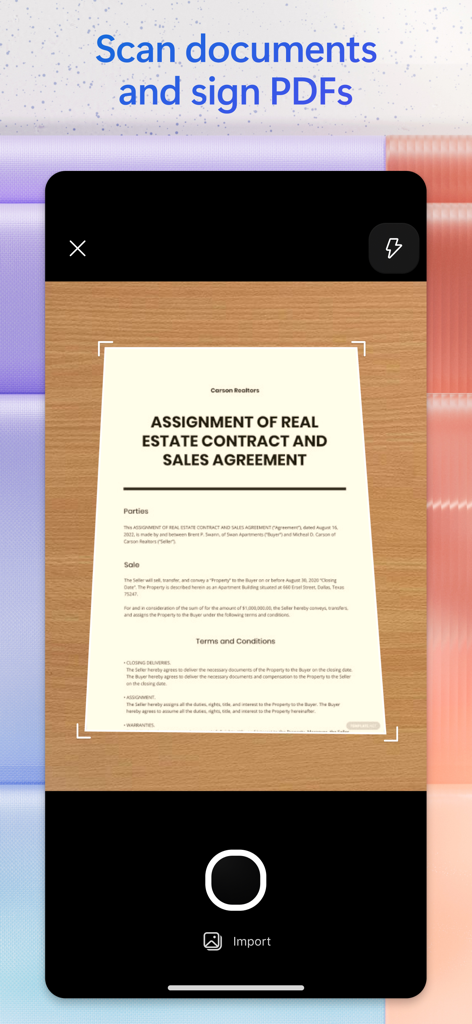
Mobile interface scanning a real estate contract document using the Microsoft 365 Copilot app

Mobile interface scanning a real estate contract document using the Microsoft 365 Copilot app

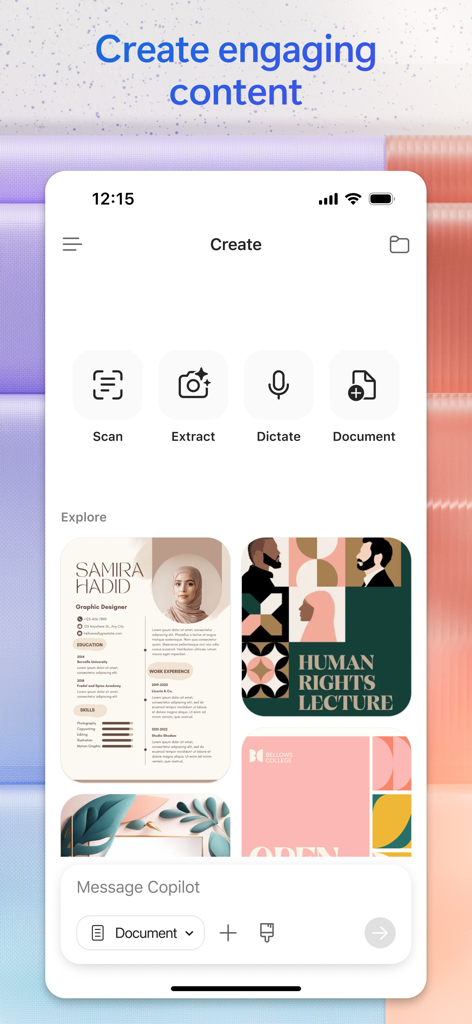
Microsoft 365 Copilot app interface showing AI creation tools for scanning extracting dictating and designing professional content

Microsoft 365 Copilot app interface showing AI creation tools for scanning extracting dictating and designing professional content

Master Your Workflow with AI

The tools that make this app stand out, trusted by 117M+ users.

🔍

Summarize Anything Instantly

Save hours of reading by asking Copilot to extract key insights from your cloud documents, emails, and spreadsheets.

🚀

Draft & Design in Seconds

Break through writer’s block. Create professional drafts, marketing copy, and AI-generated visuals directly from your phone.

📱

Seamless Mobile Productivity

Use voice commands to find files and brainstorm ideas hands-free, perfect for the hybrid professional on the move.

Loved by users worldwide

Trusted by 117M+ people who love this app.

"

"Copilot has completely transformed how I handle my hybrid work schedule. Being able to summarize long email threads and prep for meetings using voice commands while I'm on the go is a total lifesaver. It is the first AI tool that actually understands my workflow and saves me real time every single day."

Alex Rivera
"

"As a freelance consultant, I used to waste hours digging through old folders for specific documents. Now, I just ask the app to find them for me. The ability to generate research reports and create quick social media banners from templates makes it an essential part of my toolkit."

Sarah Jenkins

Review Analysis

Insights from user reviews.

Sentiment Score

30%
Negative

Summary

The recent transformation of the Microsoft Office app into a Copilot-centric application has overwhelmingly drawn negative feedback from users. Many are highly dissatisfied with the removal of core Office functionalities, such as the ability to open, edit, or create Word, Excel, and PowerPoint documents directly, now forcing them to download separate apps. The new AI features are often described as pointless, unstable, and less productive than the previous integrated experience, with reports of crashes and issues like autocorrect glitches. While a few users find value in its capabilities for data analysis and quick presentations, the general consensus is that the update is a significant downgrade, ruining a previously useful all-in-one tool.

Common Themes

Overall App Quality(7)
Data Analysis Capabilities(1)
Presentation Creation(1)
AI Assistant Features(1)
User Interface & Design(1)

About the app

Everything you need to know about Microsoft 365 Copilot.

Description

The Microsoft 365 Copilot app is your AI-first productivity app for work and home. It provides one place for you to chat with your AI assistant(1), create and edit content, manage projects, and quickly find files - helping you get more done, without doing more.   With the Microsoft 365 Copilot app, you can(1):  • Chat with your AI assistant – Ask Copilot to summarize a document saved to the cloud (OneDrive or SharePoint) or on your phone, draft an email, or analyze a spreadsheet using natural language.   • Interact with voice – Talk to Copilot to help you prepare for your day, get answers, and brainstorm ideas hands-free.  • Find what matters fast – Find the strategy deck you were working on a month ago, a picture from your last family reunion, or a file that was attached to an email.  • Accelerate your learning – Ask Copilot to explain a concept, summarize recent trends, or help you prepare for a presentation.  • Get expert insights – Use built-in AI agents like Researcher and Analyst to generate research reports and analyze complex datasets.  • Create polished content – Create and edit images, posters, banners, videos, surveys and more with easy-to-use templates.  • Scan files – Scan documents, photos, notes and more with your mobile app.  • Manage projects easily - Bring together ideas, documents, and links and ask Copilot to summarize and connect the dots with Copilot Notebooks.  • Easily upload and save documents – Upload files like Word, Excel, or PDF from your phone’s storage to help Copilot give you answers – and you can also save files that Copilot creates directly to your phone.    Sign in with your work, school, or personal Microsoft account to start using the free app today.  (1)Availability of Microsoft 365 Copilot features may vary. Some capabilities require specific licenses or may be disabled by your organization's administrator. See this webpage for more information on feature availability by license.  Please refer to Microsoft’s EULA for Terms of Service for Microsoft 365. By installing the app, you agree to the terms and conditions: https://learn.microsoft.com/legal/microsoft-365/microsoft-365-copilot-mobile-license-terms

Latest Version

2.105.1

Size

673.1 MB

First Released

Jun 14, 2013

Ready to Work Smarter, Not Harder?

Join over 117 million professionals who use Microsoft 365 Copilot to summarize documents, draft emails, and conquer their to-do lists with the power of AI. Download for free today and reclaim your time.

Download on App StoreDownload on Google Play
FAQ

Frequently Asked Questions

Everything you need to know about Microsoft 365 Copilot

What is the Microsoft 365 Copilot app?

The Microsoft 365 Copilot app is an AI-first productivity tool designed for work and home. It serves as a central AI assistant for chatting, content creation, project management, and file retrieval, enhancing productivity.

Can Microsoft 365 Copilot help summarize documents?

Yes, Microsoft 365 Copilot can summarize documents saved to the cloud (OneDrive or SharePoint) or directly on your phone. It uses natural language to process and condense information.

Does the Microsoft 365 Copilot app support voice interaction?

Yes, the Microsoft 365 Copilot app supports voice interaction. Users can talk to Copilot to prepare for their day, get answers, and brainstorm ideas hands-free.

How can I find files using Microsoft 365 Copilot?

Microsoft 365 Copilot allows users to quickly find various files, including strategy decks, pictures, and email attachments. The app centralizes content management for easy access.

Can Microsoft 365 Copilot generate research reports?

Yes, Microsoft 365 Copilot generates research reports. It includes built-in AI agents like "Researcher" to provide expert insights and analyze complex datasets effectively.

Does Microsoft 365 Copilot offer image creation features?

Yes, Microsoft 365 Copilot offers image creation features. Users can create and edit images, posters, banners, and videos using easy-to-use templates within the app.

Is the Microsoft 365 Copilot app free to use?

Yes, the Microsoft 365 Copilot app is free to use. Users sign in with a work, school, or personal Microsoft account to access its features.

Can the Microsoft 365 Copilot app scan physical documents?

Yes, the Microsoft 365 Copilot app can scan physical documents. It scans documents, photos, and notes directly using the mobile app's functionality.

What types of documents can I upload to Microsoft 365 Copilot?

Users can upload files like Word, Excel, or PDF from their phone's storage to Microsoft 365 Copilot. This helps Copilot provide more relevant answers and allows saving created files.

Do all Microsoft 365 Copilot features have the same availability?

No, the availability of Microsoft 365 Copilot features varies. Some capabilities require specific licenses, or an organization's administrator may disable them.