Midi Dj Lite

Midi Dj Lite

Download on App Store
Spark by MWM logo
Logo of Midi Dj Lite

Midi Dj Lite: Turn Your iPad into a Professional Wireless DJ Controller

Ditch the mouse and take command of Traktor, Mixxx, and more. Experience tactile mixing with dual decks, precision faders, and real-time track feedback—all over Wi-Fi.

Publisher

Yuriy Kvasha

Category

Music

Downloads

248K+

User Rating

2.7/5

Total Ratings

200

Locales

25

The Virtual Booth

Discover the interface used by 248K+ users.
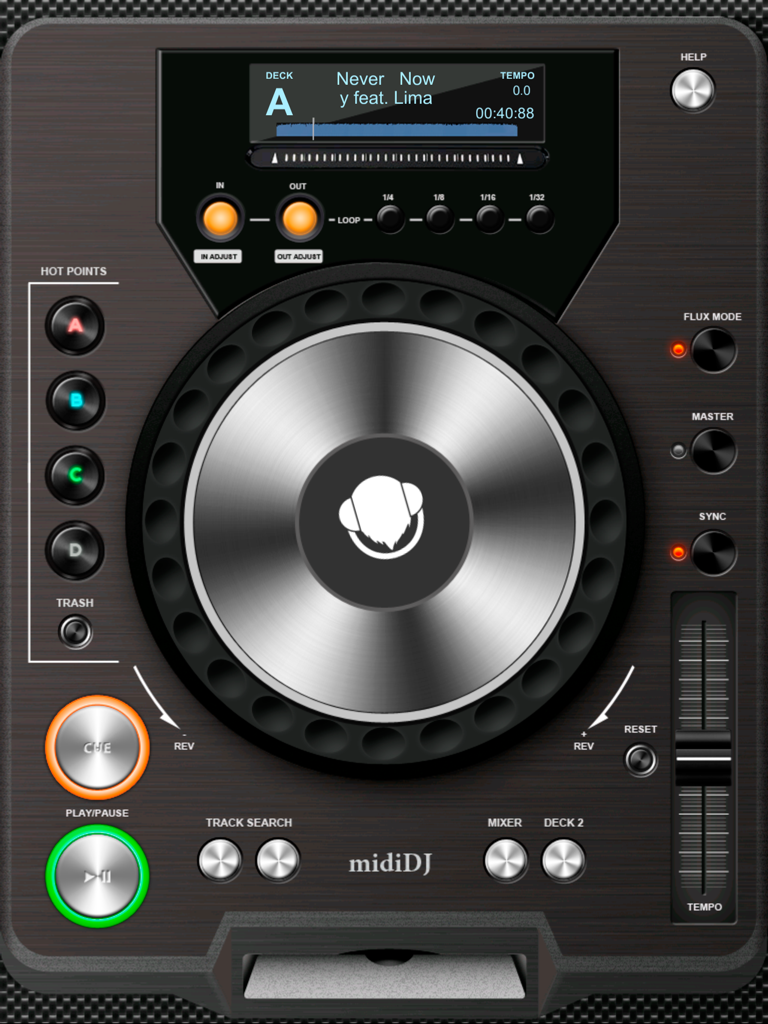
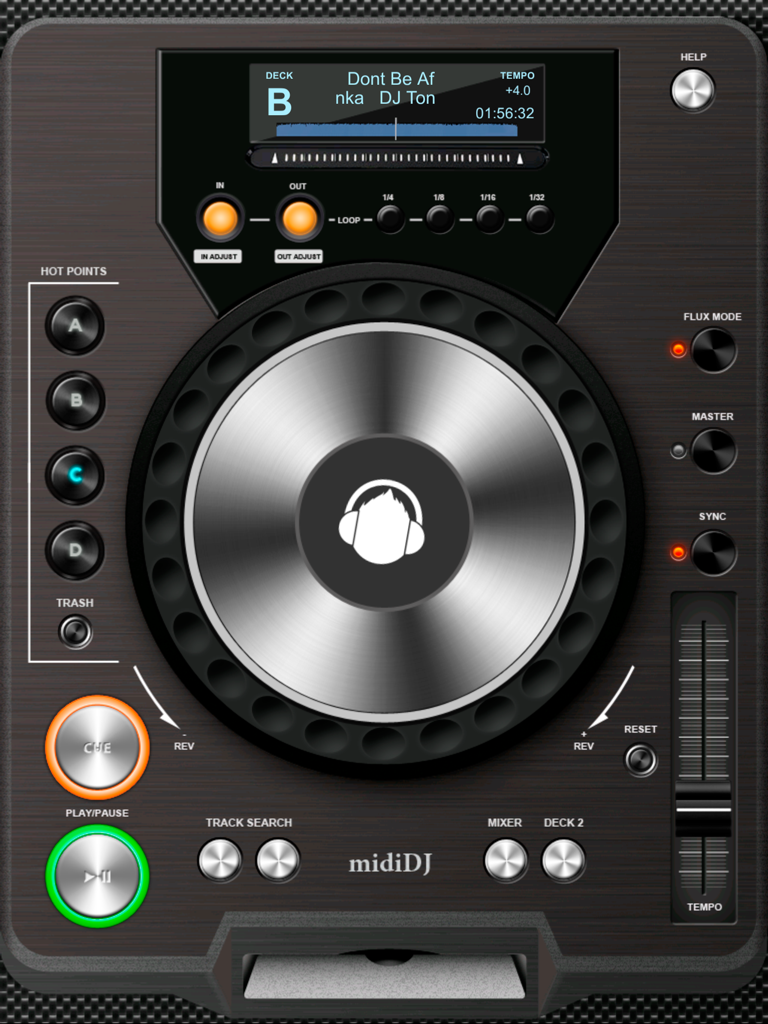
A virtual DJ deck interface on iPad with a jog wheel, play and pause buttons, and track information display

A virtual DJ deck interface on iPad with a jog wheel, play and pause buttons, and track information display

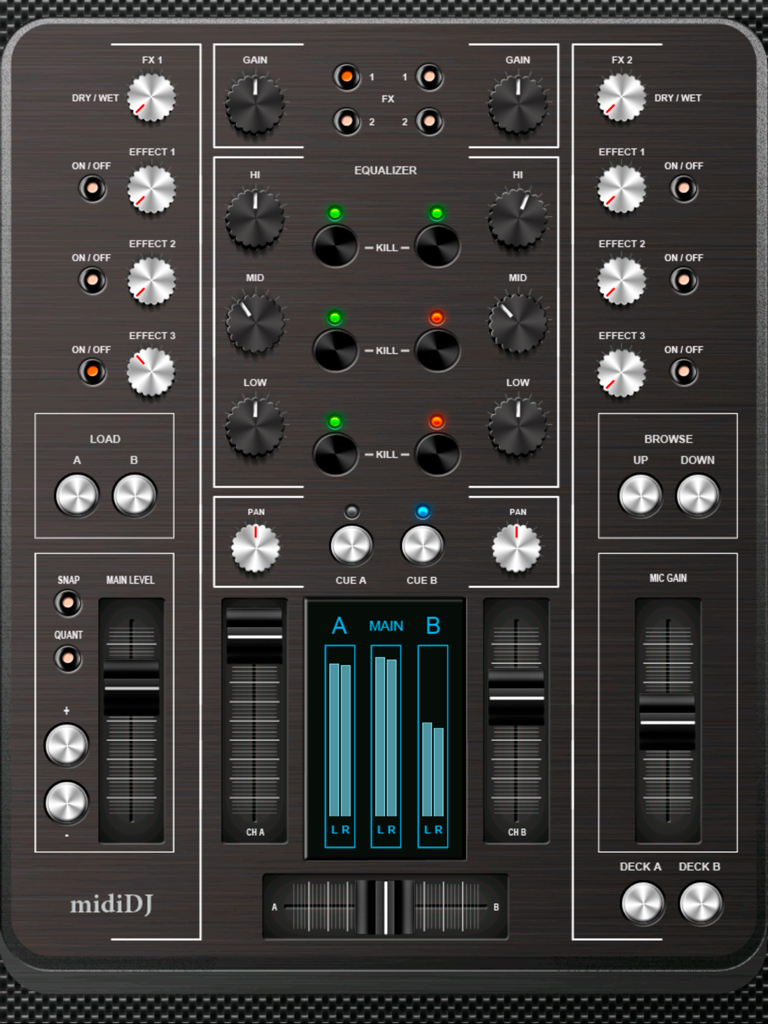
Midi Dj Lite app interface showing a virtual DJ mixer with faders and knobs

Midi Dj Lite app interface showing a virtual DJ mixer with faders and knobs

iPad interface of Midi Dj Lite showing a digital DJ deck with jog wheel, play buttons, and loop controls

iPad interface of Midi Dj Lite showing a digital DJ deck with jog wheel, play buttons, and loop controls

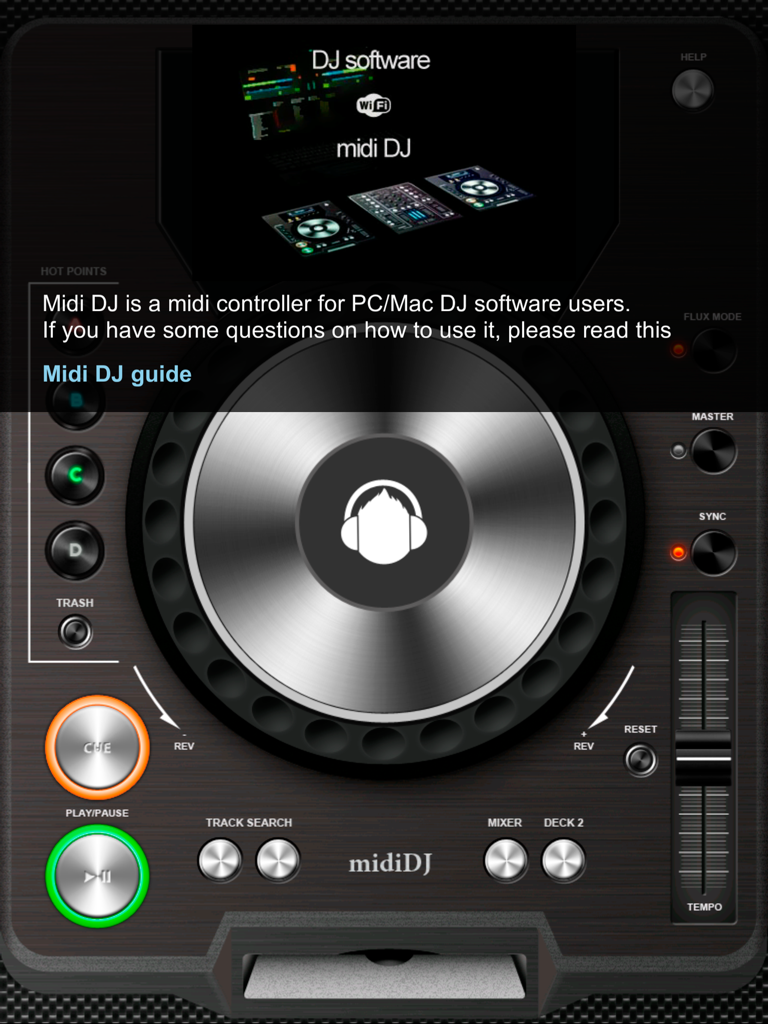
Interface of the Midi DJ Lite app for iPad featuring a virtual jog wheel and professional DJ controls

Interface of the Midi DJ Lite app for iPad featuring a virtual jog wheel and professional DJ controls

Level Up Your DJ Sets

The tools that make this app stand out, trusted by 248K+ users.

📶

Wireless Mixing Control

Move freely around the party. Sync your iPad over Wi-Fi to control your PC/Mac software directly from the dance floor.

🎚️

Ditch the Mouse

Get hands-on with dual decks, mixers, and FX regulators. Experience the tactile feel of physical hardware on your iPad touch screen.

⏱️

Real-Time Feedback

Stay in the flow with integrated LCD track displays and timing indicators that sync perfectly with Traktor and other pro tools.

Loved by users worldwide

Trusted by 248K+ people who love this app.

"

"I use Midi DJ Lite for every house party I host. Being able to control Traktor Pro 2 wirelessly from my iPad while I am actually interacting with the crowd is a total game-changer. The faders are super responsive and it completely eliminates the awkwardness of hovering over a laptop with a mouse all night."

Alex Rivera
"

"As a student getting into mixing, I didn't want to drop hundreds on a hardware controller just yet. This app is the perfect bridge. The integration with Mixxx is seamless, and having dedicated touch controls for loops and FX makes my sets sound way more professional than I ever thought possible on a budget."

Jordan Smith

Review Analysis

Insights from user reviews.

Sentiment Score

31%
Negative

Summary

The app receives largely negative feedback, primarily due to widespread issues with sound and audio not working, inability to load or play music, and frequent connectivity problems, including with MIDI and PC synchronization. Many users also report that the app simply 'does not work' or is 'useless', with additional frustration stemming from unexpected in-app purchases and problems restoring paid features. On the positive side, a smaller group of users praise the app's concept and potential, especially those who successfully integrated it with Traktor Pro, noting its ease of configuration in those specific cases.

Common Themes

Sound/Audio(8)
Functionality(7)
In-App Purchases(5)
Connectivity(3)
Traktor Compatibility(2)
Concept/Potential(2)
Music Loading(2)
Configuration(1)

About the app

Everything you need to know about Midi Dj Lite.

Description

Midi DJ Lite is a MIDI controller for PC/Mac DJ software, including Traktor Pro 2, Deckadance 2, Mixxx, Torq, and any other MIDI-enabled DJ software. It allows you to send and receive MIDI messages over a Wi-Fi network, enabling remote control of your PC/Mac DJ software. With Midi DJ Lite, you can eliminate the need for a mouse and trackpad. This app is fully compatible with Traktor Pro 2 for both Mac and PC, and it consists of DeckA, DeckB, and Mixer functionalities. **DeckA/DeckB features:** - Play/Pause - Cue - Track search buttons - Tempo fader - Jog control - 4 programmable Hot points - In/Out loop buttons with 1/4, 1/8, 1/16, and 1/32 time intervals - Master mode - Sync mode - Flux mode - Track position finger changer Additional available features in Traktor Pro (refer to the guide at http://www.kvasha.us/guide/midi-dj/): - LCD display showing track name, time (m:s:f), and track position indicator. **Mixer:** - Left/Right volume level faders - Crossfader - Mic gain fader - Main output level protected fader (to prevent rapid volume changes) - Hi, Mid, and Low frequency regulators - Kill Hi, Mid, and Low buttons - Gain control - 3 FX regulators per channel - 3 FX turn on/off buttons per channel Additional available features in Traktor Pro (refer to the guide at http://www.kvasha.us/guide/midi-dj/): - LCD left/right and main output level indicators - File browsing using Up & Down keys - Load to Deck A or B buttons - Phones cueA & cueB buttons To utilize all the features of Midi DJ Lite, please consult the user's guide and watch the demonstration videos at http://www.kvasha.us/guide/midi-dj/ Demo video: https://www.youtube.com/watch?v=ZfV3kv906lE

Latest Version

1.6

Size

44.7 MB

First Released

Jun 18, 2015

Ditch the Mouse and Command Your Mix

Join over 248,000 DJs turning their iPad into a pro-grade MIDI controller. Get wireless, tactile control of Traktor, Mixxx, and more for free.

Download on App Store