Minecraft Education

Minecraft Education

Download on App Store
Spark by MWM logo
Logo of Minecraft Education

Minecraft Education: Transform Learning into an Immersive Creative Adventure

Empower your students with the game-based platform they already love. From coding and STEM to history and literacy, explore hundreds of ready-to-teach lessons designed to build collaboration, critical thinking, and future-ready skills.

Publisher

Mojang AB

Category

Education

Downloads

21M+

User Rating

3.9/5

Total Ratings

117K+

Locales

22

Learning in Action

Discover the interface used by 21M+ users.
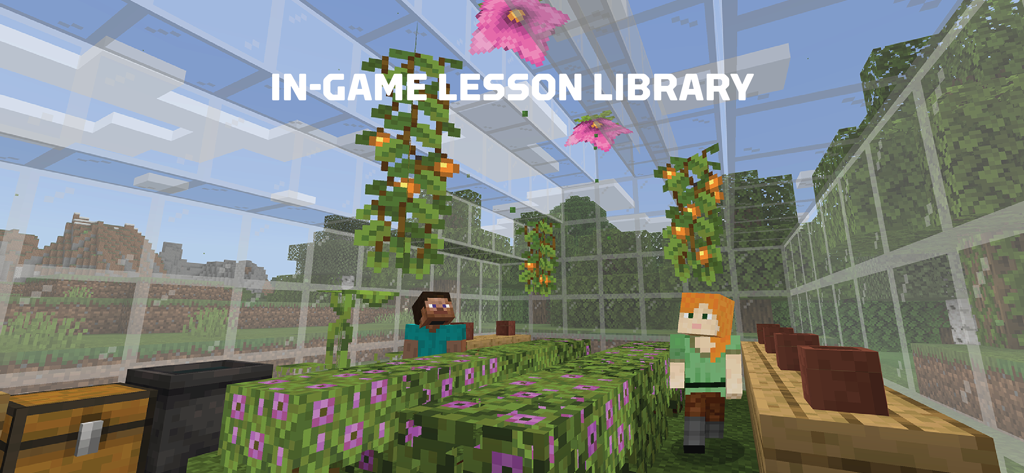
Two Minecraft characters inside a glass greenhouse with plants and flowers for a lesson.

Two Minecraft characters inside a glass greenhouse with plants and flowers for a lesson.

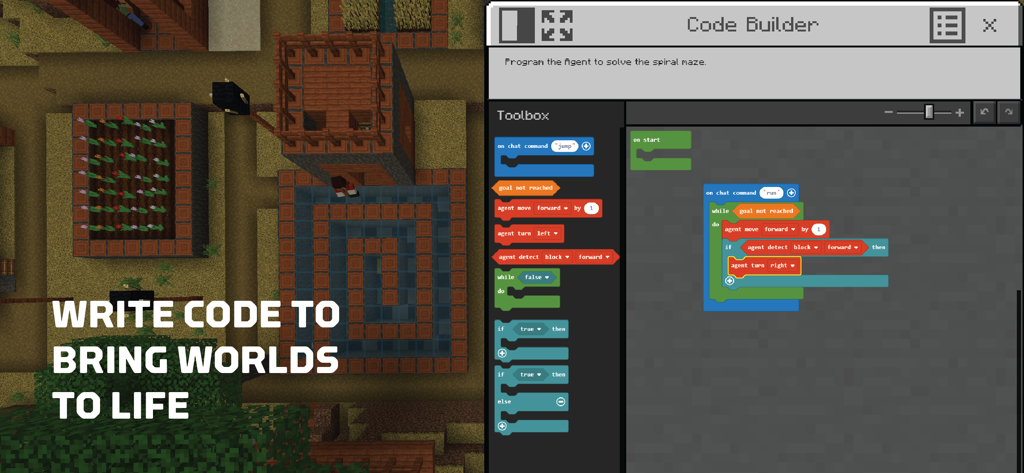
Interface of the Minecraft Education Code Builder showing visual block based programming next to a 3D game world

Interface of the Minecraft Education Code Builder showing visual block based programming next to a 3D game world

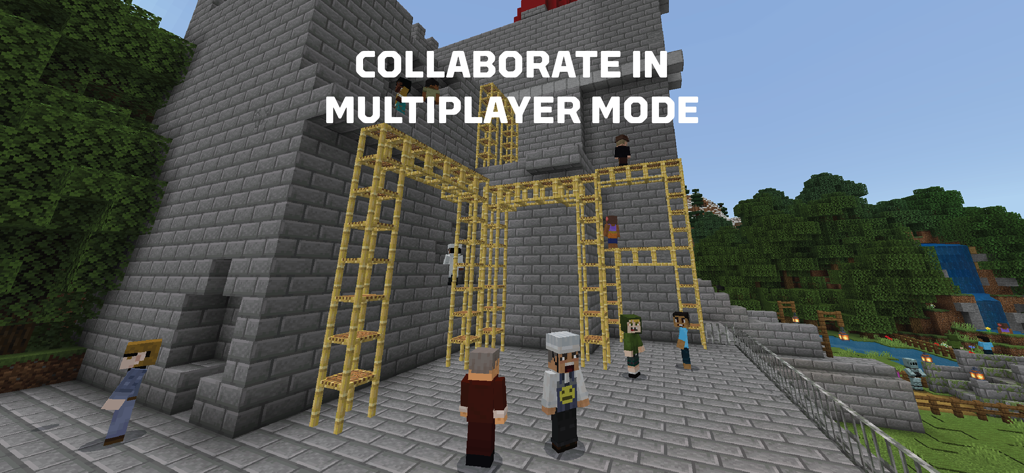
Minecraft characters building together in multiplayer mode with the text collaborate in multiplayer mode

Minecraft characters building together in multiplayer mode with the text collaborate in multiplayer mode

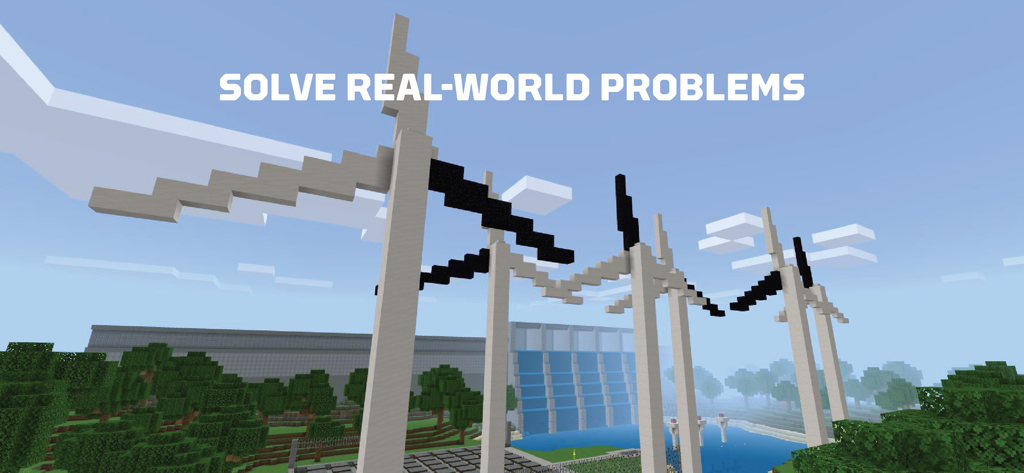
Minecraft Education screenshot featuring block built wind turbines and a dam with the text Solve Real World Problems

Minecraft Education screenshot featuring block built wind turbines and a dam with the text Solve Real World Problems

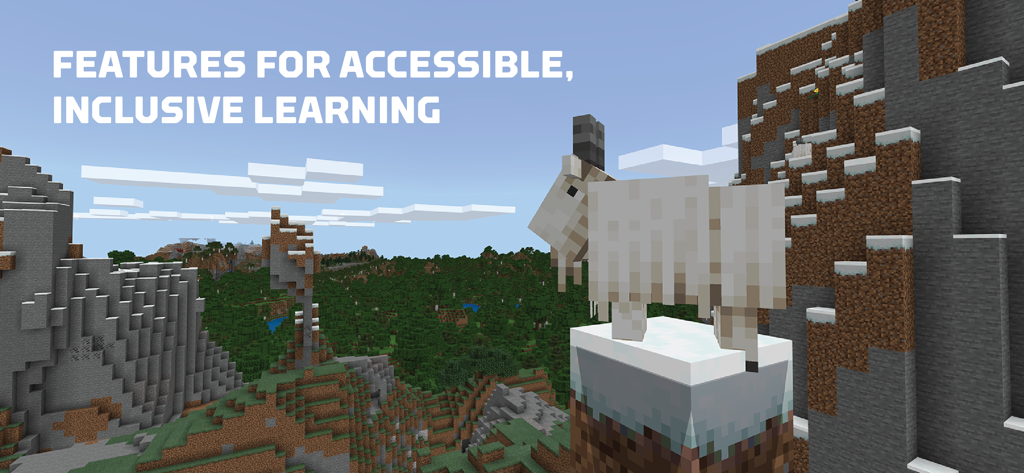
Minecraft landscape with a goat and text highlighting features for accessible and inclusive learning

Minecraft landscape with a goat and text highlighting features for accessible and inclusive learning

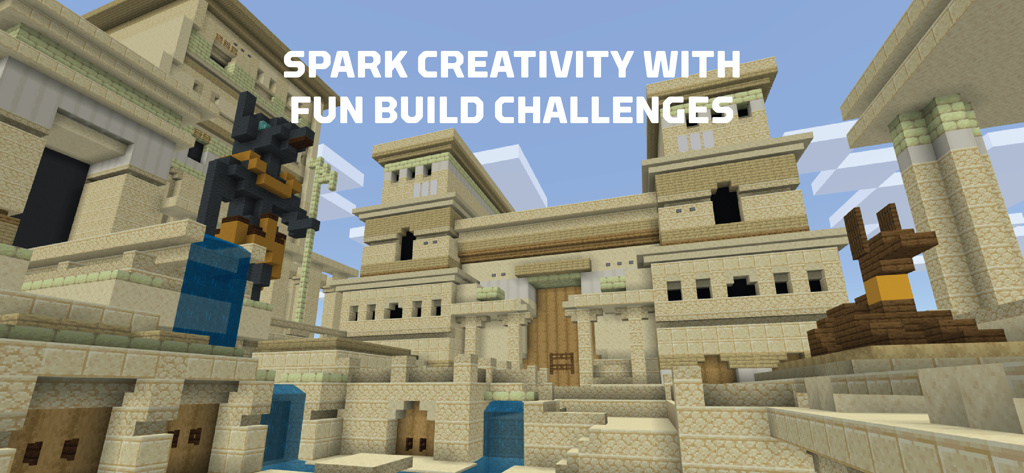
Minecraft Education build challenge showing an ancient Egyptian temple in a blocky world

Minecraft Education build challenge showing an ancient Egyptian temple in a blocky world

Empower Your Classroom with Game-Based Learning

The tools that make this app stand out, trusted by 21M+ users.

💻

Future-Ready Coding Skills

Equip students with Python and JavaScript through a visual Code Builder that transforms abstract logic into tangible in-game creations.

👥

Safe Social Collaboration

Foster teamwork and digital citizenship in secure multiplayer worlds where students solve complex challenges together in real-time.

🎓

Curriculum-Ready Tools

Deploy hundreds of standards-aligned lessons instantly with built-in accessibility features like Immersive Reader for inclusive learning.

Loved by users worldwide

Trusted by 21M+ people who love this app.

"

"As a STEM coordinator, I have seen engagement levels skyrocket since we integrated this platform. The Code Builder makes teaching Python incredibly intuitive, and the multiplayer mode has transformed how my students collaborate on complex engineering challenges."

Sarah M., K-8 Technology Lead
"

"I love that my teacher lets us use Minecraft for math and history projects! Building a scale model of the International Space Station with my friends was way cooler than just reading about it in a textbook. It is definitely the best part of the school day."

Leo J., 6th Grade Student

About the app

Everything you need to know about Minecraft Education.

Description

THIS APP IS FOR SCHOOL AND ORGANIZATIONAL USE. Minecraft Education is a game-based platform that inspires creative, inclusive learning through play. Explore blocky worlds that unlock new ways to tackle any subject or challenge. Dive into subjects like reading, math, history, and coding with lessons and standardized curriculum designed for all types of learners. Or explore and build together in creative open worlds. USE IT YOUR WAY With hundreds of ready-to-teach lessons, creative challenges, and blank canvas worlds, there are lots of ways to make Minecraft Education work for your students. It’s easy to get started, no gaming experience necessary. PREPARE STUDENTS FOR THE FUTURE Help learners develop key key skills like problem solving, collaboration, digital citizenship, and critical thinking to help students them thrive now and in the future workplace. Spark a passion for STEM. GAME-BASED LEARNING Unlock creativity and deep learning with immersive content created with partners including BBC Earth, NASA, and the Nobel Peace Center. Inspire students to engage in real-world topics with culturally relevant lessons and build challenges. KEY FEATURES  - Multiplayer mode enables collaboration in-game across platforms, devices, and hybrid environments - Code Builder supports block-based coding, JavaScript, and Python with intuitive interface and in-game execution - Immersive Reader helps players read and translate text  - Camera and Book & Quill items allow documentation and export of in-game-creations - Integration with Microsoft Teams and Flipgrid supports assessment and teacher controls Minecraft Education licenses can be purchased with Admin access to a Microsoft 365 Admin Center account. Talk to your Tech Lead for information on academic licensing. Terms of use: The terms that apply to this download are the terms that were presented when you purchased your Minecraft Education subscription. If you subscribe to Minecraft Education via iTunes: Each Minecraft Education subscription lasts one year from date of purchase. The payment will be charged to your iTunes account at confirmation of purchase. Your subscription will automatically renew unless auto-renew is turned off at least 24 hours before the end of the current period. If your subscription is set to auto-renew, your account will be charged within 24 hours prior to the end of the current period at the subscription price option you previously selected. Turn off auto-renewal by going to the user's Account Settings after purchase. If you cancel after your subscription has activated, your account will not be refunded for the remaining active period of the subscription. Privacy policy: https://aka.ms/privacy

Latest Version

1.21.93.1

Size

1.1 GB

First Released

Sep 6, 2018

Ready to Transform Your Classroom Through Play?

Join millions of educators and students worldwide. Download Minecraft Education today to unlock creative STEM lessons, coding challenges, and collaborative worlds designed for the future of learning.

Download on App Store
FAQ

Frequently Asked Questions

Everything you need to know about Minecraft Education

What is Minecraft Education?

Minecraft Education is a game-based platform for schools and organizations. It inspires creative, inclusive learning by allowing users to explore blocky worlds to tackle subjects like reading, math, history, and coding, fostering critical thinking and problem-solving skills.

Is Minecraft Education suitable for all ages and skill levels?

Yes, Minecraft Education is designed for all types of learners. It offers lessons and a standardized curriculum. The platform requires no prior gaming experience, making it accessible for students at various skill levels.

Does Minecraft Education support coding?

Minecraft Education integrates Code Builder, a feature supporting block-based coding, JavaScript, and Python. It provides an intuitive interface for in-game execution, allowing users to program and bring worlds to life.

Can students collaborate in Minecraft Education?

Yes, Minecraft Education enables collaboration through its multiplayer mode. This feature allows students to work together in-game across various platforms, devices, and hybrid environments, promoting teamwork and shared learning.

How can schools or organizations acquire licenses for Minecraft Education?

Minecraft Education licenses are purchased with Admin access to a Microsoft 365 Admin Center account. Institutions should consult their Tech Lead for detailed information on academic licensing.

How long is a Minecraft Education subscription valid?

Each Minecraft Education subscription, when purchased via iTunes, lasts one year from the date of purchase. The subscription automatically renews unless auto-renewal is manually turned off.

How do I cancel auto-renewal for my Minecraft Education subscription?

To turn off auto-renewal for a Minecraft Education subscription purchased via iTunes, users must go to their Account Settings after purchase. Auto-renewal must be disabled at least 24 hours before the current period ends.

Does Minecraft Education offer accessibility features?

Yes, Minecraft Education includes features for accessible learning, such as the Immersive Reader. This tool helps players read and translate in-game text, fostering an inclusive environment for diverse learners.

Is there an in-game lesson library in Minecraft Education?

Yes, Minecraft Education features an in-game lesson library. It provides hundreds of ready-to-teach lessons, creative challenges, and blank canvas worlds, supporting various subjects and learning styles.