MIX-Photo Editor & Filters

MIX-Photo Editor & Filters

Download on App Store
Spark by MWM logo
Logo of MIX-Photo Editor & Filters
MIX-Photo Editor & Filters: Professional Aesthetic Power in Your Pocket

Elevate your visual storytelling with cinema-grade HSL tools, one-tap magic sky replacements, and 200+ designer presets. Experience professional-level control without the desktop complexity.

Publisher

灏 徐

Category

Photo & Video

Downloads

20M+

User Rating

4.9/5

Total Ratings

902K+

Locales

8

Artistry in Every Tap

Discover the interface used by 20M+ users.
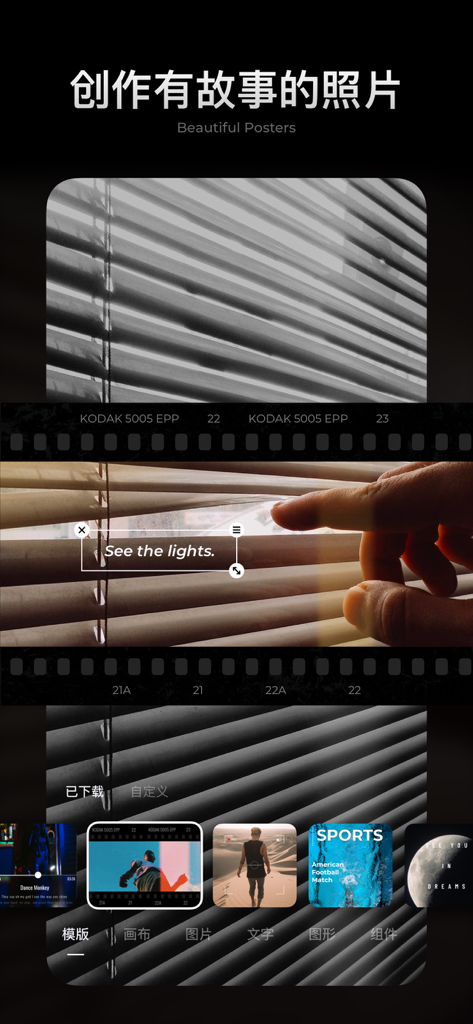
Interface of the MIX photo editor app showing beautiful poster templates and a film strip design layout.

Interface of the MIX photo editor app showing beautiful poster templates and a film strip design layout.

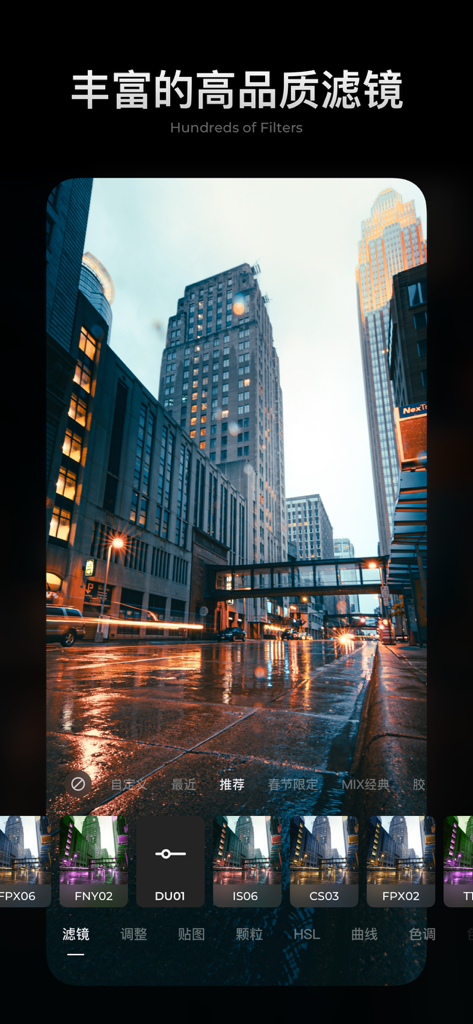
Interface of the MIX Photo Editor app showing professional filters being applied to a city street photograph.

Interface of the MIX Photo Editor app showing professional filters being applied to a city street photograph.

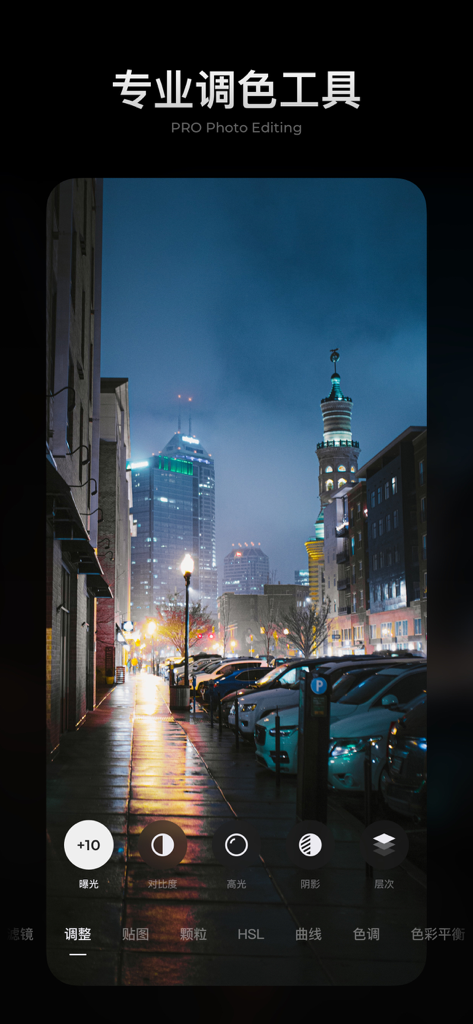
Professional photo editing interface in the MIX app showing color adjustment tools for a night city photograph.

Professional photo editing interface in the MIX app showing color adjustment tools for a night city photograph.

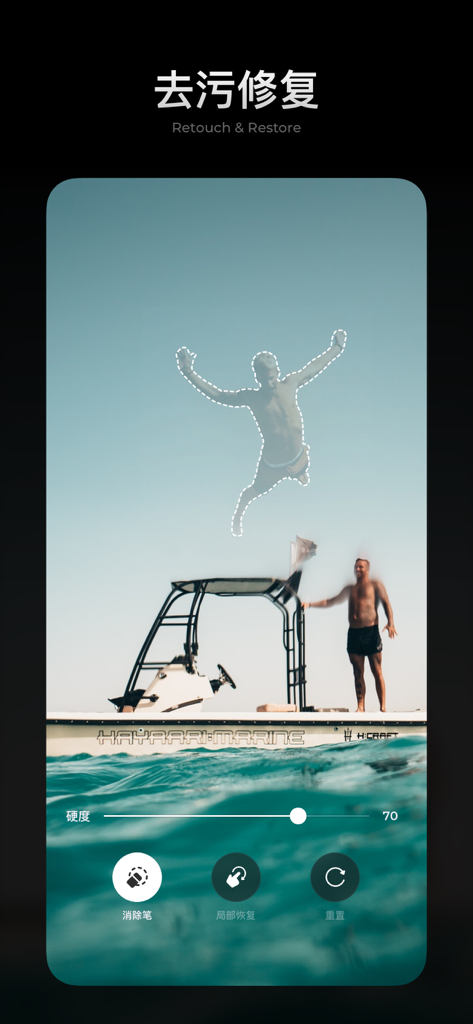
Interface of the MIX photo editor app showing the retouch and restore feature used to select and remove a person from a travel photo

Interface of the MIX photo editor app showing the retouch and restore feature used to select and remove a person from a travel photo

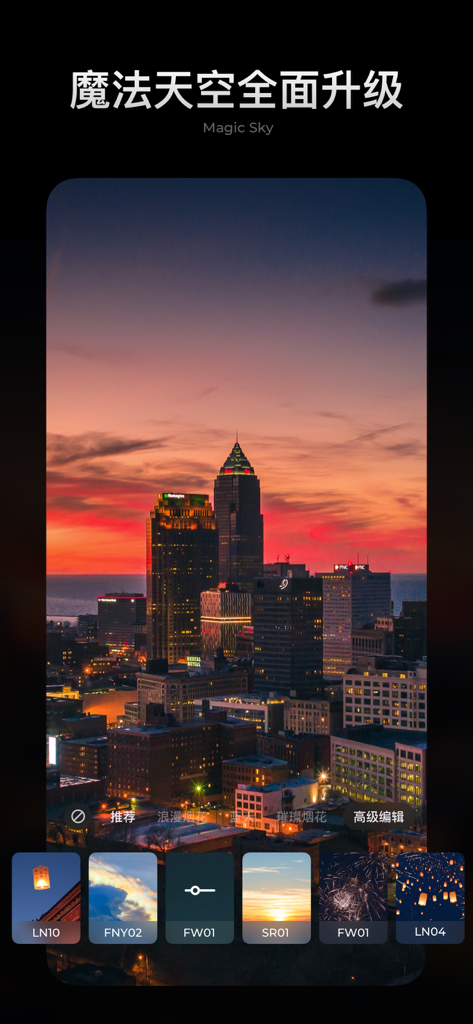
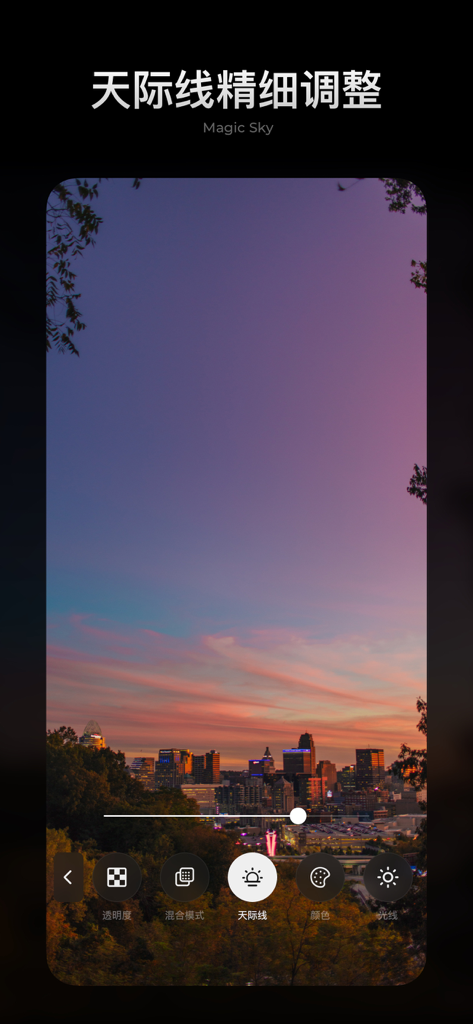
User interface of MIX Photo Editor showing the Magic Sky feature applied to a city skyline at sunset

User interface of MIX Photo Editor showing the Magic Sky feature applied to a city skyline at sunset

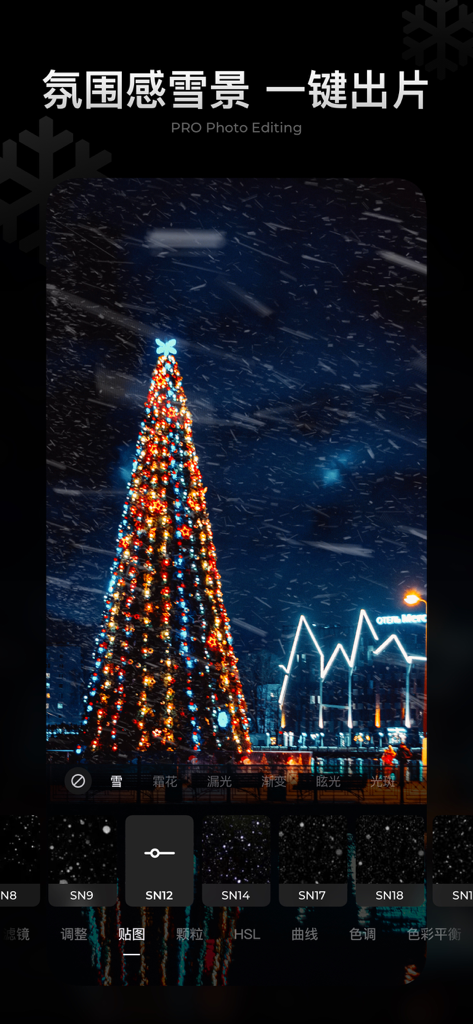
Professional photo editing interface showing a Christmas tree with a realistic snow effect filter applied using the MIX app.

Professional photo editing interface showing a Christmas tree with a realistic snow effect filter applied using the MIX app.

A city skyline at sunset being edited with the MIX Photo Editor Magic Sky feature

A city skyline at sunset being edited with the MIX Photo Editor Magic Sky feature

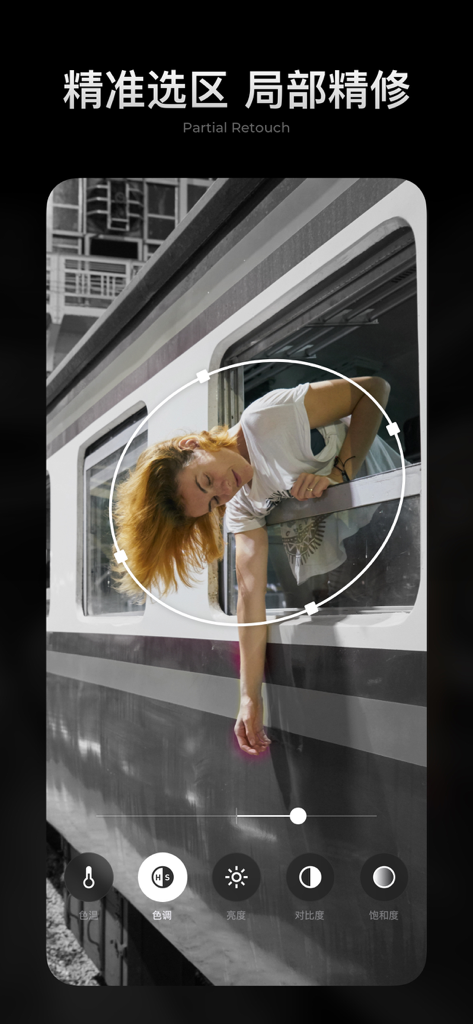
Selective color editing using the partial retouch tool in the MIX photo editor app

Selective color editing using the partial retouch tool in the MIX photo editor app

Pro Editing, Mobile Speed

The tools that make this app stand out, trusted by 20M+ users.

One-Tap Magic Sky

Don't let a grey day ruin your travel shots. Instantly swap overcast skies for golden hour glows or starry nights with over 200 presets.

🎨

Professional Color Control

Master your aesthetic with HSL, Curves, and Split Toning tools that give you desktop-level precision without the learning curve.

🖼️

Instant Poster Layouts

Go beyond simple edits. Use professional templates to turn your photos into high-impact social media graphics and digital posters in seconds.

Loved by users worldwide

Trusted by 20M+ people who love this app.

"

"The Magic Sky feature is an absolute life-saver for my travel photography. I can turn a grey, overcast day into a vibrant sunset in seconds without it looking fake. It has the professional precision of desktop software but fits right in my pocket."

Elena Rodriguez, Content Creator
"

"As a small business owner, I need my brand aesthetic to be consistent. The HSL tools and custom presets in MIX allow me to create a signature look for all my product shots. The poster templates are also fantastic for making high-quality flyers on the fly."

Marcus Thorne, Boutique Owner

About the app

Everything you need to know about MIX-Photo Editor & Filters.

Description

MIX is an easy-to-use, professional photo editing tool for photography lovers. Featuring powerful editing tools, cinema-grade color toning, and creative functions such as the one-touch Magic Sky edit and poster templates, it’s time to express yourself through your photos with MIX. 【Custom Cropping】 Supports image crop, flip, rotate, and more. You can also adjust the incline, stretch, etc. MIX is here to help you find the best size and perspective for your photos. 【Powerful and Professional Photo Editing Tools 】 From lighting adjustment to professional color adjustment, we have nearly 20 powerful tools, including HSL, curves, and split tone. Easily achieve desired results without compromising image quality. 【Expertly Crafted Color Presets】 Dozens of professional film effect presets—achieve realistic vintage + black and white film color effects. Plus plenty of presets specially designed for nature, portraits, street photography, gourmet food, night scenes, etc. 【One-tap Magic Sky】 Get a stunning sky with just one tap. With more than 200 Magic Sky presets—turn even the cloudiest day into a sunny one, easily recreating the scenes of your dream. 【Partial Retouch】 Supports Brush, Linear Gradient, and other partial retouch tools to help you adjust lighting with precision. Along with our Retouch and Restore tool, swiftly eliminate distractions to create the perfect image! 【Beautiful Poster Designs】 With one tap, you can apply a beautiful Poster Template to craft a tale with just your photos. Users will also gain access to a wide range of Graphic Materials, plus personalized, accurate layout functions. Creating beautiful posters is just a piece of cake. 【Customize Presets/Posters】 My Presets: Customize presets/posters according to your preferences and aesthetic. Access and use them any time. VIP Membership Auto-renewal ==================== MIX will continue to add exclusive VIP features and resources, including editing, presets, fonts, stickers, etc. Subscribers are provided with continuous service updates. New users are eligible for a free seven-day trial. Accounts will be automatically charged if the subscription is not canceled before the end of the trial. Members will be charged for membership renewal after confirmation of purchase. Unless auto-renew is turned off at least 24 hours before the end of the member’s current subscription cycle, subscriptions will automatically renew when they expire. Auto-renewals occur 24 hours before the end of your current cycle. Member iTunes account will be charged based on your membership plan. To change your subscription plan:https://support.apple.com/en-us/HT204939 ==================== User Agreement and Privacy Policy ==================== User Agreement: http://www.mix.camera360.com/mix_user_service_agreement_en.html ==================== Privacy Policy: http://www.mix.camera360.com/mix_privacy_policy_en.html ===================== Email Support: support@pinguo.us -=====================-

Latest Version

5.2.55

Size

579.9 MB

First Released

Sep 11, 2014

Ready to Create Your Signature Aesthetic?

Join over 20 million visual storytellers using MIX to turn everyday moments into professional masterpieces. Experience the power of pro-grade HSL tools and one-tap Magic Sky. Start your 7-day free trial on iOS today.

Download on App Store
FAQ

Frequently Asked Questions

Everything you need to know about MIX-Photo Editor & Filters

What is MIX-Photo Editor & Filters?

MIX-Photo Editor & Filters is a professional photo editing tool for photography lovers. It features powerful editing tools, cinema-grade color toning, one-touch Magic Sky edits, and creative poster templates.

Does MIX-Photo Editor & Filters offer advanced color adjustment tools?

Yes, MIX-Photo Editor & Filters includes professional color adjustment tools like HSL, curves, and split tone. These nearly 20 powerful tools allow users to achieve desired results without compromising image quality.

Can I crop and rotate photos in MIX-Photo Editor & Filters?

Yes, MIX-Photo Editor & Filters supports custom cropping. Users can crop, flip, rotate, adjust incline, and stretch images to achieve the best size and perspective for their photos.

What is the "Magic Sky" feature in MIX-Photo Editor & Filters?

The "Magic Sky" feature in MIX allows users to change the sky in photos with one tap. It provides over 200 Magic Sky presets to transform skies, even on cloudy days, and includes detailed skyline adjustments.

Does MIX-Photo Editor & Filters have partial retouching tools?

Yes, MIX offers partial retouching tools including Brush, Linear Gradient, and a Retouch and Restore tool. These help users adjust lighting with precision and swiftly eliminate distractions from images.

Can I create posters with MIX-Photo Editor & Filters?

Yes, MIX-Photo Editor & Filters allows users to create beautiful posters using one-tap Poster Templates. It provides a wide range of Graphic Materials and personalized layout functions for easy creation.

Does MIX-Photo Editor & Filters offer a free trial?

Yes, new users of MIX-Photo Editor & Filters are eligible for a free seven-day trial. The account will be automatically charged if the subscription is not canceled before the end of the trial period.

How do I cancel my MIX-Photo Editor & Filters subscription?

To cancel your MIX-Photo Editor & Filters subscription, turn off auto-renew at least 24 hours before your current subscription cycle ends. Refer to the Apple support link provided in the description for guidance.

What kind of presets are available in MIX-Photo Editor & Filters?

MIX-Photo Editor & Filters offers dozens of professional film effect presets, including realistic vintage and black and white. It also provides presets tailored for nature, portraits, street photography, gourmet food, and night scenes.

Where can I find the Privacy Policy for MIX-Photo Editor & Filters?

The Privacy Policy for MIX-Photo Editor & Filters is available at http://www.mix.camera360.com/mix_privacy_policy_en.html. This document outlines the app's practices regarding user data and privacy.