MobileVOIP international calls

MobileVOIP international calls

Download on App StoreDownload on Google Play
Spark by MWM logo
Logo of MobileVOIP international calls

MobileVOIP: Crystal Clear International Calls to Any Phone Worldwide

Stop paying expensive carrier rates. Call landlines and mobiles abroad for less using WiFi or 3G. Supported by over 50 VoIP providers to ensure you always get the lowest price.

Publisher

Solaris Systems BV

Category

Social Networking

Downloads

1M+

User Rating

4.5/5

Total Ratings

115K+

Locales

1

Connectivity at a Glance

Discover the interface used by 1M+ users.

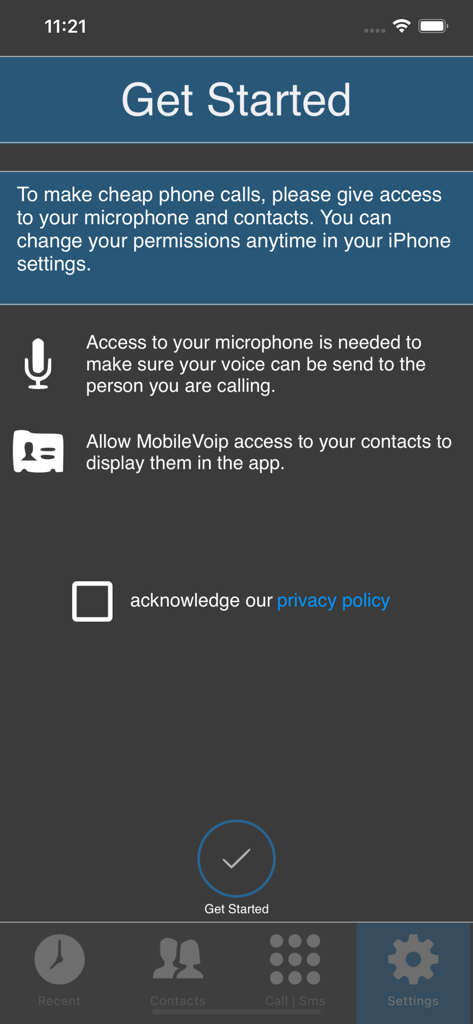
MobileVOIP app onboarding screen requesting microphone and contacts permissions.

MobileVOIP app onboarding screen requesting microphone and contacts permissions.

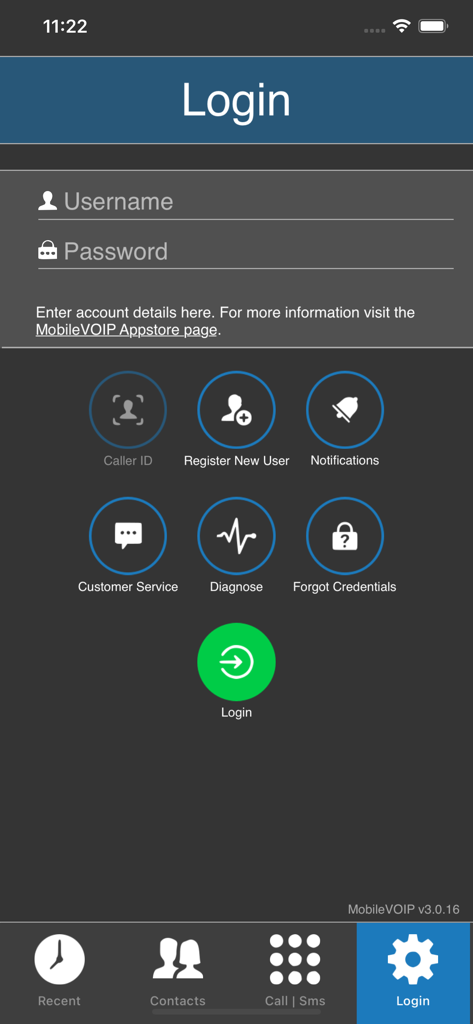
Login screen of the MobileVOIP international calls app with input fields for username and password
Login screen of the MobileVOIP international calls app with input fields for username and password

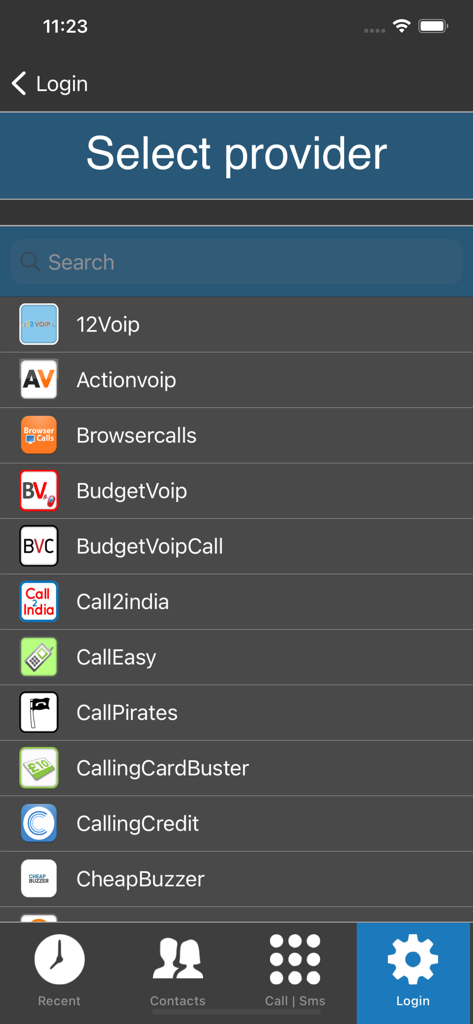
Select provider list in MobileVOIP international calling app.

Select provider list in MobileVOIP international calling app.

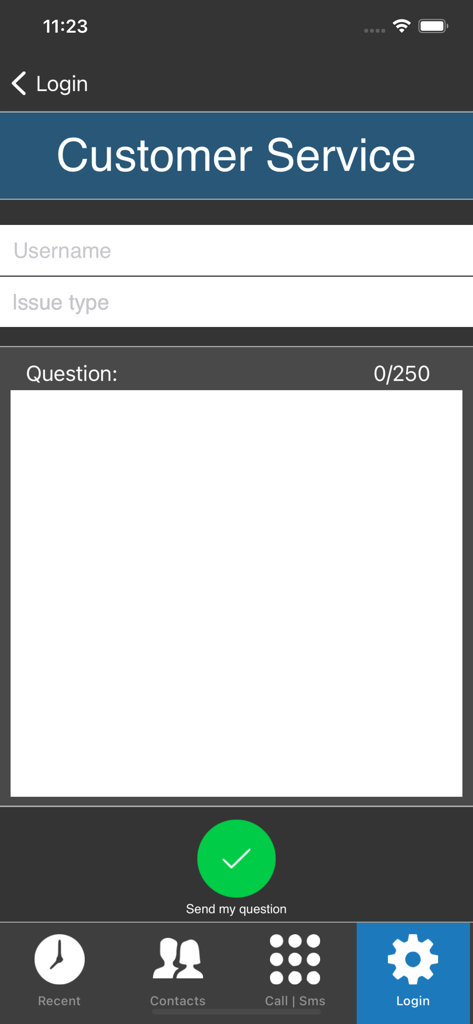
MobileVOIP app customer service screen for sending technical support questions

MobileVOIP app customer service screen for sending technical support questions

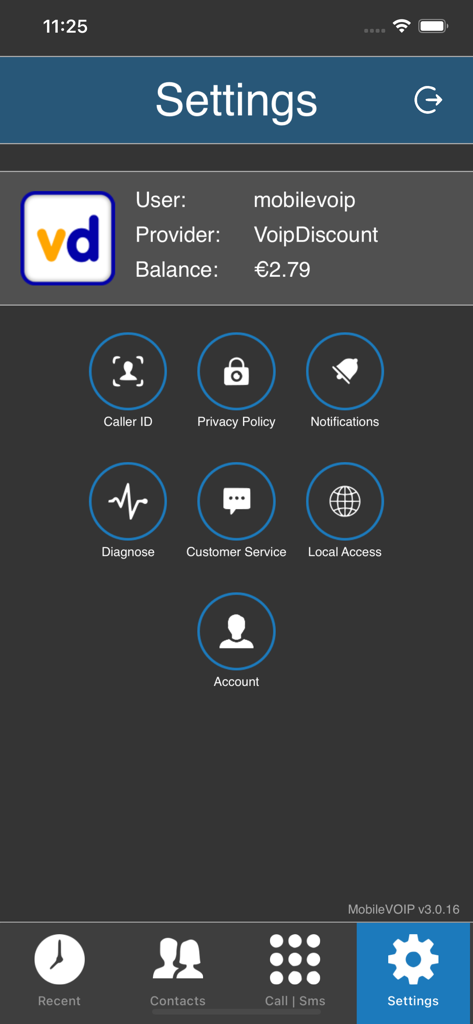
MobileVOIP app settings screen displaying account balance and service icons

MobileVOIP app settings screen displaying account balance and service icons

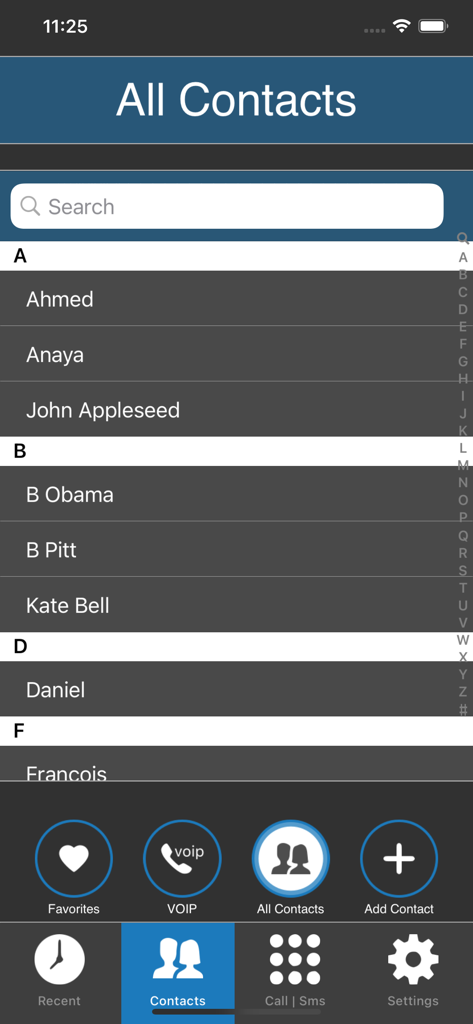
MobileVOIP app contacts list screen showing the searchable directory of international contacts

MobileVOIP app contacts list screen showing the searchable directory of international contacts

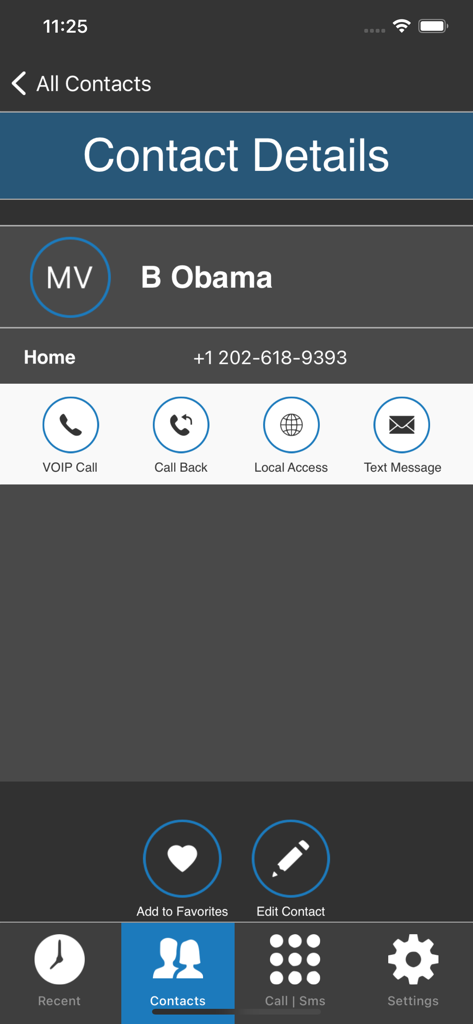
MobileVOIP app contact details screen showing options for VOIP calls, local access, and text messages for a saved contact.

MobileVOIP app contact details screen showing options for VOIP calls, local access, and text messages for a saved contact.

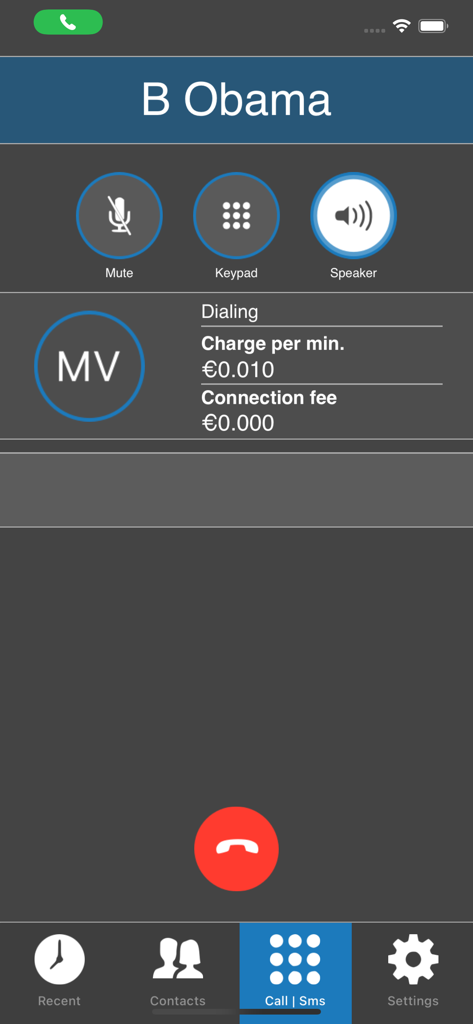
MobileVOIP app active call screen showing low per minute calling rates and connection fees

MobileVOIP app active call screen showing low per minute calling rates and connection fees

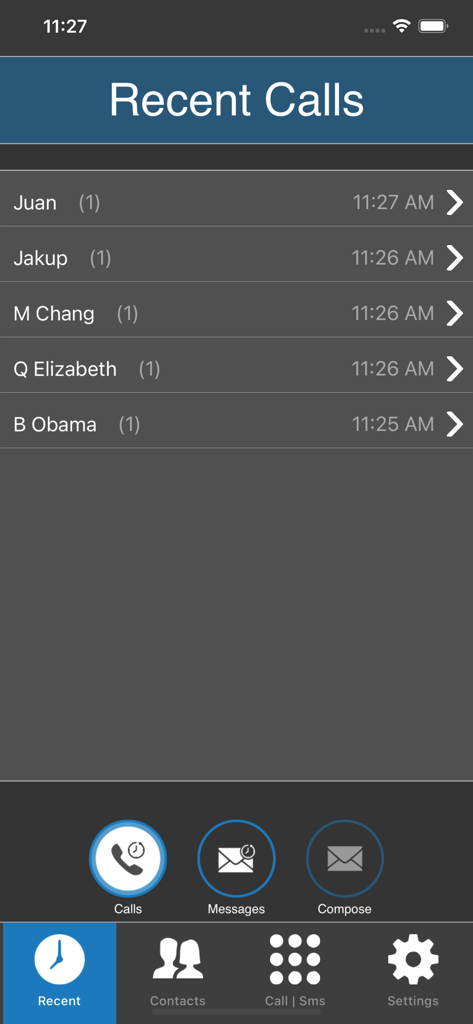
MobileVOIP app Recent Calls screen showing a list of contacts and call timestamps.

MobileVOIP app Recent Calls screen showing a list of contacts and call timestamps.

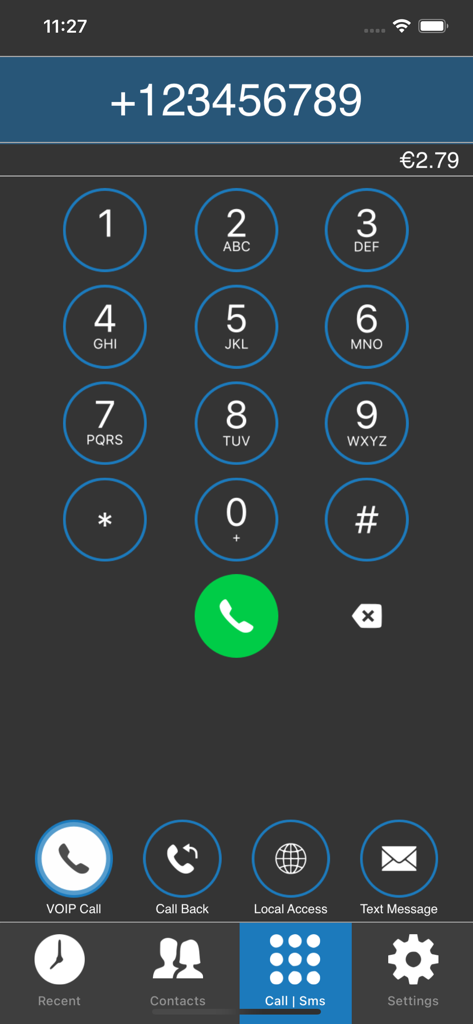
MobileVOIP app dialer interface showing a numeric keypad and credit balance

MobileVOIP app dialer interface showing a numeric keypad and credit balance

The Smarter Way to Call Home

The tools that make this app stand out, trusted by 1M+ users.

๐Ÿ’ฐ

Unbeatable Global Rates

Integrated with over 50 VoIP providers like VoipBuster and Rynga to ensure you always find the lowest price per minute for your specific destination.

๐Ÿ“ก

Reliable on Low Bandwidth

Optimized to work on 3G, Edge, and public WiFi, so you can maintain crystal-clear conversations even in areas with weak internet infrastructure.

โ˜Ž๏ธ

Call Any Phone, Anywhere

Reach family members who don't have smartphones. Call any landline or mobile directly from your contact list without them needing to install an app.

Loved by users worldwide

Trusted by 1M+ people who love this app.

"

"Calling my family back home used to be so expensive until I found MobileVOIP. It connects to landlines perfectly and the rates are much lower than any carrier plan. It is reliable even when my internet connection is not the best. A must-have for anyone with relatives abroad!"

Maria Santos
"

"This app is the perfect solution for avoiding predatory roaming fees during my business trips. I can easily manage my SIP accounts and make calls over hotel WiFi without any hassle. The low bandwidth optimization is impressive, ensuring I never miss an important call while on the move."

David Chen

About the app

Everything you need to know about MobileVOIP international calls.

Description

MobileVOIP is a free iPhone cheap calls app which lets you make (free) national or international mobile voip calls directly from your iPhone. You can save on your Mobile Phone costs by simply installing the MobileVOIP app and start making cheap calls. Make sure you have enabled MobileVOIP in the privacy settings (microphone) on your iOS device! Select any contact from your contact list, which is accessible in the app, and start your call using MobileVOIP anywhere, anytime. MobileVOIP operates over multiple internet connection options (3G, WiFi, GPRS, Edge, UMTS) directly from one integrated contact list. Install MobileVOIP now and start making free 3g calls and WiFi calls today; no need for expensive calling plans anymore! Even when abroad, you can save money on your international phonecalls to friends and family back home: simply find a public WiFi access point and save on monthly calling charges. Know Issues: - After updating to iOS8, some users may experience issues with their microphone. Solve this issue by going to: Settings > Privacy > Microphone, turn on the MobileVOIP switch there! FEATURES - Make SIP phone calls on your iPhone - Make FREE calls to a selection of destinations using your iPhone - Make cheap calls to any international destination - Send Cheap Text Messages (SMS) worldwide! - Save on calling charges using Wifi, GPRS, EDGE or UMTS - Select regular contacts from contact list to make a call - Works all around the globe: anywhere, anytime - Bypass voip blockades with MobileVOIP - Low Bandwidth; save on roaming Over 50 VoIP providers supported. Make sure you have an account already, before using the MobileVOIP app. Supported VoIP Brands: 12Voip, Actionvoip, BudgetVoip, BudgetVoipCall, CallPirates, CallingCredit, CheapBuzzer, CheapVoipCall, Cheapvoip, CosmoVoip, DialCheap, DialNow, DiscountCalling, Easyvoip, FreeCall, Freevoipdeal, Frynga, GlobalFreecall, HotVoip, InternetCalls, Intervoip, Jumblo, JustVoip, LowRateVoip, MegaVoip, NetAppel, NoNoh, PennyConnect, PoivY, Powervoip, RebVoice, Rynga, SMSDiscount, SipDiscount, SmartVoip, SmsListo, SparVoip, StuntCalls, SuperVoip, Telbo, VoipBlazer, VoipBuster, VoipCaptain, VoipCheap, VoipCheap UK, VoipChief, VoipDiscount, VoipGain, VoipJumper, VoipMove, VoipRaider, VoipSmash, VoipStunt, VoipWise, VoipZoom, Voipblast, VoipYO, WebcallDirect.

Latest Version

3.0.47

Size

41.6 MB

First Released

Mar 28, 2010

Stop Overpaying and Start Calling Home for Less

Join over 1 million savvy users saving on every international minute. Download MobileVOIP today for the cheapest rates to landlines and mobiles worldwide, even on slow connections.

Download on App StoreDownload on Google Play
FAQ

Frequently Asked Questions

Everything you need to know about MobileVOIP international calls

What is MobileVOIP international calls app?

MobileVOIP is a free iPhone app for cheap national and international VoIP calls. It helps users save on mobile phone costs by making calls directly from their device.

Does MobileVOIP offer free international calls?

Yes, MobileVOIP enables free calls to a selection of destinations. Users can also make free 3G and WiFi calls using the app.

Can I send text messages using the MobileVOIP app?

Yes, MobileVOIP supports sending cheap text messages (SMS) worldwide as a core feature, offering a cost-effective communication option.

How do I grant microphone access to MobileVOIP on iOS?

MobileVOIP requires microphone access for calls. Enable it by going to your iOS device's Settings > Privacy > Microphone, then turn on the MobileVOIP switch.

Do I need an existing VoIP provider account to use MobileVOIP?

Yes, MobileVOIP requires users to have an existing account with one of its supported VoIP providers before they can utilize the app's calling features.

What internet connections does MobileVOIP support for calls?

MobileVOIP supports calls over multiple internet connection options, including 3G, WiFi, GPRS, Edge, and UMTS, to ensure connectivity anywhere, anytime.

How can I check my current call balance in MobileVOIP?

Users check their call balance in MobileVOIP by navigating to the "Settings" screen within the app, where the current balance is displayed.

Can MobileVOIP display my iPhone contacts?

Yes, MobileVOIP accesses and displays your contact list directly within the app, allowing you to select contacts for making calls.

How can I contact customer service for MobileVOIP?

Users can access customer service via the "Customer Service" option on the Login screen or within the "Settings" menu of the MobileVOIP app.

Can I register a new user account directly within the MobileVOIP app?

Yes, the MobileVOIP app offers a "Register New User" option directly on its Login screen, allowing for in-app account creation.