My Altitude

My Altitude

Download on App Store
Spark by MWM logo
Logo of My Altitude

My Altitude: Professional GPS Elevation & Navigation for Every Adventure

Get precise altitude, barometric pressure, and coordinates even without a cell signal. The ultimate offline toolkit for hikers, climbers, and outdoor explorers.

Publisher

Dayana Networks Ltd

Category

Navigation

Downloads

2M+

User Rating

4.8/5

Total Ratings

26K+

Locales

1

Precision at Every Peak

Discover the interface used by 2M+ users.
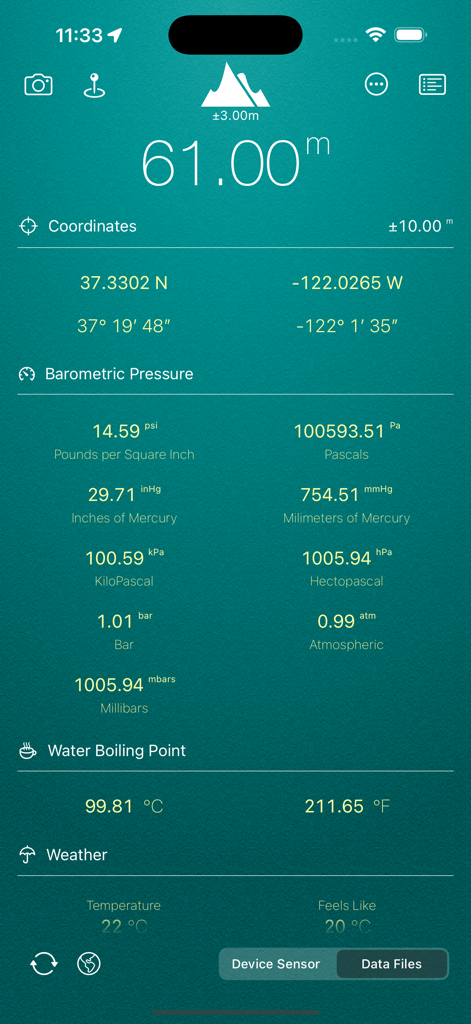
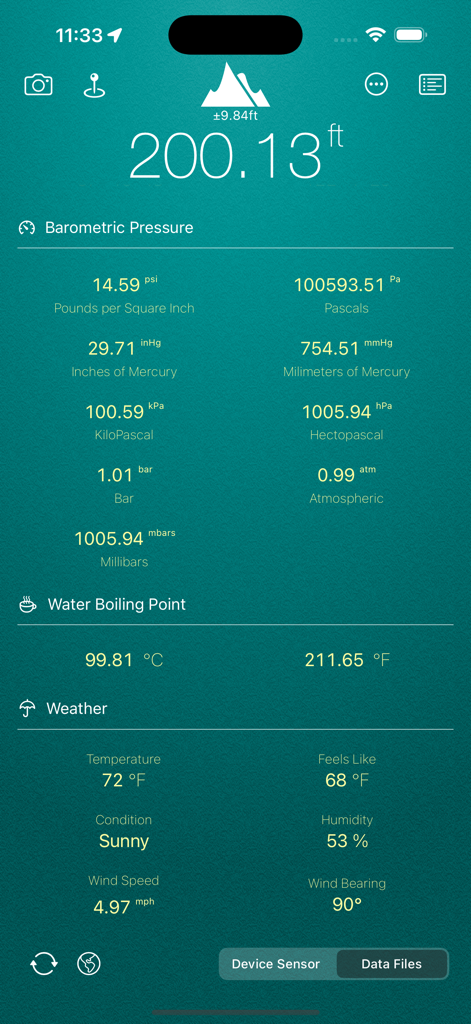
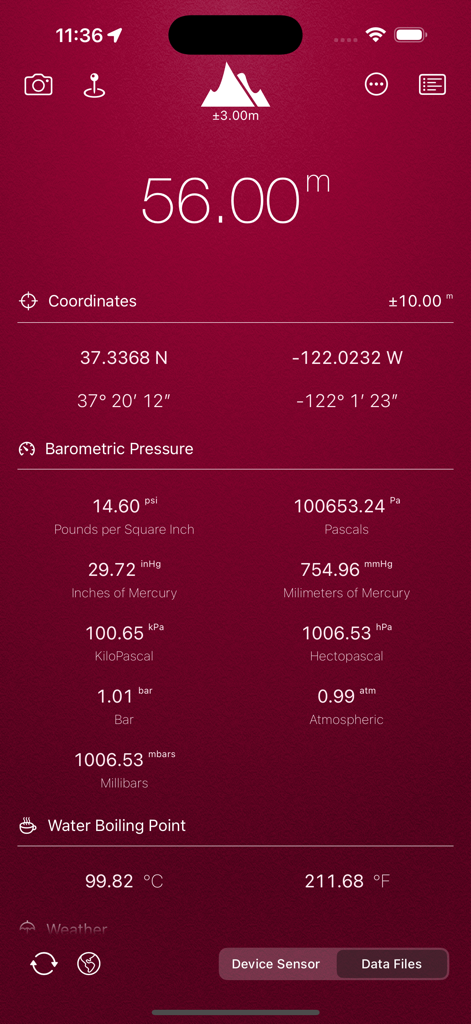
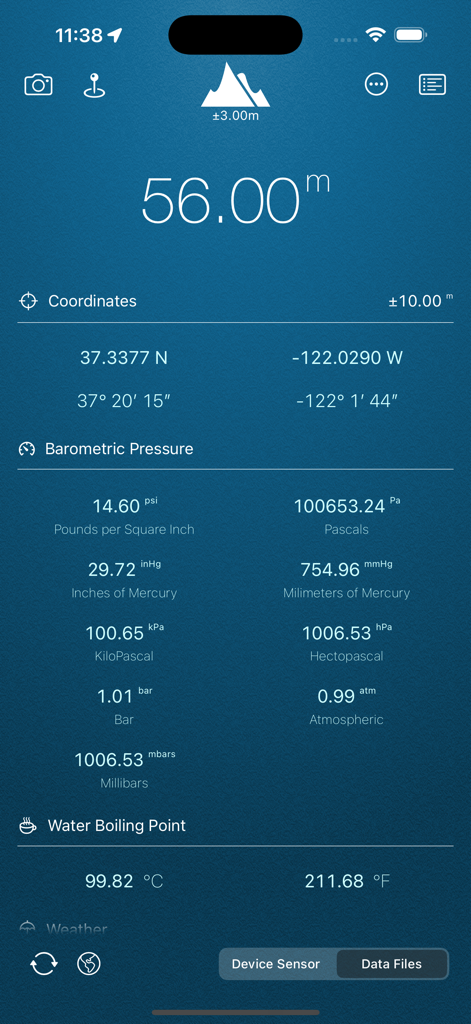
My Altitude app interface displaying altitude coordinates barometric pressure and water boiling point

My Altitude app interface displaying altitude coordinates barometric pressure and water boiling point

My Altitude app interface showing real-time elevation barometric pressure and local weather

My Altitude app interface showing real-time elevation barometric pressure and local weather

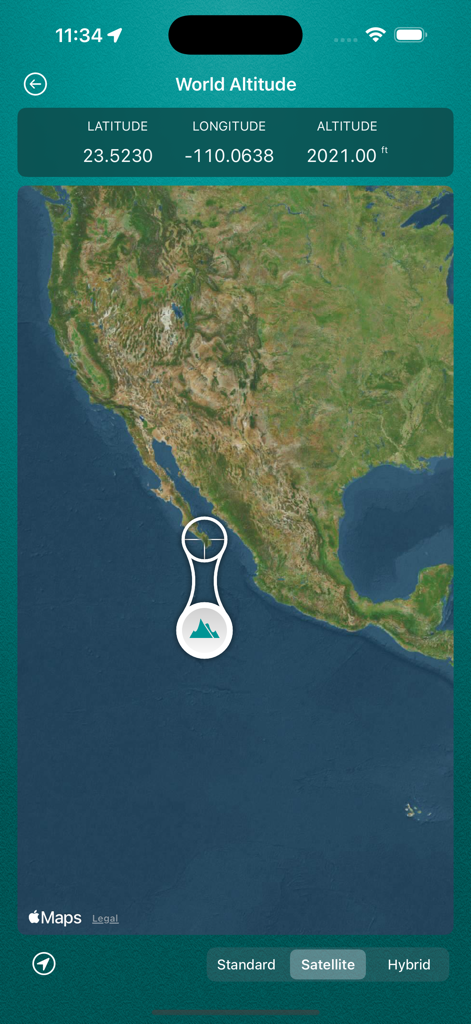
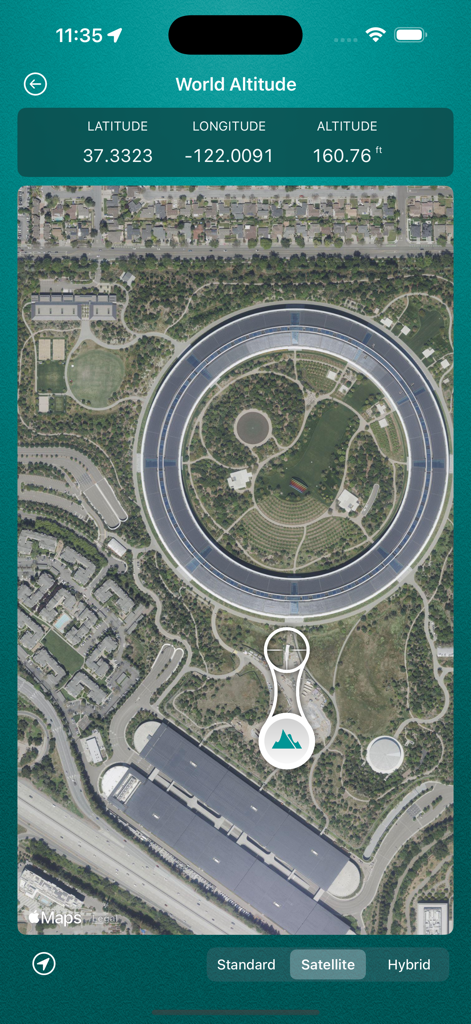
My Altitude app showing World Altitude feature with latitude longitude and altitude coordinates on a satellite map

My Altitude app showing World Altitude feature with latitude longitude and altitude coordinates on a satellite map

Satellite map view in My Altitude showing latitude longitude and elevation coordinates

Satellite map view in My Altitude showing latitude longitude and elevation coordinates

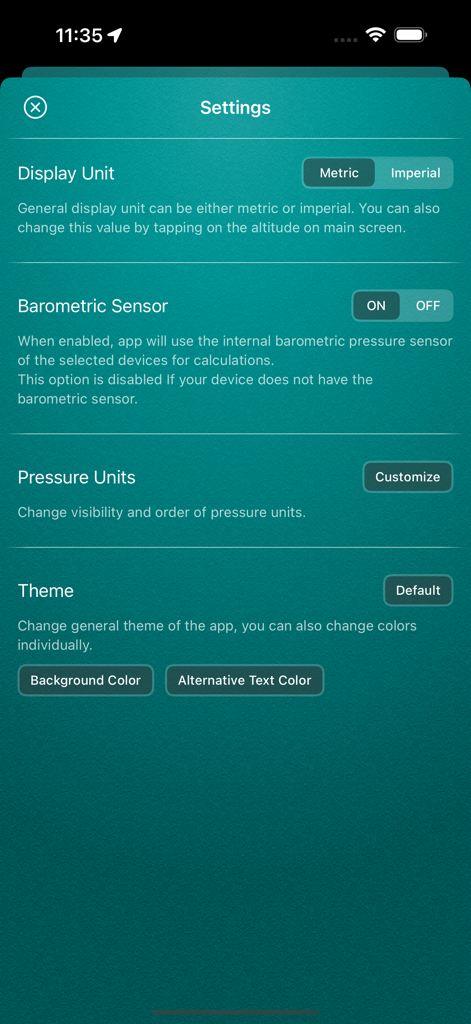
Settings screen of the My Altitude app showing configuration options for display units and barometric sensors

Settings screen of the My Altitude app showing configuration options for display units and barometric sensors

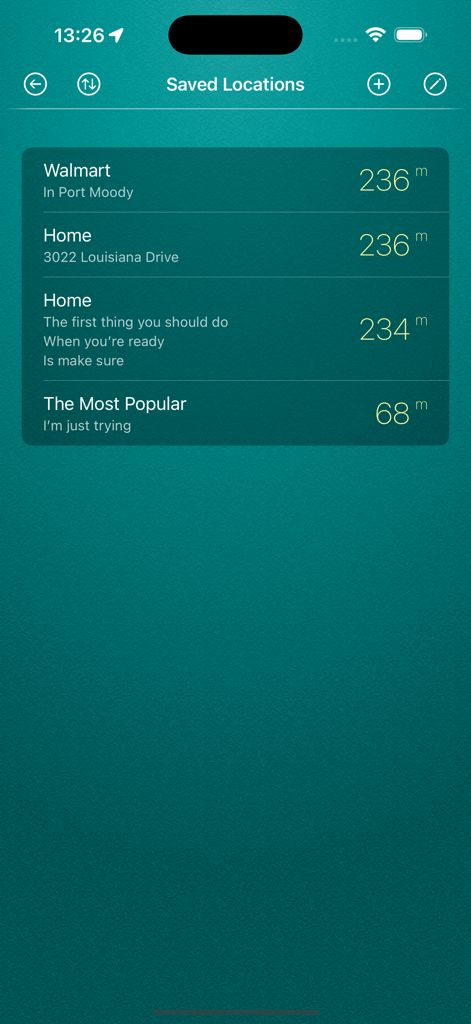
The saved locations screen of the My Altitude app showing a list of places with their recorded elevation in meters.

The saved locations screen of the My Altitude app showing a list of places with their recorded elevation in meters.

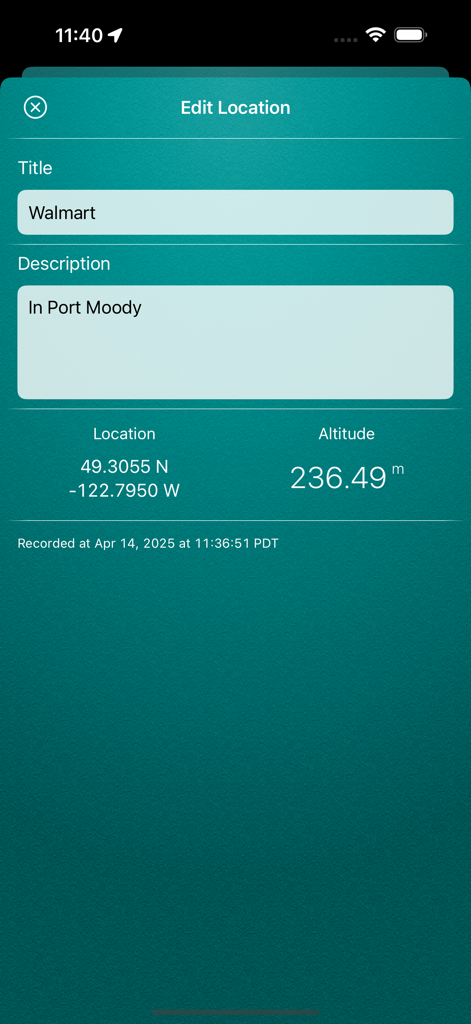
Edit location screen in My Altitude app displaying GPS coordinates and altitude data.

Edit location screen in My Altitude app displaying GPS coordinates and altitude data.

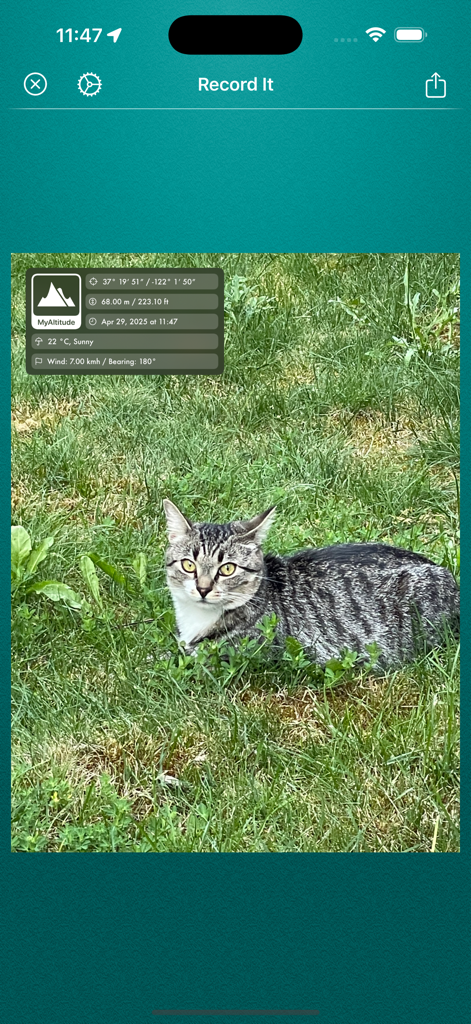
Screenshot of the Record It feature in the My Altitude app showing a photo watermarked with elevation and GPS coordinates.

Screenshot of the Record It feature in the My Altitude app showing a photo watermarked with elevation and GPS coordinates.

My Altitude app dashboard displaying current elevation, GPS coordinates, barometric pressure, and water boiling point.

My Altitude app dashboard displaying current elevation, GPS coordinates, barometric pressure, and water boiling point.

Interface of the My Altitude app displaying elevation, GPS coordinates, and barometric pressure metrics

Interface of the My Altitude app displaying elevation, GPS coordinates, and barometric pressure metrics

Engineered for the Great Outdoors

The tools that make this app stand out, trusted by 2M+ users.

📵

Works Anywhere, No Signal Needed

Get real-time elevation and GPS coordinates deep in the wilderness using built-in sensors, no internet connection required.

🏔️

Professional-Grade Sensor Accuracy

Utilize your device's barometric sensor and NOAA data files for high-precision altitude tracking and boiling point calculations.

📸

Capture & Share Your Summits

Snap photos automatically watermarked with your exact altitude, location, and time to document every peak you conquer.

Loved by users worldwide

Trusted by 2M+ people who love this app.

"

"I use My Altitude on every single summit push. The fact that it works perfectly without cell service is a lifesaver when I am deep in the backcountry. Being able to watermark my peak photos with the exact elevation and coordinates is the perfect way to document my achievements. It is the most reliable tool in my digital kit."

Mark Henderson, Mountaineer
"

"As someone who spends months on the road in an RV, this app is indispensable. I love the precision of the barometric sensor and the water boiling point feature—it actually helps me adjust my cooking times when we are parked high up in the Rockies. It is simple, clean, and incredibly accurate even in airplane mode."

Sarah Jenkins, Full-Time Overlander

About the app

Everything you need to know about My Altitude.

Description

My Altitude uses GPS signals to determine your current location, showing your latitude, longitude and altitude (height from sea level) barometric pressure and water boiling point. It's a free app and does not have any limitations. In-App purchase can be used to remove the bottom advertisement and to support us. This application does not need an internet connection and works best in outdoors. By default, it uses device sensor to determine the elevation from see level, but you also have the option to use NOAA data files to get the altitude of your location. On newer devices, using device sensor is more accurate. It also allows you to get a picture of where you are and save it in photo album. Picture will be sealed with coordinates of current location along with altitude and local date/time. Barometric Pressure is calculated based on elevation. On newer devices such as iPhone 6/6+ value is being delivered directly from device built-in barometric sensor, this behavior is configurable and you can switch back to calculation mode. App Features: - Elevation from see level in meter (metric) or feet (imperial) - Change between metric and imperial systems by tapping on reported elevation - Current location coordinates including latitude and longitude - Barometric pressure in various units extracted from device sensor or calculated from altitude - Water boiling point at your current location - Current weather information including temperature, condition, humidity, wind speed and wind bearing - World Altitude, get approximate altitude (elevation from see level) of any location in the world - Save altitude data for reference - Take a picture and watermark it with elevation information and share Enjoy.

Latest Version

3.0.2

Size

28.0 MB

First Released

Sep 21, 2011

Ready to Reach New Heights?

Join over 2 million explorers who trust My Altitude for precise, offline-ready elevation and location data, wherever the trail takes you.

Download on App Store
FAQ

Frequently Asked Questions

Everything you need to know about My Altitude

What is My Altitude?

My Altitude is a free app that uses GPS signals to determine and display your current latitude, longitude, altitude, barometric pressure, and water boiling point. It also offers world altitude and weather information.

Does My Altitude require an internet connection?

No, My Altitude does not require an internet connection to function. It works best in outdoors environments where GPS signals are strong and unobstructed.

How does My Altitude determine elevation?

My Altitude primarily uses the device sensor for elevation determination. Users also have the option to switch and utilize NOAA data files for altitude information.

Can My Altitude display weather information?

Yes, My Altitude displays current weather information. This includes temperature, condition, humidity, wind speed, and wind bearing for your current location.

Can users save altitude data and locations in My Altitude?

Yes, My Altitude allows users to save altitude data for reference. It also enables saving specific locations with their altitude, latitude, and longitude, which can be edited later.

Does My Altitude support both metric and imperial units?

Yes, My Altitude supports both metric (meters) and imperial (feet) systems. Users can change units by tapping on the reported elevation or through the app's settings.

Can My Altitude provide world altitude for any location?

Yes, My Altitude can provide the approximate altitude of any location in the world. Users access this feature through a dedicated 'World Altitude' map interface.

How does My Altitude handle barometric pressure?

My Altitude calculates barometric pressure based on elevation. On newer devices, it can use the built-in barometric sensor directly, a setting configurable by the user.

Is My Altitude a free application?

Yes, My Altitude is a free application with full functionality. An in-app purchase is available to remove advertisements and to support the developers.

Can My Altitude watermark photos with location data?

Yes, My Altitude allows users to take a picture. This picture is then automatically watermarked with the current location's coordinates, altitude, and the local date/time.