My CityPASS

My CityPASS

Download on App Store
Spark by MWM logo
Logo of My CityPASS

My CityPASS: Save Up to 50% on Top Attractions and Plan Your Trip with Ease

Join over 1 million travelers who skip the stress and the full price. Access all your tickets, manage reservations, and navigate the city's best sights with our all-in-one digital companion.

Publisher

City Pass, Inc

Category

Travel

Downloads

1M+

User Rating

4.9/5

Total Ratings

40K+

Locales

8

A Glimpse Inside Your Trip

Discover the interface used by 1M+ users.
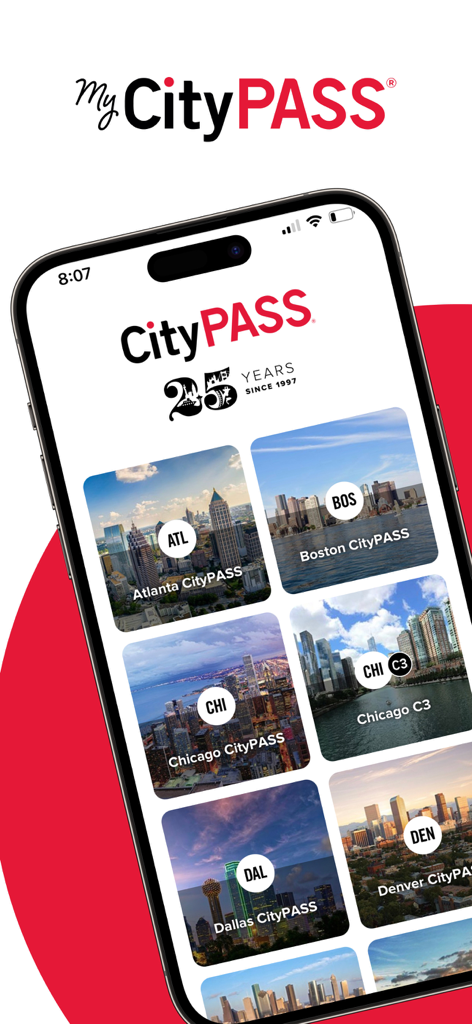
My CityPASS app screen showing travel pass options for major US cities like Atlanta and Boston

My CityPASS app screen showing travel pass options for major US cities like Atlanta and Boston

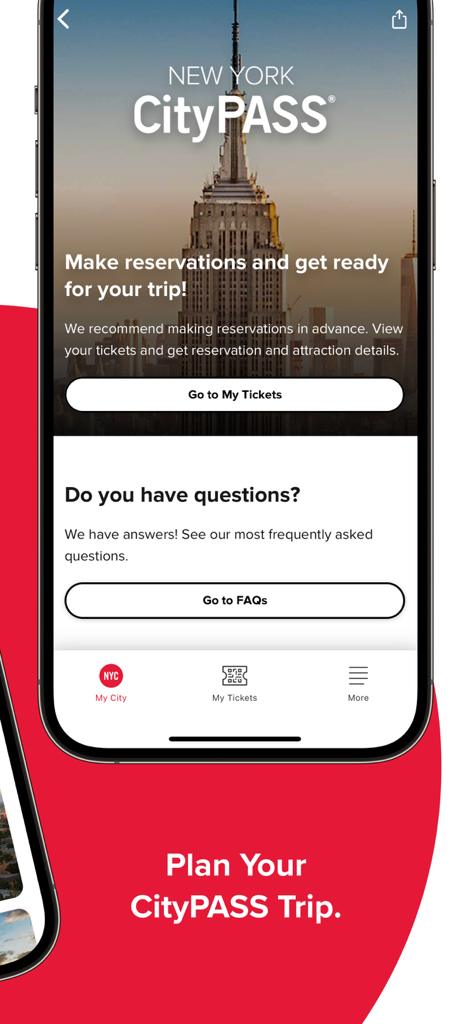
My CityPASS app interface for New York City showing trip planning and reservation options

My CityPASS app interface for New York City showing trip planning and reservation options

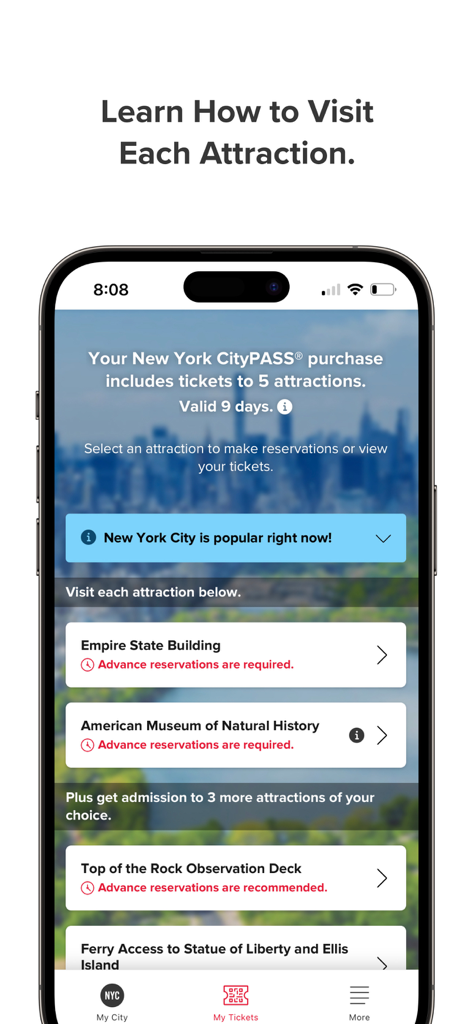
Smartphone screen displaying My CityPASS app with New York City attractions and reservation info

Smartphone screen displaying My CityPASS app with New York City attractions and reservation info

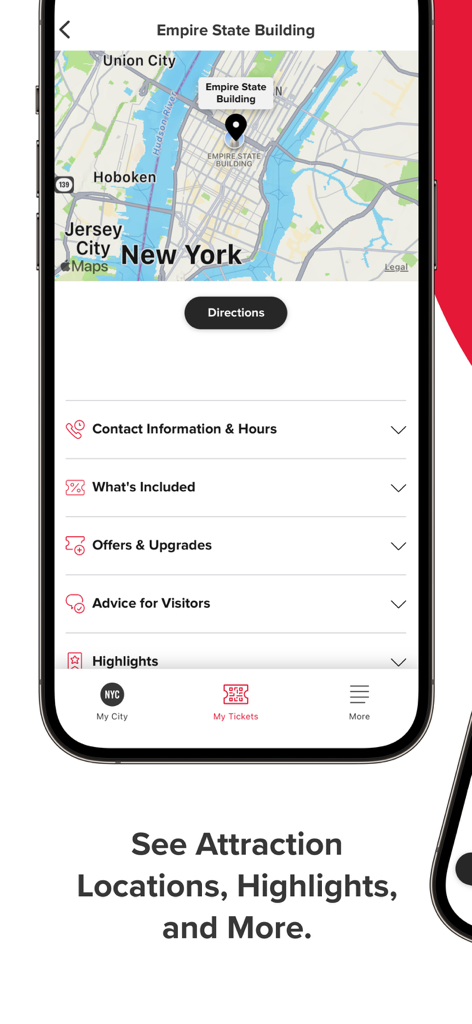
The My CityPASS app interface displaying a map for the Empire State Building in New York City with sections for highlights and visitor advice

The My CityPASS app interface displaying a map for the Empire State Building in New York City with sections for highlights and visitor advice

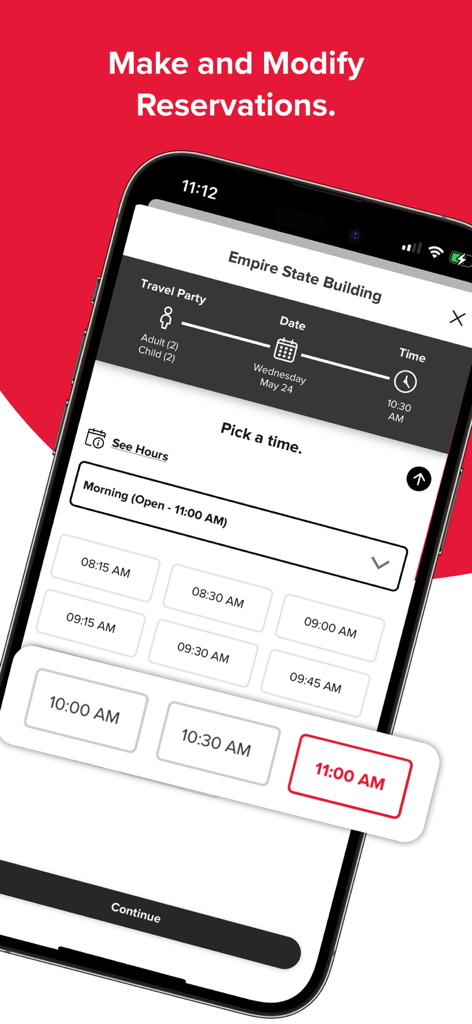
My CityPASS app reservation screen for the Empire State Building showing available time slots

My CityPASS app reservation screen for the Empire State Building showing available time slots

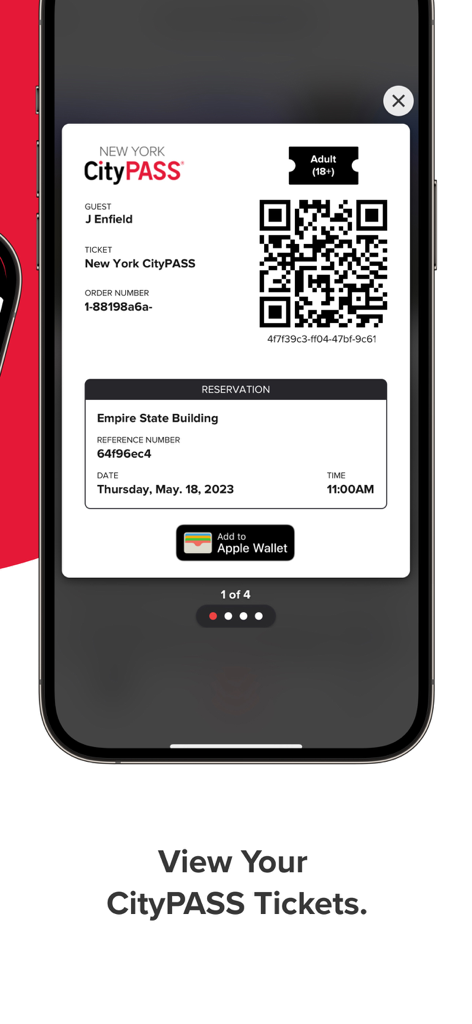
The My CityPASS app interface displaying a digital ticket with a QR code and Empire State Building reservation

The My CityPASS app interface displaying a digital ticket with a QR code and Empire State Building reservation

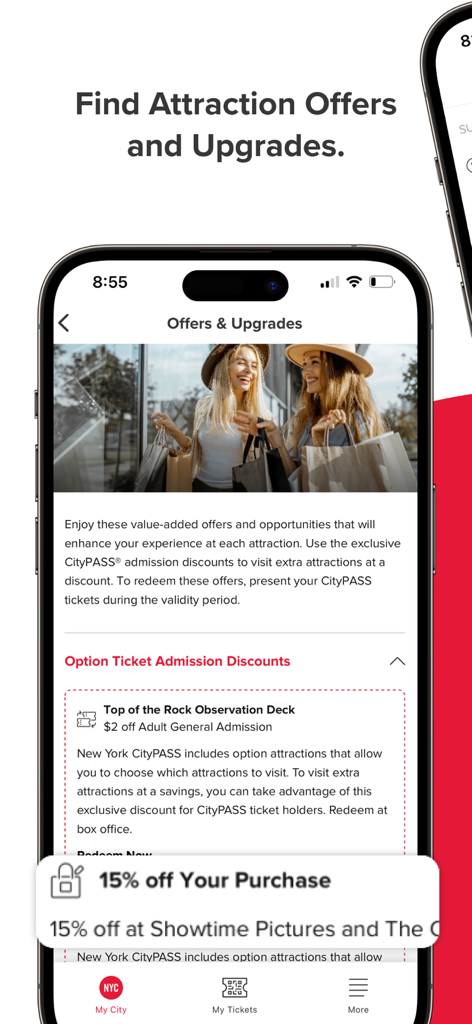
My CityPASS app screen showing exclusive attraction offers and discounts

My CityPASS app screen showing exclusive attraction offers and discounts

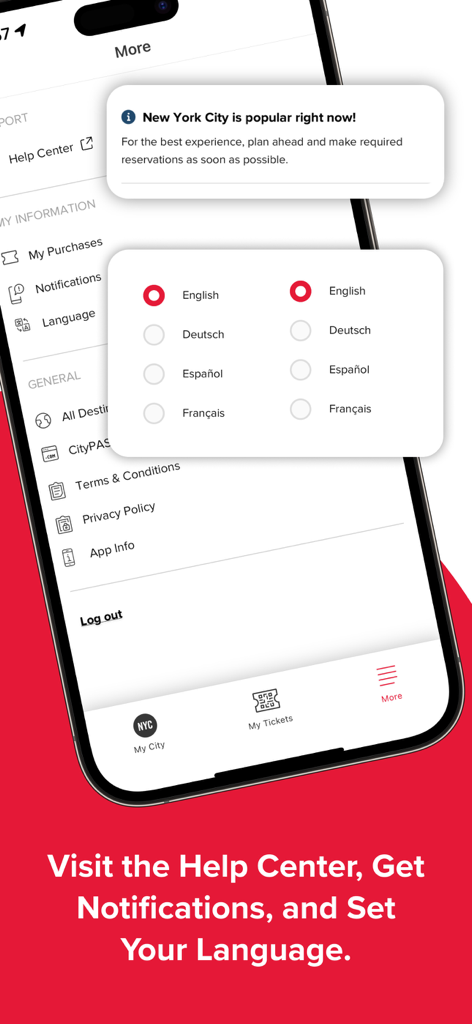
Interface of My CityPASS app displaying language selection options and settings menu

Interface of My CityPASS app displaying language selection options and settings menu

Maximize Your Vacation, Minimize the Hassle

The tools that make this app stand out, trusted by 1M+ users.

💸

Unbeatable Savings

Save up to 50% on combined admission to the best museums, observatories, and theme parks without searching for individual deals.

📱

One Digital Wallet

Eliminate the clutter of paper tickets and emails by keeping all your entry passes and QR codes in one secure, easy-to-access location.

🗓️

Seamless Trip Planning

Take the guesswork out of your itinerary with real-time reservation management, expert visit tips, and integrated navigation for every stop.

Loved by users worldwide

Trusted by 1M+ people who love this app.

"

"Planning a trip to NYC for a family of five was overwhelming until I found CityPASS. Not only did we save hundreds on tickets to the Empire State Building and the MET, but having all our reservations in one app made the logistics seamless. No more digging through emails at the gate—just scan and go!"

Sarah Jenkins
"

"As someone who loves exploring cities without the 'tourist trap' prices, this app is a game-changer. The integration with Apple Maps and the 'know before you go' tips saved me so much time. It's the smartest way to see the top sights while staying on a budget."

Marcus Thompson

About the app

Everything you need to know about My CityPASS.

Description

Save up to 50% on combined admission to top attractions with CityPASS tickets. These budget-friendly packages bundle deeply discounted admission to the top attractions and things to do in a destination. Once CityPASS tickets are purchased, the My CityPASS trip planner app will help you build your itinerary. • Access your tickets and make/modify reservations. • View hours of operation and entry instructions for the attractions. • Review the highlights of each attraction. • Get advice and tips for visiting. • Use Apple Maps to navigate to each location. • See exclusive offers for CityPASS ticket holders. • Access the CityPASS help center. Simply show your tickets or reservation confirmation on your phone to enter each attraction. About CityPASS: CityPASS® tickets, created by City Pass, Inc., make it easier (less stressful) and more affordable to see a destination’s top attractions. CityPASS tickets first arrived in San Francisco and Seattle in 1997 and have since expanded to many more North American destinations, including Atlanta, Boston, Chicago, Dallas, Denver, Houston, New York City, Orlando, Philadelphia, San Diego, Southern California, Tampa Bay, and Toronto. Highlighting the top things to do in each location, the attractions featured range from observatories and museums to theme parks, aquariums, and zoos. CityPASS ticket packages are offered at up to 50% savings. Based on more than 82,000 customer reviews, the tickets have an average customer rating of 4.6 stars (out of a possible 5). Learn more at CityPASS.com.

Latest Version

1.9.25

Size

36.8 MB

First Released

Apr 18, 2023

Ready to See the Best for Less?

Join over 1 million savvy travelers. Download the My CityPASS app now to unlock up to 50% savings and manage your entire itinerary from the palm of your hand.

Download on App Store
FAQ

Frequently Asked Questions

Everything you need to know about My CityPASS

What are the main benefits of using My CityPASS tickets?

My CityPASS tickets provide savings of up to 50% on combined admission to top attractions. These budget-friendly packages offer deeply discounted entry to various destinations.

Can I make reservations for attractions through the My CityPASS app?

Yes, users can access their purchased tickets and make or modify reservations directly within the My CityPASS app. This feature helps plan itineraries efficiently.

Does My CityPASS display attraction operating hours?

Yes, the My CityPASS app allows users to view the hours of operation and specific entry instructions for each included attraction, aiding in trip planning.

Can My CityPASS help me navigate to attractions?

Yes, the My CityPASS app integrates with Apple Maps. This allows users to navigate directly to each attraction's location for convenience.

Does the My CityPASS app provide exclusive offers or discounts?

Yes, CityPASS ticket holders can view exclusive offers directly through the My CityPASS app. These value-added offers enhance the overall attraction experience.

How do I access support or a help center in the My CityPASS app?

Users access the CityPASS help center directly within the My CityPASS app. This provides support and answers to frequently asked questions.

How do I use my My CityPASS tickets for attraction entry?

Users simply show their tickets or reservation confirmation on their phone. This digital display grants entry to each attraction without needing physical printouts.

Which North American cities are included in My CityPASS packages?

My CityPASS covers major North American destinations, including Atlanta, Boston, Chicago, Dallas, Denver, Houston, New York City, Orlando, Philadelphia, San Diego, Southern California, Tampa Bay, and Toronto.

Are advance reservations always required for My CityPASS attractions?

No, reservations are not always required for all attractions. Some attractions, like the Empire State Building, explicitly state that advance reservations are required.

Can I add My CityPASS tickets to Apple Wallet?

Yes, the My CityPASS app allows users to add their reservation confirmations and tickets directly to their Apple Wallet. This provides convenient digital access.

What languages does the My CityPASS app support?

The My CityPASS app supports multiple languages. Users can select from English, Deutsch (German), Español (Spanish), and Français (French) for the app interface.