
My Contacts Backup



No accounts, no passwords, and no cloud needed. Just email a backup to yourself for total peace of mind and easy restoration on any device.
Publisher
Category
ProductivityDownloads
7M+User Rating
Total Ratings
16K+Locales
31Discover the interface used by 7M+ users.
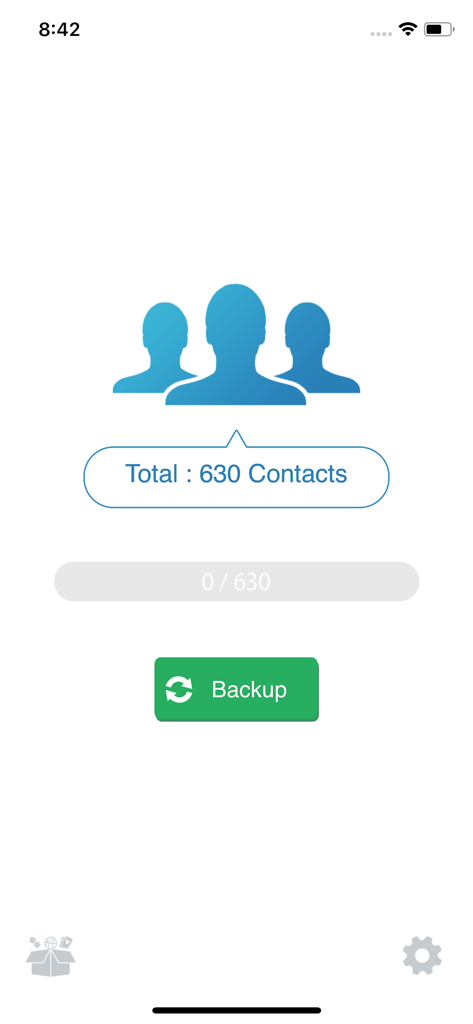
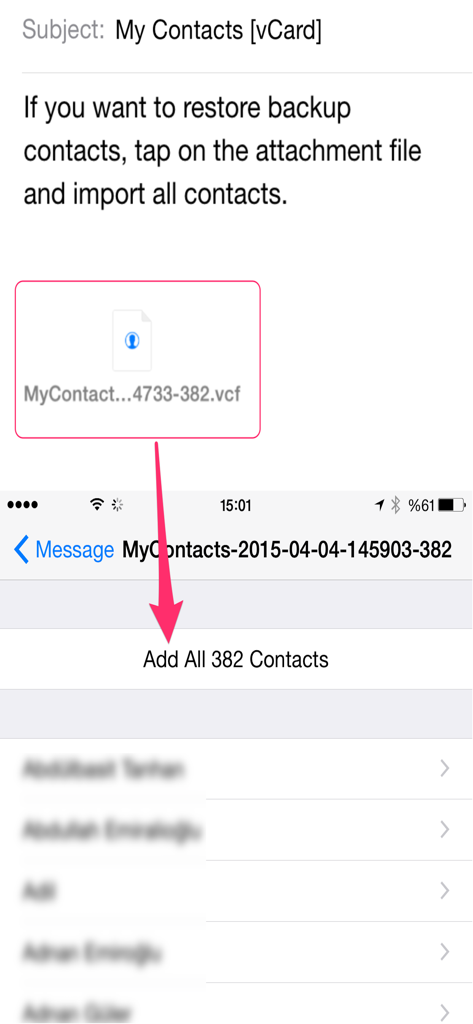
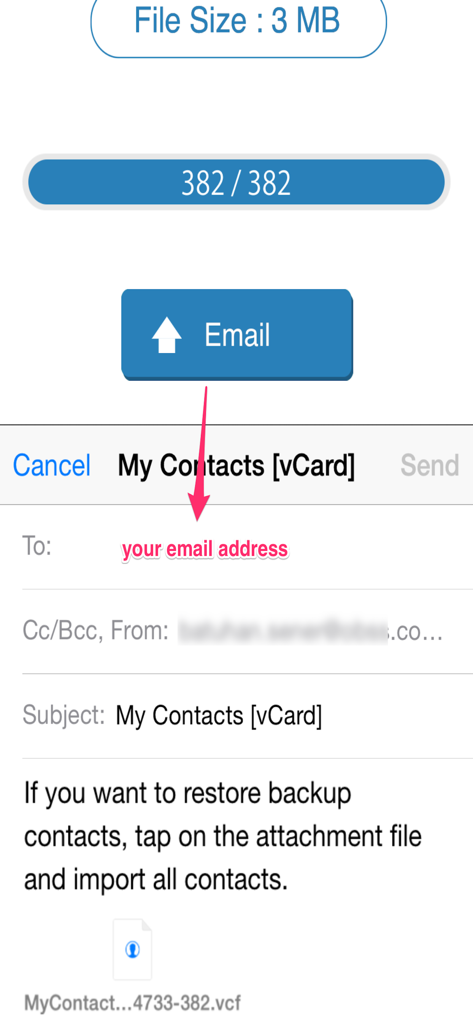
The tools that make this app stand out, trusted by 7M+ users.
Forget about managing another account. Start your backup with a single tap without ever needing to sign in or remember a password.
Receive your contacts as a standard file in your own private inbox. It is the most reliable way to keep a copy you can actually see and control.
Moving to a new device is easy. Just open your backup email on your new phone and tap the file to instantly restore your entire list.
Trusted by 7M+ people who love this app.
"I was so worried about losing my phone numbers when I upgraded my iPhone, and I can never remember my iCloud password. This app was a lifesaver! No login required—I just clicked one button and emailed the file to myself. Now I know my contacts are safe in my inbox where I can actually see them."
"As a small business owner, I needed a way to get my client numbers into a spreadsheet without a headache. This app exported everything to a CSV file in seconds. It’s simple, effective, and doesn't try to sell me a monthly subscription. Exactly what I needed for my records."
Everything you need to know about My Contacts Backup.
Description
Latest Version
2.3.6
Size
27.0 MB
First Released
Jul 6, 2011
Join over 7 million users who trust the simplest way to protect their contacts. No accounts, no passwords, and no cloud required—just peace of mind sent directly to your email.
Everything you need to know about My Contacts Backup
My Contacts Backup allows you to back up all your contacts with a single touch. The app sends them to your email as a .vcf attachment. You then receive the backup file in your mailbox.
To restore contacts, open the .vcf file in your mailbox using the iOS Mail app. Tap the attachment to import all contacts directly from the file. No other app is required for restoration.
No, My Contacts Backup does not require signing in, creating accounts, or internet synchronization with any server for backup. It performs offline backups directly from your phone.
My Contacts Backup supports exporting contacts as a VCF (vCard) file for backup. It also allows users to export contacts as a CSV (Excel) file.
Yes, the VCF backup in the free version of My Contacts Backup is limited to a maximum of 500 contacts. The PRO version offers unlimited contact backup.
Yes, My Contacts Backup includes a feature to set reminders. Users can configure the app to prompt them for regular backups on a weekly or monthly basis.
Yes, My Contacts Backup provides a specific feature to delete all contacts in your Address Book. This function is available within the application.
Apps with similar features and user experience
Shanghai Jia Feng Software Co. Ltd.
Playa Apps

Symon Johnson

Reena Williams
One Wave AB

AppRover

LE NGUYEN QUANG PHUOC

Giacomo Guglielmi
serkat ret