NaturalReader - Text To Speech

NaturalReader - Text To Speech

Download on App StoreDownload on Google Play
Spark by MWM logo
Logo of NaturalReader - Text To Speech

NaturalReader: The World's Most Human AI Text-to-Speech

Transform your PDFs, books, and documents into high-quality audio. Listen while you commute, exercise, or study with 200+ lifelike voices designed for professionals, students, and accessibility.

Publisher

NaturalSoft

Category

Productivity

Downloads

2M+

User Rating

4.6/5

Total Ratings

20K+

Locales

1

A Glimpse Inside

Discover the interface used by 2M+ users.

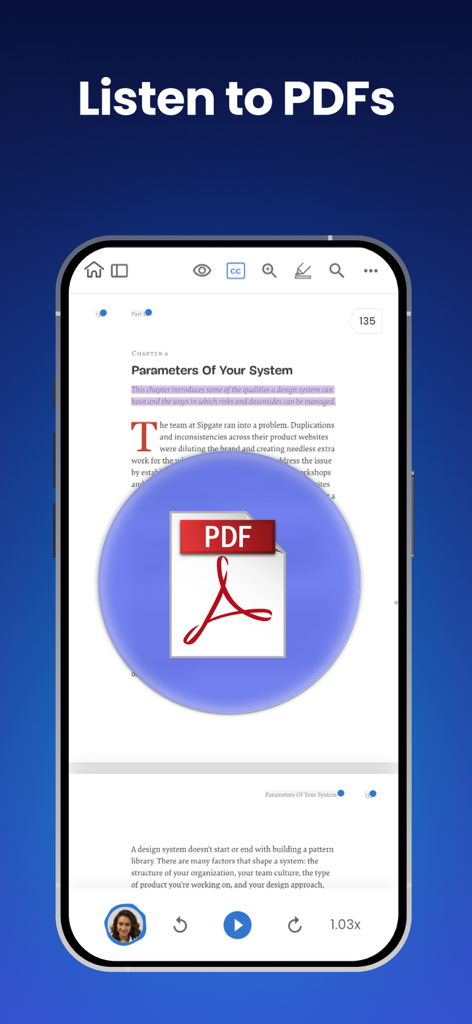
Smartphone displaying the NaturalReader app reading a PDF document aloud

Smartphone displaying the NaturalReader app reading a PDF document aloud

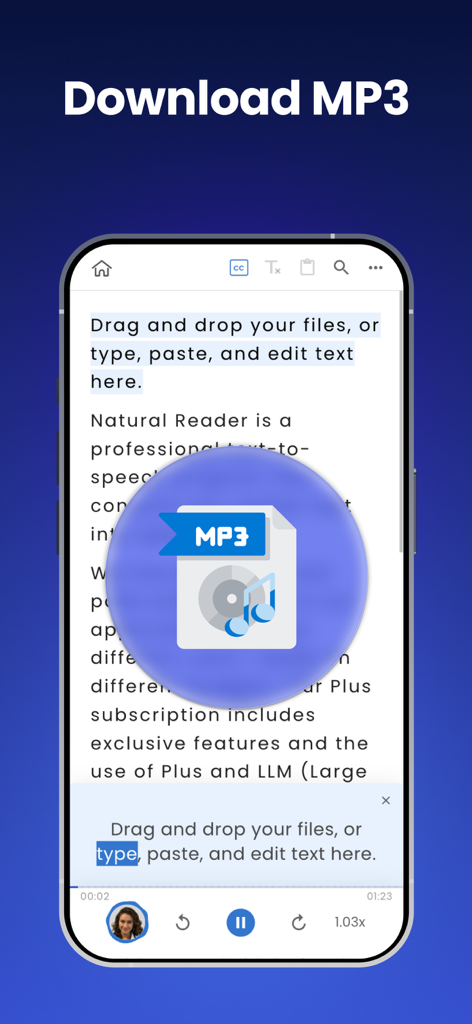
NaturalReader app interface showing the text to speech MP3 download feature

NaturalReader app interface showing the text to speech MP3 download feature

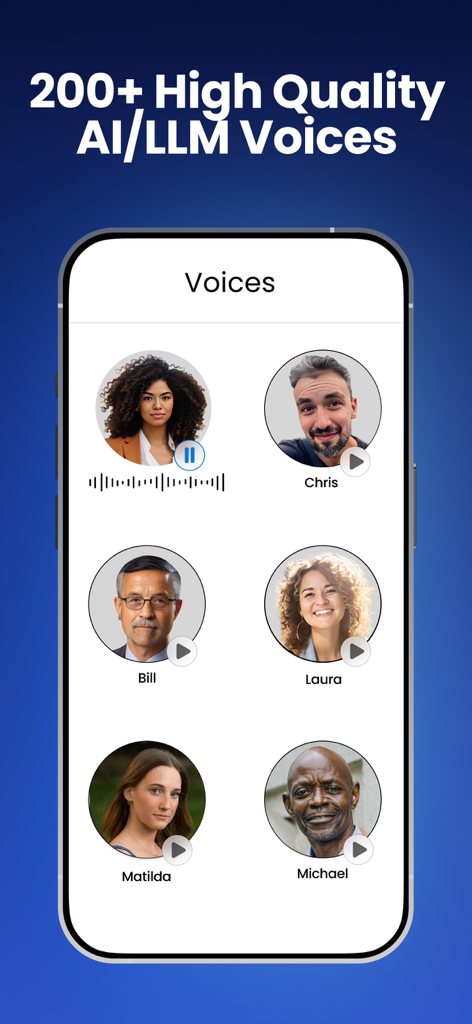
Screenshot of the NaturalReader app displaying a variety of high quality AI and LLM voice options with human avatars

Screenshot of the NaturalReader app displaying a variety of high quality AI and LLM voice options with human avatars

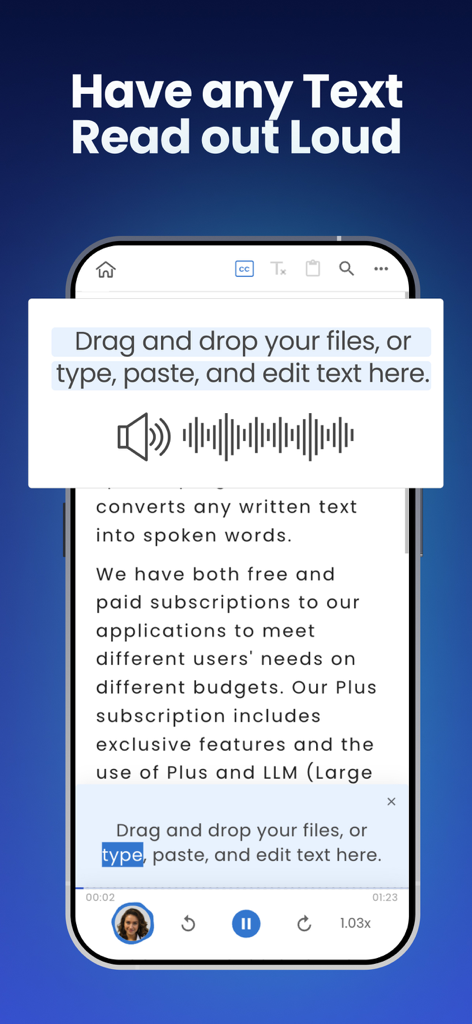
NaturalReader mobile app interface showing text being read aloud with AI voice playback controls

NaturalReader mobile app interface showing text being read aloud with AI voice playback controls

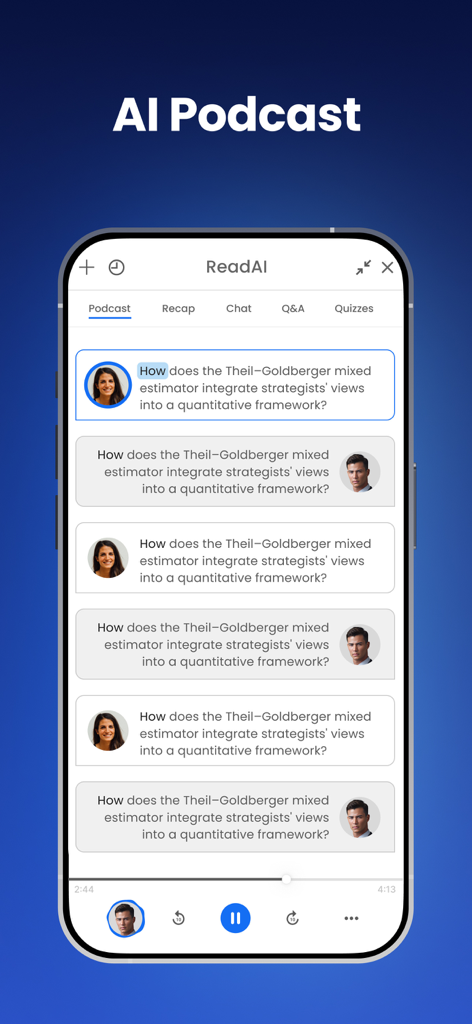
Conversational AI podcast interface in the NaturalReader app

Conversational AI podcast interface in the NaturalReader app

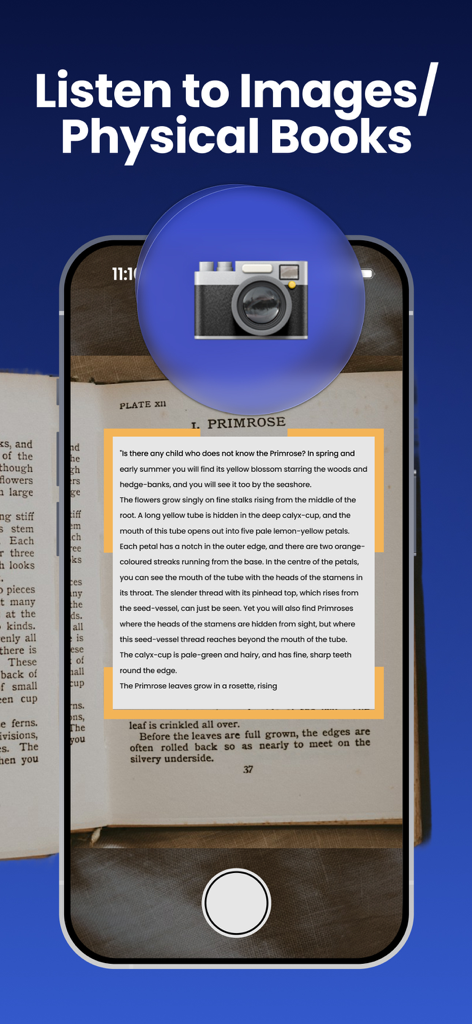
NaturalReader app using a mobile camera to scan a physical book for text to speech conversion

NaturalReader app using a mobile camera to scan a physical book for text to speech conversion

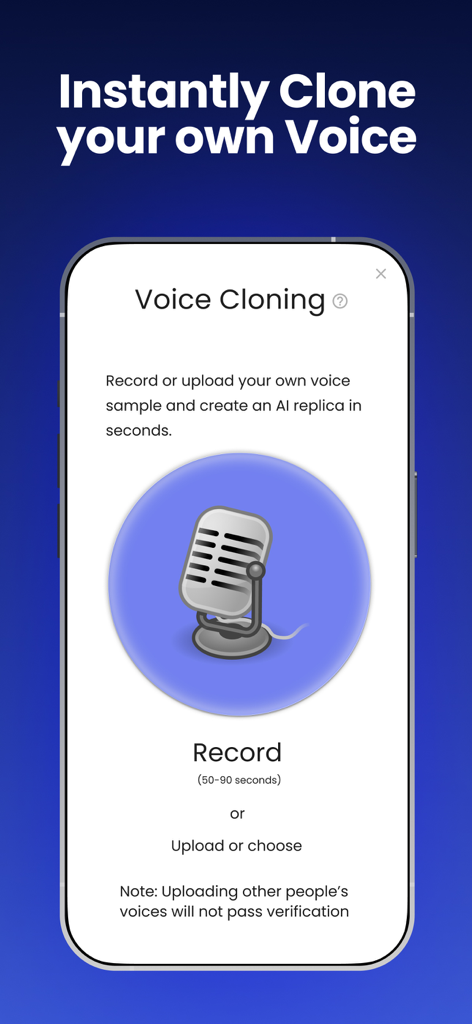
NaturalReader app interface showing the AI voice cloning feature to record or upload your own voice

NaturalReader app interface showing the AI voice cloning feature to record or upload your own voice

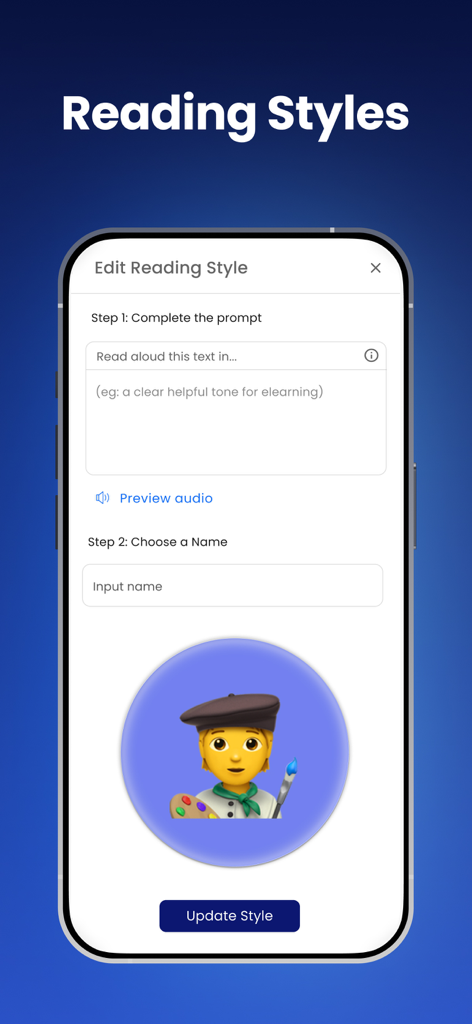
Interface of the NaturalReader app showing how to customize AI reading styles and voice tones using text prompts

Interface of the NaturalReader app showing how to customize AI reading styles and voice tones using text prompts

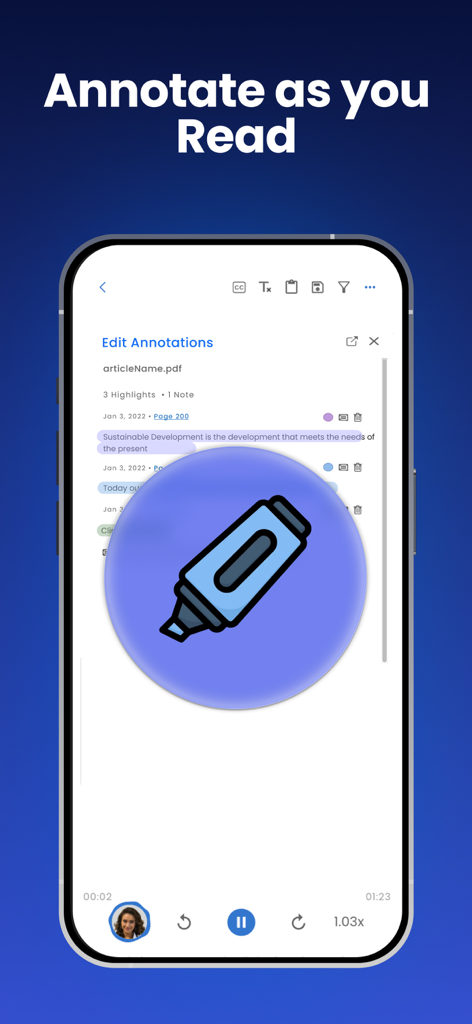
Interface of the NaturalReader app showing how to highlight and annotate a PDF document while listening to text to speech

Interface of the NaturalReader app showing how to highlight and annotate a PDF document while listening to text to speech

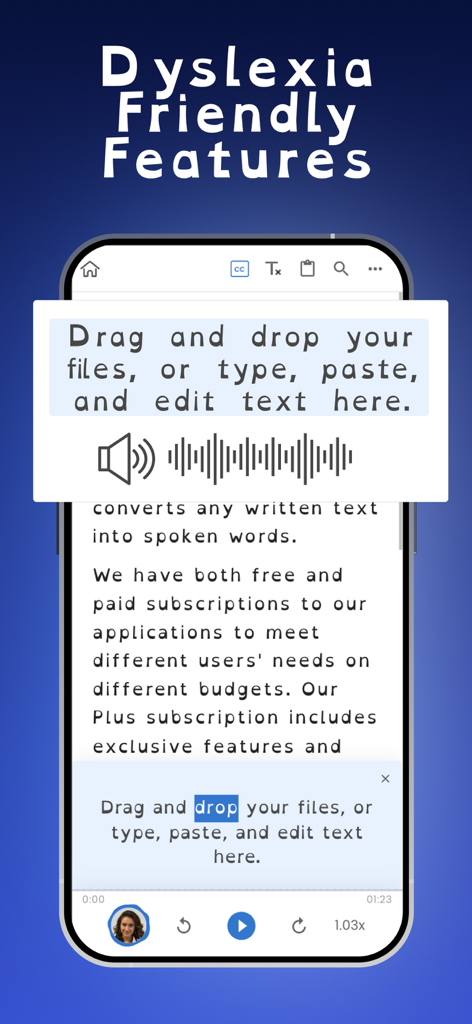
NaturalReader app interface showing dyslexia friendly font and word highlighting features

NaturalReader app interface showing dyslexia friendly font and word highlighting features

Read Less, Hear More

The tools that make this app stand out, trusted by 2M+ users.

🗣️

Ultra-Realistic AI Voices

Choose from over 200+ natural-sounding voices that capture human intonation. Enjoy a premium, fatigue-free experience that makes listening to long documents feel like a professional podcast.

🎧

Maximize Your 'Dead Time'

Reclaim your hours during commutes, gym sessions, or chores. Our mobile-first platform lets you power through your reading list while on the move, boosting your daily productivity.

📸

Smart OCR & Document Scan

Instantly convert physical books, handouts, or screenshots into audio using your camera. Our AI filters out distracting headers and URLs so you can focus strictly on the content that matters.

Loved by users worldwide

Trusted by 2M+ people who love this app.

"

"NaturalReader has completely transformed my study routine. As a student with dyslexia, reading long research papers used to be exhausting, but now I can listen to them with high-quality AI voices while on the go. It's an essential tool for anyone who wants to learn more efficiently."

Sarah J., Graduate Student
"

"This is the best productivity app I have ever downloaded. I turn all my work PDFs and industry articles into a personal podcast for my daily commute. The OCR scanner is incredibly accurate, and the cross-device sync is a lifesaver for my busy schedule."

Michael R., Senior Analyst

About the app

Everything you need to know about NaturalReader - Text To Speech.

Description

Have your books, PDFs and more read aloud to you by 200+ AI-powered voices in over 99 different languages/dialects! NaturalReader is a mobile app that can read aloud a variety of texts like PDFs, online articles, cloud documents, even images taken by your camera and so many more. With over 1 million monthly users and over 15 years of experience dedicated to AI technology that improves the user’s experience, we are one of the most trusted text-to-speech brands today. Our app has innovative features like the ability to convert and download text into MP3 files, OCR text recognition for PDFs and our camera scanner. NaturalReader is also an essential reading tool for those with dyslexia and other reading difficulties. By presenting the text both audibly and visually, readers can focus less on the act of reading, and more on the content they are reading. We also offer a dyslexia-friendly font for closed captions and within our text box. HOW IT WORKS: Just like a podcast or audiobook, our app lets you be productive anywhere with your mobile device. Complete readings laying in bed, during your daily commute, or walking around campus. By listening on the go, you create more time to do what you love. Listening to our app couldn’t be easier! Simply choose the document type you wish to upload, select your desired file, and you are ready to start listening. For the best experience, remember to choose your favourite speaker’s voice and optimal listening speed. Here are just a few of the reasons why our 1,000,000 monthly users love using NaturalReader -- Camera Scanner: Listen to physical books and notes by using your mobile camera. Convert any piece of physical text into audio, which reads aloud to you. Just take a picture of the pages you wish to upload and you’re ready to start listening. -- Natural Voices: Enjoy over 1000+ AI-powered Voices across 99+ Languages/Dialects to choose from, including our plus voices, the newest and highest technology of AI voices. Plus voices enable fluid, natural-sounding text to speech that matches the patterns and intonation of human voices. Plus voices are available through our Plus Subscription plan. -- AI Text Filtering: Choose to filter out distracting and unwanted text such as URLs and text within brackets. Our advanced AI technology will detect these types of text and ignore them, limiting any distractions. -- Customizable Experience: We have loaded our app with features built to create the most natural listening experience for our users. Choose your preferred speaker voice and optimal reading speed for the best experience. Other features ways to customize include a dark mode, word highlight, closed captions and an advanced pronunciation editor for new or unusual words, or to improve the readability of acronyms. -- Cross-Device Compatibility: A free NaturalReader account gives you access to our Mobile App, Online Reader and Chrome Extension. Run out of time? Seamlessly continue listening from your desktop computer to your mobile device. Supported Formats: PDF, MS Word (.doc & .docx), MS Powerpoint, Mac documents, RTF, TXT, DRM-free EPUB eBooks, image files (png, jpg…)

Latest Version

iOS App Version 9.31

Size

38.1 MB

First Released

Aug 10, 2020

Ready to Turn Your Reading List into a Personalized Podcast?

Join over 1 million students and professionals who save time and reduce screen fatigue by listening on the go. Download NaturalReader now to experience the most natural AI voices on any device.

Download on App StoreDownload on Google Play
FAQ

Frequently Asked Questions

Everything you need to know about NaturalReader - Text To Speech

What is NaturalReader - Text To Speech?

NaturalReader is a mobile app that reads aloud various texts, including PDFs, online articles, and images, using over 200 AI-powered voices in 99+ languages/dialects. It converts text to speech for a natural listening experience.

Can NaturalReader convert text to MP3 files?

Yes, NaturalReader can convert and download text into MP3 files. This feature allows users to listen to their content offline or transfer it for playback on other devices.

How many voices and languages does NaturalReader support?

NaturalReader supports over 1000+ AI-powered voices across 99+ languages and dialects, including high-quality Plus voices that offer fluid, natural-sounding text-to-speech.

Does NaturalReader offer features for users with dyslexia?

Yes, NaturalReader is an essential reading tool for individuals with dyslexia. It presents text audibly and visually, and also offers a dyslexia-friendly font for closed captions and within its text box.

Can I use NaturalReader to listen to physical books?

Yes, NaturalReader includes a Camera Scanner feature. This allows users to take a picture of physical text, such as book pages or notes, and convert it into audio to be read aloud.

What types of documents does NaturalReader support?

NaturalReader supports various formats including PDFs, MS Word (.doc & .docx), MS Powerpoint, Mac documents, RTF, TXT, DRM-free EPUB eBooks, and image files (png, jpg).

Can I use NaturalReader across multiple devices?

Yes, NaturalReader offers cross-device compatibility. A free account provides access to the Mobile App, Online Reader, and Chrome Extension, allowing seamless listening continuity.

Does NaturalReader allow text filtering?

Yes, NaturalReader features AI Text Filtering. Users can choose to filter out distracting elements like URLs and text within brackets, enhancing the overall listening experience.

Can I clone my own voice in NaturalReader?

Yes, NaturalReader allows users to instantly clone their own voice. Users can record or upload a voice sample to create an AI replica in seconds for personalized text-to-speech.

Can I annotate documents while using NaturalReader?

Yes, NaturalReader enables users to annotate documents as they read. The app provides features for editing annotations, highlights, and notes directly within the text.