
Network Scanner: Device Finder




Travel with peace of mind. Easily scan for hidden devices, monitor nearby connections, and use specialized filters to uncover what's invisible in your hotel or rental.
Publisher
Category
UtilitiesDownloads
983K+User Rating
Total Ratings
9K+Locales
1Discover the interface used by 983K+ users.
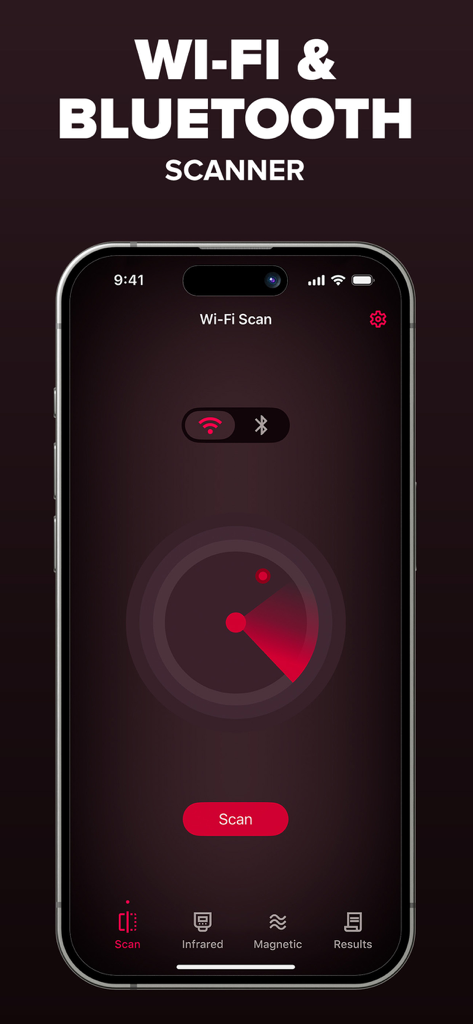
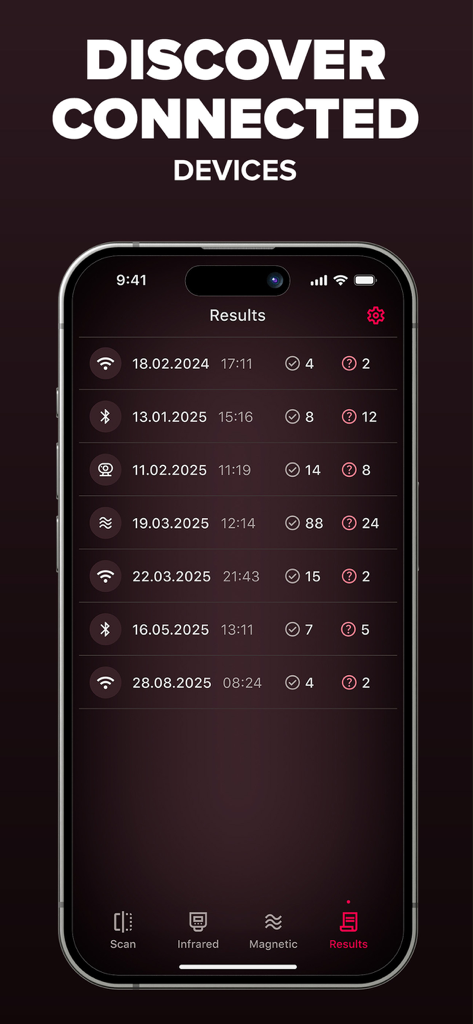
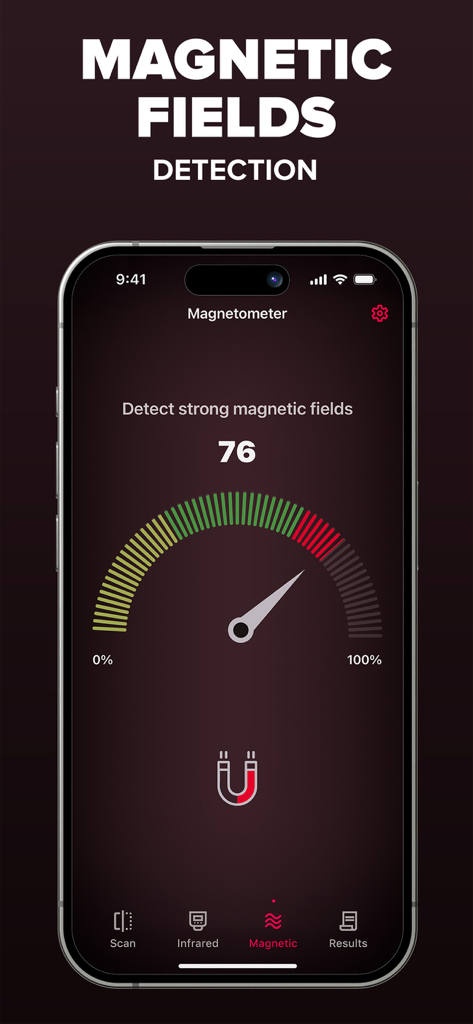
The tools that make this app stand out, trusted by 983K+ users.
Quickly scan Wi-Fi and Bluetooth signals to identify every device in your vicinity and eliminate digital blind spots.
Uncover hidden lenses using advanced visual filters that reveal electronic hardware invisible to the human eye.
Find concealed recording devices inside furniture or walls by tracking magnetic field changes with your phone’s built-in sensor.
Trusted by 983K+ people who love this app.
"As someone who travels solo and stays in Airbnbs frequently, this app is a game-changer. The infrared camera filters and network scanner give me such peace of mind the moment I check in. It’s incredibly easy to use and makes me feel so much safer in new environments."
"I travel for work almost every week, and this has become my go-to utility. I love how it bundles the Wi-Fi scanner and magnetic sensor into one simple interface. It’s fast, reliable, and helps me stay aware of the tech surrounding me in hotels and meeting rooms."
Everything you need to know about Network Scanner: Device Finder.
Description
Latest Version
2.2
Size
45.0 MB
First Released
Mar 8, 2024
Join over 983,000 users who trust Network Scanner to detect hidden devices and protect their personal space in every hotel or rental. Download now and take control of your environment.
Everything you need to know about Network Scanner: Device Finder
Network Scanner: Device Finder is a utility app that explores surroundings using Wi-Fi, Bluetooth, magnetic field, and camera filter tools. It helps users understand their environment and identify nearby connections.
Network Scanner: Device Finder offers Wi-Fi & Bluetooth device finding, a magnetometer sensor, and infrared camera filters (green, red, blue, monochrome) to explore visual layers. It provides simple and accessible tools.
Yes, Network Scanner: Device Finder includes a Wi-Fi Device Finder feature. It allows users to scan nearby Wi-Fi connections to identify devices in their vicinity.
Yes, Network Scanner: Device Finder detects Bluetooth devices. The app features a Bluetooth Device Finder to scan for nearby connections and identify active Bluetooth devices.
Network Scanner: Device Finder uses a Magnetometer Sensor to detect changes in magnetic fields. This feature utilizes the phone's built-in sensor to explore the surrounding environment.
Network Scanner: Device Finder offers Infrared Camera Filters. Users can apply unique filters including green, red, blue, and monochrome to discover different visual layers through their camera.
Yes, Network Scanner: Device Finder offers a Premium upgrade. This upgrade provides an ad-free experience, unlimited scanning, and advanced device identification features.
Network Scanner: Device Finder Premium costs $3.99 for a weekly subscription or $59.99 for a Lifetime purchase. Payments are charged to your iTunes Account.
You can cancel your Network Scanner: Device Finder subscription in iTunes settings at least 24 hours before the end of the free trial or current period. Auto-renewal can also be managed there.
Yes, Network Scanner: Device Finder has a privacy policy. It is available at https://aiapps.com.co/privacy-policy/ and outlines how user data is handled.
Yes, Network Scanner: Device Finder displays scan results. Users can access a "Results" tab to view historical data from their Wi-Fi and Bluetooth scans.
Apps with similar features and user experience

Foshan Fullstack Technology LLC

AYDIN KIRMIZIOGLU

AppNexus Limited

Caprinix LLC

MSM COMPANY Sp. z o.o

MEN4CHOICE EDUCATION

Chengdu Siwen Culture Media Co., Ltd.

Jubal Machuv

Jagger Discreet

