Noonlight: Feel Protected 24/7

Noonlight: Feel Protected 24/7

Download on App StoreDownload on Google Play
Spark by MWM logo
Logo of Noonlight: Feel Protected 24/7

Noonlight: Your Personal Safety Net for Every Moment

Stop wondering if you should call 911. Whether you're walking home late, meeting a Tinder date, or riding in an Uber, get 24/7 professional backup and instant help with just the release of a button.

Download on App Store

Publisher

Noonlight, Inc.

Category

Lifestyle

Downloads

2M+

User Rating

4.7/5

Total Ratings

18K+

Locales

1

Safety at Your Fingertips

Discover the interface used by 2M+ users.
Noonlight app promotional screen featuring the text Caring humans looking out for you

Noonlight app promotional screen featuring the text Caring humans looking out for you

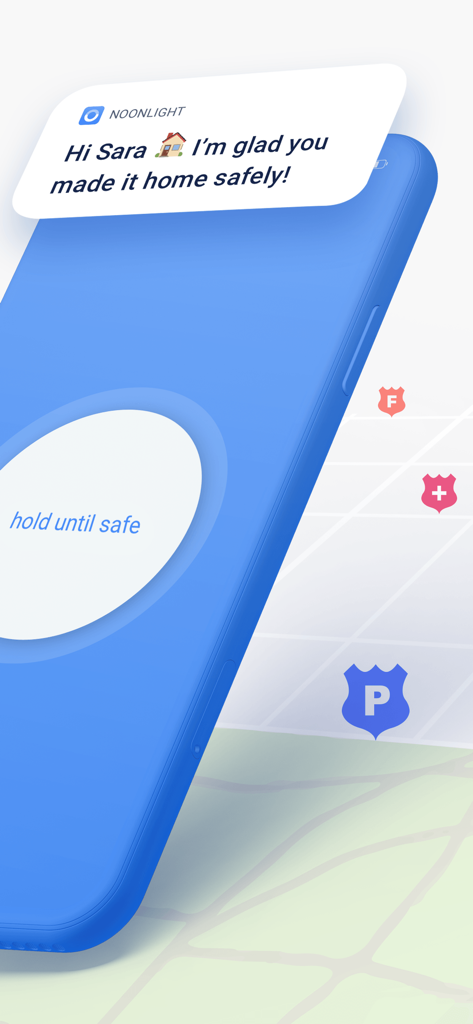
Noonlight mobile app screen showing a hold until safe button and a notification confirming a safe arrival home

Noonlight mobile app screen showing a hold until safe button and a notification confirming a safe arrival home

Promotional image for Noonlight safety app featuring media logos from CNN, TODAY, and Rolling Stone, along with a Tinder partnership mention.

Promotional image for Noonlight safety app featuring media logos from CNN, TODAY, and Rolling Stone, along with a Tinder partnership mention.

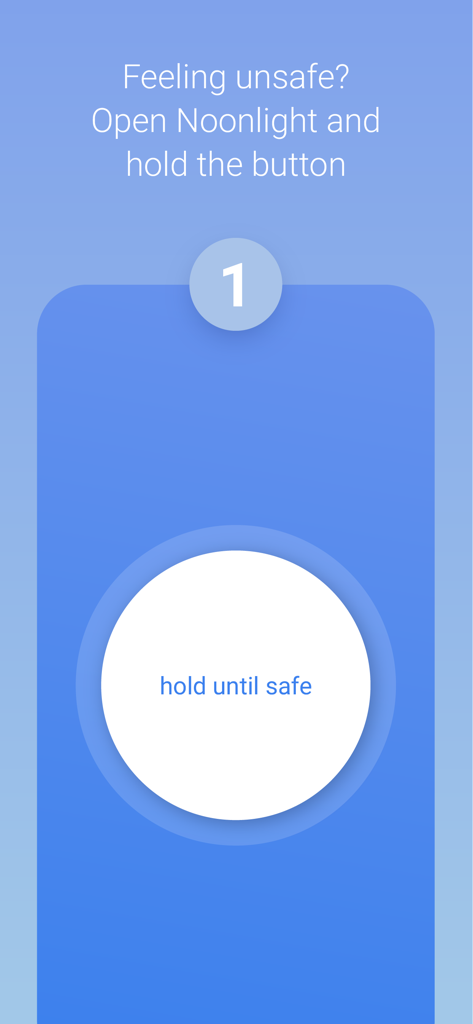
Noonlight app interface showing a large white button with the text hold until safe for personal security.

Noonlight app interface showing a large white button with the text hold until safe for personal security.

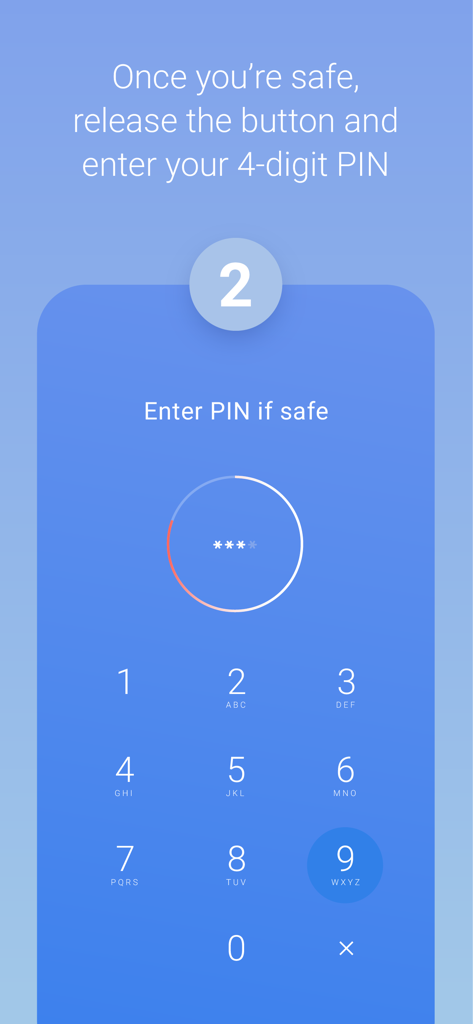
Noonlight app screen showing a 4-digit PIN entry keypad to confirm user safety

Noonlight app screen showing a 4-digit PIN entry keypad to confirm user safety

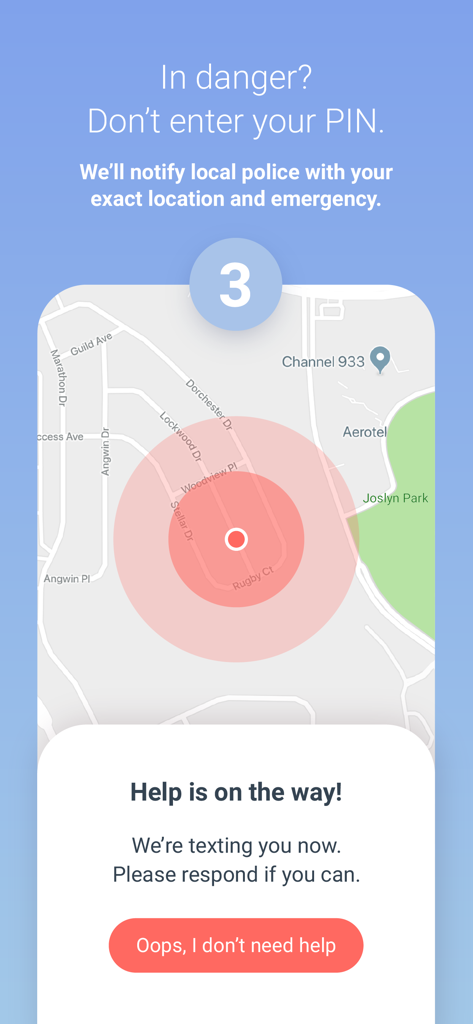
Noonlight app emergency alert screen showing location tracking on a map and a notification that help is on the way

Noonlight app emergency alert screen showing location tracking on a map and a notification that help is on the way

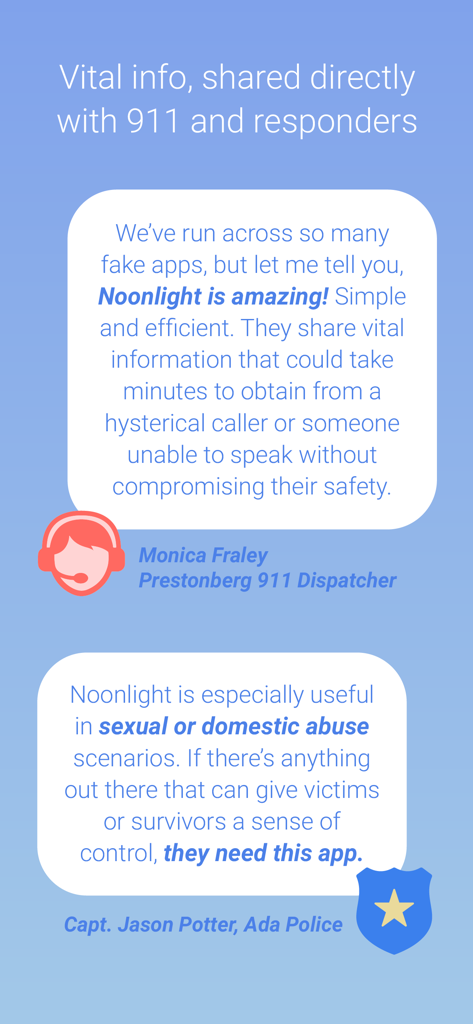
Testimonials from a 911 dispatcher and police officer about the Noonlight safety app's reliability and vital information sharing.

Testimonials from a 911 dispatcher and police officer about the Noonlight safety app's reliability and vital information sharing.

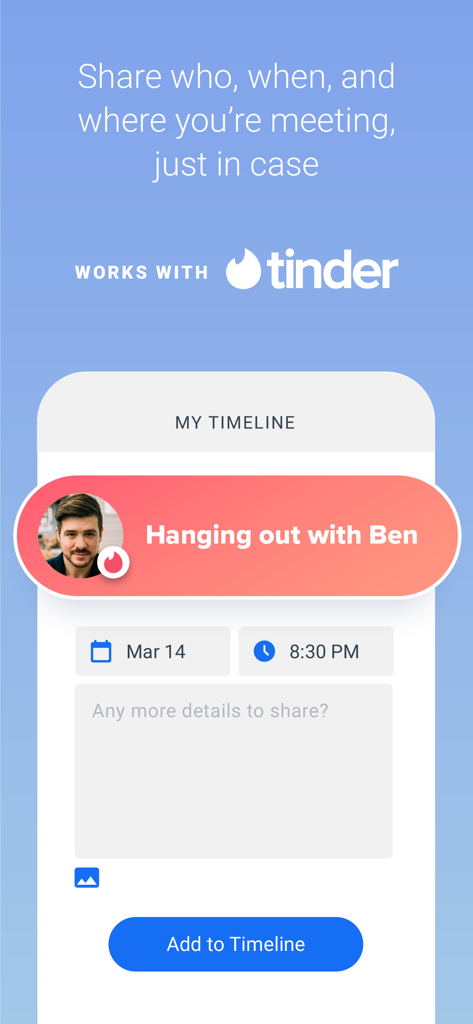
Noonlight app interface showing a Tinder integration feature where users can add date details like who, when, and where to their safety timeline.

Noonlight app interface showing a Tinder integration feature where users can add date details like who, when, and where to their safety timeline.

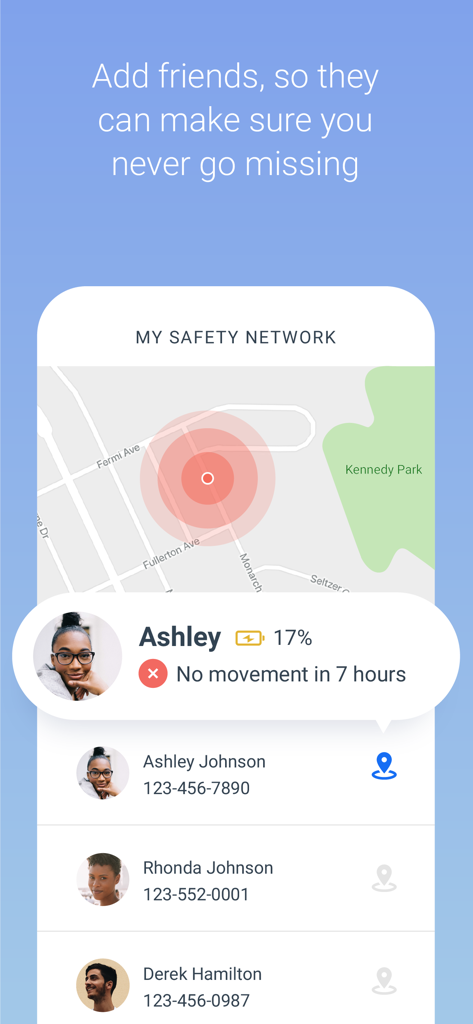
Noonlight app interface displaying the Safety Network feature with real time location tracking of friends

Noonlight app interface displaying the Safety Network feature with real time location tracking of friends

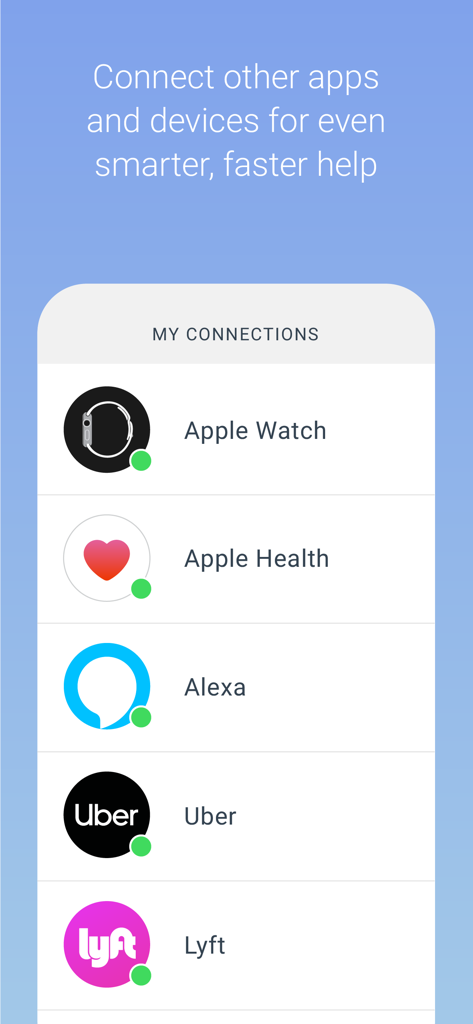
Noonlight app screen showing connections to Apple Watch Apple Health Alexa Uber and Lyft

Noonlight app screen showing connections to Apple Watch Apple Health Alexa Uber and Lyft

Safety at Your Fingertips

The tools that make this app stand out, trusted by 2M+ users.

🔘

The Safe-Touch Button

Eliminate the hesitation to call 911. Simply hold the button when you feel uneasy and release it when you're safe—if you don't enter your PIN, help is on the way.

🤝

Smart Dating Integration

Date with confidence by syncing with Tinder to share meeting details and locations with our certified dispatchers, ensuring someone always has your back.

🚗

Connected Commute Security

Sync your Uber or Lyft accounts so first responders know your vehicle details and real-time GPS location in an emergency, even if you're on the move.

Loved by users worldwide

Trusted by 2M+ people who love this app.

"

"As a college student walking across campus late at night, this app is my literal safety blanket. I love the hold-to-protect button—it gives me immediate peace of mind without the pressure of calling 911 unless I truly need to. It's an absolute must-have for anyone living in a big city."

Sarah Jenkins
"

"The Tinder and Uber integrations are incredible. I feel so much safer meeting up for dates knowing my timeline is logged and help is just a tap away on my Apple Watch. It's the first app I recommend to all my friends for personal safety and independence."

Maya Rodriguez

About the app

Everything you need to know about Noonlight: Feel Protected 24/7.

Description

Have you ever been in a situation where you question whether it’s dangerous enough to call 911? Instead of worrying yourself with indecision, use Noonlight. Noonlight uses advanced technology to get emergency help to your exact location with just the release of a button. It can be used in moments where you simply feel unsafe, as well as moments where you need immediate emergency help. Here’s how simple it is: 1. Press and hold the button whenever you feel uneasy. 2. Release the button when you have reached your home, car, or a safe destination and enter your 4-digit pin. 3. In danger? Simply release the button and do not enter your pin. Your local police will be notified of your location and emergency. Free Features: • Meeting a stranger? See something suspicious? Simply add information to your Timeline and we’ll share important details with first responders in an emergency. • We’ve partnered with Tinder to provide backup on your next date! Share details about who you’ll be meeting to your timeline, directly from the Tinder app. Or add a ‘Protected by Noonlight’ badge to your Tinder chat threads so everyone will know we have your back. • Prefer texting? If you can’t talk in an emergency, you can still communicate with us via text. • Can’t text or talk? No worries, we’re still sending help to your exact location. • On the move? We update your location even if you’re in a taxi, bus, running, or walking. • On-call team of friendly, certified dispatchers ready 24/7/365 to get you help. Instant Access Features: • Automatic Crash Response: Using the accelerometer, GPS, and gyroscope on your phone, Noonlight can detect if you’ve been in a car accident and automatically send first responders. • In a panic? Add the Noonlight widget to “Send help!” directly from your lock screen. • Apple Watch: Get emergency help from your wrist. In an emergency, tap “Send help!” to trigger an alarm. We’ll text and call to verify you need help. If you’re unable to answer, we’ll still send help to your location. • Wear OS: Get emergency help from your wrist using timer or panic mode. In an emergency, tap Trigger Alarm. Or Set Timer, and we’ll send help if you don’t enter your PIN when time’s up. • Connect the Apple Health app so first responders have more info to better help you in an emergency. • Connect your Lyft or Uber account to send your trip and driver information to first responders when you trigger a Noonlight alarm. • IFTTT Integrations: From home security to voice commands, Noonlight can send smarter, faster help in an emergency. If you choose to upgrade to Noonlight Instant Access, you’ll get unlimited access to all safety features and integrations. Payment will be charged to your iTunes account at confirmation of purchase, and will automatically renew at the end of each monthly period. You can turn off auto-renewal at any time from your account settings, but refunds will not be provided for any unused portion of the current period. Please note, if you wish to avoid auto-renewal, you must turn it off at least 24 hours prior to the end of the current period. We take the satisfaction and safety of our customers very seriously. Please check out our reviews to see how Noonlight is helping people just like you! Noonlight's Terms of Use: https://noonlight.com/terms Noonlight's Privacy Policy: https://noonlight.com/privacy Note: Continued use of GPS running in the background can dramatically decrease battery life. Noonlight will only use your GPS location in the background if you have an active alert, or if you've enabled Safety Network or crash detection.

Latest Version

2.19.2

Size

111.0 MB

First Released

Oct 5, 2013

Walk, Date, and Commute with Total Confidence

Join over 2 million people who trust Noonlight to have their back 24/7. Download today and never question your safety again.

Download on App StoreDownload on Google Play