Object Removal AI Retouch

Object Removal AI Retouch

Download on App StoreDownload on Google Play
Spark by MWM logo
Logo of Object Removal AI Retouch

Object Removal AI Retouch: Create Your Perfect Shot in Seconds

The ultimate AI-powered toolkit for modern creators. Instantly erase photobombers, clear skin with FaceHD, and transform your camera roll into professional content with a single swipe.

Publisher

煦慧 蒙

Category

Graphics & Design

Downloads

16M+

User Rating

4.6/5

Total Ratings

293K+

Locales

21

The Magic in Action

Discover the interface used by 16M+ users.

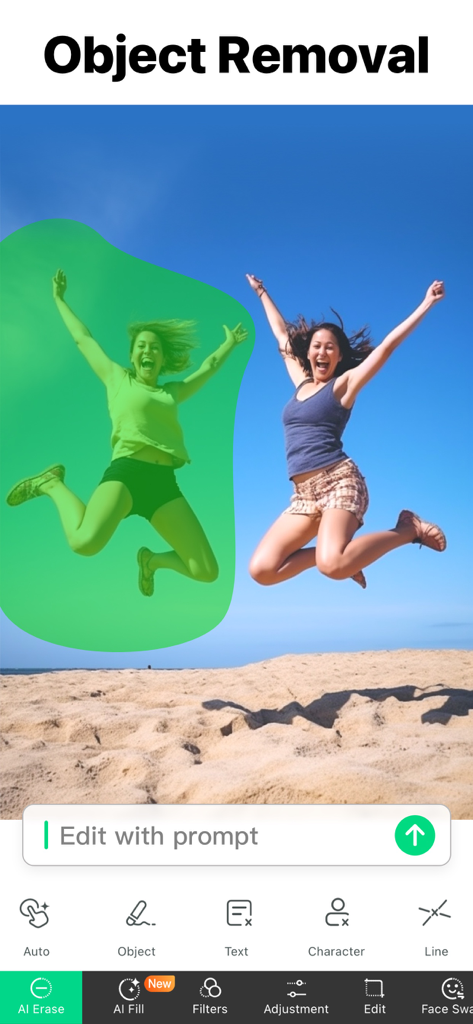
A mobile app interface showing a person selected with a green mask for removal from a beach photo using AI tools

A mobile app interface showing a person selected with a green mask for removal from a beach photo using AI tools

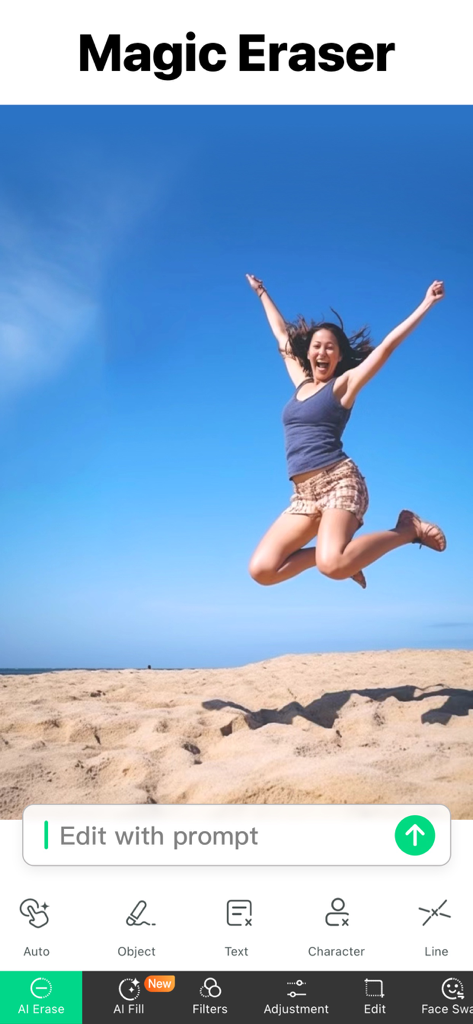
Screenshot of Object Removal AI Retouch app showing the Magic Eraser tool with a woman jumping on a beach

Screenshot of Object Removal AI Retouch app showing the Magic Eraser tool with a woman jumping on a beach

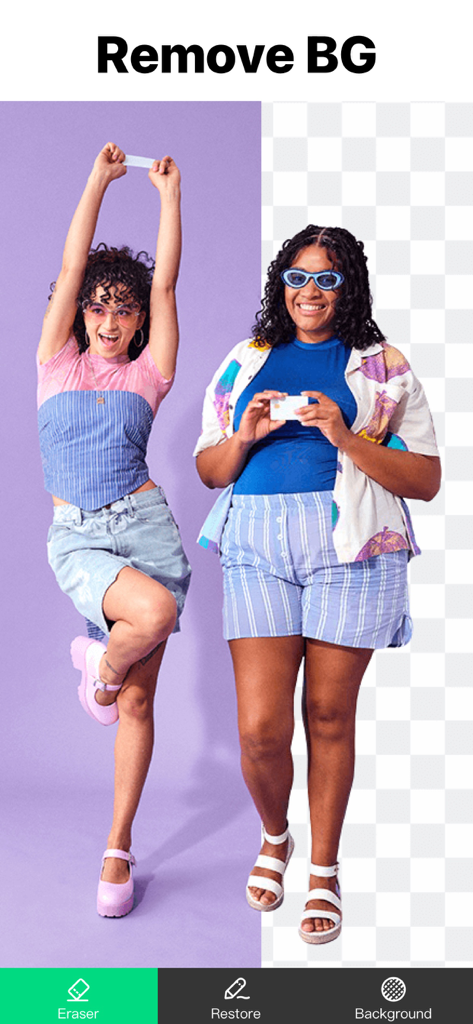
Interface of Object Removal AI Retouch app showing a before and after comparison of the background removal tool on a photo of two women

Interface of Object Removal AI Retouch app showing a before and after comparison of the background removal tool on a photo of two women

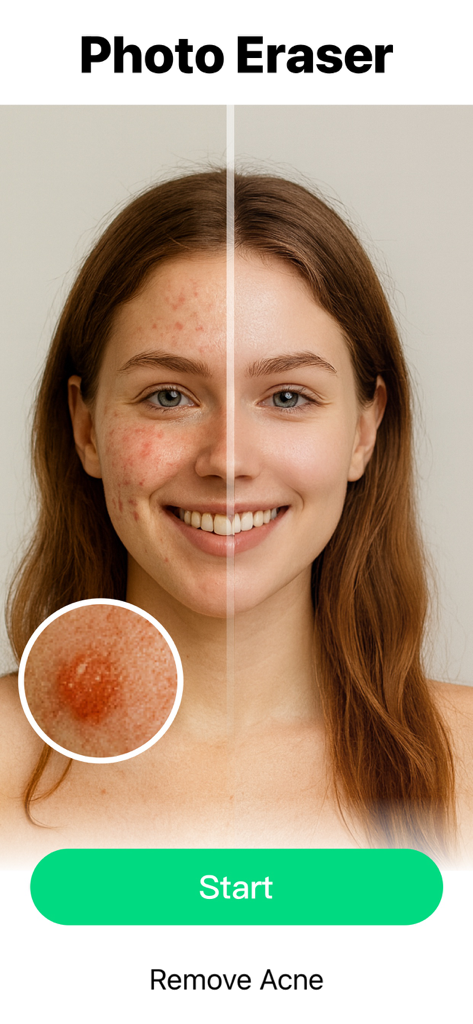
Before and after comparison of acne removal on a woman face using AI

Before and after comparison of acne removal on a woman face using AI

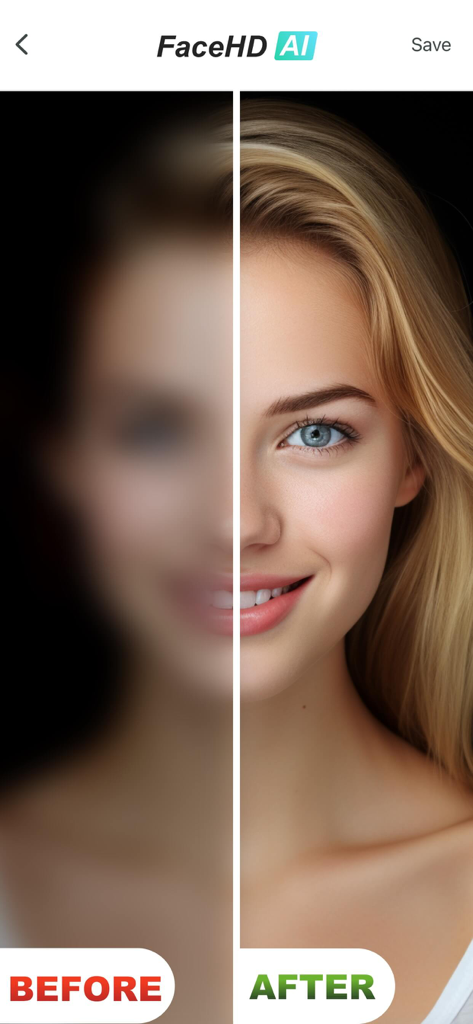
Comparison showing blurry face before and clear high definition face after using AI retouching

Comparison showing blurry face before and clear high definition face after using AI retouching

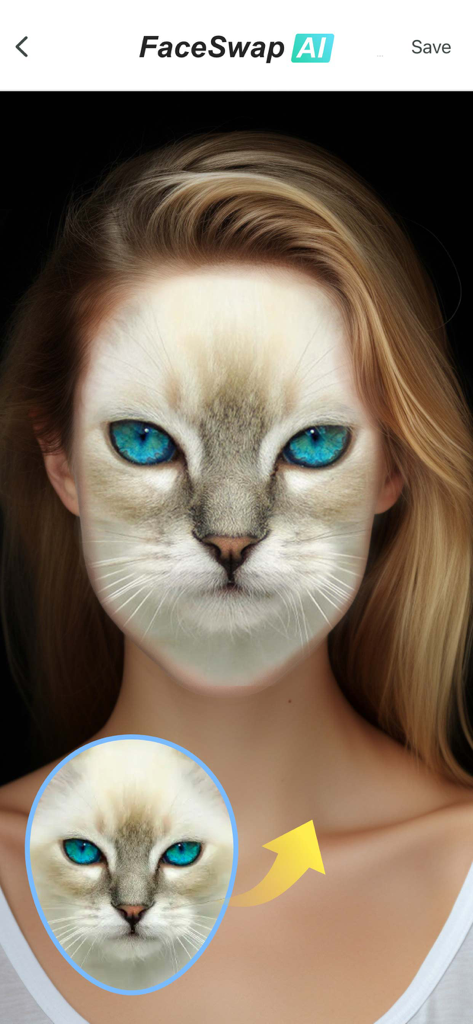
AI FaceSwap feature blending a cat face onto a human portrait

AI FaceSwap feature blending a cat face onto a human portrait

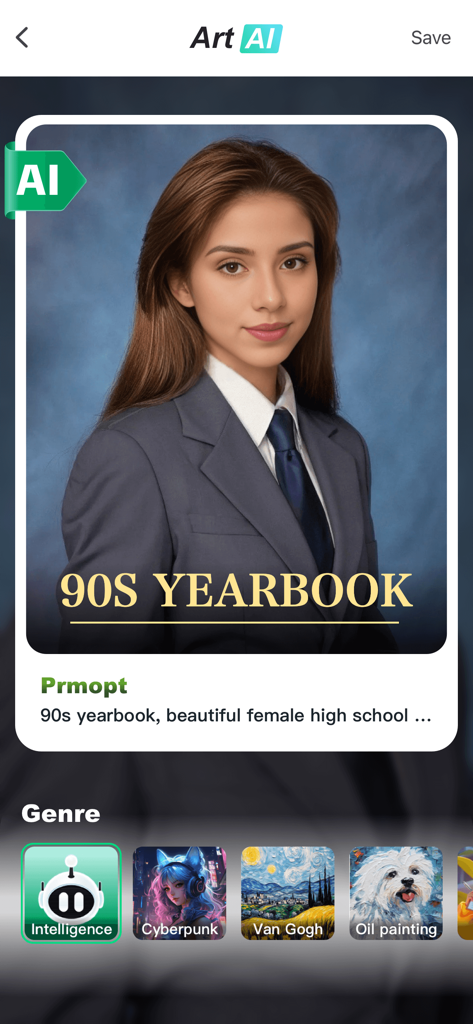
Object Removal AI Retouch app interface generating a 90s yearbook style portrait

Object Removal AI Retouch app interface generating a 90s yearbook style portrait

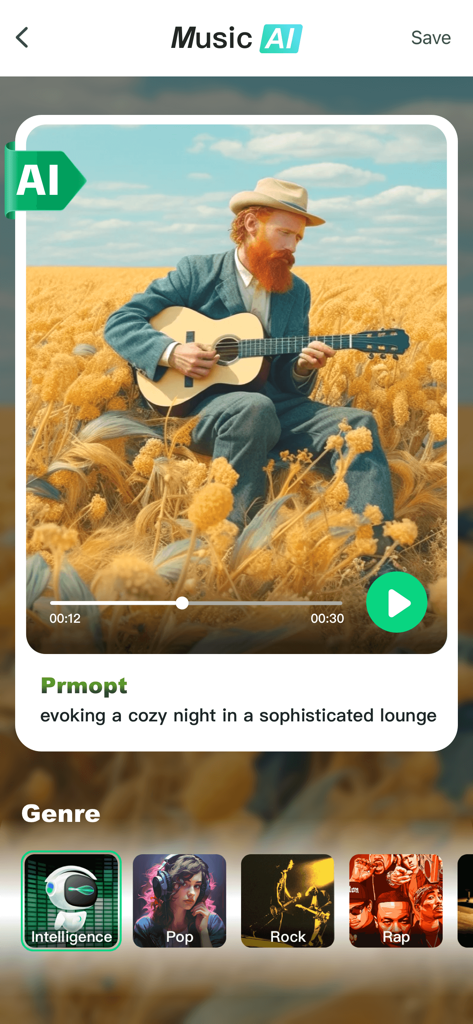
Interface of the Music AI feature showing a generated song playback screen and music genre selection options

Interface of the Music AI feature showing a generated song playback screen and music genre selection options

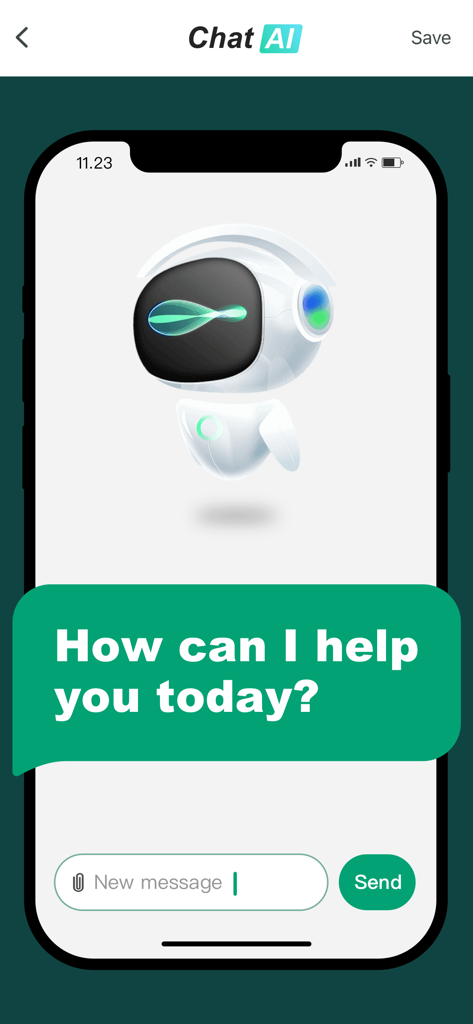
AI chatbot interface within the Object Removal app showing a robot avatar and a welcome message

AI chatbot interface within the Object Removal app showing a robot avatar and a welcome message

Master Your Aesthetic with AI

The tools that make this app stand out, trusted by 16M+ users.

🪄

Seamless Object Removal

Effortlessly erase photobombers and distractions with a single swipe for a perfectly clean shot.

💎

Flawless AI Retouching

Achieve magazine-quality portraits with instant blemish removal and FaceHD clarity enhancements.

🎨

Limitless AI Creativity

Generate stunning AI art and custom music to elevate your social feed beyond simple photo edits.

Loved by users worldwide

Trusted by 16M+ people who love this app.

"

"This app is a game-changer for my Instagram! I can remove photobombers and distracting signs from my travel shots in literally two seconds. The Magic Eraser is so intuitive, and the AI FaceHD makes sure I always look my best before I post. It is like having a pro editor in my pocket."

Sophia M.
"

"I am not a tech person at all, but Object Removal is so easy to use. I saved a beautiful photo of my kids at the beach by removing a random cooler in the background. I also love the AI music feature for making cute videos of them. It is worth every cent to keep our family photos perfect."

David L.

About the app

Everything you need to know about Object Removal AI Retouch.

Description

Object Removal lets you easily remove unwanted content from your photos like backgrounds, objects, people, buildings, pimples, & more! Our AI guided photo editing tools can help you: • Remove unwanted objects & people • Crop out, replace or fix backgrounds & foregrounds • Hide pimples and other blemishes • Remove text & lines • Erase tattoos • Improve image clarity • Adjust brightness, contrast, saturation, blur, and more • Resize, crop & change aspect ratios • Apply stunning filters • Cut out people from photos & add effects • Fill in content with AI • Swap faces • Generate AI art and AI music with text prompts • Turn photos to video with AI • Blend two photos together • Create collages Packed with tons of useful features, Object Removal lets you take advantage of AI to make photo editing a breeze. No need to spend hours manually editing each photo. Use our tools to make professional changes in seconds just by tapping or swiping. MAGIC ERASER Use the Magic Eraser tool to remove objects, text, people, or lines from your photos. Simply swipe the brush over the areas you want to fix, and let our AI tool do the rest! The Magic Eraser tool also lets you apply filters, adjust parameters on your photos like contrast or saturation, and crop and resize your pictures too. You can even use the Magic Eraser tool to swap faces between people or animals in your photos! AI FACEHD Our cutting edge AI FaceHD tool lets you improve the look of faces in your photos with just a tap. Improve clarity, remove blurriness, hide pimples and blemishes in seconds. Just open the AI FaceHD feature, upload your pictures, and watch the AI work its magic. GENERATE AI ART Create stunning artwork in seconds with a simple text prompt. Simply describe what you want to create, choose the style, then watch as our AI generates amazing photos and videos for you in seconds. MAKE MUSIC WITH AI Ever wanted to make your own songs? We have a tool for that too! Enter a text prompt for the type of music you want to create. Choose whether you want it to be pop, rock, rap, or any other style. Then, let our AI generate a brand new song just for you! TURN PHOTOS TO VIDEOS Use the AI MotionPix feature to bring still frame photos to life as a video clip. Just select the picture you want to add motion to, and let the AI do the rest! BLEND PHOTOS TOGETHER The AI Blend feature lets you merge two existing photos together into something brand new. CUTOUT PEOPLE FROM PHOTOS Use the Cutout feature to easily crop out people from any photo, then apply all sorts of cool effects. Apply an outline around the people in your photos, or have them fold out in a 3D animation. CREATE COLLAGES Upload as many photos as you want and turn them into a collage with tons of different layouts to choose from. More than just a simple retouching app, Object Removal is filled with tons of helpful features to help you accomplish any photo editing task. Give Object Removal a try for free! There are two different Premium Membership Subscriptions (1 week & 1 year): - Weekly Premium - 1 week costs 9.99 USD - Yearly Premium - 1 year costs 79.99 USD Premium Subscription: • Payment will be charged to iTunes Account at confirmation of purchase • Subscription automatically renews unless auto-renew is turned off at least 24-hours before the end of the current period • Account will be charged for renewal within 24-hours prior to the end of the current period, and identify the cost of the renewal • Subscriptions may be managed by the user and auto-renewal may be turned off by going to the user's Account Settings after purchase • Any unused portion of a free trial period, if offered, will be forfeited when the user purchases a subscription to that publication, where applicable Terms of Use: https://docs.qq.com/doc/DWEZ6UVlrTkJ5eHRH Privacy Policy: https://docs.qq.com/doc/DWEZ6UVlrTkJ5eHRH

Latest Version

5.1.3

Size

219.1 MB

First Released

Apr 7, 2019

Ready to Make Every Shot Picture-Perfect?

Join 16M+ creators using AI to erase distractions and enhance memories in seconds. Download now and start your journey to the perfect feed today.

Download on App StoreDownload on Google Play
FAQ

Frequently Asked Questions

Everything you need to know about Object Removal AI Retouch

What is Object Removal AI Retouch?

Object Removal AI Retouch is an application that uses AI to remove unwanted content from photos. This includes objects, people, backgrounds, blemishes, text, and lines, simplifying photo editing tasks.

How does the Magic Eraser tool work in Object Removal AI Retouch?

The Magic Eraser tool in Object Removal AI Retouch removes objects, text, people, or lines from photos. Users simply swipe a brush over the target areas, and the AI tool performs the fix.

What features does the AI FaceHD tool offer in Object Removal AI Retouch?

The AI FaceHD tool in Object Removal AI Retouch improves facial appearance by enhancing clarity, removing blurriness, and hiding pimples and other blemishes with a single tap.

Can Object Removal AI Retouch generate art from text prompts?

Yes, Object Removal AI Retouch can generate stunning AI art. Users create artwork by providing a text prompt and choosing a style, allowing the AI to produce photos and videos instantly.

Is it possible to create music with AI using Object Removal AI Retouch?

Yes, Object Removal AI Retouch allows users to create music with AI. Users enter a text prompt specifying the desired music type and style, and the AI generates a brand new song.

Can Object Removal AI Retouch convert photos into video clips?

Yes, Object Removal AI Retouch converts photos into video clips using the AI MotionPix feature. This tool brings still frame photos to life by adding motion.

How does the AI Blend feature work in Object Removal AI Retouch?

The AI Blend feature in Object Removal AI Retouch merges two existing photos. This allows users to combine images into something new and unique.

Can Object Removal AI Retouch remove backgrounds from images?

Yes, Object Removal AI Retouch removes backgrounds from images. The app includes a dedicated "Remove BG" tool designed to easily erase and replace photo backgrounds.

Does Object Removal AI Retouch remove blemishes like acne?

Yes, Object Removal AI Retouch removes blemishes such as acne. The "Photo Eraser" feature specifically targets and removes skin imperfections, as shown in the app's interface.

Does Object Removal AI Retouch offer options for creating photo collages?

Yes, Object Removal AI Retouch offers options for creating photo collages. Users can upload multiple photos and choose from numerous different layouts to design their collages.

What are the subscription costs for Object Removal AI Retouch Premium?

Object Removal AI Retouch Premium offers two subscriptions: Weekly Premium costs 9.99 USD, and Yearly Premium costs 79.99 USD. Payments are charged via the iTunes Account.

Does Object Removal AI Retouch provide a free trial?

Yes, Object Removal AI Retouch provides a free trial period. Any unused portion of this free trial is forfeited when a user purchases a subscription.

Where can I find the Privacy Policy for Object Removal AI Retouch?

The Privacy Policy for Object Removal AI Retouch is available through the link provided in the app description: https://docs.qq.com/doc/DWEZ6UVlrTkJ5eHRH.