OctoStudio: Create-Code-Learn

OctoStudio: Create-Code-Learn

Download on App Store
Spark by MWM logo
Logo of OctoStudio: Create-Code-Learn
OctoStudio: Create Your Own Games and Animations Anywhere

From the MIT Media Lab creators of Scratch. A free, offline-first coding app where kids turn photos, sounds, and imagination into interactive stories—with no ads and no data collection.

Publisher

Massachusetts Institute of Technology

Category

Education

Downloads

115K+

User Rating

4.4/5

Total Ratings

100

Locales

35

A World of Creation

Discover the interface used by 115K+ users.
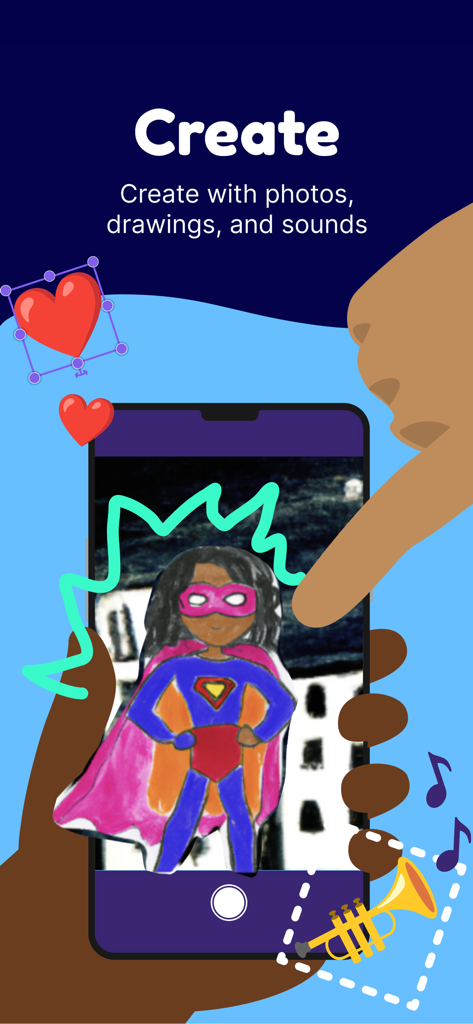
A hand holding a smartphone using the OctoStudio app to create animations with photos and drawings

A hand holding a smartphone using the OctoStudio app to create animations with photos and drawings

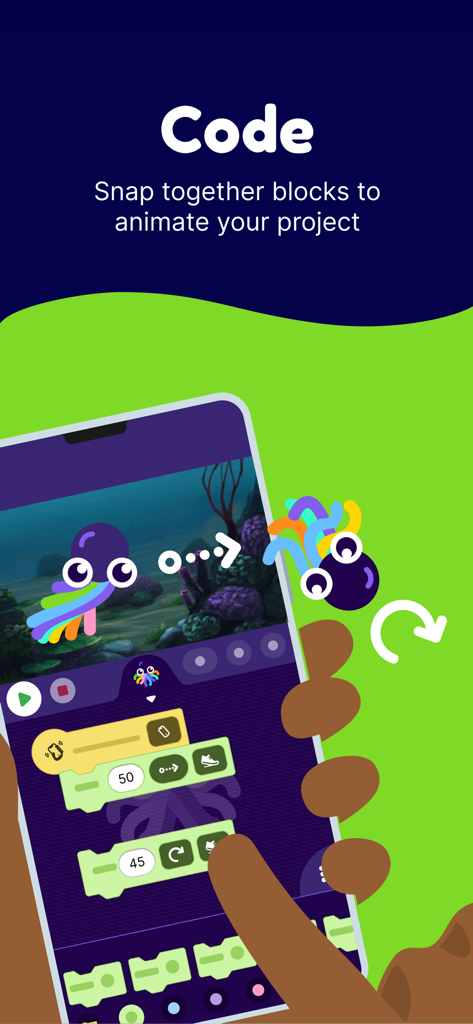
A mobile screen showing the OctoStudio app where users snap together colorful coding blocks to animate an octopus character.

A mobile screen showing the OctoStudio app where users snap together colorful coding blocks to animate an octopus character.

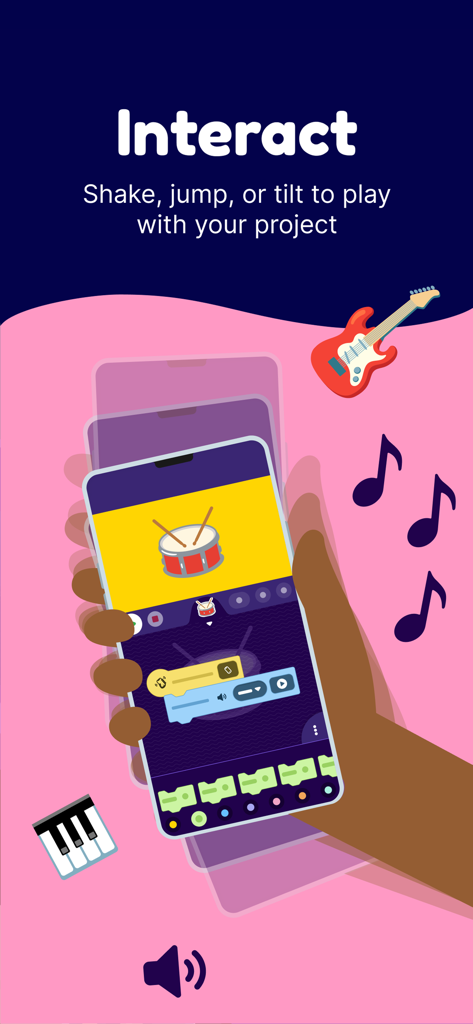
A hand shaking a phone to play an interactive drum project created with OctoStudio coding blocks.

A hand shaking a phone to play an interactive drum project created with OctoStudio coding blocks.

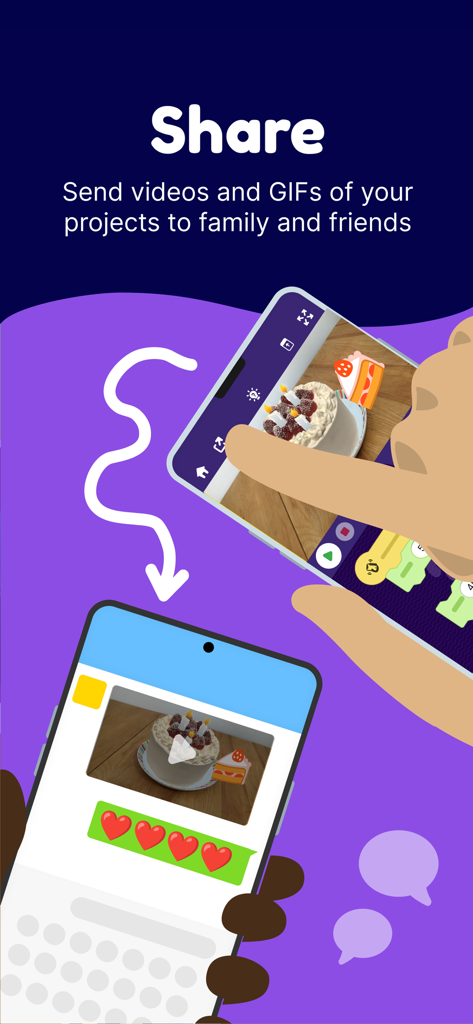
An illustration showing a user sharing a creative coding project from OctoStudio as a video message to a friend.

An illustration showing a user sharing a creative coding project from OctoStudio as a video message to a friend.

Turn Screen Time into Creative Play

The tools that make this app stand out, trusted by 115K+ users.

🎨

Build Your Own Universe

Transform personal photos, hand-drawn art, and recorded sounds into interactive games and stories using intuitive coding blocks.

🚀

Code Beyond the Screen

Bring projects into the real world by coding your phone to buzz, light up, and react to physical movements like tilting or shaking.

🛡️

100% Safe and Ad-Free

A worry-free experience for parents with no data collection, no in-app purchases, and full offline functionality for creating anywhere.

Loved by users worldwide

Trusted by 115K+ people who love this app.

"

"Finally, an app that treats kids like creators instead of consumers! My son spent the whole afternoon coding a musical instrument using photos of our cat. Knowing it's from the MIT Media Lab team gives me total peace of mind regarding the educational quality and data privacy."

Emily R., Parent of a 9-year-old
"

"OctoStudio is a game-changer for my technology lab. The 'beam block' feature allows my students to collaborate across devices in ways I've never seen before. It’s intuitive, powerful, and the fact that it’s completely free and offline makes it accessible to every single one of my students."

David L., Elementary Tech Coordinator

About the app

Everything you need to know about OctoStudio: Create-Code-Learn.

Description

With OctoStudio, you can create animations and games on your mobile phone or tablet – anytime anywhere. Take photos and record sounds, bring them to life with coding blocks, and send your projects to friends and family. Made by the creators of Scratch at the MIT Media Lab! Create an animated story using your own artwork, a musical instrument that plays sounds when you jump – or anything else you imagine! OctoStudio is developed by the Lifelong Kindergarten group, the MIT Media Lab team that invented Scratch, the world’s most popular coding language for kids. OctoStudio is completely free of charge - with no ads, no in-app purchases, and no data collected. Create projects without needing an internet connection. Available in more than 20 languages. Create • Create animations, games, and anything else you can imagine • Combine emojis, photos, drawings, sounds, and movement • Make your projects come alive with coding blocks Interact • Make interactive games you can play by tilting your phone • Shake your phone or use a magnet to start your project • Make your projects speak aloud • Code your phone to buzz or turn on and off the flashlight • Collaborate across phones using the beam block Share • Record your project as a video or animated GIF • Export your project file for others to play • Send to family and friends Learn • Get started with intro videos and ideas • Explore and remix sample projects • Develop creative thinking and problem-solving skills • Learn to code in a playful and meaningful way OctoStudio has been designed in collaboration with educators in Argentina, Brazil, Chile, India, Korea, Mexico, South Africa, Thailand, Uganda, United States, and other countries around the world. To learn more about OctoStudio or share your feedback, please visit us at www.octostudio.org

Latest Version

1.0.41

Size

56.5 MB

First Released

Oct 2, 2023

Ready to Turn Your Ideas Into Action?

Download OctoStudio for free today. No ads, no tracking, and no internet required—just pure creativity from the creators of Scratch at MIT.

Download on App Store
FAQ

Frequently Asked Questions

Everything you need to know about OctoStudio: Create-Code-Learn

What is OctoStudio and what can it do?

OctoStudio is an app for creating animations and games on mobile devices. Users combine photos, drawings, and sounds with coding blocks to bring projects to life.

Is OctoStudio free to use and does it have ads?

Yes, OctoStudio is completely free of charge. It contains no ads, no in-app purchases, and does not collect any user data.

Can OctoStudio be used offline without an internet connection?

Yes, OctoStudio allows users to create projects without needing an internet connection. This enables creative work anytime, anywhere.

Who developed the OctoStudio application?

OctoStudio is developed by the Lifelong Kindergarten group at the MIT Media Lab. This team also created Scratch, the world's popular coding language for kids.

How do users interact with projects in OctoStudio?

OctoStudio projects respond to device movements like shaking or tilting. Users can also use a magnet, make projects speak aloud, buzz the phone, or control the flashlight.

How can I share my creations from OctoStudio?

OctoStudio allows users to record their projects as videos or animated GIFs for sharing. You can also export the project file to send to family and friends.

What kind of coding does OctoStudio utilize?

OctoStudio utilizes intuitive coding blocks to make projects come alive. This visual programming method helps users develop creative thinking and problem-solving skills playfully.

Is OctoStudio available in multiple languages?

Yes, OctoStudio is available in more than 20 languages. This ensures accessibility for a diverse global user base.