Offline Music Player - mp3

Offline Music Player - mp3

Download on App Store
Spark by MWM logo
Logo of Offline Music Player - mp3

Offline Music Player - mp3: Your Personal Music Vault, Anywhere

Stop worrying about data limits or spotty signals. Import your high-quality tracks from Google Drive or Dropbox for a seamless, ad-free listening experience designed for commuters, travelers, and audiophiles.

Publisher

Alexander Sazanovich

Category

Music

Downloads

2M+

User Rating

3.9/5

Total Ratings

2K+

Locales

25

Purely Your Music

Discover the interface used by 2M+ users.
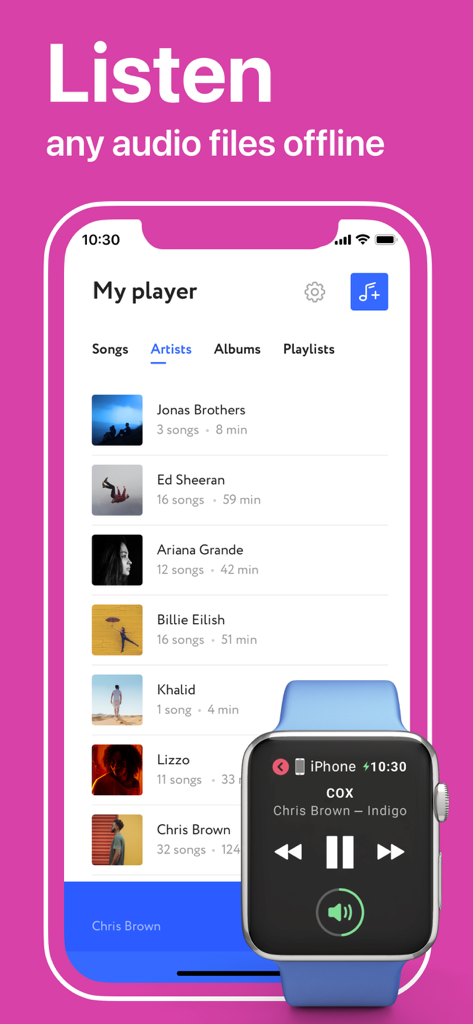
Offline Music Player app displaying an artist library on iPhone and music controls on an Apple Watch

Offline Music Player app displaying an artist library on iPhone and music controls on an Apple Watch

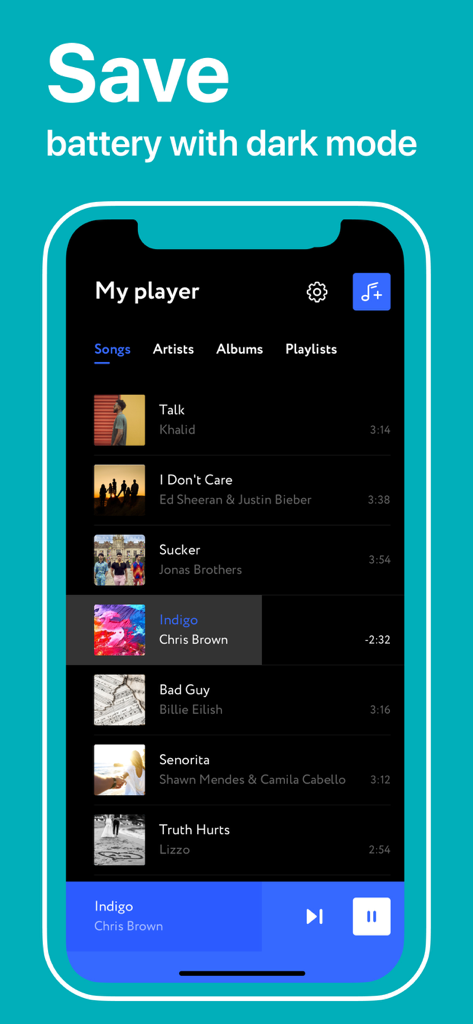
Offline Music Player app interface in dark mode displaying a list of songs to save battery

Offline Music Player app interface in dark mode displaying a list of songs to save battery

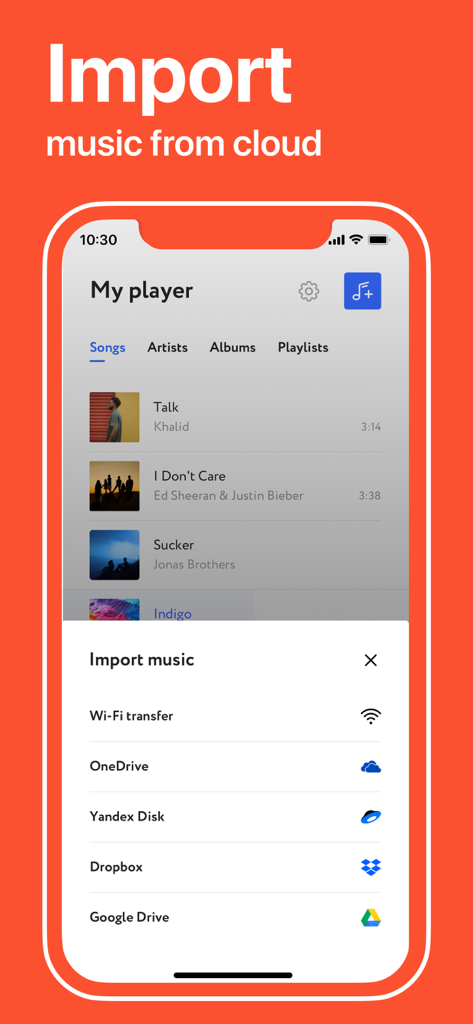
Screenshot of the Offline Music Player app showing options to import music from cloud services like Google Drive and Dropbox.

Screenshot of the Offline Music Player app showing options to import music from cloud services like Google Drive and Dropbox.

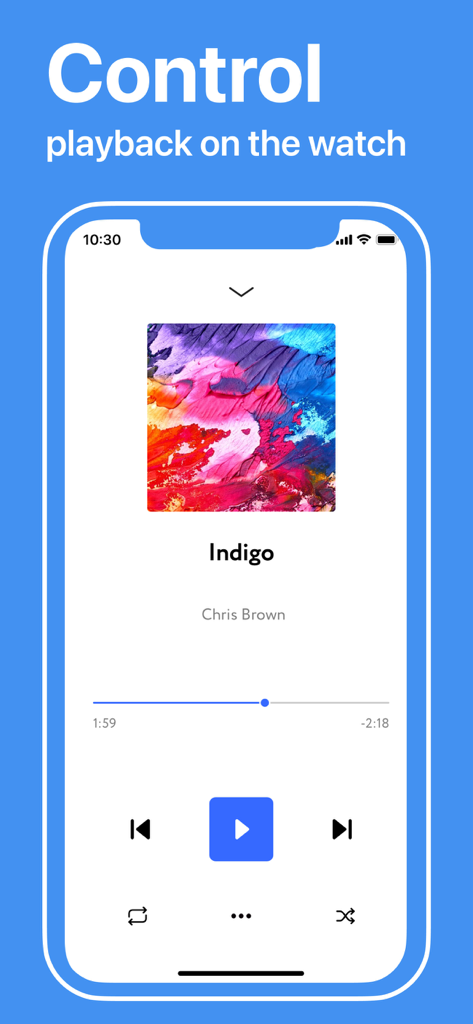
Offline Music Player interface showing song playback controls on an iPhone

Offline Music Player interface showing song playback controls on an iPhone

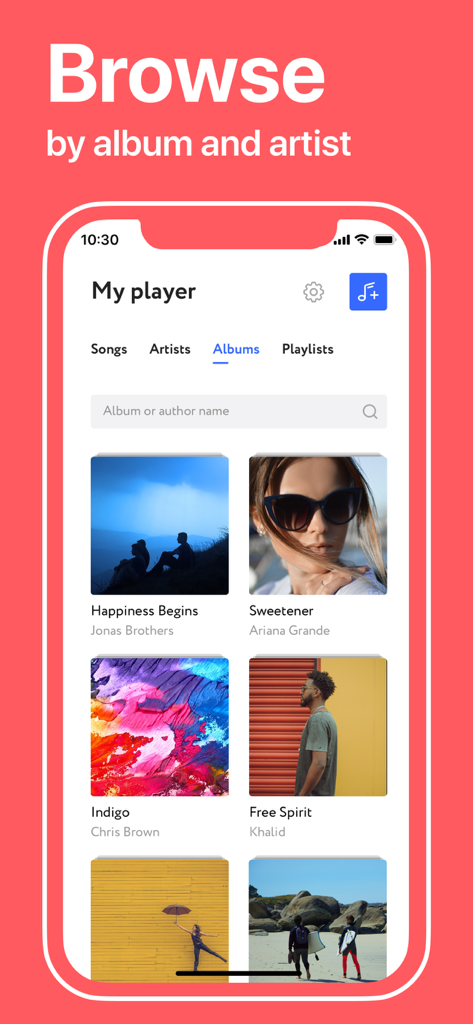
Offline music player app interface showing a grid of albums to browse

Offline music player app interface showing a grid of albums to browse

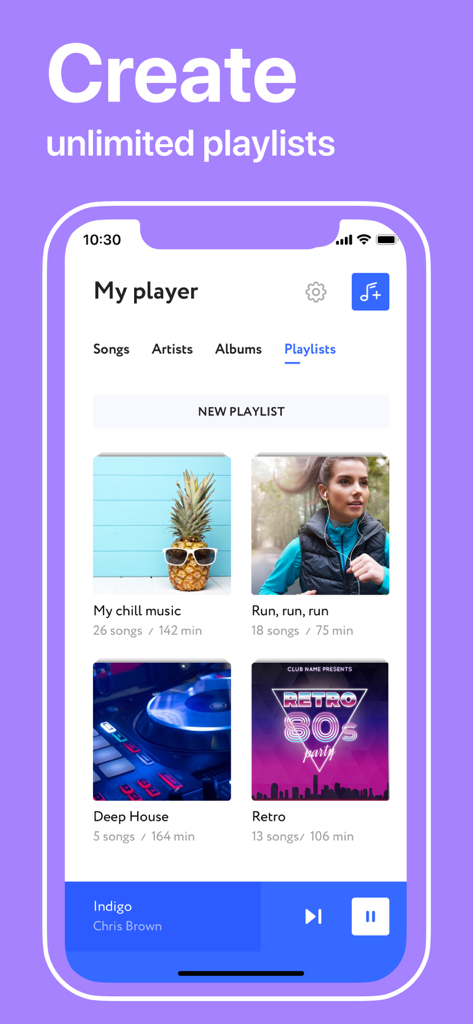
Offline Music Player app interface showing various music playlists with cover images.

Offline Music Player app interface showing various music playlists with cover images.

Take Full Control of Your Audio Library

The tools that make this app stand out, trusted by 2M+ users.

☁️

Seamless Cloud Integration

Instantly sync your collection from Google Drive, Dropbox, or OneDrive. Your personal library follows you across all your iOS devices without the hassle of cables.

🎧

Lossless Audio for Purists

Experience crystal-clear sound with support for FLAC, WAV, and AIFF. Enjoy the high-bitrate playback that mainstream streaming services often compress.

✈️

Zero-Data Offline Playback

Perfect for flights, subways, and remote trails. Play your downloaded tracks with no buffering, no ads, and absolutely no cellular data usage.

Loved by users worldwide

Trusted by 2M+ people who love this app.

"

"Finally, a way to listen to my music without worrying about data or subway dead zones! I love how I can import my entire library directly from Dropbox and play everything offline. The interface is intuitive and completely distraction-free."

David Miller
"

"As someone with a lot of rare remixes and high-res FLAC files, this app is exactly what I needed. The Wi-Fi transfer is incredibly fast, and the sound quality is top-notch. It's the perfect solution for anyone who wants full control over their audio files."

Sarah Jenkins

Review Analysis

Insights from user reviews.

Sentiment Score

22%
Negative

Summary

This app receives predominantly negative feedback from users. Many express frustration over its paid subscription model, with multiple reports of being charged after a short trial period or encountering hidden costs, leading users to label it as a "scam." Furthermore, a significant number of reviews highlight critical functional issues such as app crashes, inability to find or import music, and non-working features like customer support or unsubscribe options. While a few users find the app "good" or "cool" and one review clarifies how to access a limited free service, the overall sentiment points to a dysfunctional and misleading user experience.

Common Themes

Paid Subscription & Billing(14)
App Functionality & Bugs(6)
Music Content Availability(6)
Overall Positive Experience(6)
Intrusive Ads(2)
Customer Support Issues(1)
Free Trial Information(1)

About the app

Everything you need to know about Offline Music Player - mp3.

Description

Offline Music Player — Download and Listen to Your Favorite Music Offline Offline Music Player lets you download your favorite music, podcasts, DJ sets, remixes, and audio files to your iPhone or iPad and listen offline — anytime, anywhere. No internet? No problem. With support for MP3, FLAC, WAV, M4A, and other formats, enjoy your personal music library without Wi-Fi or data. Whether commuting, traveling, working out, or relaxing, Offline Music Player puts you in control of your listening — no buffering, no ads, no distractions. Download and Play Music Offline Import your music from Google Drive, Dropbox, Yandex Disk, or OneDrive directly into the app. Files are saved locally, so you can play them even in airplane mode. No more streaming or wasted data — your music goes with you anywhere. Need a quick way to transfer from your computer? Use Wi-Fi Transfer to send songs through a browser. You can also import audio from other apps using “Open in” or “Copy to” — fast, easy, and secure. Key Features • Full-featured music player with rich playback • Lock screen controls, background playback • Headphones, Bluetooth, and AirPods support • Popular formats: MP3, FLAC, WAV, M4A, AIFF, MP4, more • Repeat track/playlist, shuffle mode • Manage queue: play next/later, reorder • Cloud sync via Google Drive, Dropbox, Yandex Disk, OneDrive • Wi-Fi import from desktop browser • Universal for iPhone and iPad • File import from Files app or others Offline Music Player gives full control over your audio experience. Organize, queue tracks, create playlists — and with local storage, there’s no buffering or dropped music. Unlimited Cloud Sync Sync your music across devices by connecting to cloud services. Upload your MP3 or FLAC files once and access them from anywhere. Ideal for sharing a single library between iPhone and iPad. Clean and Simple Interface Offline Music Player is fast, intuitive, and clean. No clutter — just your music. Browse, search, and play instantly. No ads, no distractions. Everything is optimized for ease of use. Premium Access Free version includes basic features. Unlock full functionality with Premium: • 1-month or 1-year subscriptions (3-day free trial) • Unlimited downloads & storage • No ads • Full cloud sync • Advanced playback options Manage your subscription anytime via iTunes. Perfect for Any Scenario Offline Music Player is perfect for: • Travelers and commuters • DJs and audiophiles • Anyone who wants music offline, on demand ——— Download Offline Music Player today and enjoy your music without limits. Terms of Use: https://uniq.by/terms.html Privacy Policy: https://uniq.by/privacy.html

Latest Version

2.0.4

Size

26.8 MB

First Released

Jul 31, 2019

Take Your Entire Library Anywhere, No Signal Required

Join over 2 million users who have ditched subscription fatigue. Import your high-fidelity files from the cloud or desktop and enjoy distraction-free listening today.

Download on App Store
FAQ

Frequently Asked Questions

Everything you need to know about Offline Music Player - mp3

What is the primary function of the Offline Music Player app?

The Offline Music Player app lets users download their favorite music, podcasts, and audio files to an iPhone or iPad, enabling offline listening without internet access, Wi-Fi, or data.

Which audio file formats does Offline Music Player support?

Offline Music Player supports popular audio formats including MP3, FLAC, WAV, M4A, AIFF, and MP4. This allows users to play a diverse range of their personal music library.

How can I import music files into the Offline Music Player app?

Users can import music into Offline Music Player from cloud services like Google Drive, Dropbox, Yandex Disk, OneDrive, via Wi-Fi Transfer from a computer, or using "Open in" from other apps.

Does the Offline Music Player app offer offline listening?

Yes, Offline Music Player provides dedicated offline listening. Users download music to their device, allowing playback without an internet connection or cellular data, even in airplane mode.

Can I control Offline Music Player from my Apple Watch?

Yes, Offline Music Player supports control from an Apple Watch. Users can manage playback, including play/pause and track skipping, directly from their watch interface.

Does Offline Music Player have a dark mode?

Yes, Offline Music Player features a dark mode. This option is available to enhance user experience and can contribute to saving device battery life.

Is there a free trial for Offline Music Player Premium Access?

Yes, Offline Music Player offers a 3-day free trial for its Premium Access subscription. This allows users to experience the full functionality of the app before subscribing.

What benefits does Premium Access offer in Offline Music Player?

Premium Access in Offline Music Player offers unlimited downloads and storage, no advertisements, full cloud synchronization, and advanced playback options. It is available via subscription.

Can I create playlists in the Offline Music Player app?

Yes, users can create unlimited playlists within the Offline Music Player app. This functionality enables organizing and customizing audio tracks for various listening scenarios.

Does the free version of Offline Music Player contain advertisements?

Yes, the free version of Offline Music Player includes advertisements. Subscribing to Premium Access removes all ads, providing an uninterrupted listening experience.