PhotoSplit for Instagram

PhotoSplit for Instagram

Download on App Store
Spark by MWM logo
Logo of PhotoSplit for Instagram
PhotoSplit: Elevate Your Instagram Profile with Stunning High-Res Grids

Join over 2.5 million creators who transform their feeds into professional galleries. Slice photos into perfect layouts with zero quality loss, no ads, and no subscriptions required.

Publisher

Tech Positive Inc.

Category

Photo & Video

Downloads

2M+

User Rating

4.8/5

Total Ratings

111K+

Locales

1

The Art of the Grid

Discover the interface used by 2M+ users.
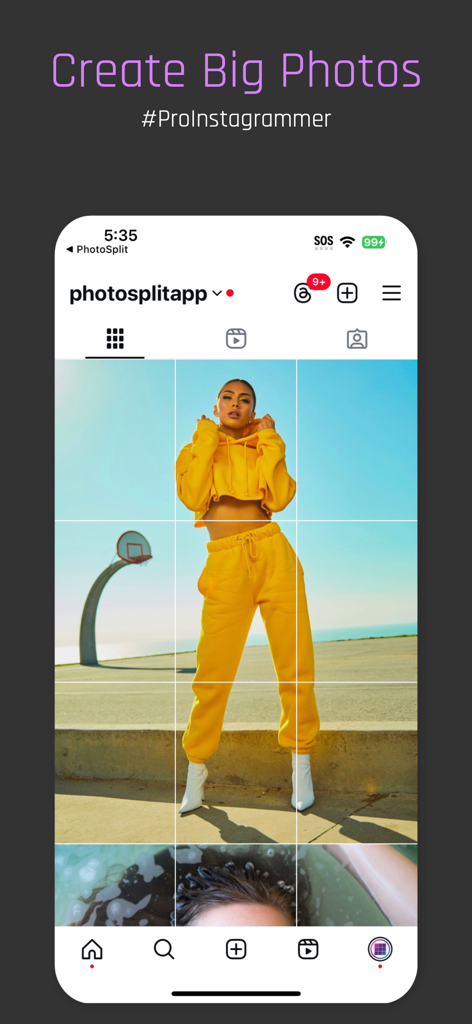
A 3x3 grid preview on an Instagram profile showing a single large photo split into nine tiles

A 3x3 grid preview on an Instagram profile showing a single large photo split into nine tiles

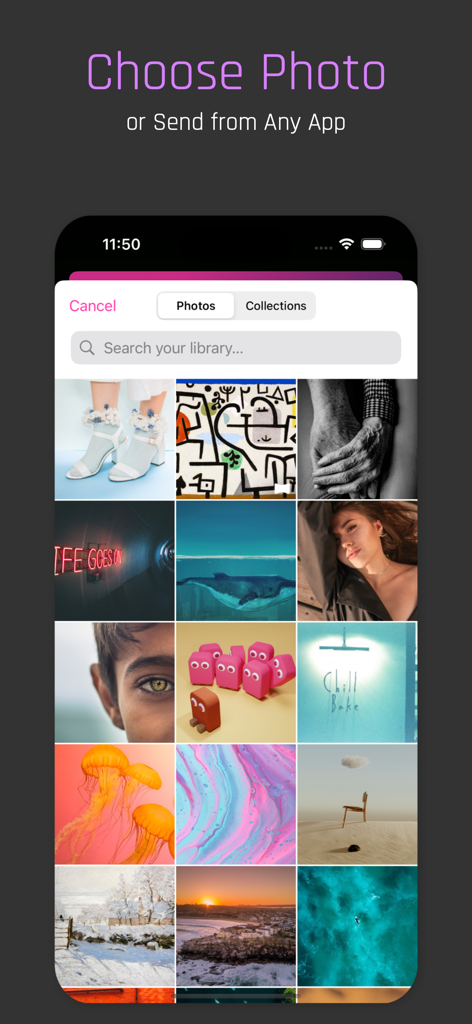
Screenshot of the PhotoSplit app showing a grid of photos to choose for splitting

Screenshot of the PhotoSplit app showing a grid of photos to choose for splitting

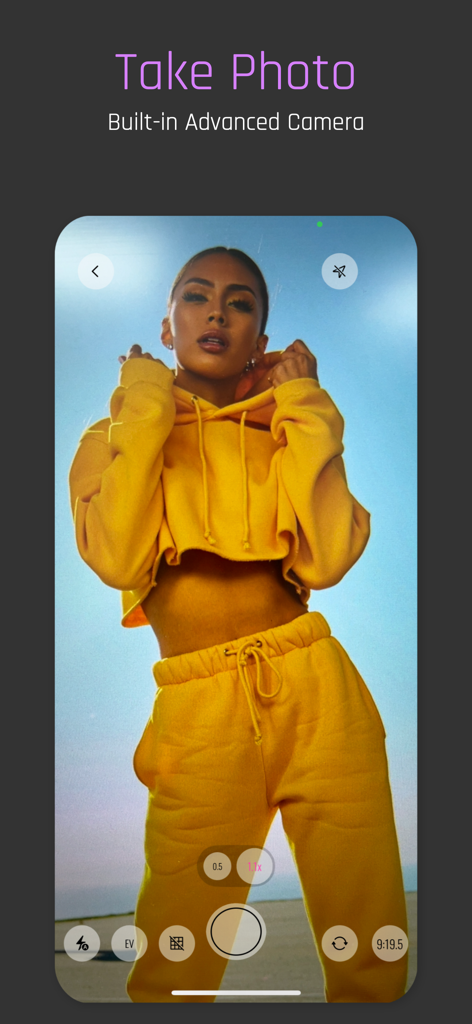
PhotoSplit app built-in advanced camera interface with a woman posing in a yellow tracksuit

PhotoSplit app built-in advanced camera interface with a woman posing in a yellow tracksuit

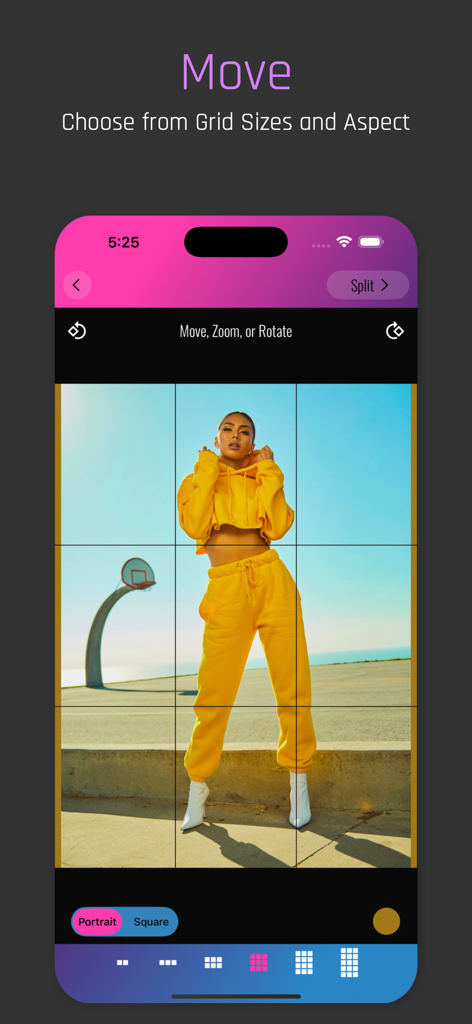
PhotoSplit app interface showing a 3x3 grid split and portrait aspect ratio selection for an Instagram post

PhotoSplit app interface showing a 3x3 grid split and portrait aspect ratio selection for an Instagram post

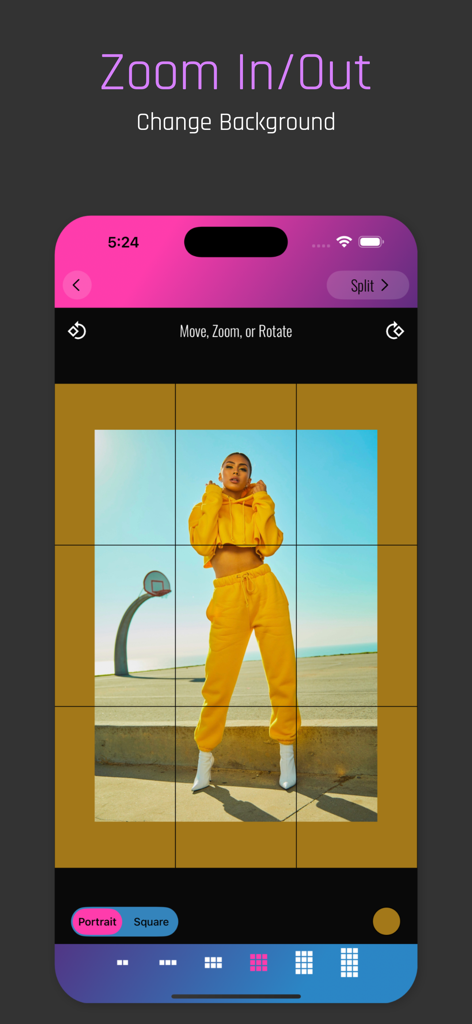
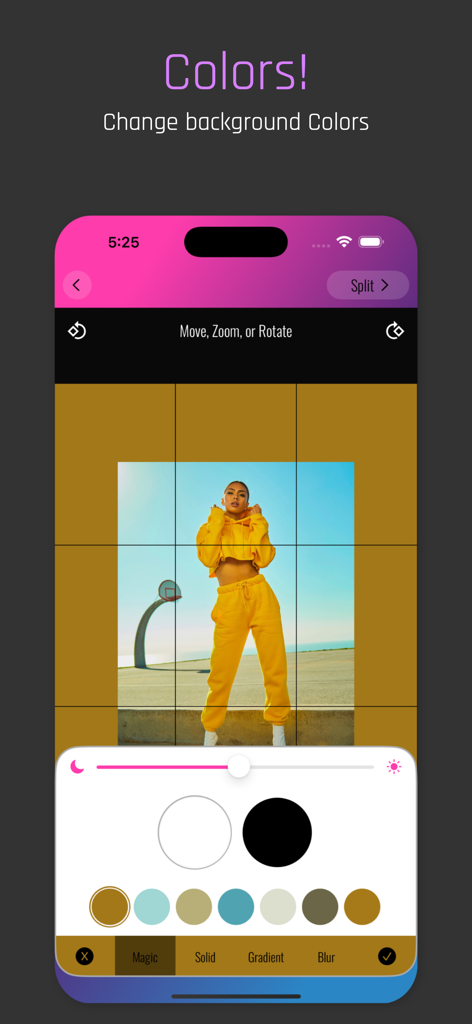
PhotoSplit app interface showing the zoom in and out feature with background color customization for an Instagram grid split

PhotoSplit app interface showing the zoom in and out feature with background color customization for an Instagram grid split

User interface of PhotoSplit showing custom background color selection for an Instagram photo grid

User interface of PhotoSplit showing custom background color selection for an Instagram photo grid

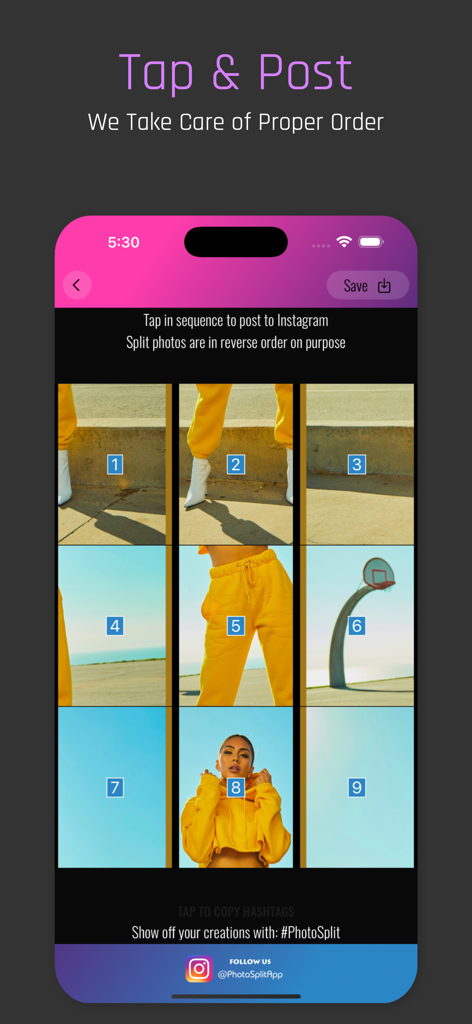
PhotoSplit app interface showing numbered grid tiles for sequential posting to Instagram

PhotoSplit app interface showing numbered grid tiles for sequential posting to Instagram

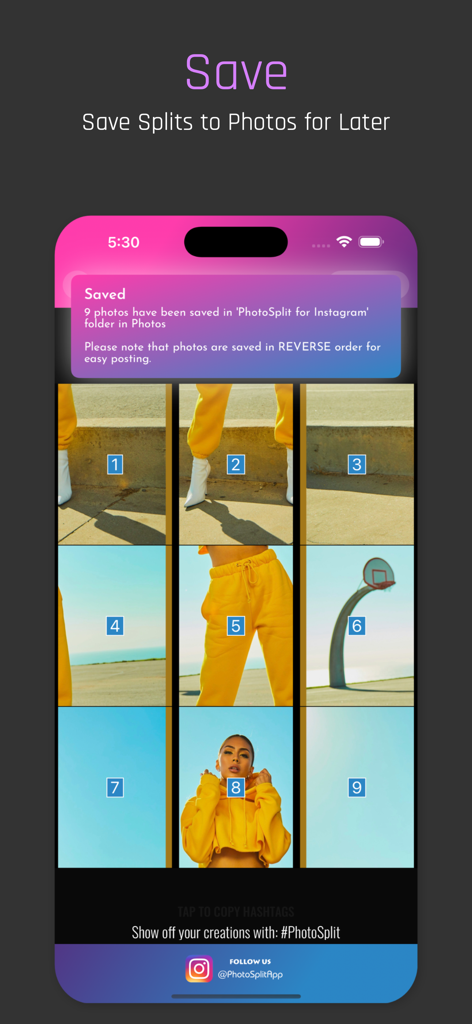
Interface showing a 3x3 image grid being saved to the phone photo library

Interface showing a 3x3 image grid being saved to the phone photo library

Elevate Your Grid Aesthetic

The tools that make this app stand out, trusted by 2M+ users.

💎

Crystal Clear Resolution

Keep every detail sharp. Our advanced splitting engine preserves high-resolution quality without any blurring or compression, ensuring your feed looks professional.

🚀

Seamless, Ad-Free Workflow

No logins, no ads, and no subscriptions. Split and post directly to Instagram in seconds with zero interruptions or hidden data tracking.

🎨

Versatile Grid Layouts

Support for classic squares and modern portrait ratios. Zoom, rotate, and preview your layout to ensure it perfectly fits your feed’s unique style.

Loved by users worldwide

Trusted by 2M+ people who love this app.

"

"PhotoSplit completely transformed my Instagram feed. I love how I can create those massive 3x3 grids without losing any photo quality. The best part is that there are no annoying subscriptions or ads—it just works perfectly every single time!"

Chloe M., Lifestyle Content Creator
"

"As a photographer, I'm very picky about image resolution. This is the only app that keeps my shots crisp and clear when splitting them for my profile. The portrait aspect ratio support is a game-changer for my professional portfolio."

Marcus T., Freelance Photographer

About the app

Everything you need to know about PhotoSplit for Instagram.

Description

PhotoSplit is the most popular app for splitting your photos into a grid and posting them directly to Instagram. PhotoSplit lets you slice any photo into a 1x2, 1x3, 2x3, 3x3, 4x3 or 5x3 grid while keeping its high resolution and quality. It then enables you to post the split images to Instagram to show them as one big photo on your profile. Elevate your Instagram game by giving your profile a professional look. In PhotoSplit, you can zoom in, move, or even rotate your photo to instantly see how it will look on your Instagram profile. Why PhotoSplit? • Choose from a variety of grid options: 1x2, 1x3, 2x3, 3x3, 4x3 & 5x3 • Move, Zoom or Rotate to get the perfect fit. • Keeps images in high resolution. Will not reduce quality after splitting. Will not blur the image. • Option to split photos in Instagram's new Portrait aspect ratio OR stay with older Square aspect ratio. • Zoom out the photo as much as you like and choose a background color. • Use our advanced camera within the app to take stunning photos and split them right away. • Share images directly to Instagram without having to save them first. • If you prefer, save split images to the Photo library and post from within the Instagram app. • Send any photo to the PhotoSplit app from the iPhone Photo Gallery and other apps directly through the Share widget. • No login, No subscriptions, No ads ever. • Over 100,000 5-Star Ratings on the App Store. • Trusted by over 2.5 Million Instagram lovers

Latest Version

2.1.5

Size

14.1 MB

First Released

Jul 18, 2017

Ready to Master Your Instagram Aesthetic?

Join over 2.5 million creators building professional, high-resolution grids. No ads, no subscriptions, and no logins—just the tools you need to stand out today.

Download on App Store
FAQ

Frequently Asked Questions

Everything you need to know about PhotoSplit for Instagram

What is PhotoSplit for Instagram?

PhotoSplit is an application that splits a single photo into multiple grid pieces. Users then post these pieces to Instagram to display them as one large, cohesive image on their profile.

What grid sizes are available in PhotoSplit?

PhotoSplit offers a variety of grid options, including 1x2, 1x3, 2x3, 3x3, 4x3, and 5x3. These options allow for flexible large photo layouts on Instagram.

Does PhotoSplit reduce image quality when splitting photos?

Yes, PhotoSplit maintains the high resolution and quality of images after splitting them. It ensures that photos do not lose quality or become blurred, preserving visual integrity.

Can I adjust photos within the PhotoSplit app?

Yes, PhotoSplit allows users to zoom in, move, or rotate their photos before splitting. This functionality helps achieve the desired composition for the final Instagram grid.

Does PhotoSplit have a built-in camera?

Yes, PhotoSplit includes an advanced built-in camera. Users can capture stunning photos directly within the app and immediately proceed to split them for Instagram.

What aspect ratios does PhotoSplit support for Instagram?

PhotoSplit supports Instagram's new Portrait aspect ratio and also offers the option to use the older Square aspect ratio. Users can select their preferred layout.

Can I change the background color of photos in PhotoSplit?

Yes, PhotoSplit allows users to zoom out their photos and choose a specific background color. This feature provides additional customization for the split image display.

Does PhotoSplit require a subscription or contain ads?

No, PhotoSplit does not require any login, subscriptions, or display ads. It provides a straightforward and uninterrupted experience for splitting photos.

How do I post split photos to Instagram from PhotoSplit?

PhotoSplit allows direct sharing to Instagram without saving first. Alternatively, users can save the split images to their photo library and then post them through the Instagram app.

Can I import photos into PhotoSplit from other apps?

Yes, users can send any photo to PhotoSplit directly from their iPhone Photo Gallery and other applications by utilizing the Share widget.