
Piano+ Pro-Sheet Music Creator


The ultimate portable studio for composers and music students. Create multi-voice scores with 100+ instruments and export your masterpieces to PDF, MIDI, or MusicXML instantly.
Publisher
Category
MusicDownloads
20K+User Rating
Total Ratings
0Locales
5Discover the interface used by 20K+ users.
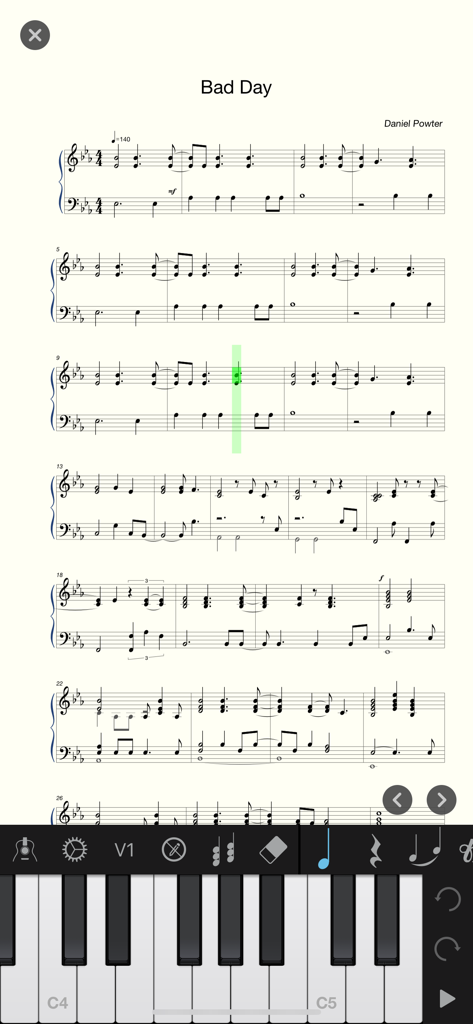
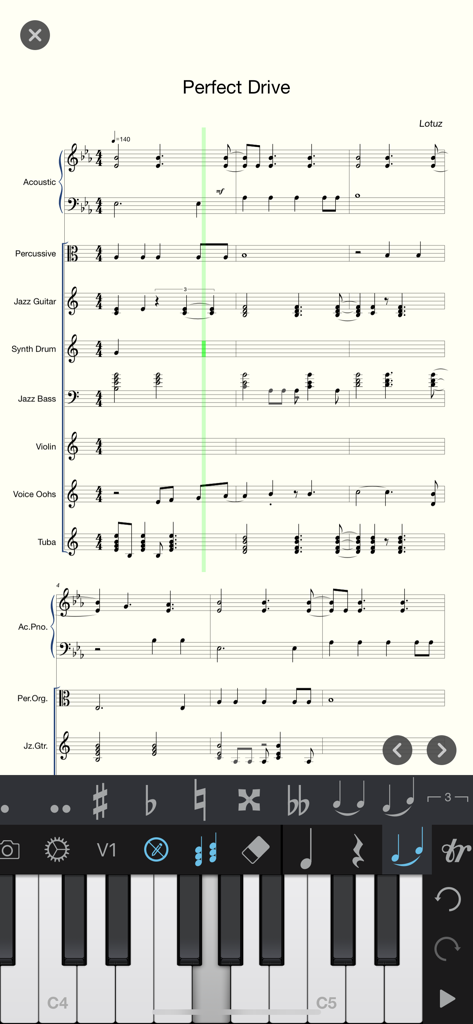
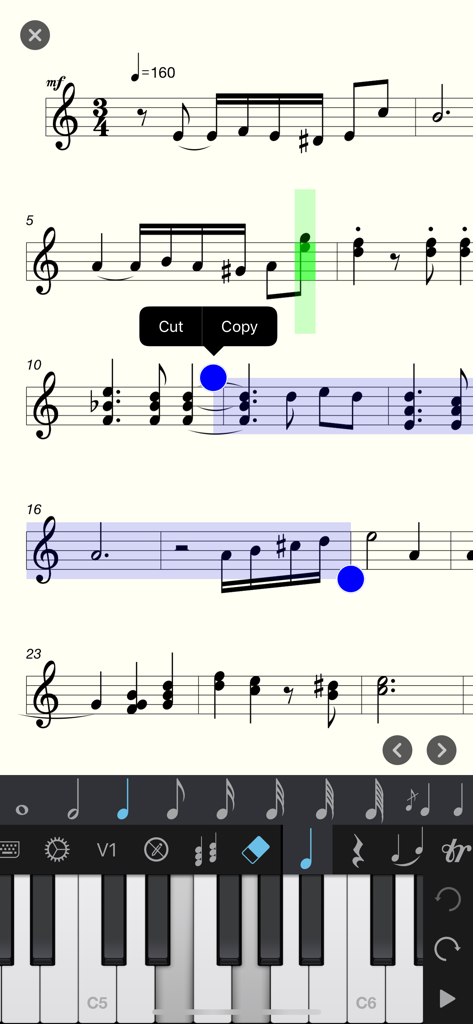
The tools that make this app stand out, trusted by 20K+ users.
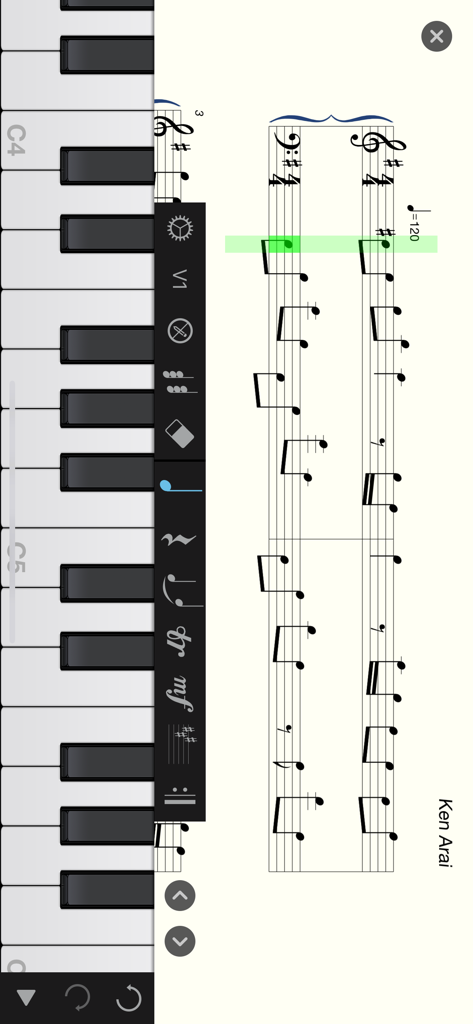
Skip the clunky menus. Use the familiar piano interface to quickly input notes, chords, and complex rhythms with professional precision.
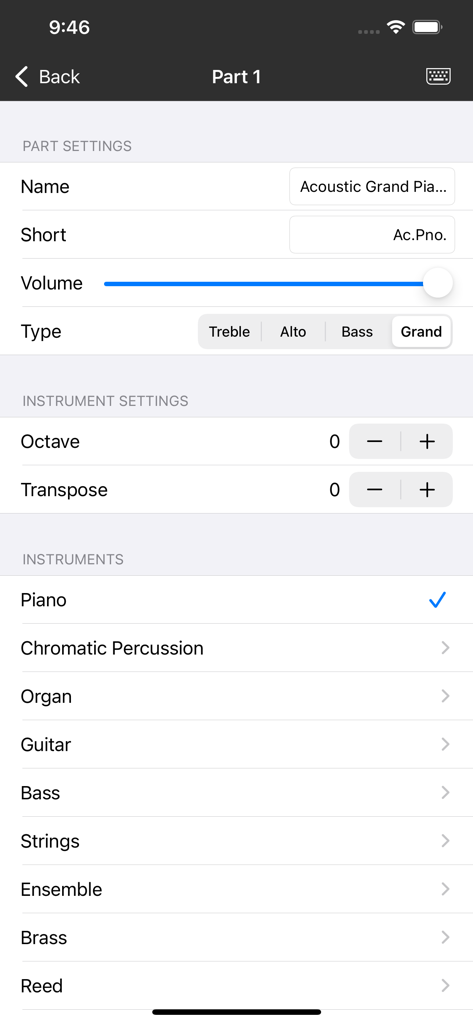
Compose for up to 8 parts at once with a library of 100+ instruments. Handle everything from solo piano to complex chamber ensembles.
Export high-quality PDFs for rehearsal or move your work to desktop software like Sibelius and MuseScore via industry-standard MusicXML.
Trusted by 20K+ people who love this app.
"As a music composition student, I needed a tool that could keep up with my ideas during my commute. This app handles complex symphonic notation effortlessly. The MusicXML export is flawless, allowing me to start a draft on the train and finish it in Sibelius on my desktop later. It is easily the most powerful notation tool I have found for iOS."
"I have tried dozens of notation apps, but Piano+ Pro is the only one that feels truly intuitive thanks to the virtual keyboard input. Being able to manage 8 different parts and add lyrics on the fly makes it perfect for my band's arrangements. I recently printed a PDF score for our violinist directly from the app, and the quality was professional grade."
Everything you need to know about Piano+ Pro-Sheet Music Creator.
Description
Latest Version
1.5.2
Size
153.4 MB
First Released
Apr 5, 2018
Capture inspiration the moment it strikes. Join thousands of musicians turning their ideas into professional scores with Piano+ Pro.
Everything you need to know about Piano+ Pro-Sheet Music Creator
Piano+ Pro-Sheet Music Creator is an application for composing and editing sheet music. Users create scores using a piano keyboard, managing both simple tunes and complex symphonies. It offers robust tools for musicians and a beginner-friendly interface.
Piano+ Pro-Sheet Music Creator supports importing and exporting the industry-popular MusicXML file format. It also allows exporting MIDI files, PNG images, and PDF documents. This facilitates exchange with other music software.
Yes, Piano+ Pro-Sheet Music Creator supports over 100 kinds of musical instruments. These include piano, organ, guitar, violin, sax, flute, brass, and bass. Users can also select and customize instruments for different parts.
Yes, Piano+ Pro-Sheet Music Creator supports editing up to 8 parts at the same time. This feature is essential for composing complex symphony scores with various instrument tracks.
Yes, Piano+ Pro-Sheet Music Creator has a clear user interface friendly to a beginner. It allows users to start composing by directly touching the piano keyboard.
Piano+ Pro-Sheet Music Creator supports a variety of notation including various note types, chords, staves, tracks, treble, alto, bass clefs, time signatures, key signatures, adjustable tempo, and all accidentals. It also supports ties, slurs, tuplets, ornaments, and dynamics.
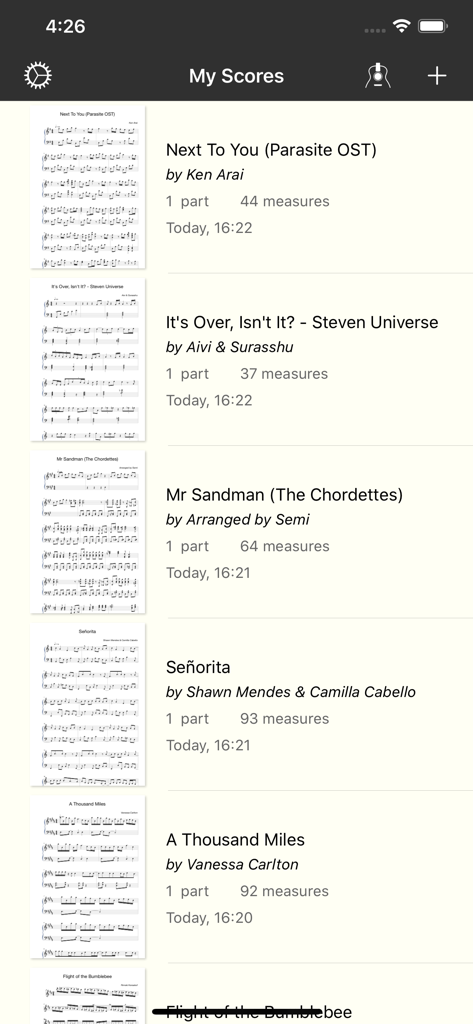
Yes, users can save and manage multiple musical scores within Piano+ Pro-Sheet Music Creator. The app displays a "My Scores" list, showing various compositions with details like number of parts and measures.
Users input music notes into Piano+ Pro-Sheet Music Creator using an on-screen piano keyboard. The app's interface integrates this keyboard directly for composing and editing scores.
Yes, Piano+ Pro-Sheet Music Creator allows users to copy and cut sections of sheet music. This functionality is accessible directly within the score editing interface for efficient composition manipulation.
Top-ranked apps in the same category

Spotify

Google LLC

Apple Inc.

SoundCloud Global Limited & Co KG

Suno Inc.

Tencent Technology (Shenzhen) Company Limited

Audiomack, Inc.

BandLab Singapore Pte Ltd

Yousician Ltd
