Plan to Eat

Plan to Eat

Download on App Store
Spark by MWM logo
Logo of Plan to Eat

Plan to Eat: The All-in-One Recipe Organizer and Meal Planner

Stop the daily "what’s for dinner?" stress. Import recipes from anywhere, auto-generate organized shopping lists, and reclaim your time with the system designed for busy households.

Publisher

Plan to Eat, LLC

Category

Food & Drink

Downloads

866K+

User Rating

4.8/5

Total Ratings

5K+

Locales

1

A Glimpse of Order

Discover the interface used by 866K+ users.
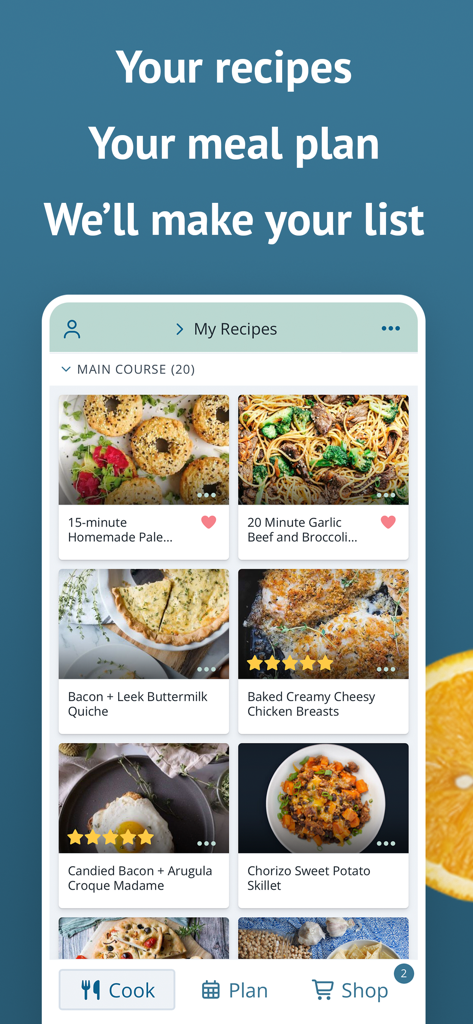
Plan to Eat app interface showing a personalized collection of recipes including main courses and meal planning options

Plan to Eat app interface showing a personalized collection of recipes including main courses and meal planning options

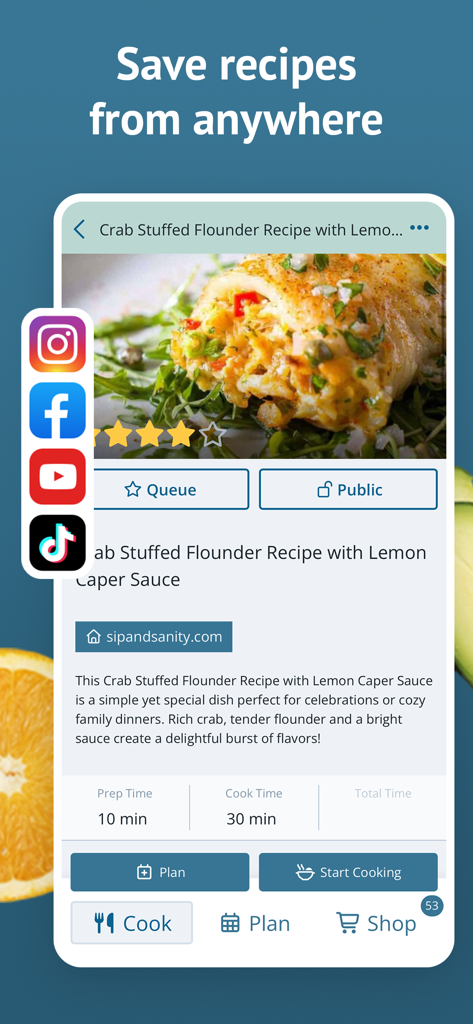
Plan to Eat app interface showing a crab stuffed flounder recipe imported from a food blog with social media icons

Plan to Eat app interface showing a crab stuffed flounder recipe imported from a food blog with social media icons

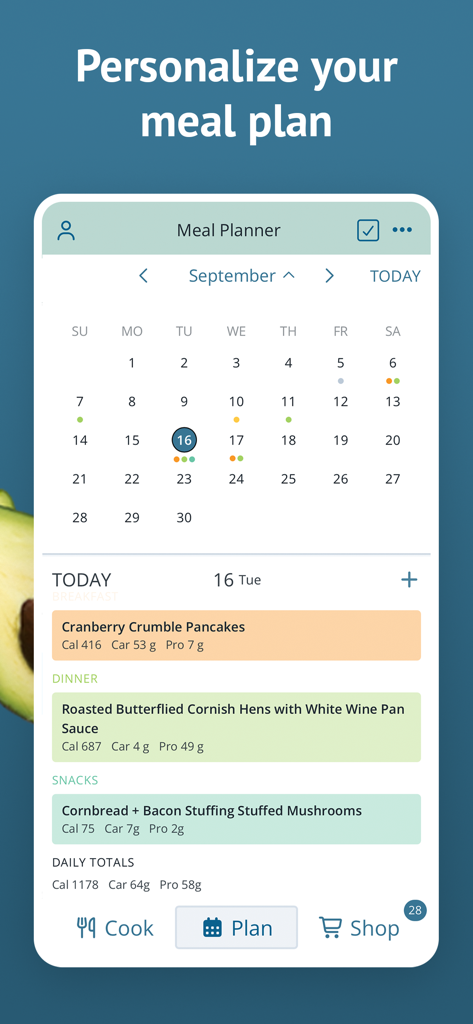
Plan to Eat app interface showing a monthly meal planning calendar and daily recipes with nutritional details

Plan to Eat app interface showing a monthly meal planning calendar and daily recipes with nutritional details

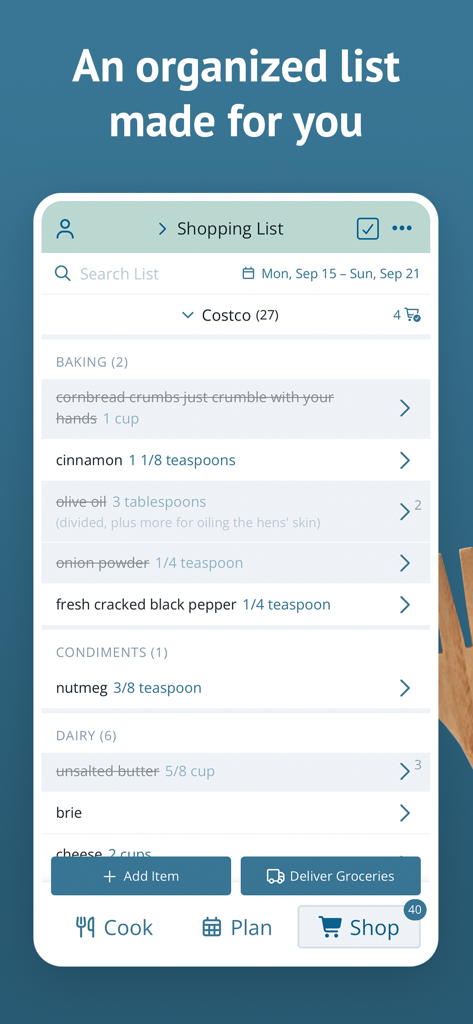
Plan to Eat mobile app showing an organized grocery shopping list categorized by aisle for Costco

Plan to Eat mobile app showing an organized grocery shopping list categorized by aisle for Costco

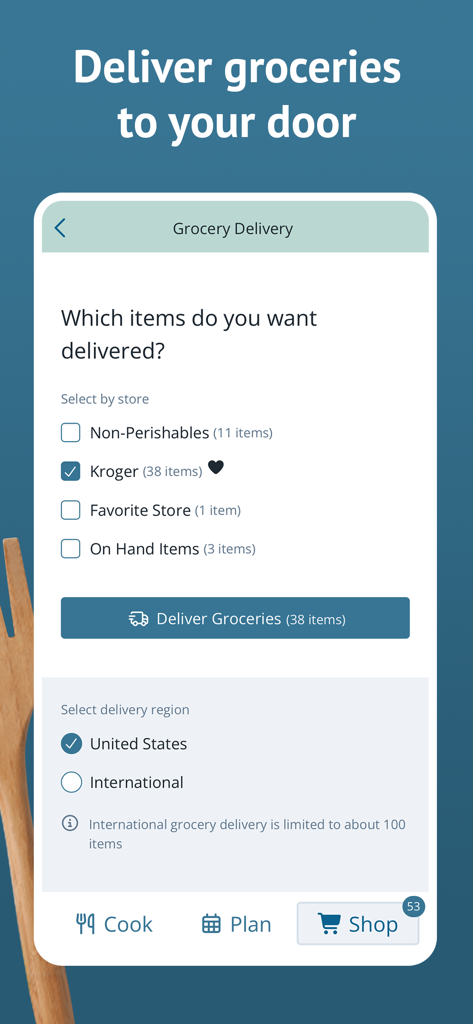
Plan to Eat app interface for choosing grocery delivery items from stores like Kroger.

Plan to Eat app interface for choosing grocery delivery items from stores like Kroger.

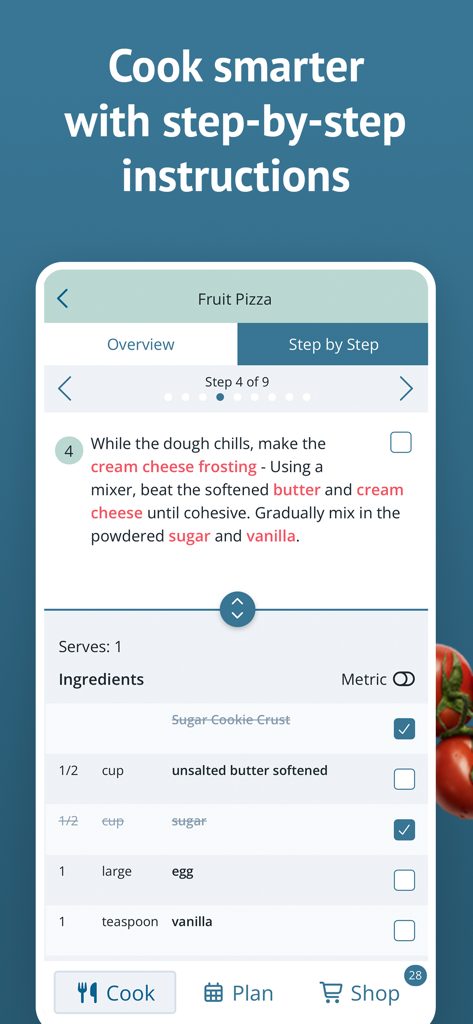
Plan to Eat app screen showing step-by-step recipe instructions for a fruit pizza.

Plan to Eat app screen showing step-by-step recipe instructions for a fruit pizza.

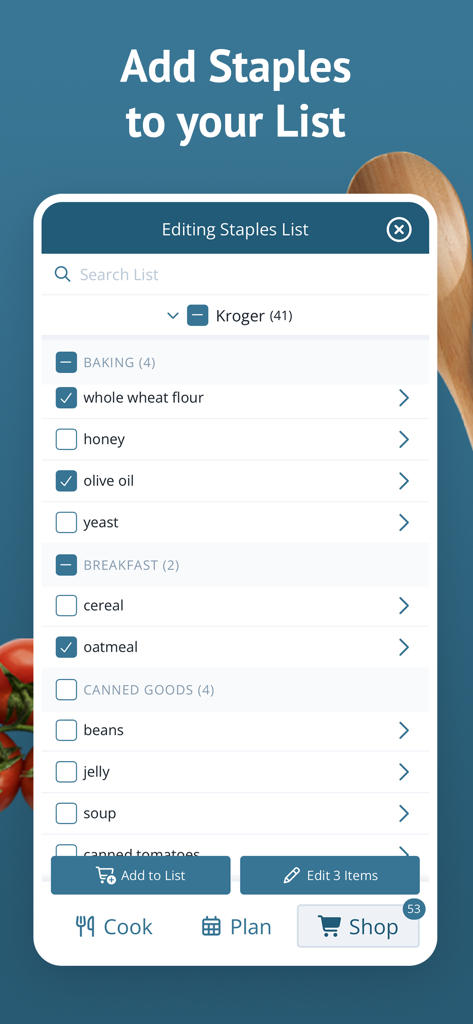
Plan to Eat app interface showing an editable staples list for Kroger with grocery items categorized by baking and breakfast sections

Plan to Eat app interface showing an editable staples list for Kroger with grocery items categorized by baking and breakfast sections

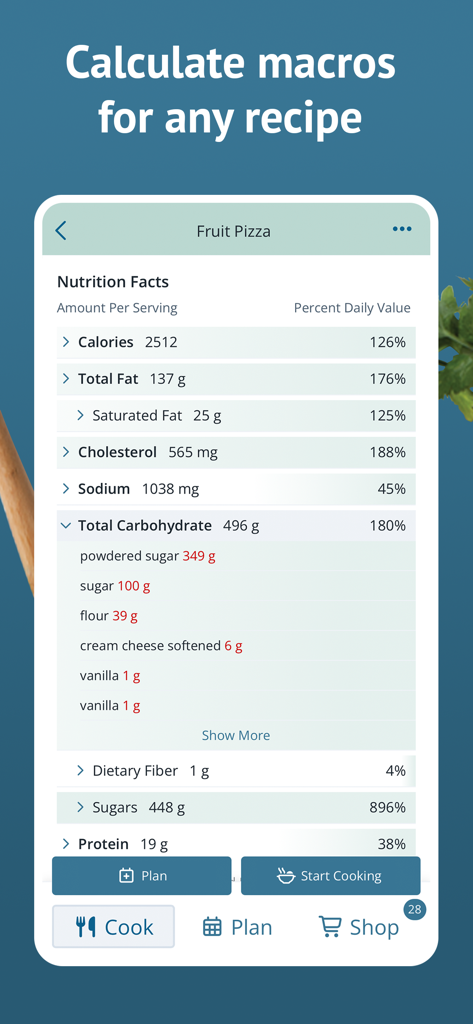
Plan to Eat app interface showing detailed nutrition facts and macro calculations for a fruit pizza recipe.

Plan to Eat app interface showing detailed nutrition facts and macro calculations for a fruit pizza recipe.

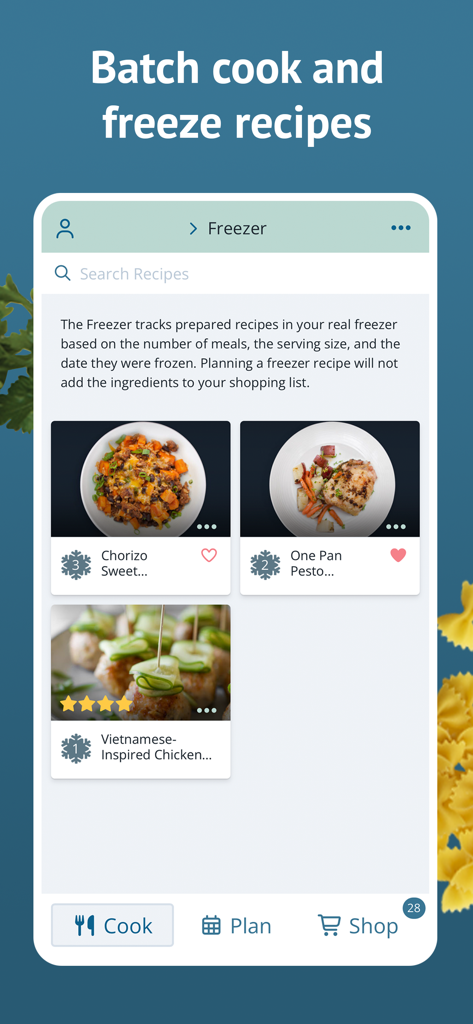
Plan to Eat app interface showing a freezer inventory of batch cooked meals with serving sizes and frozen dates.

Plan to Eat app interface showing a freezer inventory of batch cooked meals with serving sizes and frozen dates.

Master Your Kitchen Logistics

The tools that make this app stand out, trusted by 866K+ users.

🌐

One-Tap Recipe Import

Instantly scrape recipes from your favorite food blogs or Pinterest without the clutter. Save the instructions you love into a clean, searchable digital cookbook.

📅

Drag-and-Drop Planning

Build your weekly menu in minutes. Easily scale servings for guests, plan for leftovers, and sync your calendar across all your family’s devices for total alignment.

🛒

Automated Shopping Lists

Stop rewriting ingredients. Your meal plan automatically generates a grocery list sorted by aisle and store, helping you shop faster and avoid impulse buys.

Loved by users worldwide

Trusted by 866K+ people who love this app.

"

"Plan to Eat has completely removed the mental load of 'what's for dinner.' I love how it scrapes recipes directly from my favorite blogs and turns them into an organized grocery list by aisle. It’s saved our family hundreds of dollars by cutting out last-minute takeout and reducing food waste."

Sarah Jenkins
"

"As someone who loves to stay organized, this app is a dream. The ability to scale servings and plan for leftovers helps me stay on track with my meal prep goals without the stress. I finally have all my family recipes and Pinterest finds in one digital book."

Marcus Chen

About the app

Everything you need to know about Plan to Eat.

Description

Meal planning doesn’t have to feel like an inconvenience. Store all your recipes in one place, auto-generate a shopping list for your week, and let Plan to Eat help you find joy in meal planning again. Plan to Eat is the meal planning app designed with the planner in mind. Try Plan to Eat FREE for 14 days, no payment information required at sign-up. After that, annual subscriptions can be purchased in the app. Key features of the app include: - ALL YOUR RECIPES IN ONE PLACE: Tap the share icon in your web browser to import recipes from the web, or enter your family recipes manually in the app. - PERSONALIZED PLANNING: Create meal plans that work for you and your schedule. You can scale servings, reschedule recipes, plan leftovers, and track frozen meals. - UPGRADE YOUR SHOPPING LIST: The shopping list auto-generates an organized grocery list based on the ingredients in your meal plan. You can also add extra items to your list, add frequently purchased items from the staples list, customize and re-order your list categories, and create lists for specific stores. - SHARE WITH FRIENDS: Connect with friends and family to share recipes and saved menus, or send a recipe by text or email. - STEP-BY-STEP COOKING: Tap "Start Cooking" when viewing a recipe to get step-by-step recipe instructions that make cooking easy. - FIND THE PERFECT RECIPE: Search your recipe book based on title, ingredients, course, main ingredient, tags, recipe rating, and more! - STAY IN SYNC: Your Plan to Eat account automatically syncs your recipes, planner, and shopping list across all of your devices, and your family's, too! Sign in on all of your mobile devices, and at plantoeat.com, to share recipes, meal plans, and shopping lists. If you want to feel more organized, save a ton of money, and share your favorite recipes easily, sign up today! Reach out to us at help@plantoeat.com with questions or feedback. Thanks for using Plan to Eat!

Latest Version

3.7.2

Size

60.0 MB

First Released

Jul 19, 2017

Ready to Take the Stress Out of Mealtime?

Join thousands of organized households who have reclaimed their time and budget. Start your 14-day free trial today and experience the joy of a perfectly planned kitchen—no credit card required.

Download on App Store
FAQ

Frequently Asked Questions

Everything you need to know about Plan to Eat

Does Plan to Eat offer a free trial?

Yes, Plan to Eat offers a 14-day free trial. No payment information is required to start the trial period.

What is the cost of Plan to Eat after the free trial?

After the 14-day free trial, annual subscriptions for Plan to Eat can be purchased directly within the app.

How do I add recipes to Plan to Eat?

Plan to Eat allows users to import recipes from the web via the share icon or manually enter family recipes directly into the app.

Does Plan to Eat create shopping lists?

Yes, Plan to Eat automatically generates an organized grocery list based on the ingredients in your meal plan. Users can also add extra items.

Can I share recipes with others using Plan to Eat?

Yes, Plan to Eat enables users to connect with friends and family to share recipes and saved menus, or send recipes via text or email.

Does Plan to Eat offer step-by-step cooking instructions?

Yes, Plan to Eat provides step-by-step recipe instructions. Users tap "Start Cooking" when viewing a recipe to access this feature.

Is my Plan to Eat account synced across devices?

Yes, your Plan to Eat account automatically syncs recipes, planners, and shopping lists across all your mobile devices and plantoeat.com, including family accounts.

Can I track frozen meals in Plan to Eat?

Yes, Plan to Eat allows users to track frozen meals. The app helps manage prepared recipes in your freezer, considering serving size and freeze date.

Does Plan to Eat calculate nutrition facts for recipes?

Yes, Plan to Eat calculates macronutrients and nutrition facts for recipes. It displays details such as calories, fat, carbohydrates, and protein per serving.

Can I get groceries delivered through Plan to Eat?

Yes, Plan to Eat supports grocery delivery. Users can select items by store and region, then initiate grocery delivery to their door.