
대성마이맥 Player



Access South Korea’s top-tier lecturers from anywhere. Master your curriculum with optimized playback, offline study modes, and smart progress tracking built for high-achieving students.
Publisher
Category
EducationDownloads
1M+User Rating
Total Ratings
5K+Locales
2Discover the interface used by 1M+ users.
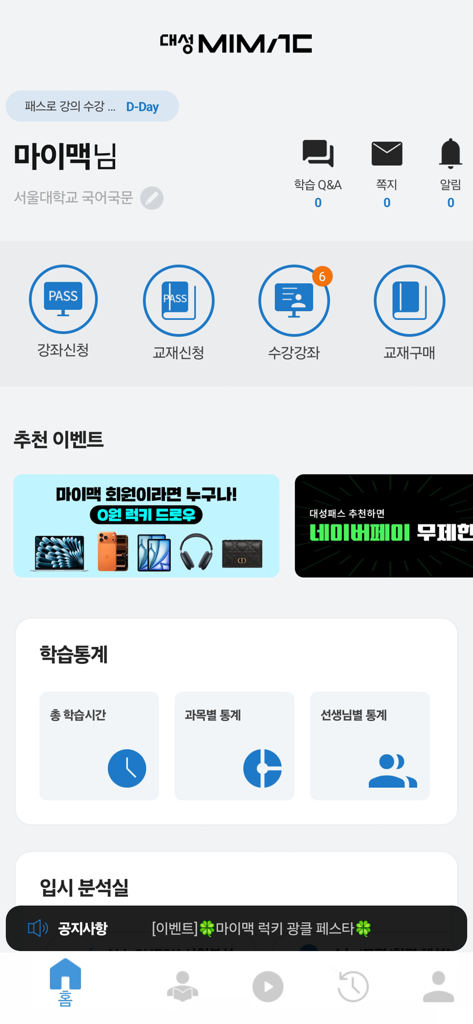
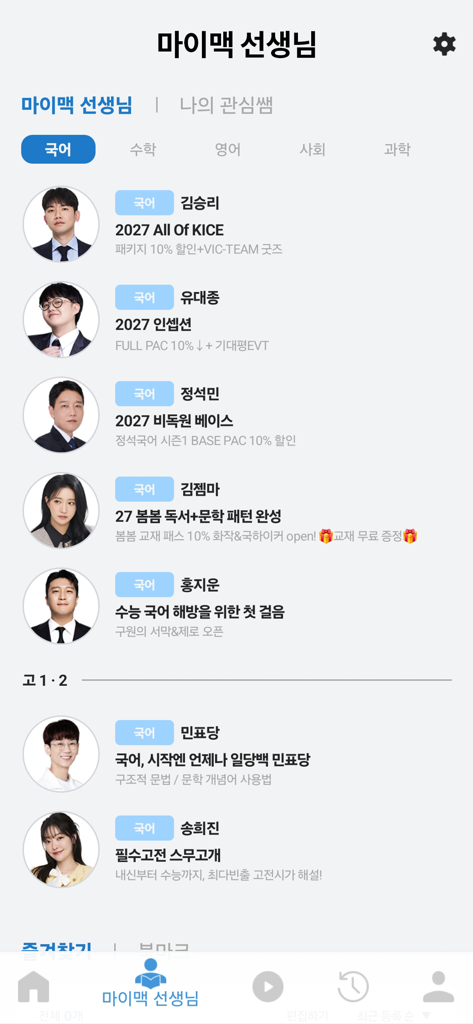
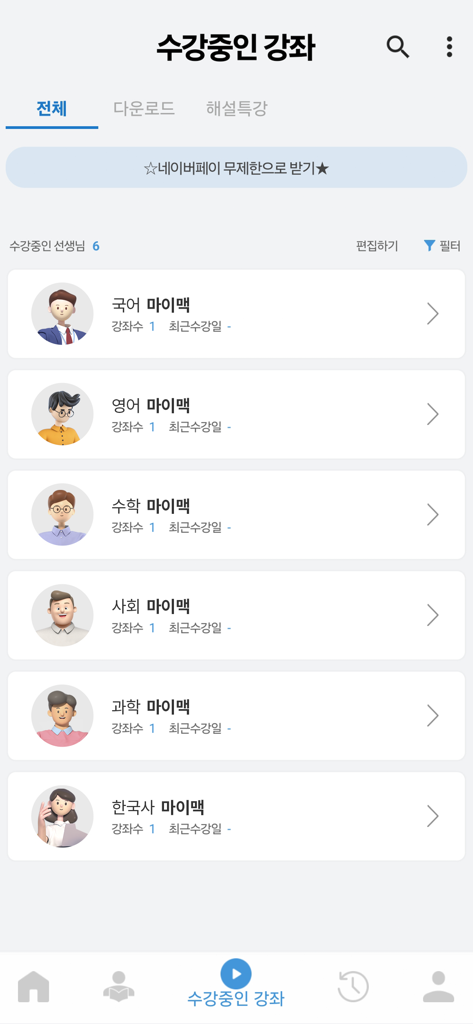
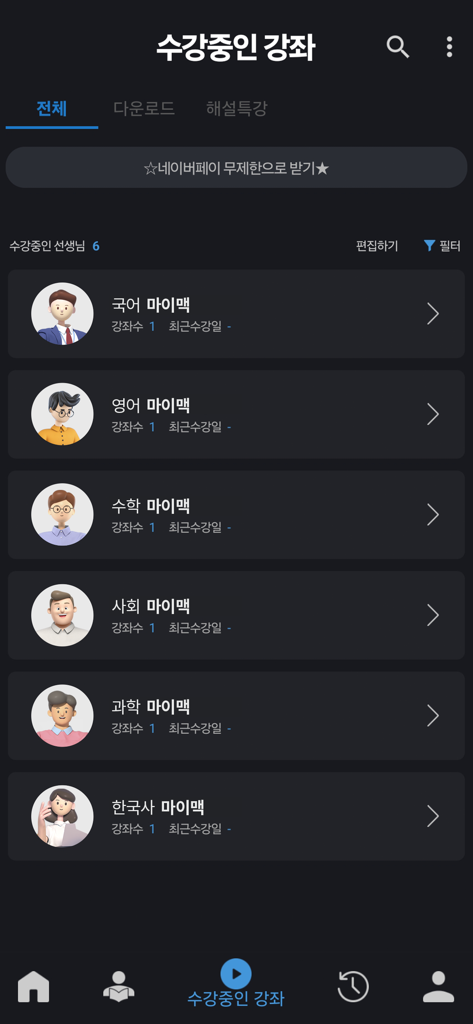
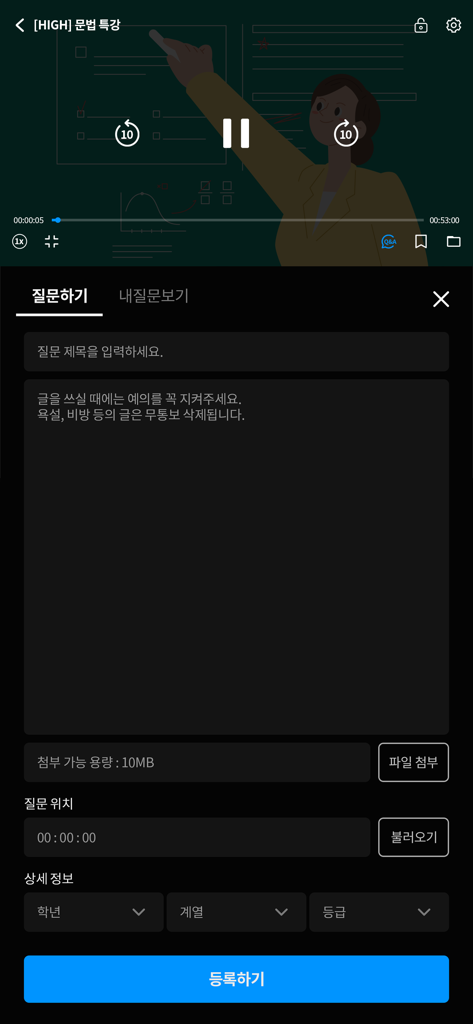
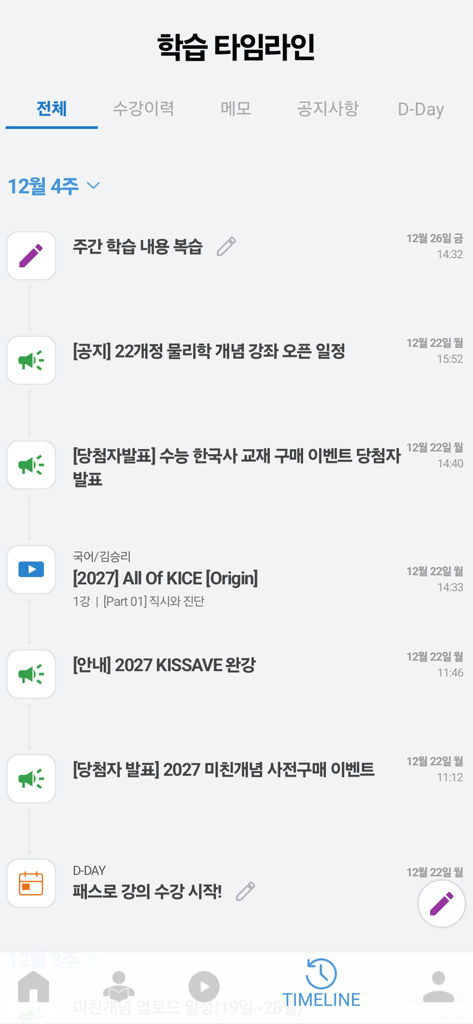
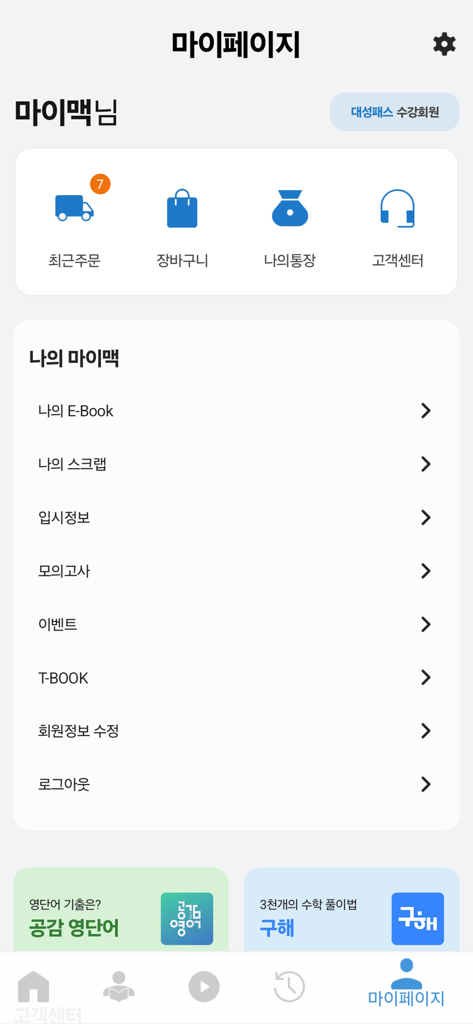
The tools that make this app stand out, trusted by 1M+ users.
Master content faster with precision speed control and section repeats, specifically tailored for efficient, high-speed learning.
Download unlimited lectures in the background and study anywhere without data worries, perfect for busy students on the go.
Bridge the gap with direct Q&A features and personalized teacher bookmarks to ensure you never fall behind, even from abroad.
Trusted by 1M+ people who love this app.
"The speed control and gesture features are absolute game-changers for my Suneung prep. I can breeze through lectures at 1.6x speed without losing any clarity, and the 'Study Q&A' makes me feel like I'm right there in the classroom even though I'm thousands of miles away in California."
"This is the most stable player for intensive studying I've used. The background download feature is incredibly reliable, allowing me to prep my entire week of lectures in one go. The new Dark Mode and indexing features are perfect for my late-night iPad review sessions."
Insights from user reviews.
Sentiment Score
Summary
The app receives predominantly negative feedback, primarily due to severe video playback issues including frequent buffering, crashing, freezing, and infinite loading across various network conditions. Users also widely criticize the app's cluttered interface, inconvenient navigation, and persistent problems with login sessions and lecture progress tracking. While some users appreciate the strong teacher lineup, competitive pricing, and specific player controls like double-tap to pause, these positive aspects are largely overshadowed by critical performance and stability concerns, often leading to unfavorable comparisons with competitor apps. Offline playback and download features also suffer from significant bugs.
Common Themes
Everything you need to know about 대성마이맥 Player.
Description
Latest Version
0.0.94
Size
94.2 MB
First Released
Jan 7, 2019
Join thousands of high-achieving students optimizing their success. Download the Daesung Mimac Player now and turn your study hours into results with the ultimate high-efficiency learning companion.
Everything you need to know about 대성마이맥 Player
The 대성마이맥 Player app delivers high-quality video lectures and diverse player functionalities for all 대성마이맥 courses and video content on mobile devices. It provides a convenient and stable learning environment.
대성마이맥 Player organizes enrolled courses for easier viewing, categorizing them by teacher and subject area. This enhancement improves user navigation and access to content.
Yes, 대성마이맥 Player supports unlimited multi-course background downloading. Users can download several lectures simultaneously without interruption while performing other tasks.
Yes, 대성마이맥 Player offers a speed function, identical to PC, and a section repeat feature. These tools enable efficient learning and repeated review of specific content.
Yes, 대성마이맥 Player features an in-lecture Q&A function. Users can ask questions and view answers directly while watching courses, enabling immediate clarification during study.
Yes, 대성마이맥 Player provides flexible light/dark mode switching. Users can adjust the player mode to match their preferred viewing environment for enhanced comfort.
Users can track their learning progress through the home screen, which displays personal information and learning statistics. The learning timeline also shows course history, memos, and notices.
Yes, 대성마이맥 Player allows users to easily view all teachers, enroll in courses, and register or unregister 'My Favorite Teachers' for quick access to their content.
Yes, 대성마이맥 Player includes a 3G/LTE setting in the configuration options. This allows users to access and take courses even in areas without a Wi-Fi connection.
대성마이맥 Player requests optional access to the camera for attaching photos to profiles or question boards, and notifications for informational or promotional announcements.
Yes, users can view their 'Recent Orders' and manage their 'Shopping Cart' directly from the 'My Page' section within the 대성마이맥 Player app.
Apps with similar features and user experience

Beijing Fenbilantian Technology Co.,Ltd

Beijing Chaoge Education Co., Ltd.

Beijing Xuechengguilai Education Technology Co., Ltd.

Nanjing Treasure Island Information Technology Co., Ltd.

DAMASIO EDUCACIONAL LTDA.

Beijing Fenbilantian Technology Co.,Ltd

Jinan Houzhi Network Technology Co., Ltd.

Beijing duiawang education & technology Co. Ltd.

Beijing YiKaoBang Technology Co., Ltd.