Power Apps

Power Apps

Download on App StoreDownload on Google Play
Spark by MWM logo
Logo of Power Apps

Power Apps: Your Custom Business Solutions, Everywhere You Go

Access your organization's custom-built tools in one powerful app. From field inspections and expense reports to real-time dashboards, digitize your workflow and stay productive from anywhere.

Publisher

Microsoft Corporation

Category

Business

Downloads

10M+

User Rating

4.8/5

Total Ratings

65K+

Locales

38

Your Workflow in Action

Discover the interface used by 10M+ users.
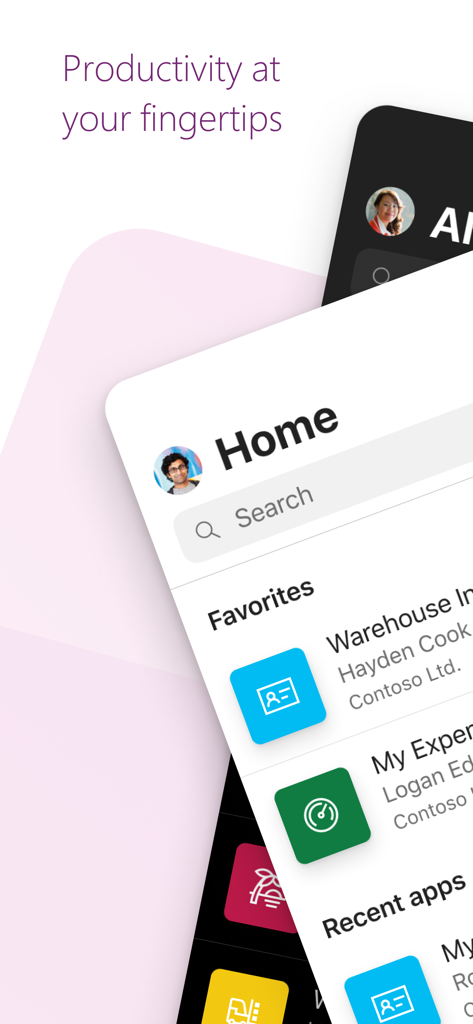
Home screen of the Microsoft Power Apps mobile application displaying favorite business applications and a search bar

Home screen of the Microsoft Power Apps mobile application displaying favorite business applications and a search bar

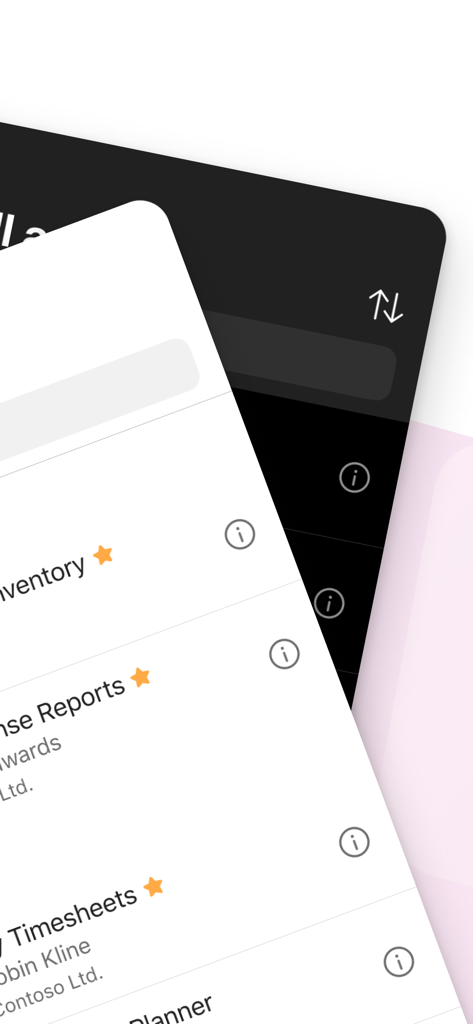
Interface of Microsoft Power Apps showing a list of business applications like inventory and timesheets

Interface of Microsoft Power Apps showing a list of business applications like inventory and timesheets

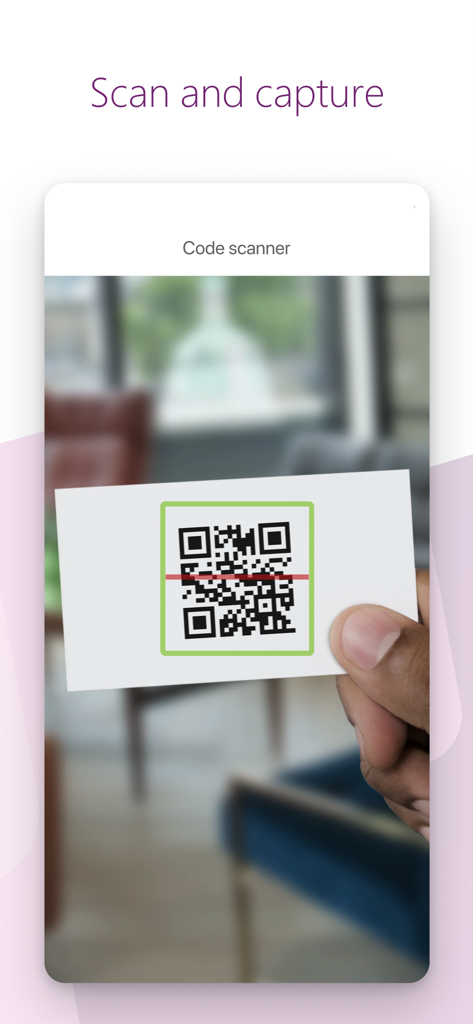
A person using the Microsoft Power Apps code scanner to scan a QR code on a business card

A person using the Microsoft Power Apps code scanner to scan a QR code on a business card

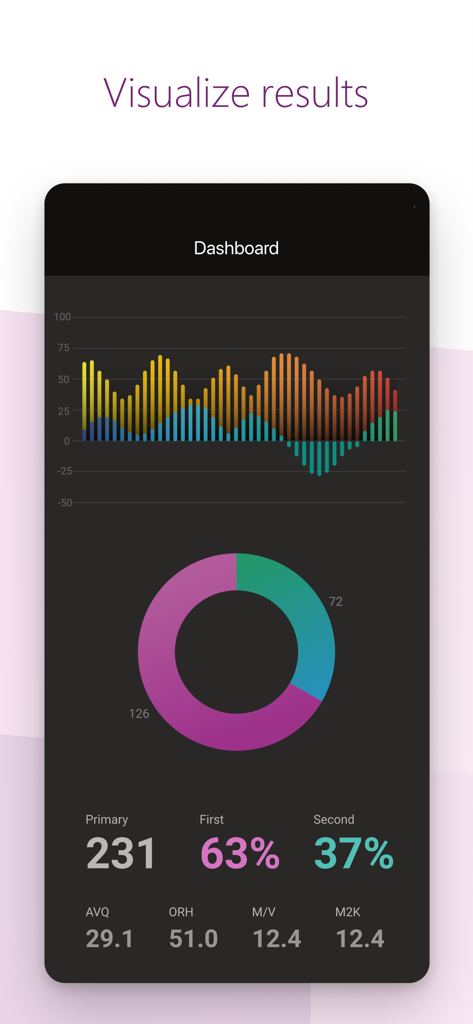
Microsoft Power Apps dashboard displaying data visualizations including bar and donut charts for business insights

Microsoft Power Apps dashboard displaying data visualizations including bar and donut charts for business insights

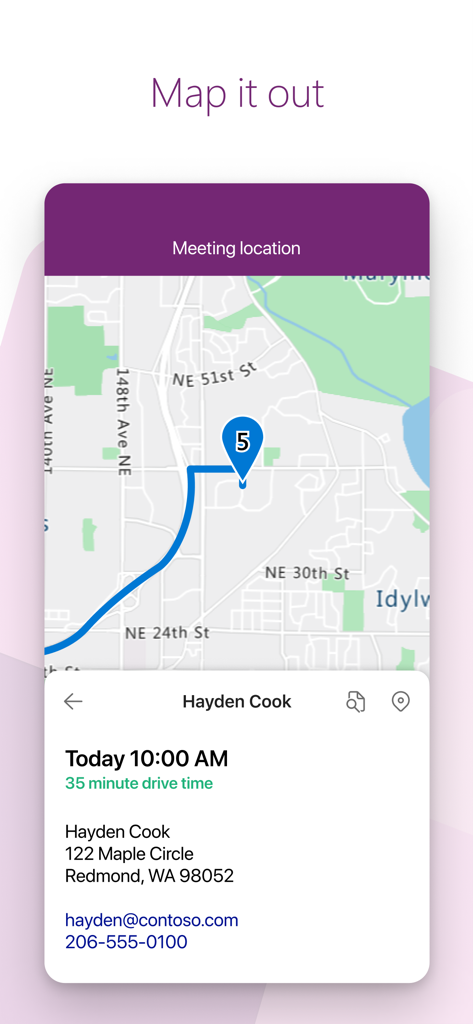
Microsoft Power Apps interface showing a map with a meeting location and contact details for a professional appointment

Microsoft Power Apps interface showing a map with a meeting location and contact details for a professional appointment

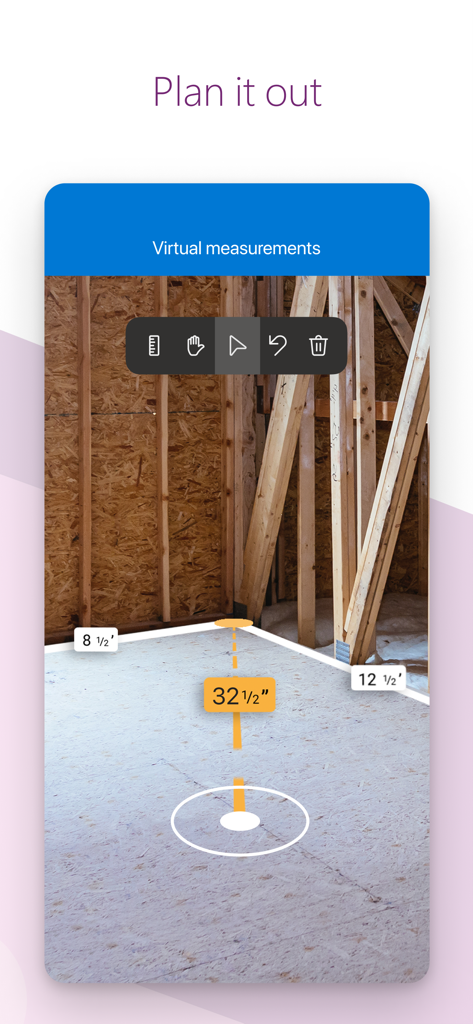
Mixed reality virtual measurement tool in the Microsoft Power Apps mobile application showing digital distance labels on a construction site floor.

Mixed reality virtual measurement tool in the Microsoft Power Apps mobile application showing digital distance labels on a construction site floor.

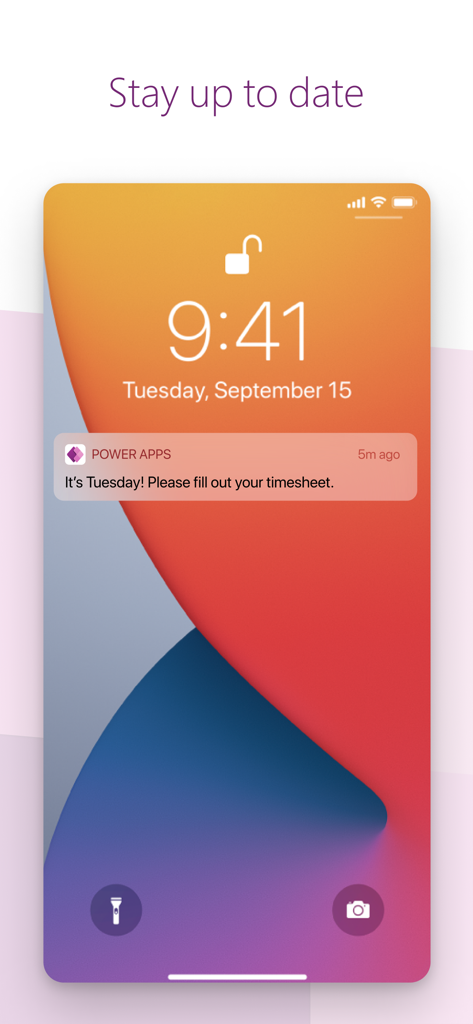
Smartphone lock screen showing a Power Apps push notification reminder to fill out a timesheet

Smartphone lock screen showing a Power Apps push notification reminder to fill out a timesheet

Your Business, Mobilized

The tools that make this app stand out, trusted by 10M+ users.

🎯

Tailored to Your Workflow

Access custom-built tools for expenses, inventory, or sales that fit exactly how your team operates—no coding required.

🏗️

Field-Ready Capabilities

Leverage built-in NFC, QR scanning, and offline sync to capture data accurately, even in the most remote locations.

🚪

One Portal, Infinite Apps

Eliminate app fatigue with a single front door to all your organization's specialized apps, from HR to site inspections.

Loved by users worldwide

Trusted by 10M+ people who love this app.

"

"Power Apps has completely transformed how our field team handles equipment inspections. No more paper forms or data entry errors when we get back to the office—the offline sync is a lifesaver in remote locations, and the built-in barcode scanner works flawlessly."

David Chen
"

"I was able to build a custom onboarding app for our department in just a few days without writing a single line of code. It integrates perfectly with our existing Microsoft 365 setup, making it the central hub for our team's daily tasks and approvals."

Sarah Jenkins

About the app

Everything you need to know about Power Apps.

Description

Get Power Apps to conveniently access your work or school apps no matter where you are: at home, on the road, in the field, off-campus, at the airport, or at the beach – anywhere life takes you. WHAT’S INSIDE The Power Apps app is the front door to the apps at your work or school. Which apps can you use? It depends on what’s been created for you. Here are some examples you might see, or ones you can make yourself using the Power Apps website: • Campus app: Map your campus with icons for landmarks and facility details. • Event registration app: Record attendees as they arrive using barcodes or QR codes. • Expenses app: Let employees submit their expenses and upload photos of receipts. • Health clinic app: Let patients check in to appointments with just a few taps. • NFC reader app: Scan NFC tags on ID cards, equipment, packages, etc. • Performance app: Visualize data and get insights with interactive dashboards. • Sales app: See opportunities and leads, review comments, and approve for your P&L. • Space planning app: Take 3D measurements and manipulate objects in mixed reality. • Timesheet app: Collect, consolidate, and analyze shift data from employees. This is just a handful of examples; the possibilities are endless. Build and share low-code apps for your work or school at the Power Apps website. TIPS • Swipe right to make an app a favorite, swipe left to add a shortcut to the home screen. • As an admin, mark an app as Featured, so that it stays pinned to the top of the apps list. • Some apps can work offline, and Power Apps will sync your data when you reconnect. Accessibility: https://go.microsoft.com/fwlink/?linkid=2121429

Latest Version

3.25123.12

Size

130.7 MB

First Released

Nov 30, 2015

Ready to Power Your Productivity?

Join millions of professionals and access all your organization's custom tools—from field inspections to real-time dashboards—wherever your work takes you.

Download on App StoreDownload on Google Play
FAQ

Frequently Asked Questions

Everything you need to know about Power Apps

What is Power Apps?

Power Apps provides convenient access to work or school applications, serving as the front door to apps created for these environments. It allows users to connect to their custom business applications.

What types of apps can Power Apps host?

Power Apps can host diverse applications, including campus maps, event registration, expense reporting, health clinic check-ins, NFC readers, performance dashboards, sales tools, space planning, and timesheet management solutions.

Can Power Apps function offline?

Yes, some apps within Power Apps can function offline. The Power Apps platform automatically synchronizes any collected data once the device re-establishes an internet connection.

How do I mark an app as a favorite in Power Apps?

To mark an app as a favorite in Power Apps, swipe right on the desired app within the application list. This action adds the app to your personal favorites for quick access.

Can Power Apps scan barcodes or QR codes?

Yes, Power Apps supports scanning barcodes and QR codes. This functionality is useful for tasks such as recording attendees during event registration, using the in-app code scanner.

Can Power Apps visualize data and provide insights?

Yes, Power Apps can visualize data and provide insights through interactive dashboards. This feature is integral to applications like the Performance app, which displays various metrics and charts.

Does Power Apps allow for virtual measurements?

Yes, Power Apps facilitates virtual measurements. Features like the Space planning app allow users to take 3D measurements and manipulate objects within a mixed reality environment.

Does Power Apps send notifications?

Yes, Power Apps sends notifications to users. For instance, it can deliver reminders for completing tasks, such as filling out a timesheet, directly to the device's lock screen.

Is Power Apps accessible?

Yes, Power Apps complies with accessibility standards. A dedicated link to detailed accessibility information is provided to ensure broad usability for all users.

Can administrators feature apps in Power Apps?

Yes, an administrator can mark an app as 'Featured' within Power Apps. This action pins the selected app to the top of the app list for all users to easily find.

Where can I build apps for Power Apps?

Users can build and share low-code applications specifically for their work or school needs directly through the Power Apps website. The mobile app provides access to these custom-built solutions.