
PrepWizard



Eliminate manual handwriting and error-prone calculations. Save hours of labor and stay health-code compliant with the zero-setup solution trusted by thousands of food service professionals.
Publisher
Category
BusinessDownloads
309K+User Rating
Total Ratings
25K+Locales
1Discover the interface used by 309K+ users.
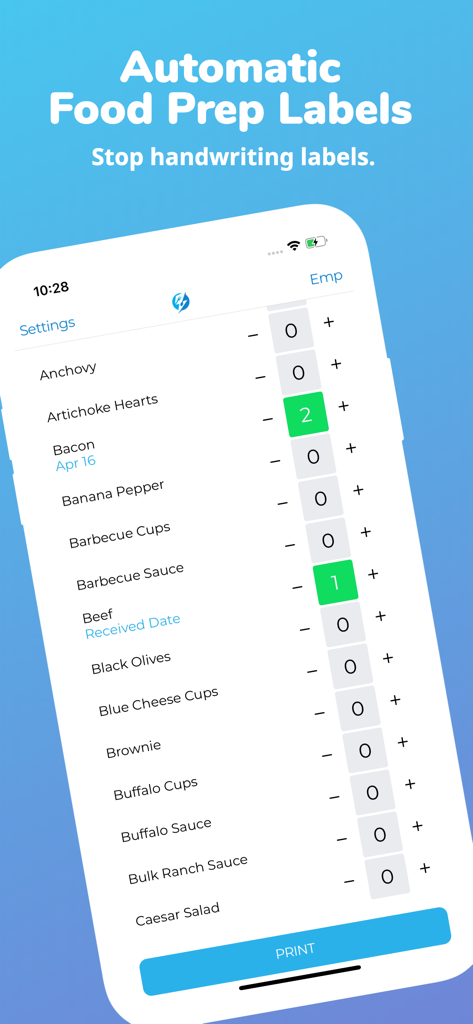
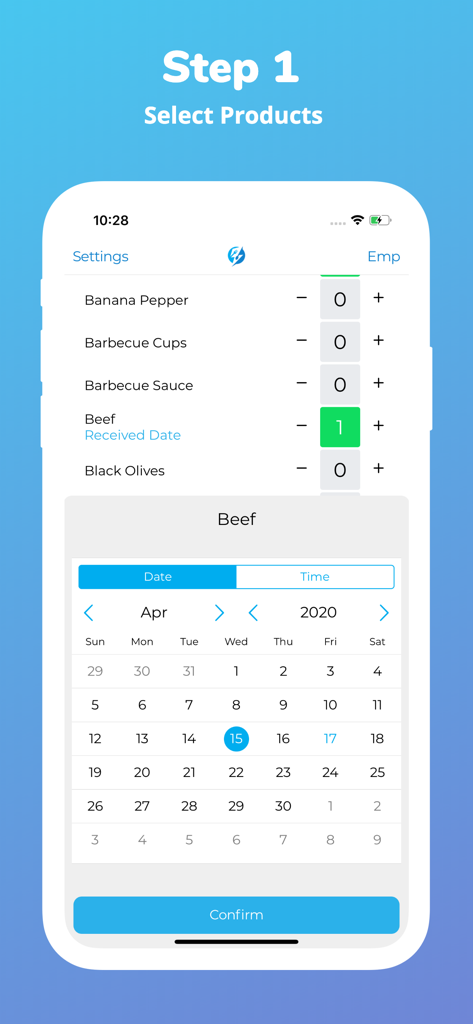
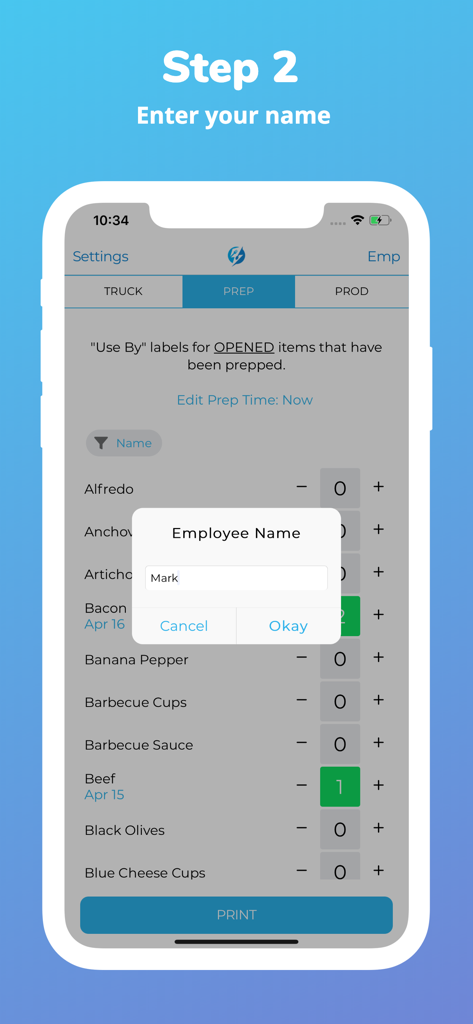
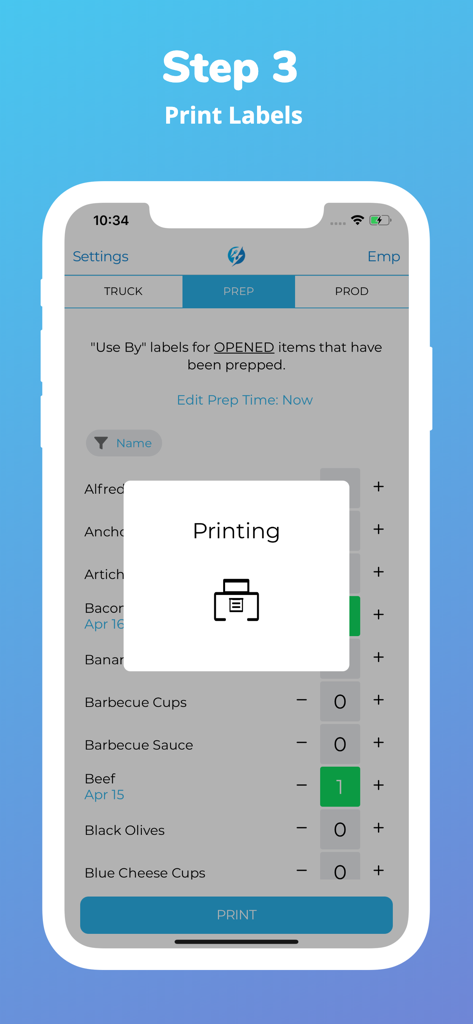
The tools that make this app stand out, trusted by 309K+ users.
Stop wasting time on manual math. PrepWizard instantly calculates discard dates, eliminating human error and ensuring labels are always legible and accurate.
Get started in seconds with no complex configuration. The intuitive interface allows you to onboard new staff instantly, making it the perfect solution for high-turnover environments.
Stay inspection-ready at all times. Our professional digital system replaces messy handwriting with standardized labels that satisfy the strictest safety regulations.
Trusted by 309K+ people who love this app.
"PrepWizard has been a game-changer for our kitchen operations. We no longer worry about health inspection points due to illegible handwriting or math errors on expiration dates. It has saved our team hours every week, and the setup was literally non-existent. It is a must-have for any restaurant owner."
"I love how simple this is to use. Training new hires on prep labels used to take forever, but now they just tap and print. It is so much faster than writing everything by hand, especially during the morning rush. It is the one app in the kitchen we actually enjoy using every single day!"
Everything you need to know about PrepWizard.
Description
Latest Version
4.0.34
Size
52.2 MB
First Released
Apr 23, 2019
Join over 300,000 kitchen professionals who save time and ensure 100% health code compliance. No setup required—download PrepWizard now and start labeling in seconds.
Everything you need to know about PrepWizard
PrepWizard is an application designed to automate the food preparation process. It eliminates the need for handwritten food labels, streamlining label creation and printing for various food items.
No, PrepWizard requires no setup. Users can download the application and immediately begin automating their food labeling tasks. It is designed for instant usability by employees.
Any employee can download and use the PrepWizard app. It is designed to be accessible to all staff members for managing and automating food prep labels efficiently.
PrepWizard creates automatic food prep labels by allowing users to select products and quantities within the app. It then processes this information to generate labels, which are ready for printing.
Yes, employees can enter their name into PrepWizard. This feature appears during the labeling process, specifically for "Use By" labels on opened and prepped items.
Yes, PrepWizard allows users to track and input received dates for products. A calendar interface enables selection of specific dates, such as when an item like beef was received.
To print food labels with PrepWizard, select your desired products and quantities in the app. Confirm any necessary details like your name, then initiate the printing process via the print button.
Apps with similar features and user experience

Doximity

MAINTAINX INC.

WAGO Kontakttechnik GmbH & Co. KG

Structured Steel Pty Ltd

StarInix Corporation

n.u. logistics

One Click Reports

小东 何

Autodesk