Pro Camera-Omnipotent Camera

Pro Camera-Omnipotent Camera

Download on App Store
Spark by MWM logo
Logo of Pro Camera-Omnipotent Camera
Pro Camera-Omnipotent Camera: Unleash the Full Professional Power of Your iPhone

Take total control with manual DSLR settings, 48MP ProRAW capture, and 4K Max video recording. From cinematic manual focus to professional-grade editing, bridge the gap between your phone and your camera with a high-performance, privacy-first studio.

Download on App Store

Publisher

Xiamen Suijisenlin Technology Co., Ltd.

Category

Photo & Video

Downloads

7M+

User Rating

4.6/5

Total Ratings

43K+

Locales

3

Professionalism in Focus

Discover the interface used by 7M+ users.

Pro Camera app interface showing manual settings for ISO shutter speed and white balance during a night city shoot

Pro Camera app interface showing manual settings for ISO shutter speed and white balance during a night city shoot

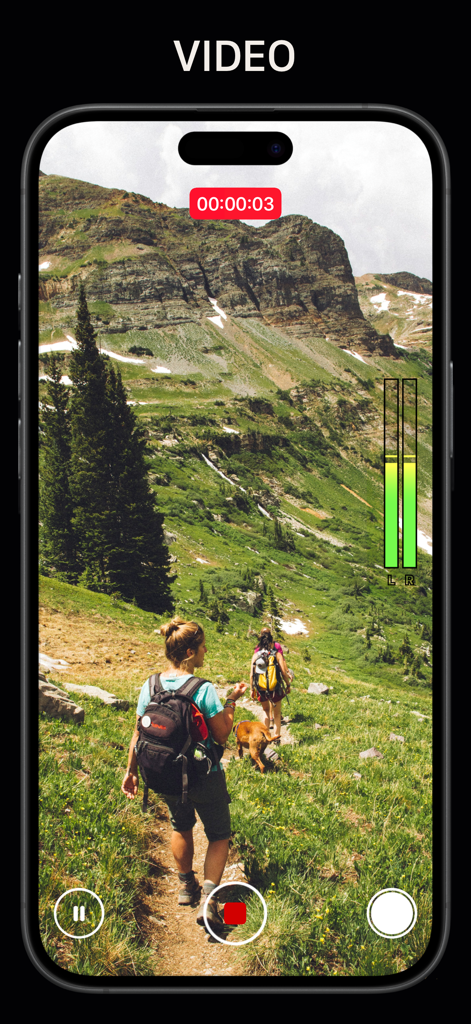
Smartphone screen showing the Pro Camera app interface recording video of hikers on a mountain trail with audio level meters and recording controls visible

Smartphone screen showing the Pro Camera app interface recording video of hikers on a mountain trail with audio level meters and recording controls visible

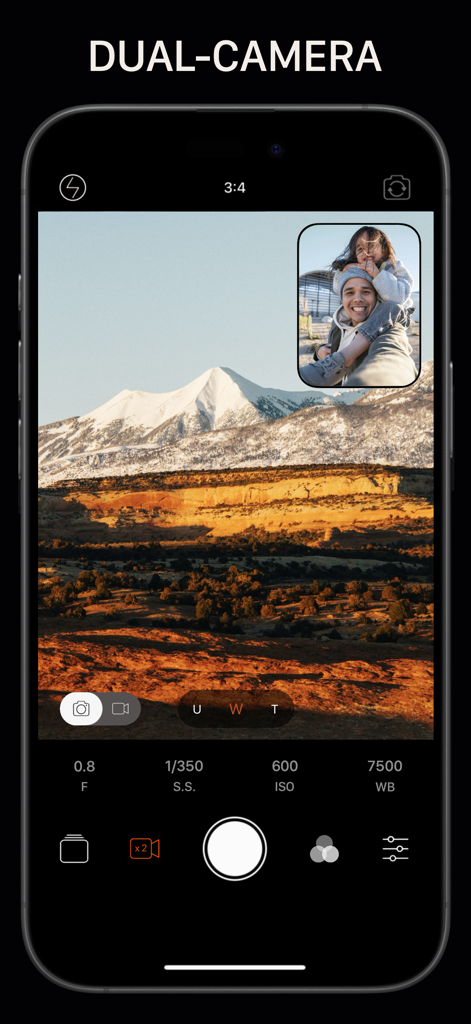
Interface of a professional camera app showing the dual camera feature with a mountain landscape and a selfie window

Interface of a professional camera app showing the dual camera feature with a mountain landscape and a selfie window

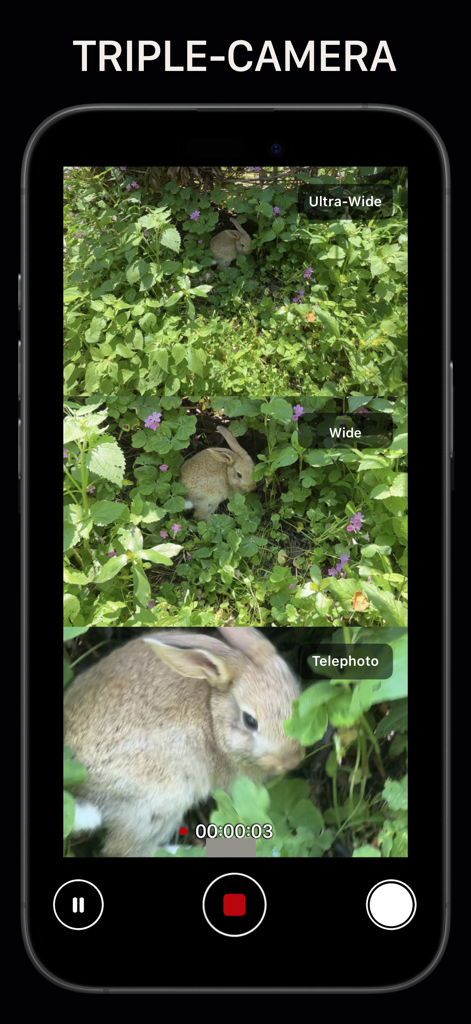
Triple-camera split screen interface showing simultaneous ultra-wide wide and telephoto views of a rabbit in the grass.

Triple-camera split screen interface showing simultaneous ultra-wide wide and telephoto views of a rabbit in the grass.

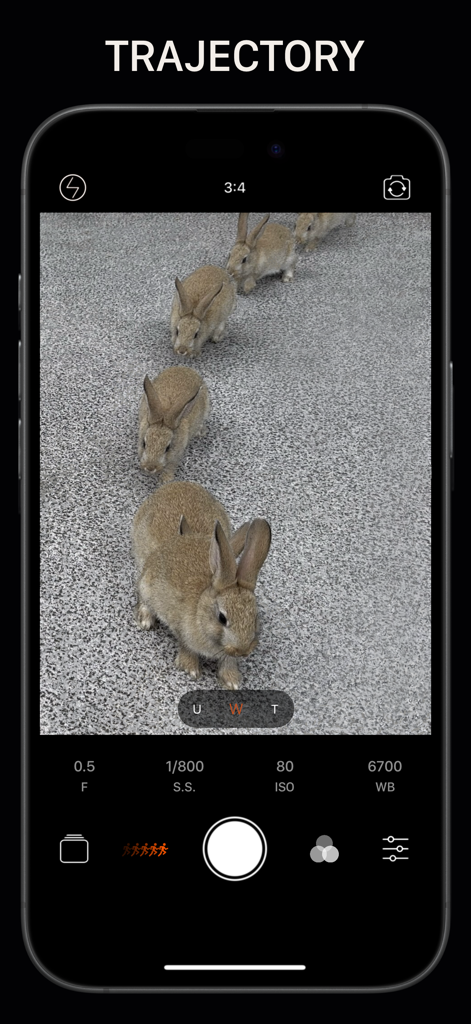
Interface of the Pro Camera app showing trajectory mode capturing a sequence of rabbits with manual camera controls for ISO and shutter speed.

Interface of the Pro Camera app showing trajectory mode capturing a sequence of rabbits with manual camera controls for ISO and shutter speed.

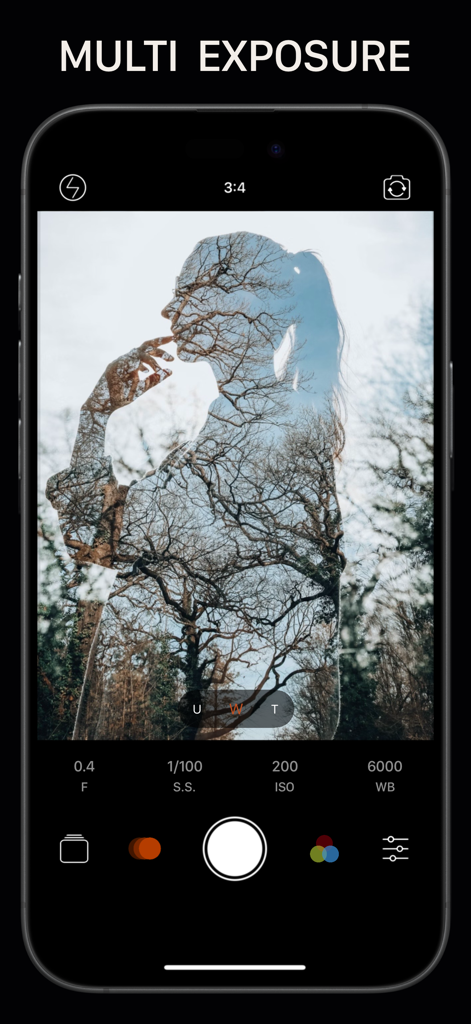
Screenshot of Pro Camera app interface showcasing the Multi Exposure feature with a silhouette and tree overlay.

Screenshot of Pro Camera app interface showcasing the Multi Exposure feature with a silhouette and tree overlay.

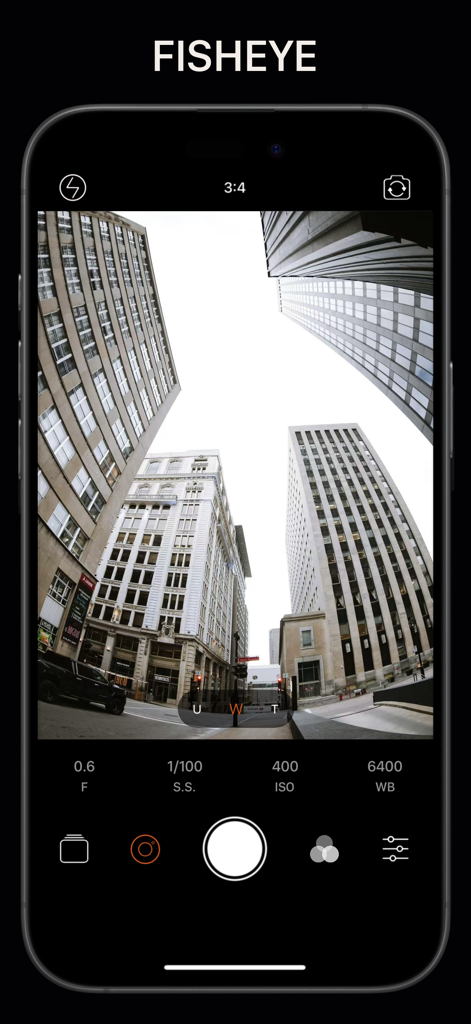
Interface of the Pro Camera app showing a fisheye lens effect on city buildings and manual camera controls

Interface of the Pro Camera app showing a fisheye lens effect on city buildings and manual camera controls

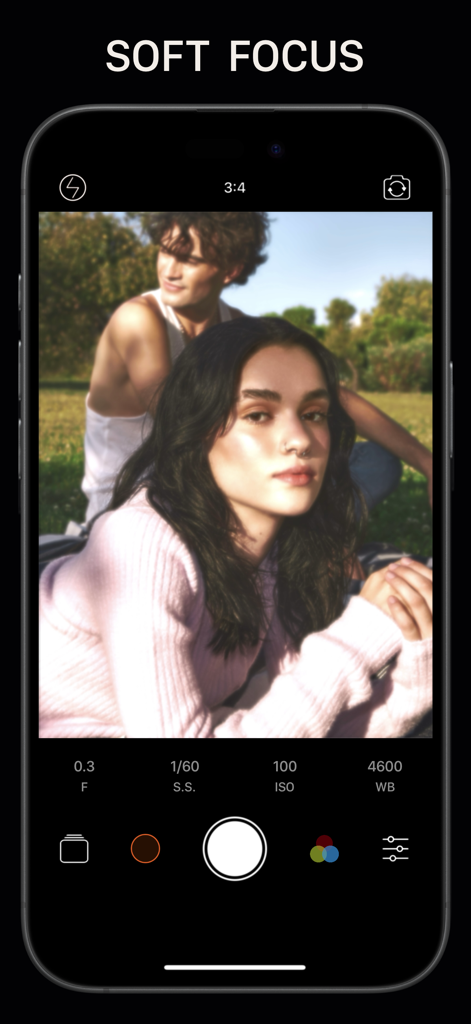
A screenshot of the Pro Camera app showing the soft focus mode with a portrait and manual exposure controls

A screenshot of the Pro Camera app showing the soft focus mode with a portrait and manual exposure controls

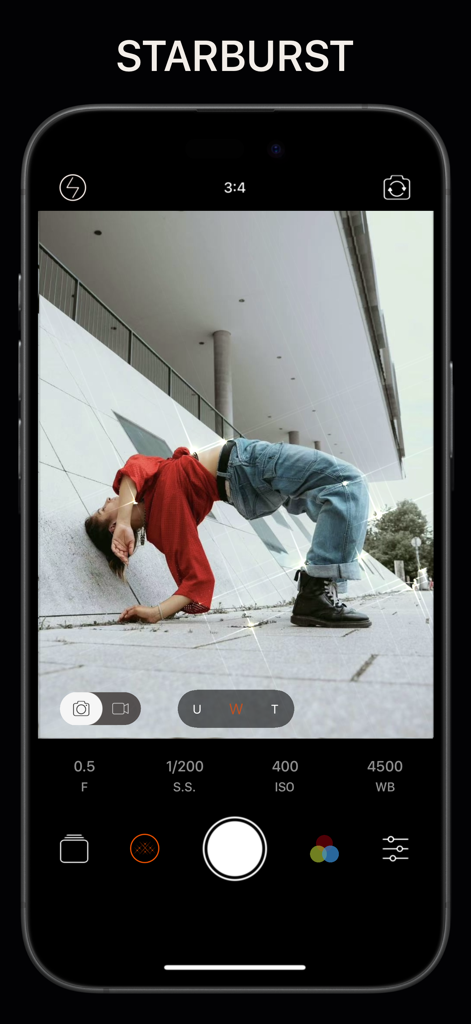
Pro Camera app interface showing manual camera controls and starburst lighting effects on a creative urban photo

Pro Camera app interface showing manual camera controls and starburst lighting effects on a creative urban photo

Master Every Shot with Pro-Level Precision

The tools that make this app stand out, trusted by 7M+ users.

📸

Full Manual DSLR Control

Take charge of your creativity with independent locks for focus, exposure, and white balance, giving you the control of a high-end professional camera.

💎

Maximize Your Hardware

Capture stunning 48MP ProRAW photos and 4K Max cinematic video to utilize every bit of your iPhone's advanced sensor and multi-lens array.

🛡️

Private & Powerful Editing

Transform your shots with 150+ professional presets and HSL tools in a secure environment that never collects your data or requires an internet connection.

Loved by users worldwide

Trusted by 7M+ people who love this app.

"

"Finally, an app that actually unlocks the full 48MP potential of my iPhone! As someone who usually carries a heavy DSLR, the manual focus and ProRAW capabilities here are stunningly close to professional gear. It has completely replaced my standard camera app for landscape photography."

Marcus T., Professional Photographer
"

"I love that I can get that trendy analog film look and high-end 4K video editing all in one place. Most apps feel like they are spying on you, but Pro Camera's commitment to privacy and offline use makes me feel totally secure while I am creating content on the go."

Chloe S., Digital Creator

About the app

Everything you need to know about Pro Camera-Omnipotent Camera.

Description

Pro Camera is an app integrating professional photography, professional video recording, photo editing and video editing. It integrates powerful computational photography technology to give full play to your camera potential. -- Camera Mode -- - Photo - Video - Dual Camera - Triple-Camera Split Screen - Depth of Field - Burst Mode - Macro - Live Photo - Slow Shutter - Time-lapse - Slow Motion - Spatial Video - Multiple Exposure - Sports Burst Mode - Bracketing Exposure - Process Zero - Soft Focus - Starburst - Tilt-Shift - Fisheye - 3D Lighting - 3D Night Vision - Sparkles - VHS - Film - Smile - 3D GIF -- Main Functions Of The Camera -- -Manual control (focus, shutter, ISO, white balance) -Independent control lock (focus, exposure, white balance) -White balance control (custom, daylight, shadow, cloudy, tungsten lamp, fluorescent lamp, flashlight) -150 + real-time high-performance preset (Single Photo, Video, Time-Lapse, 3D image) -Multi lens support (wide-angle, telephoto, ultra wide-angle, front lens, dual lens, true depth lens) -Many aspect ratios -2-10x digital zoom -Grid -Light level histogram -Level -EV indication -Support horizontal and vertical screen -Volume key for take photo/record video -Flashlight -FN parameter (9 groups of manual parameters) --Main Functions Of Photography -- -Capture 48MP pixel photo with HEIF, JPEG,TIFF,ProRAW (iPhone 14 Pro and later) -Capture quality options -Image formats: HEIF, JPEG, TIFF, RAW, RAW + JPEG, ProRAW (iPhone 12 Pro and later), ProRAW + JPEG (iPhone 12 pro and later) -Exposure Bracketing (support HEIF, RAW, TIFF) -Up to 60 seconds slow shutter -Burst function -Smart smile photography -Slow shutter sensitivity adjustment -Depth of field / portrait mode supports focusing change of finished photos, and supports analog aperture control (f/1.2-f/16) and a variety of out of focus effects -3D mode supports MOV and GIF format export -Add location information tag for photos -Mirror front camera -3s, 5s, 10s Timer -Photo EXIF metadata viewing support (aperture, shutter, ISO, lens, etc.) -- Main Functions Of Video -- -4K MAX (4032x3024) (24fps, 25FPS, 30fps) -4K (24-60fps) -1080P (24-240fps) -720P (24-240fps) -480P (24-240fps) -Normal/Cinema level stabilization -Video flashlight -- Photo / Video Editing -- -150 + professional presets -150 + overlays -Image clipping, rotation, flipping, etc. -Photo frames -Basic image adjustment (support RAW image) -Advanced image tools (HSL etc.) -Chromatism -Blend -Grain -Analog Film -Depth of field -3D photo —About Subscriptions— -Subscrible to get all features and remove ads. -Subscriptions are billed annually. Alternatively a one time payment plan is available (this is not a subscription). -Payment will be charged to your iTunes account at confirmation of purchase.Subscriptions will automatically renew unless auto-renew is turned off at least 24 hours before the end of the current period. -Your account will be charged for renewal,in accordance with your plan,within 24 hours prior to the end of the current period. -You may check, manage or cancel the subscription in your iTunes account settings at any time after purchase. Manage Subscription Route: ‘Settings’—>’iTunes&App Store’—>’Apple ID’—>’View Apple ID’—>’Subscriptions’. Privacy Policy:http://www.sjslai.com/privacypolicy.html Terms of Use:http://www.sjslai.com/termsofservices.html —About Data Collection— 1. The app will not collect any user information, not to mention the user's facial information. Users can also use the app offline. 2. We do not collect user information and facial information, so there is no purpose to collect user information and facial information. 3. Users can select their own photos to add filter and other effects, or record video in real time. Photos and videos will not be uploaded, stored remotely, or shared with third parties. 4. The [data collection] part of our privacy policy. There are also explanations for data collection.

Latest Version

2.0.26

Size

86.6 MB

First Released

Apr 15, 2017

Unlock the Full Power of Your iPhone Camera

Join over 7 million creators who demand manual control, ProRAW precision, and 100% data privacy. Take command of your lens with professional DSLR tools or explore vintage aesthetics today.

Download on App Store
FAQ

Frequently Asked Questions

Everything you need to know about Pro Camera-Omnipotent Camera

What is Pro Camera-Omnipotent Camera?

Pro Camera integrates professional photography, video recording, photo editing, and video editing. It uses powerful computational photography to maximize your camera's potential, offering diverse modes and manual controls.

What camera modes does Pro Camera offer?

Pro Camera offers numerous camera modes including Photo, Video, Dual Camera, Triple-Camera Split Screen, Depth of Field, Burst Mode, Macro, Live Photo, Slow Shutter, Time-lapse, and Spatial Video.

Does Pro Camera support manual camera controls?

Yes, Pro Camera provides manual control over focus, shutter, ISO, and white balance. It also includes independent control locks for focus, exposure, and white balance settings.

What photo formats does Pro Camera support?

Pro Camera supports image formats such as HEIF, JPEG, TIFF, RAW, and ProRAW (for iPhone 12 Pro and later). It captures 48MP photos with HEIF, JPEG, TIFF, ProRAW on iPhone 14 Pro and later.

Can Pro Camera record 4K video?

Yes, Pro Camera can record 4K MAX (4032x3024) video at 24fps, 25fps, and 30fps, and standard 4K video at 24-60fps. It also supports 1080P, 720P, and 480P.

Does Pro Camera offer photo and video editing features?

Yes, Pro Camera offers extensive photo and video editing features, including over 150 professional presets, 150 overlays, image cropping, rotation, flipping, and advanced tools like HSL and chromatism.

How do Pro Camera subscriptions work?

Pro Camera subscriptions are billed annually and unlock all features, removing ads. A one-time payment option is also available. Subscriptions auto-renew unless cancelled 24 hours before the current period ends.

Does Pro Camera collect user data?

No, Pro Camera does not collect any user information, including facial data. The app functions offline, and photos or videos are not uploaded, stored remotely, or shared with third parties.

Does Pro Camera-Omnipotent Camera include a Dual Camera mode?

Yes, Pro Camera includes a Dual Camera mode, allowing users to capture scenes using two cameras simultaneously. This feature is also visually represented in Screenshot #3.

Does Pro Camera support multiple lenses?

Yes, Pro Camera supports various lens options including wide-angle, telephoto, ultra wide-angle, front lens, dual lens, and true depth lens for comprehensive photography.