ProKnockOut-Cut Paste Photos

ProKnockOut-Cut Paste Photos

Download on App Store
Spark by MWM logo
Logo of ProKnockOut-Cut Paste Photos

ProKnockOut-Cut Paste Photos: Professional AI Editing Made Effortless

The all-in-one toolkit for creators and solopreneurs to achieve precise cutouts, batch-process products, and design stunning visuals with the power of pro-grade AI.

Publisher

Shenzhen Qianhai Happy Tour Network Technology Co., Ltd.

Category

Photo & Video

Downloads

19M+

User Rating

4.8/5

Total Ratings

881K+

Locales

9

Your Studio, Redefined

Discover the interface used by 19M+ users.
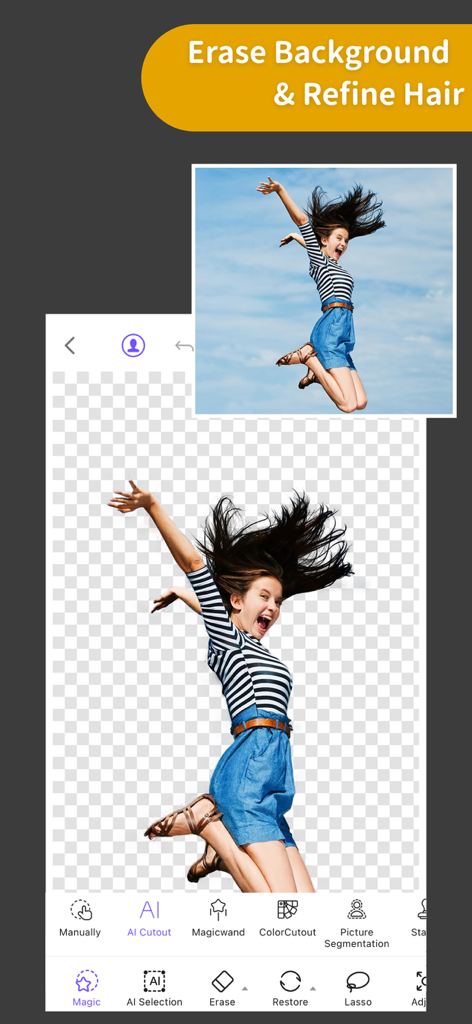
ProKnockOut app interface showing a woman jumping with her background erased and fine hair details preserved.

ProKnockOut app interface showing a woman jumping with her background erased and fine hair details preserved.

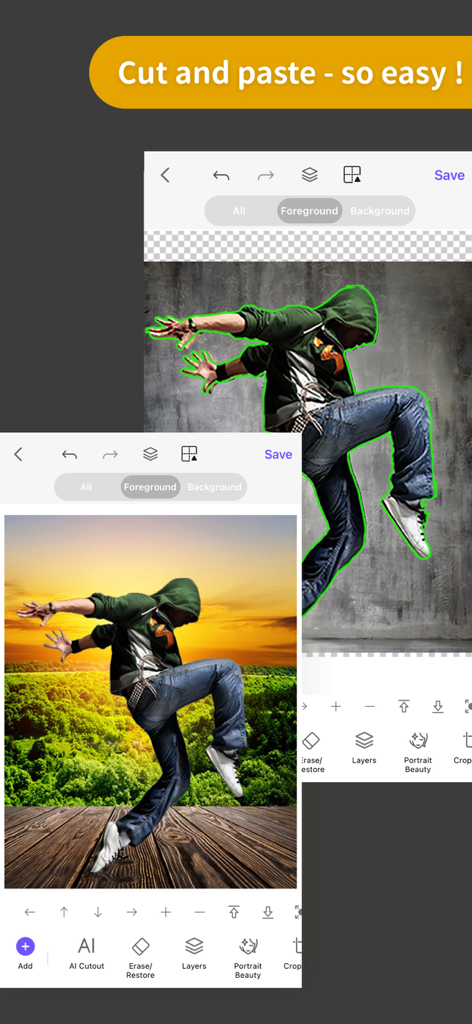
ProKnockOut mobile app showing a dancer cutout and pasted onto a new sunset background

ProKnockOut mobile app showing a dancer cutout and pasted onto a new sunset background

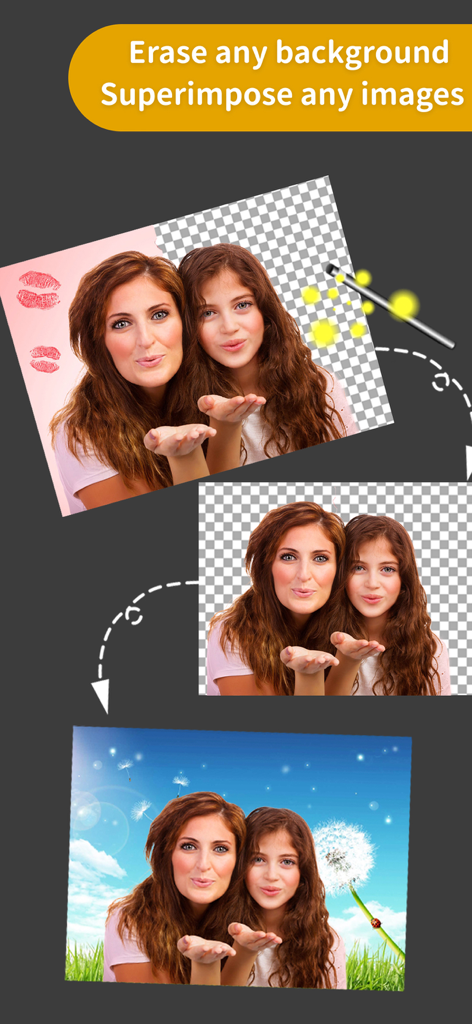
A step-by-step visual showing how to erase a photo background and superimpose people onto a new sky background

A step-by-step visual showing how to erase a photo background and superimpose people onto a new sky background

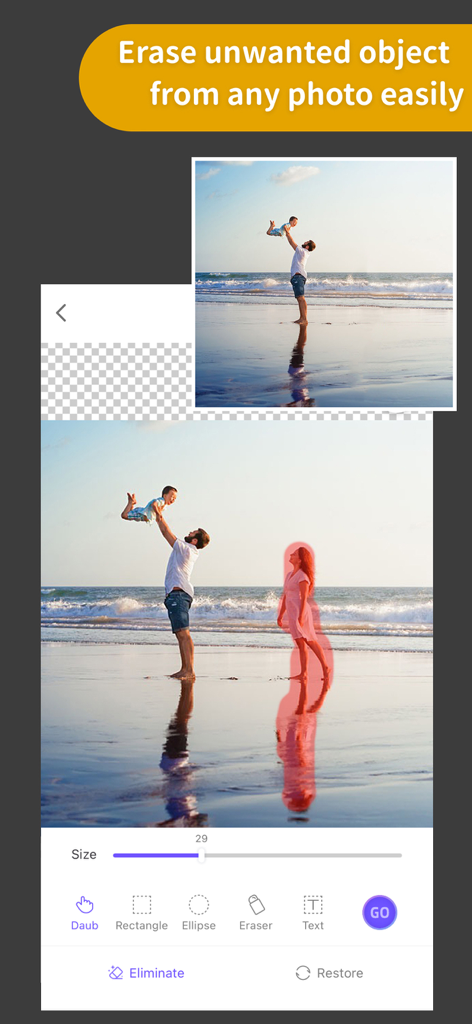
A beach photo showing the object removal tool erasing a person from the background to create a clean image.

A beach photo showing the object removal tool erasing a person from the background to create a clean image.

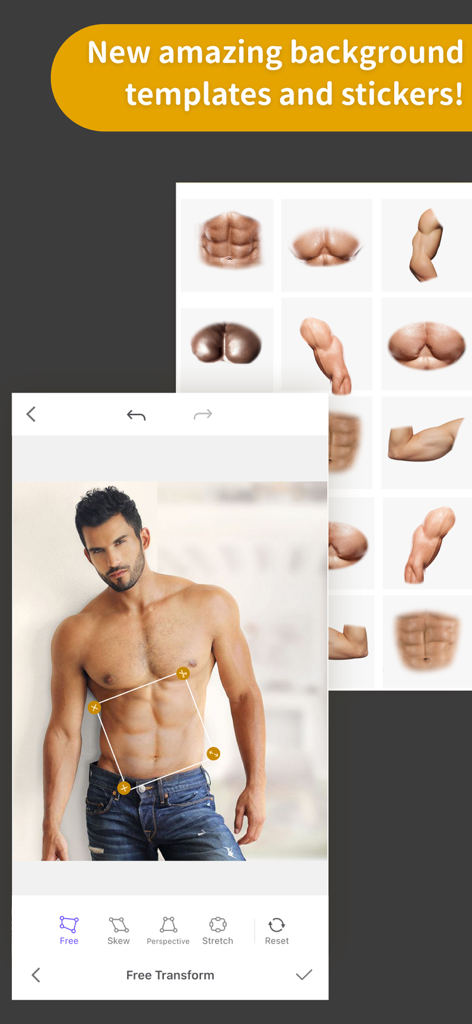
A man's photo being edited with muscle abdominal stickers using the free transform tool in the ProKnockOut app.

A man's photo being edited with muscle abdominal stickers using the free transform tool in the ProKnockOut app.

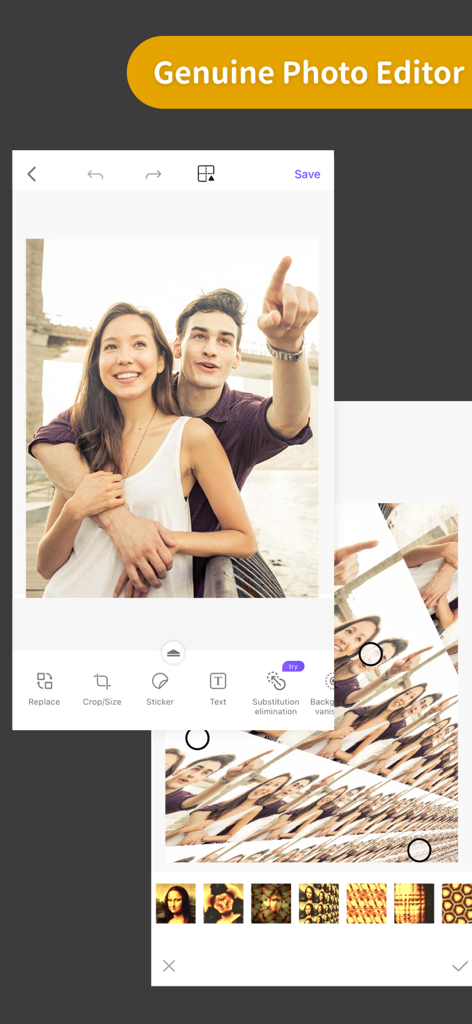
Screenshot of ProKnockOut mobile app showing photo editing tools and filters.

Screenshot of ProKnockOut mobile app showing photo editing tools and filters.

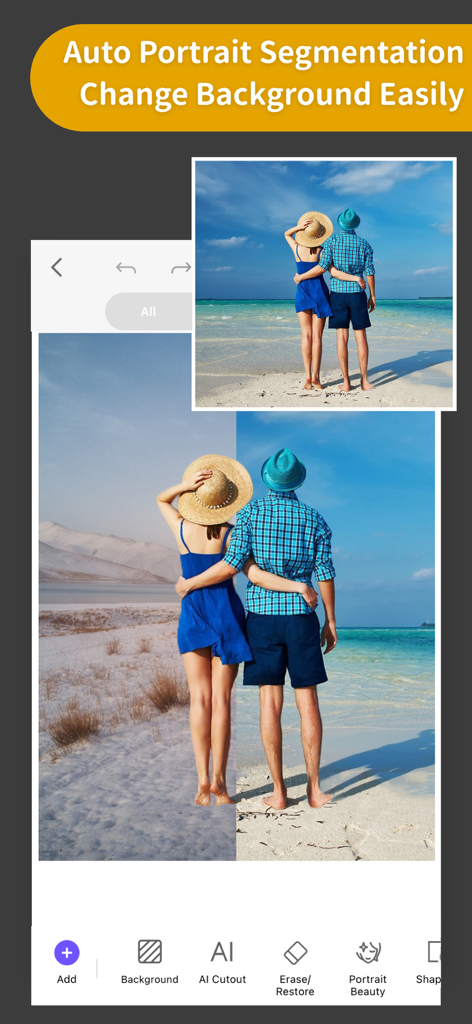
ProKnockOut app interface showing auto portrait segmentation and background replacement feature with a before and after comparison

ProKnockOut app interface showing auto portrait segmentation and background replacement feature with a before and after comparison

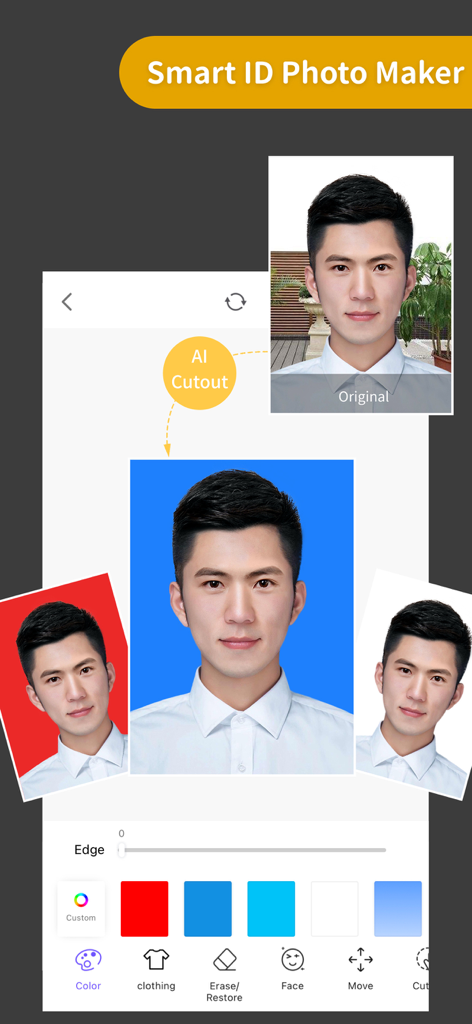
A demonstration of the ProKnockOut app's Smart ID Photo Maker feature showing an AI background removal process to create passport-style photos with different background colors.

A demonstration of the ProKnockOut app's Smart ID Photo Maker feature showing an AI background removal process to create passport-style photos with different background colors.

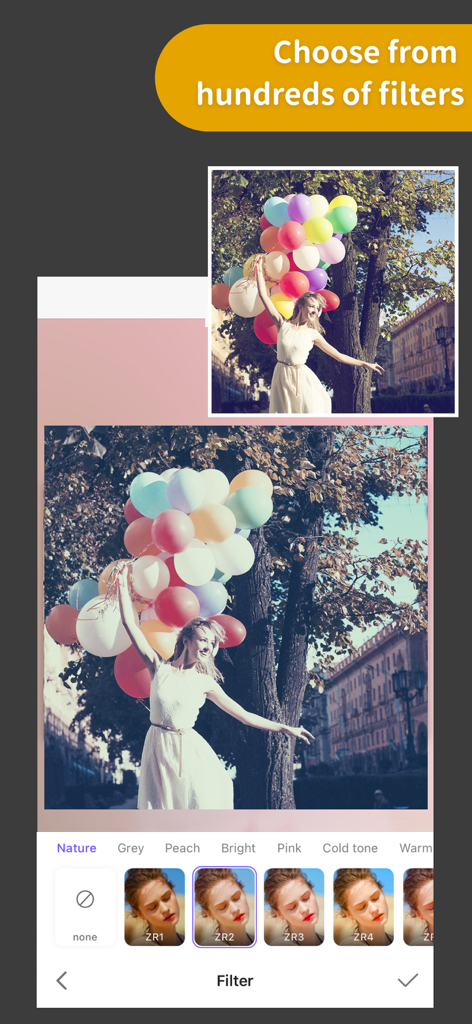
A woman holding colorful balloons with a selection of artistic photo filters displayed at the bottom of the screen.

A woman holding colorful balloons with a selection of artistic photo filters displayed at the bottom of the screen.

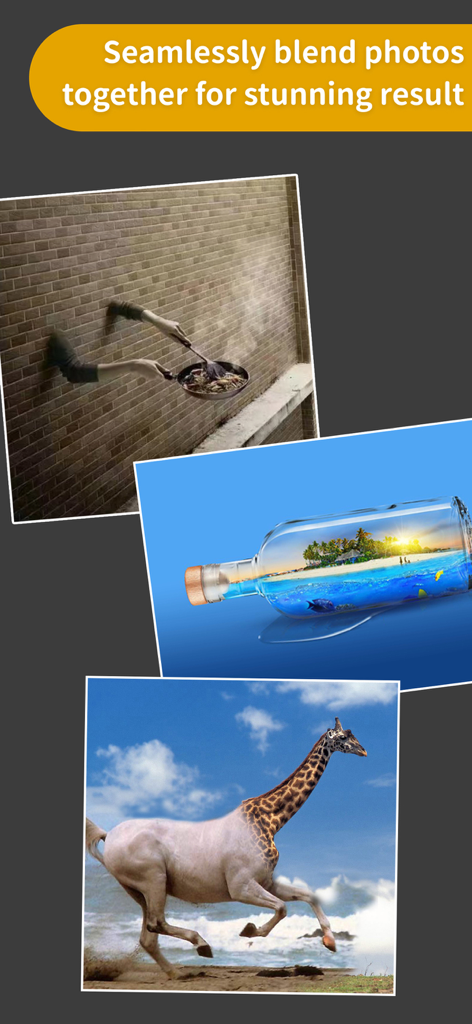
Examples of creative photo blending showing a giraffe horse hybrid and a tropical island inside a glass bottle.

Examples of creative photo blending showing a giraffe horse hybrid and a tropical island inside a glass bottle.

Professional Editing Made Simple

The tools that make this app stand out, trusted by 19M+ users.

✂️

One-Click AI Cutouts

Instantly remove backgrounds with professional precision. Perfect for batch-processing product photos or creating custom stickers in seconds.

Precision Hair & Edge Refine

Say goodbye to jagged edges. Our advanced tools handle fine details like hair and fur, ensuring your cutouts look natural and professional.

🎨

Pro Multi-Layer Composition

Seamlessly blend multiple images, swap skies, and erase unwanted objects to create stunning social media content and marketing visuals.

Loved by users worldwide

Trusted by 19M+ people who love this app.

"

"As an Etsy seller, ProKnockOut has been a total game-changer for my shop. The batch cutout feature saves me hours of editing product photos, and the hair refine tool makes everything look professional and clean. It is like having a studio in my pocket!"

Sarah M., Small Business Owner
"

"I love how easy it is to create unique content with this app. The MagicEraser is perfect for removing tourists from my travel shots, and the sky replacement tool is simply mind-blowing. My Instagram feed has never looked better!"

Jason K., Content Creator

About the app

Everything you need to know about ProKnockOut-Cut Paste Photos.

Description

Come and experience the Top 1 professional cutout and photo editing tool in Appstore! With this tool, you will become a master in photo editing area even if you are a beginner. One-click cutout、 multi-layer synthesis of pictures、 making ID photos、collages、 instantly erase redundant passers-by in photos、green screen cutouts、replace the sky··· In addition, a large number of templates and stickers making design extremely simple。 *One-click cutout & batch cutout -After selecting the picture, you can get the results of the cutout with one click. Buckle out the characters, animals, products, stamps and other content in the picture with one click, and also support batch cutouts, which greatly improves the efficiency of the cutout. -Manually selection tools: Lasso, instant alpha, eraser, a lot of manual tools to cutout if you are not satisfied with the result of the automatic cutout tool. -The new "Hair Refine" and "Edge Refine" tools, offering you a first glimpse of how much easier it could be to select hair, fur and other fine details in an image. *Multi-layer composition Powerful image synthesis function, seamlessly synthesize multiple pictures, the effect is amazing. *ID photo ID camera + multiple ID photo sizes + automatic cutout + modified background color + exquisite male and female formal wear + beauty *MagicEraser Don’t worry if you stray passers-by in the photo, "Photo Eraser" helps you erase passers-by with one click and intelligently repair the background. *100+ filters&effects There are over 100 filters and effects to make your photos unique! *23 blend modes *Powerful photo editor *Transparent PNG and colorful background JPG support Knockout Plus subscription - You can subscribe for new weekly updates (every week, new images will be available for download) - Payment will be charged to iTunes Account at confirmation of purchase - You will be able to color all available images for the duration of the subscription - Subscription automatically renews for the same price and duration period as the original "one week"/"one month"/"one year" package unless auto-renew is turned off at least 24-hours before the end of the current period - Account will be charged for renewal within 24-hours prior to the end of the current period at the cost of the chosen package (weekly, monthly or yearly package) - Subscriptions may be managed by the user and auto-renewal may be turned off by going to the user's iTunes Account Settings after purchase - No cancellation of the current subscription is allowed during active subscription period - You may cancel a subscription during its free trial period via the subscription setting through your iTunes account. This must be done 24 hours before the end of the subscription period to avoid being charged. Please visit http://support.apple.com/kb/ht4098 for more information - You may turn off the auto-renewal of your subscription via your iTunes Account Settings. However, you are not able to cancel the current subscription during its active period - Any unused portion of a free-trial period, will be forfeited when the user purchases a Knockout Plus subscription Links to our Terms of Service and Privacy Policy can be found below Privacy Policy:http://www.godimage.mobi/policy Terms of Use: http://www.godimage.mobi/terms

Latest Version

7.83

Size

202.1 MB

First Released

Dec 4, 2014

Ready to Create Like a Pro?

Join 19M+ creators and side-hustlers. Unlock professional cutouts, seamless compositions, and magic erasing in just one tap.

Download on App Store
FAQ

Frequently Asked Questions

Everything you need to know about ProKnockOut-Cut Paste Photos

What is ProKnockOut-Cut Paste Photos?

ProKnockOut-Cut Paste Photos is a professional photo editing tool. It offers features like one-click cutouts, multi-layer synthesis, ID photo creation, unwanted object removal, and various filters and effects.

How does ProKnockOut-Cut Paste Photos perform object cutouts?

ProKnockOut-Cut Paste Photos performs object cutouts using one-click AI, batch processing, and manual selection tools like Lasso and eraser. It also includes "Hair Refine" and "Edge Refine" for precise detail.

Can ProKnockOut-Cut Paste Photos erase unwanted objects or passers-by from photos?

Yes, ProKnockOut-Cut Paste Photos features a "MagicEraser" tool. This tool allows users to erase unwanted passers-by or objects with one click and intelligently repairs the background.

Does ProKnockOut-Cut Paste Photos offer ID photo creation?

Yes, ProKnockOut-Cut Paste Photos provides a "Smart ID Photo Maker" feature. It includes an ID camera, multiple ID photo sizes, automatic cutout, background color modification, and formal wear options.

How do I manage my Knockout Plus subscription for ProKnockOut-Cut Paste Photos?

Users manage their Knockout Plus subscription through iTunes Account Settings after purchase. Auto-renewal can be turned off here at least 24-hours before the current period ends to avoid charges.

How many filters are available in ProKnockOut-Cut Paste Photos?

ProKnockOut-Cut Paste Photos offers over 100 filters and effects. These options make photos unique and are designed to enhance various aspects of an image.

Can ProKnockOut-Cut Paste Photos blend multiple photos?

Yes, ProKnockOut-Cut Paste Photos has a powerful multi-layer composition function. It seamlessly synthesizes multiple pictures to achieve stunning effects.