ProMovie Recorder +

ProMovie Recorder +

Download on App Store
Spark by MWM logo
Logo of ProMovie Recorder +

ProMovie Recorder +: The Professional Cinema Camera for Your iPhone

Unlock full manual control over exposure, focus, and audio. Record in stunning 4K at up to 120FPS with the high-bitrate tools trusted by world-class creators.

Download on App Store

Publisher

Panda Apps Limited

Category

Photo & Video

Downloads

410K+

User Rating

4.7/5

Total Ratings

11K+

Locales

5

Professional Precision

Discover the interface used by 410K+ users.
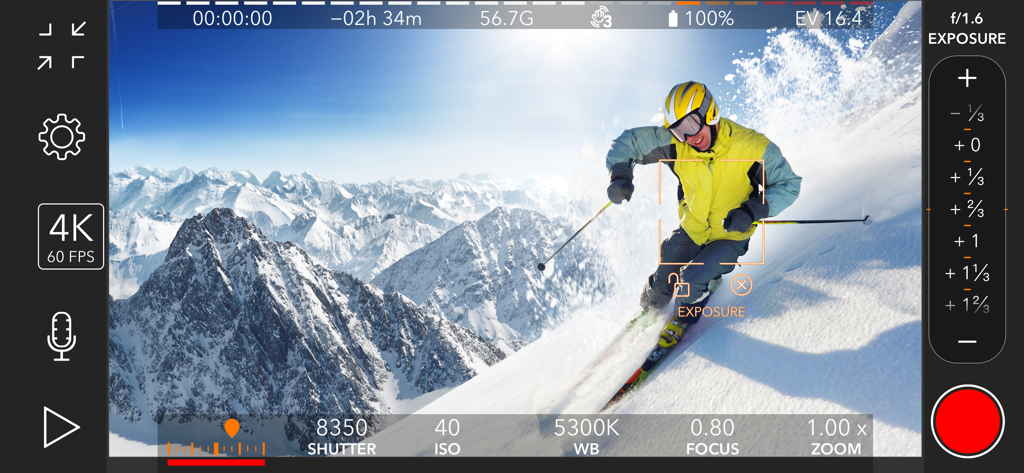
ProMovie Recorder plus app interface showing manual video controls for ISO shutter speed and white balance while recording a skier

ProMovie Recorder plus app interface showing manual video controls for ISO shutter speed and white balance while recording a skier

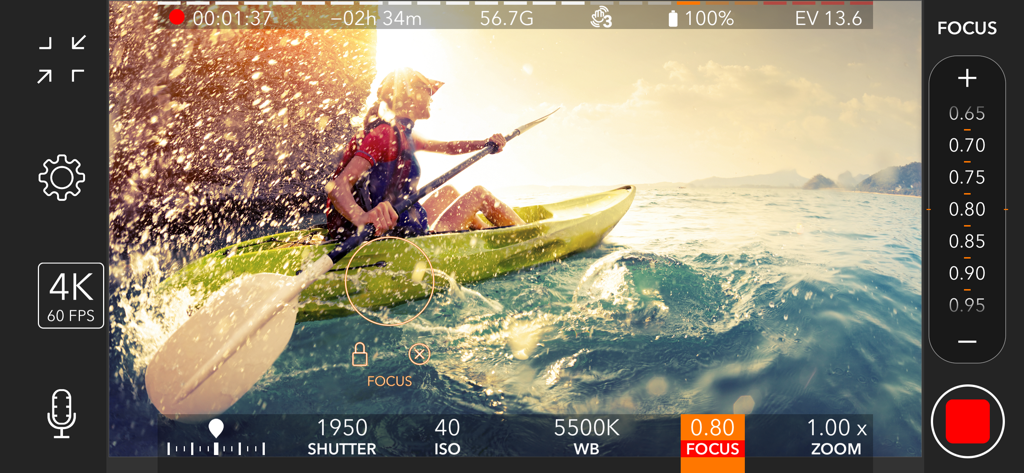
ProMovie Recorder app interface showing manual focus and shutter speed controls while recording a kayaker

ProMovie Recorder app interface showing manual focus and shutter speed controls while recording a kayaker

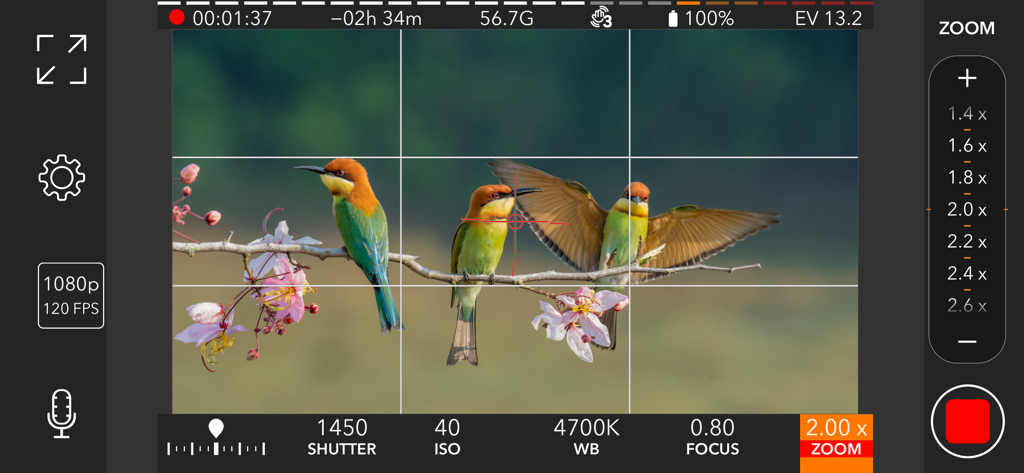
ProMovie Recorder app interface showing professional manual video settings like ISO and shutter speed while recording nature.

ProMovie Recorder app interface showing professional manual video settings like ISO and shutter speed while recording nature.

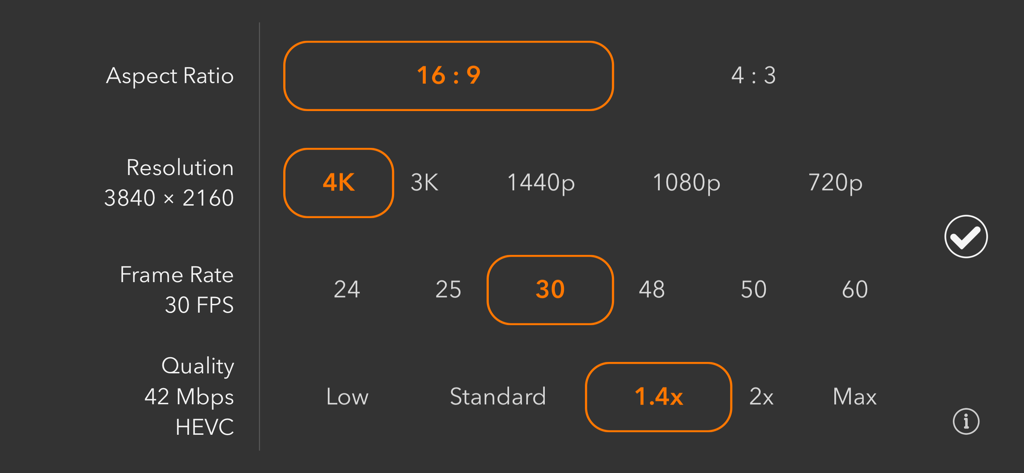
ProMovie Recorder app settings screen showing manual selection for aspect ratio resolution frame rate and video quality

ProMovie Recorder app settings screen showing manual selection for aspect ratio resolution frame rate and video quality

ProMovie Recorder plus app interface showing manual shutter speed and focus controls for cinematic mobile video recording

ProMovie Recorder plus app interface showing manual shutter speed and focus controls for cinematic mobile video recording

Cinematic Precision in Your Pocket

The tools that make this app stand out, trusted by 410K+ users.

🎚️

Full Manual Mastery

Take absolute control of exposure, shutter speed, ISO, focus, and white balance. Lock your settings to ensure consistent lighting and professional framing in every take.

🎙️

Pro-Grade Audio Control

Connect external microphones via Bluetooth or USB-C and monitor levels in real-time with on-screen indicators and gain control for studio-quality sound.

🎞️

Ultra-High Bitrate Recording

Record in 4K at up to 120FPS with bitrates as high as 224Mbps. Capture maximum detail for professional post-production and flawless uploads to YouTube or Reels.

Loved by users worldwide

Trusted by 410K+ people who love this app.

"

"ProMovie Recorder + is a game-changer for my mobile productions. The level of manual control over ISO, shutter speed, and white balance finally lets me ditch the 'smartphone look' and achieve a truly cinematic aesthetic. It is the most reliable tool in my kit for professional client work and high-quality short films."

Julian R., Independent Filmmaker
"

"As a full-time content creator, audio is just as important as video. Being able to monitor levels in real-time and record at high bitrates makes a massive difference in my YouTube quality. It is intuitive, powerful, and unlocks the full potential of my iPhone hardware for every vlog I shoot."

Sarah T., Tech & Lifestyle Influencer

About the app

Everything you need to know about ProMovie Recorder +.

Description

ProMovie Recorder is a feature-rich yet easy-to-use video camera App for your iPhone and iPad. Take control of exposure, focus, frame rate, and every other aspect of video recording right at your fingertip. Take full advantage of your device's videography capability and create professional clips. • 4K video recording (up to 120FPS) ¹. • 1080p video recording (up to 240FPS) ². • Manual camera control for exposure, shutter speed, ISO, focus, and white balance. • High-quality video recording with up to 224Mbps bitrate. • Switch between Ultra Wide, Wide, and Telephoto cameras ³. Audio features: • External microphones (Lightning/3.5 mm headphone jack ⁴/Bluetooth). • Stereo audio recording *. • Audio monitoring through headphones and Bluetooth headphones. • On-screen audio level indicator. • Audio gain control *. • Supported audio formats: 256 Kbps AAC, 16-bit PCM. Camera control: • Separate Exposure Point and Focus Point. • Exposure compensation. • Manual control/parameter lock for: - Shutter Speed/ISO - Color Temperature - Focus • White balance presets. • White balance calibration with gray cards. Supported accessories: • 2.4:1 anamorphic adapters. • Video rotation/flip for lens accessories. • External displays connected via Lightning-to-HDMI/VGA adapters. • Bluetooth remote *. Other features: • Grids and cropping guides for easier composition. • Full-screen modes. • Level (tilt indicator). • Both HEVC and H.264 encoding *. • Standard and Cinematic stabilization mode. ¹ 4K @30FPS: iPhone 6s/6s Plus/SE and newer, iPad (2022), iPad Mini (2021 and newer), iPad Air (2020 and newer), iPad Pro 9.7-in., iPad Pro 10.5-in., iPad Pro 12.9-in. (2017 and newer), iPad Pro 11-in. (all models), iPad Pro 13-in. 4K @60FPS: iPhone 8/8 Plus/X and newer, iPad (2022), iPad Mini (2021 and newer), iPad Air (2020 and newer), iPad Pro 12.9-in. (2018 and newer), iPad Pro 11-in. (all models), iPad Pro 13-in. 4K @120FPS: iPhone 16 Pro/16 Pro Max. ² 1080p @30FPS: iPhone 5s and newer, iPad (2017 and newer), iPad Mini (2013 and newer), iPad Air (all models), iPad Pro (all models). 1080p @60FPS: iPhone 6/6 Plus/SE and newer, iPad (2022), iPad Mini (2021 and newer), iPad Air (2020 and newer), iPad Pro 9.7-in., iPad Pro 10.5-in., iPad Pro 12.9-in. (2017 and newer), iPad Pro 11-in. (all models), iPad Pro 13-in. 1080p @120FPS: iPhone 6s/6s Plus/SE and newer, iPad (2022), iPad Mini (2021 and newer), iPad Air (2020 and newer), iPad Pro 9.7-in., iPad Pro 10.5-in., iPad Pro 12.9-in. (2017 and newer), iPad Pro 11-in. (all models), iPad Pro 13-in. 1080p @240FPS: iPhone 8/8 Plus/X and newer, iPad (2022), iPad Mini (2021 and newer), iPad Air (2020 and newer), iPad Pro 12.9-in. (2018 and newer), iPad Pro 11-in. (all models), iPad Pro 13-in. ³ For iPhone and iPad models with Ultra Wide and/or Telephoto cameras. ⁴ Depending on your iPhone/iPad model and microphone connector, some of the following adapters may be required: • TRS to TRRS adapter • Lightning to 3.5 mm headphone jack adapter • USB-C to 3.5 mm headphone jack adapter * For supported devices only. Contact us: support@ProMovieApp.com

Latest Version

1.11.10

Size

4.3 MB

First Released

Dec 13, 2016

Ready to Capture Your Masterpiece?

Join over 410,000 creators and unlock the full professional power of your iPhone. Take total manual control of your vision and start filming in 4K today.

Download on App Store