QR Stopwatch

QR Stopwatch

Download on App Store
Spark by MWM logo
Logo of QR Stopwatch

QR Stopwatch: Professional Group Timing Made Effortless

Ditch the clipboard and eliminate manual data entry. Automatically track multiple participants by simply scanning their QR codes—the ultimate hands-free solution for PE teachers, coaches, and event organizers.

Publisher

Ursin Tanner

Category

Sports

Downloads

54K+

User Rating

1.0/5

Total Ratings

0

Locales

1

Precision at a Glance

Discover the interface used by 54K+ users.
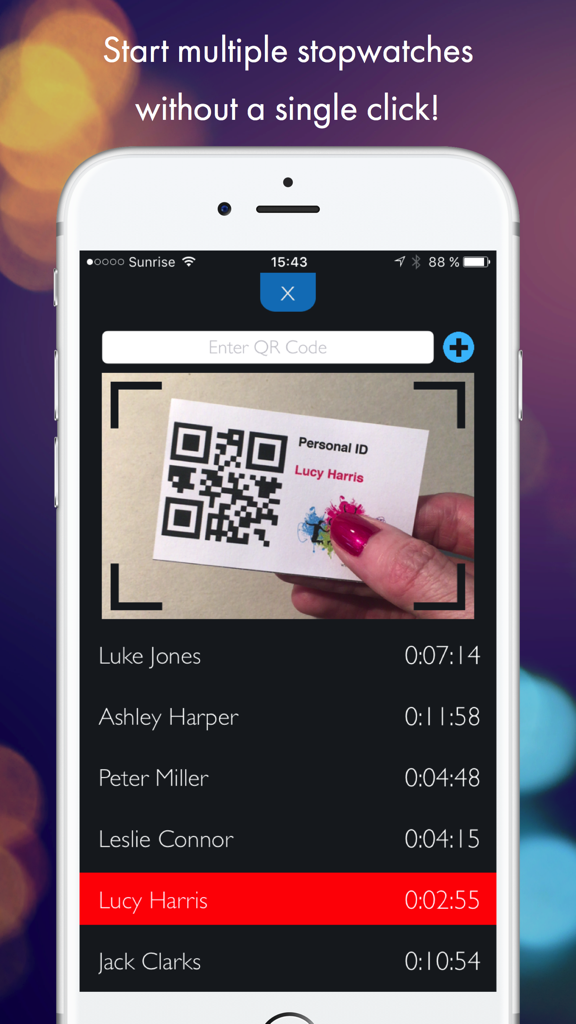
Mobile app interface for QR Stopwatch showing a camera scanning a QR code personal ID card and a list of recorded times for various participants.

Mobile app interface for QR Stopwatch showing a camera scanning a QR code personal ID card and a list of recorded times for various participants.

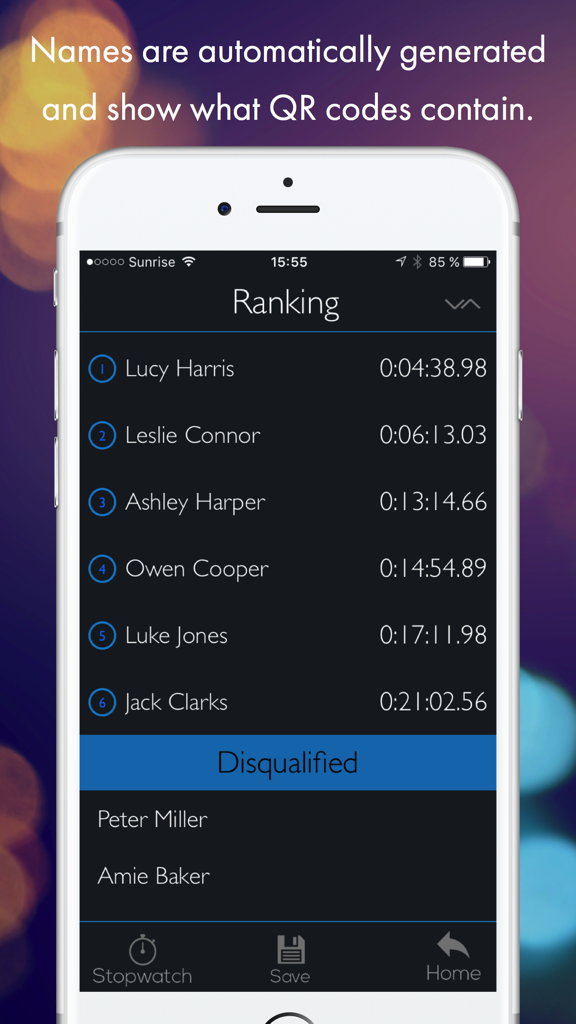
Interface of the QR Stopwatch app showing a ranking list of participants and their completion times

Interface of the QR Stopwatch app showing a ranking list of participants and their completion times

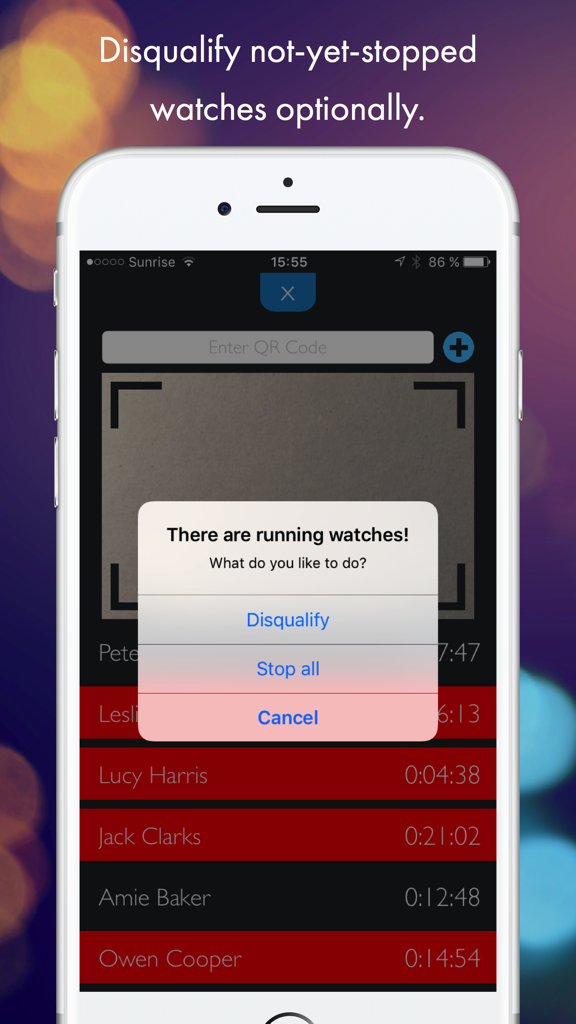
A screenshot of the QR Stopwatch app showing an alert with options to disqualify or stop all running timers for participants like Lucy Harris and Jack Clarks.

A screenshot of the QR Stopwatch app showing an alert with options to disqualify or stop all running timers for participants like Lucy Harris and Jack Clarks.

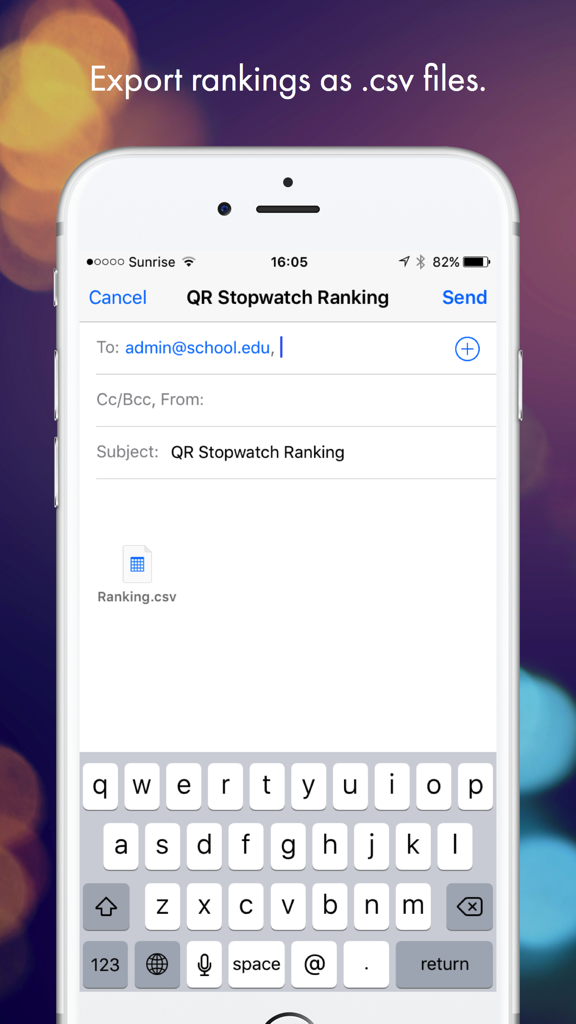
Interface showing the email export of a QR Stopwatch ranking file in CSV format

Interface showing the email export of a QR Stopwatch ranking file in CSV format

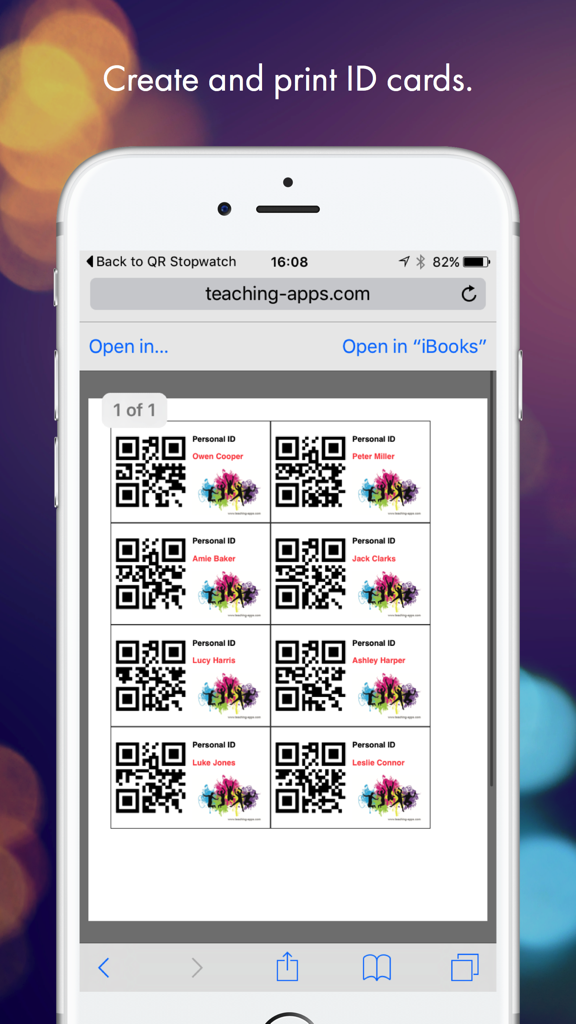
Smartphone screen showing printable personal ID cards with QR codes and names from the teaching-apps website

Smartphone screen showing printable personal ID cards with QR codes and names from the teaching-apps website

Streamline Your Timing Tasks

The tools that make this app stand out, trusted by 54K+ users.

⏱️

Hands-Free Scanning

Start or stop timers instantly just by showing a QR code. No clicks required, leaving your hands free for the whistle and clipboard.

🆔

Automated Participant Logs

Forget typing names manually. The app automatically creates entries from QR codes, saving hours of data entry during busy classes or meets.

📊

Instant Rankings & Exports

Get real-time standings and export results directly to CSV for easy integration into your grading system or league spreadsheets.

Loved by users worldwide

Trusted by 54K+ people who love this app.

"

"As a middle school track coach, timing 40 kids at once used to be a nightmare. Now I just hold my phone out and let them scan their ID cards as they finish. No more manual typing or missed times! The CSV export saves me hours of data entry every week when I'm updating the leaderboard."

Sarah Jenkins, PE Teacher & Athletics Coach
"

"We use this in our vocational workshop to track how long specific tasks take. It is completely hands-free once set up—the students just show their QR codes to the mounted iPad. It is the simplest solution I have found for reporting work time without the complexity of expensive enterprise software."

David Henderson, Vocational Program Supervisor

About the app

Everything you need to know about QR Stopwatch.

Description

Use this clever app for the timekeeping of several people, starting at different times or as group. It works without a single click - just show it any QR code to start a new stopwatch! HOW IT WORKS 1) SINGLE START: Use this clever app for the timekeeping of various persons, starting at different times. Simply hold the QR code in front of the scanner. The app will then automatically generate your name and a new individual stopwatch will be started. If you scan the code again, the timer stops. It’s also possible to resume the same watch again. 2) MASS START: If all participants are starting at the same time, then you should use the mass start mode. Start the stopwatch without any further adjustments and simply record the finishing time and the name of the runners when they reach the finish line. EXAMPLES OF USE - Reporting of working time. - Timekeeping of sporting events. - Report the students’ work time for special tasks. -> NO CLICKS Start the app and it will automatically take the time of all shown QR codes until you stop the scanner. -> NO TYPING OF NAMES The app automatically creates new items if a new QR code is shown. The name is whatever the QR code contains. -> GET A RANKING Choose the sort order: Would you like to know the fastest or slowest time? Decide if not-yet-stopped watches will be disqualified or stop all operating watches at once. -> SAVE AUTOMATICALLY Close the app and work on the same data the next day. All data is saved automatically. -> EXPORT Save and export rankings by email as .csv files. -> MANUAL INTERVENTION Use your finger to tap on a name to start a stopwatch manually. Tap again to stop it. As administrator you can also stop all running timers at the same time. If there is a person without QR code, it is possible to add a timer manually. -> CREATE MULTIPLE QR CODES ONLINE AT http://www.teaching-apps.com Simply type in all names/items at once and get multiple QR codes in a PDF, which you can then print and save. It couldn’t be any easier! Each QR code is embedded in a student ID card in a credit card size. These cards can be used for different apps and uses. Be sure to subscribe to the newsletter to receive updates on any new apps.

Latest Version

2.0

Size

2.7 MB

First Released

Sep 5, 2016

Ditch the Clipboard and Start Timing Instantly

Join over 54,000 coaches and educators. Download QR Stopwatch today to experience the fastest, hands-free way to track results for your entire class or team.

Download on App Store