RAL iColours

RAL iColours

Download on App StoreDownload on Google Play
Spark by MWM logo
Logo of RAL iColours

RAL iColours: The Professional Standard for Real-Time Color Visualization

Bring your architectural and design projects to life by instantly recoloring photos with over 2,300 RAL colors. Impress clients with high-precision visualizations and technical data right from your iPhone or iPad.

Download on App Store

Publisher

Colorix SA

Category

Reference

Downloads

269K+

User Rating

2.2/5

Total Ratings

100

Locales

24

A Professional Preview

Discover the interface used by 269K+ users.
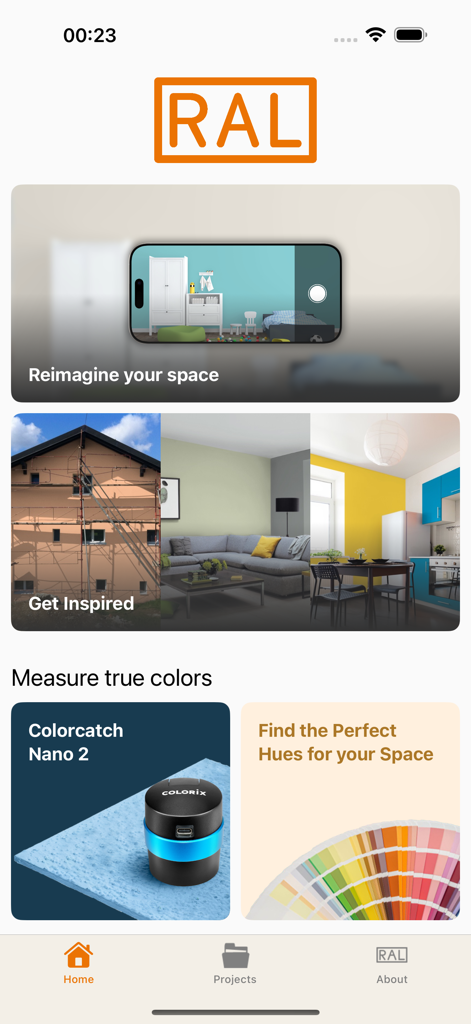
RAL iColours app home screen showing interior design visualization and color matching tools

RAL iColours app home screen showing interior design visualization and color matching tools

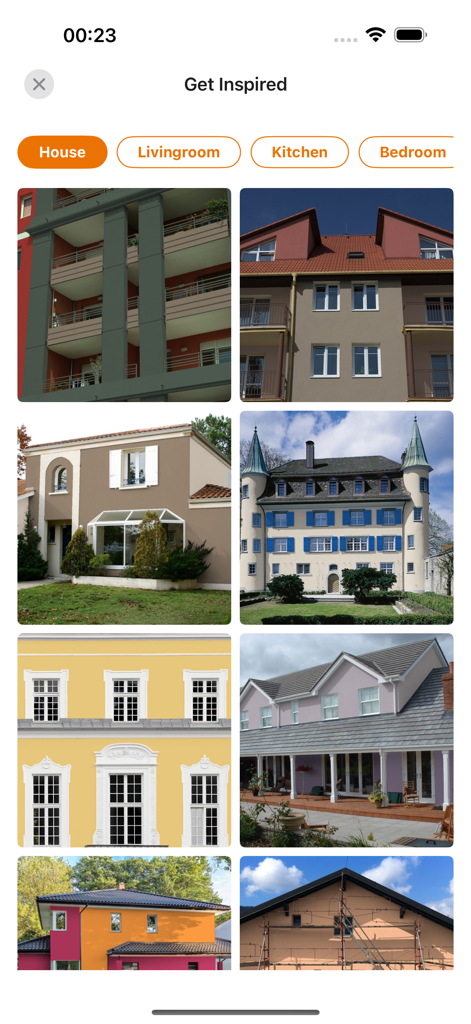
Gallery showing different house exterior paint colors for inspiration

Gallery showing different house exterior paint colors for inspiration

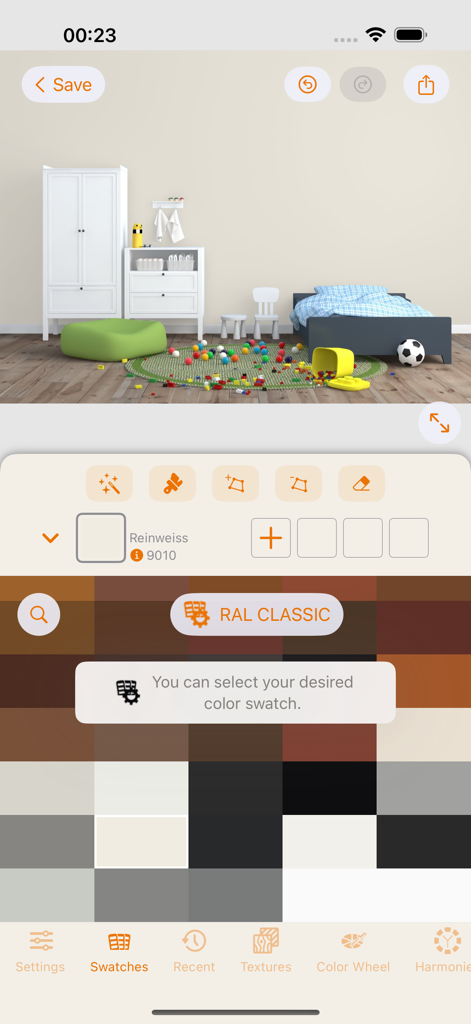
RAL iColours app interface showing a room photo and RAL CLASSIC color swatches for digital recoloring

RAL iColours app interface showing a room photo and RAL CLASSIC color swatches for digital recoloring

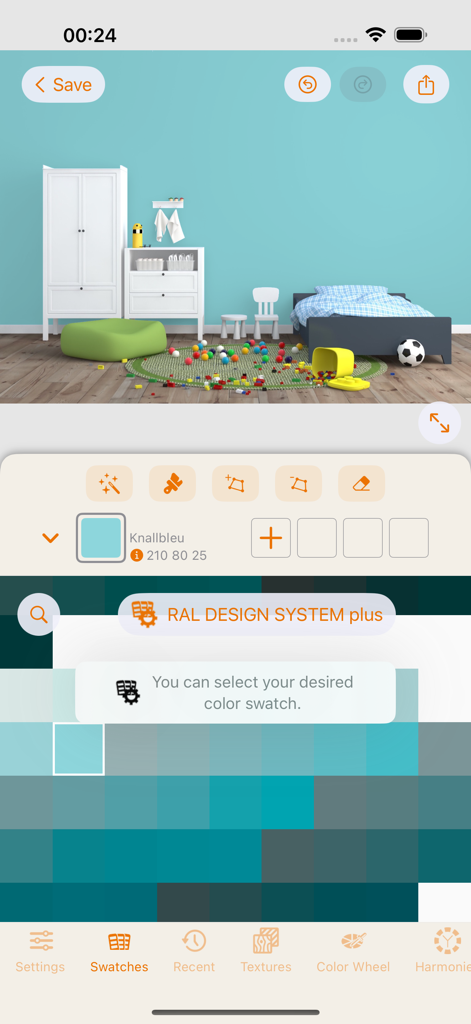
RAL iColours app interface showing a child's bedroom wall recolored with a blue shade from the RAL DESIGN SYSTEM plus palette.

RAL iColours app interface showing a child's bedroom wall recolored with a blue shade from the RAL DESIGN SYSTEM plus palette.

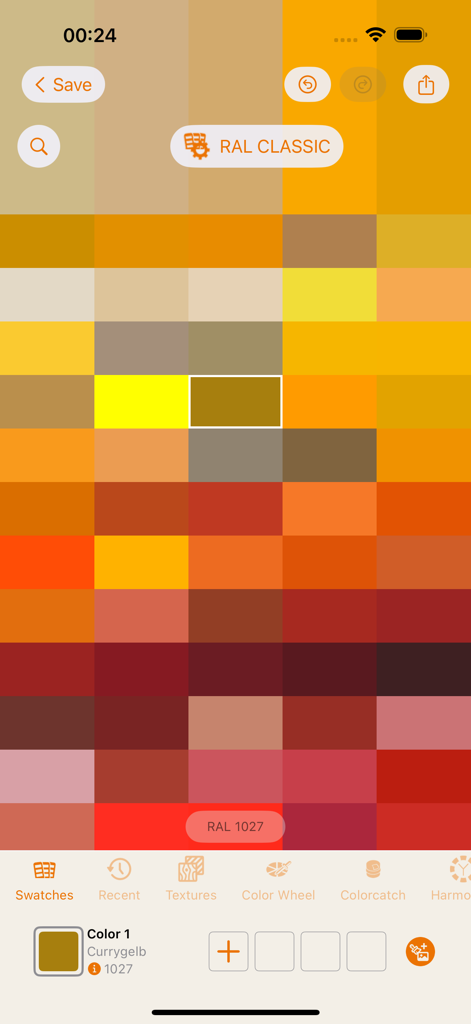
A grid of RAL CLASSIC color swatches in the RAL iColours app interface

A grid of RAL CLASSIC color swatches in the RAL iColours app interface

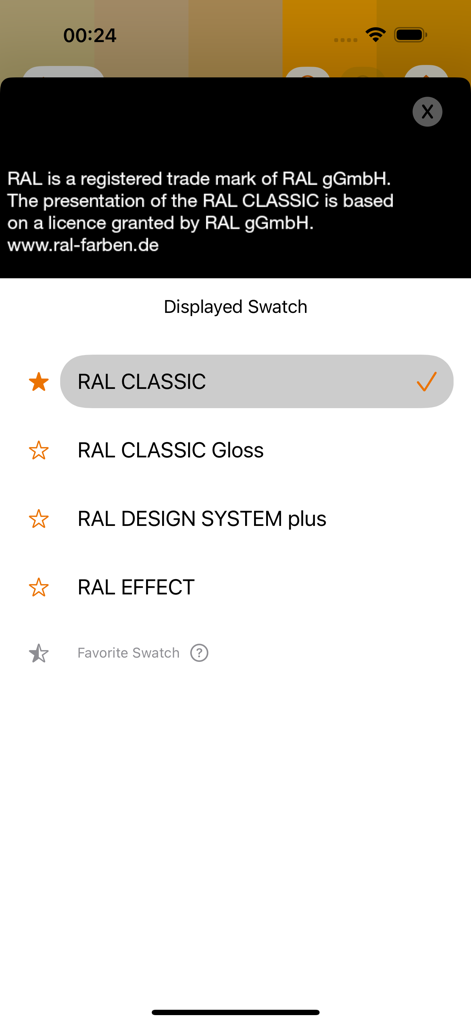
Menu showing RAL color swatch options including Classic Design System and Effect

Menu showing RAL color swatch options including Classic Design System and Effect

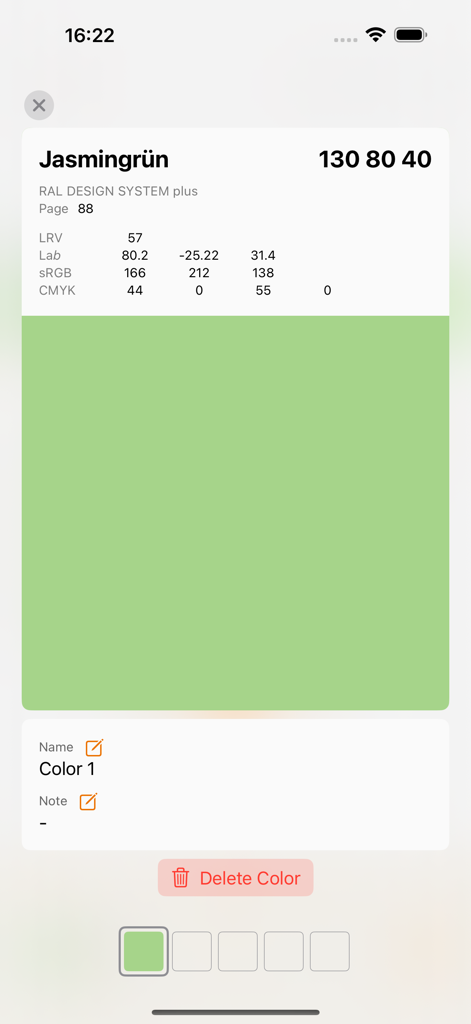
Technical color data for Jasmine Green in RAL iColours including Lab and CMYK values

Technical color data for Jasmine Green in RAL iColours including Lab and CMYK values

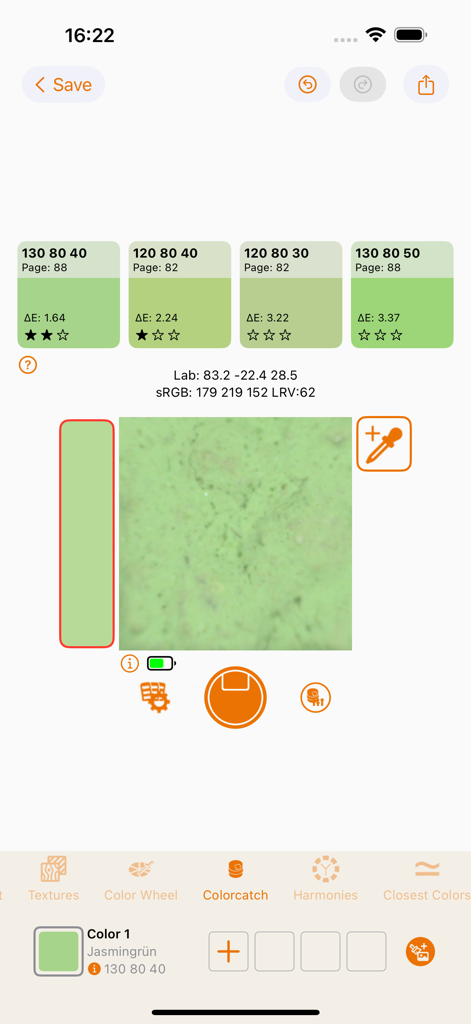
RAL iColours app interface showing real-time color matching and technical values for a green texture

RAL iColours app interface showing real-time color matching and technical values for a green texture

Professional Color Visualization for Experts

The tools that make this app stand out, trusted by 269K+ users.

📸

Instant Digital Recoloring

Transform any photo in seconds. Show clients exactly how their space will look with over 2,300 RAL colors before the first drop of paint is applied.

🔬

Professional Technical Specs

Access precise L*a*b*, sRGB, CMYK, and LRV values for every shade. Perfect for coordinating across industrial coatings, plastics, and digital media.

💼

On-Site Project Management

Save selections by project and email recolored concepts directly to clients. Compatible with COLORCATCH NANO for lab-quality color matching on the go.

Loved by users worldwide

Trusted by 269K+ people who love this app.

"

"RAL iColours has completely transformed how I present concepts to my clients. Instead of carrying heavy swatches, I just snap a photo and apply the exact RAL shades on my iPad. The inclusion of technical values like CMYK and LRV makes my transition from digital mockup to physical production seamless and incredibly professional."

Julian R., Interior Architect
"

"Finally, an app that takes the guesswork out of home renovation! I used it to test several bold colors for our exterior before committing to a contractor. It is incredibly intuitive, and seeing the RAL colors on my actual house helped me avoid a very costly mistake. A must-have for any serious DIYer."

Sarah M., Home Renovation Enthusiast

Review Analysis

Insights from user reviews.

Sentiment Score

25%
Negative

Summary

This app receives overwhelmingly negative feedback from users, reflected in its very low average sentiment score. Many users report severe stability issues, with the app frequently crashing or failing to open, particularly after iOS updates, making it unusable for many. A significant point of frustration is the app's color accuracy; users consistently complain that colors displayed within the app do not match physical RAL color charts or real-world tones, diminishing its practical utility. While some users appreciate features like project management and the app's utility in providing RAL color data or integrating with external devices like the RAL Color Catch Nano, numerous complaints about its high price, lack of intuitive design, and incomplete color libraries persist.

Common Themes

Overall Utility(7)
Project Management Features(3)
RAL Color Data Utility(3)
Ease of Use(3)
Niche Features & Integration(2)

About the app

Everything you need to know about RAL iColours.

Description

The house exterior in lemon yellow or sun yellow? A bedroom in strawberry red? RAL iCOLOURS shows how things could look. With this app for iPhone and iPad, you can now recolour the objects in your photos with any RAL colour – quickly and easily. In only three steps, anything can be recoloured with RAL iCOLOURS: 1.Take a photo with your iPhone. 2.Select one of 2,328 RAL colours. 3.Recolour the object in the photo. RAL iCOLOURS is as useful as it is inspiring. Painters, architects, graphic designers and Web designers can now make it easier for their customers to make colour decisions. With the RAL Colours app, you can quickly give them a picture of your colour concept. You can present colour designs to your customers on site and display alternatives directly. And you can save your colour selection by project name and send photos of recoloured objects via email. The app’s colour palette includes the RAL CLASSIC and RAL EFFECT colour collections and all of the colours in the RAL DESIGN System – all 2,328 RAL colours. The corresponding L*a*b*, sRGB, CMYK and LRV values are listed for each colour. And RAL iCOLOURS is also compatible with COLORCATCH NANO, the Colorix colorimeter. This device incorporates a revolutionary new technology to accurately measure the color of smooth, structured or patterned surfaces to determine the corresponding color of the preselected swatch. NANO reads and measures 50'000 pixels separately. During reading it eliminates automatically all non-dominant colors such as shade effects and dirty surfaces. For better understanding of the functions and use of the App, please watch the demo on the video first. Link to video: https://www.ral-farben.de/iphone-app-icolours.html?&L=1 The colour values enable the user to make a visual choice of RAL colours. Only the primary standards of RAL CLASSIC, RAL DESIGN and RAL EFFECT shall be used for the preparation and control of RAL colours. RAL is a registered trade mark of RAL gGmbH. The presentation of the RAL colours is based on a licence granted by RAL gGmbH. Please visit www.ral-colours.de for further information. Due to technical limitations, colors seen in this App may not accurately reflect paint colors. To confirm your color choices refer to your color cards. © 2018, RAL gGmbH

Latest Version

4.5.1

Size

95.9 MB

First Released

Mar 11, 2011

Master Your Next Project with Professional Color Precision

Join thousands of architects and designers using RAL iColours to visualize, match, and share over 2,300 RAL colors instantly on iPhone and iPad.

Download on App StoreDownload on Google Play