RayControl

RayControl

Download on App Store
Spark by MWM logo
Logo of RayControl

RayControl: Take Command of Your Raymarine Helm From Anywhere on Deck

Transform your iPad into a mobile command center. Wirelessly control your Axiom, e, c, or eS Series MFD and monitor sonar, radar, and thermal night vision with the convenience of a touch interface.

Publisher

Raymarine Belgium BVBA

Category

Navigation

Downloads

117K+

User Rating

3.2/5

Total Ratings

100

Locales

1

Command From Anywhere

Discover the interface used by 117K+ users.
RayControl app splash screen with Raymarine logo and a sunny sea view

RayControl app splash screen with Raymarine logo and a sunny sea view

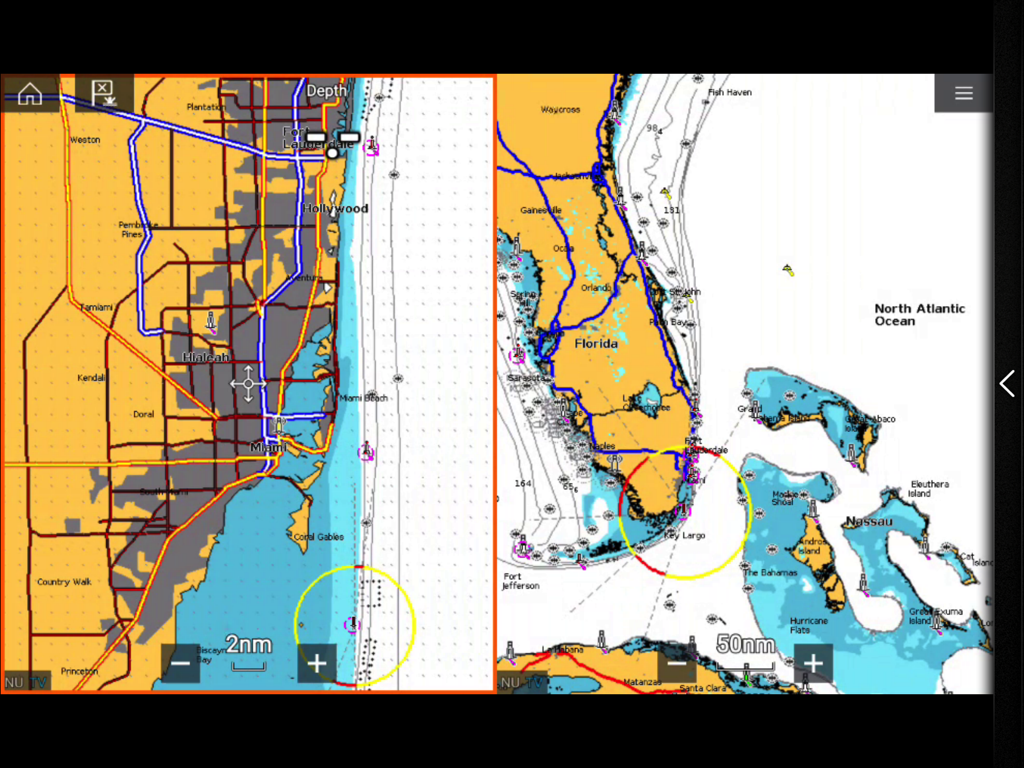
RayControl marine navigation app displaying split-screen charts of Florida and Miami coastline

RayControl marine navigation app displaying split-screen charts of Florida and Miami coastline

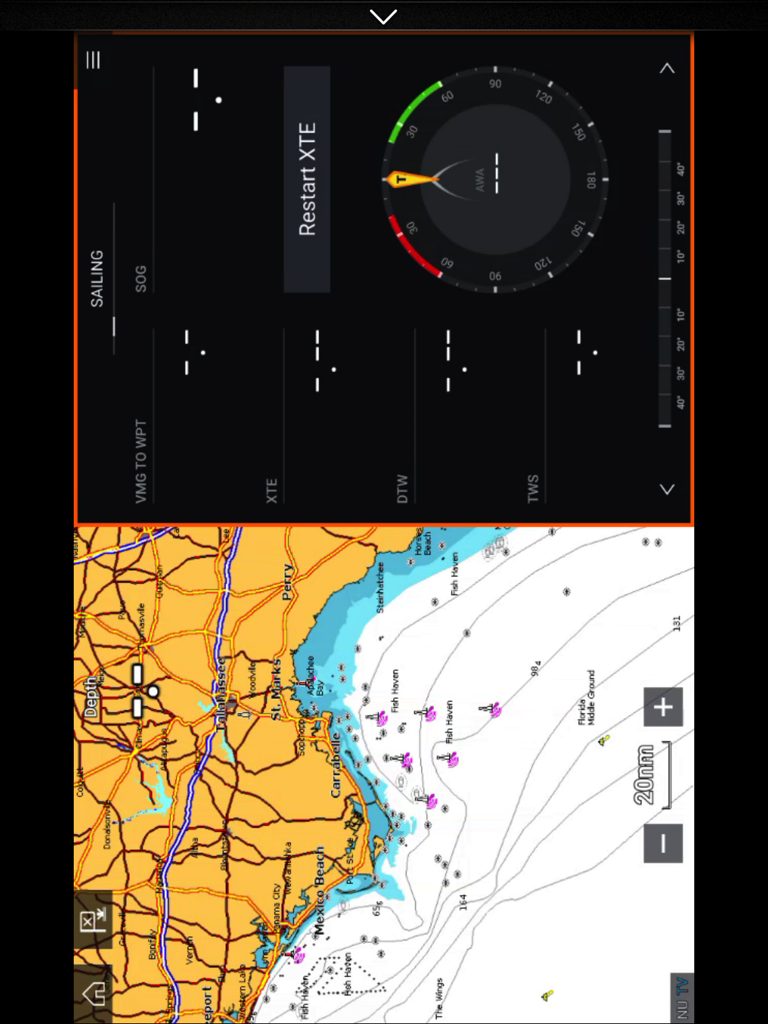
Split screen view of the RayControl app on an iPad displaying a coastal navigation map and a sailing instrument dashboard.

Split screen view of the RayControl app on an iPad displaying a coastal navigation map and a sailing instrument dashboard.

Master Your Maritime Tech

The tools that make this app stand out, trusted by 117K+ users.

🕹️

Total Remote Command

Use the virtual keypad and uni-controller to navigate menus and adjust settings exactly like your physical display.

🐟

Mobile Sonar & Radar

Keep an eye on fish-finding sonar or weather radar feeds from the deck, the galley, or the flybridge.

📱

Secondary Helm Station

Why buy another screen? Turn your iPad into a fully functional secondary display for a more flexible boating experience.

Loved by users worldwide

Trusted by 117K+ people who love this app.

"

"RayControl has transformed how I manage my vessel. I can mirror my Axiom display directly to my iPad, giving me full control of the radar and sonar from the back deck while I'm fishing. It's like having a second helm station for a fraction of the cost."

Mark Thompson
"

"Cruising along the coast is much more relaxing now that I'm not tethered to the cockpit. I use RayControl to monitor our charts and night vision from the cabin. The virtual keypad is responsive and makes navigating complex menus effortless while underway."

Captain Elena Rodriguez

About the app

Everything you need to know about RayControl.

Description

About RayControl RayControl allows you to remotely view and control your Raymarine e,c,ES and Axiom Multi-Functional Display from your iPad. iOS Devices = Best performance achieved on iPad 2 or better. Multi-Functional Display software requirement – v 3.15 or later. Compatible displays (MFDs) – e,c,ES and Axiom range of WiFi enabled MFDs Remotely control and view electronic charting, sonar, radar, and even thermal night vision, right from your tablet. RayControl emulates Raymarine MFDs with touch screen interaction and a virtual slide-out MFD keypad. The slide out keypad gives you control of all MFD functions and the virtual uni-controller allows you to rotate through menus and adjustments effortlessly. To use this app please upgrade your Raymarine c-Series or e-Series Multi-Functional Display to software version 3.15 or later. Software upgrades are available for free at www.raymarine.com/support. Getting Started Download the RayControl app, and install it on your device. Next, connect to your Multifunction Display via Wi-Fi (see MFD operators manual for Wi-Fi setup details). When the Wi-Fi connection is established, launch the app. You should now see the same image on your mobile device as you do on your Raymarine c-Series or e-Series multifunction display. Note - autopilot activation/deactivation is not possible via a mobile device.

Latest Version

1.3.8

Size

23.4 MB

First Released

May 10, 2012

Take the Helm Anywhere on Your Vessel

Transform your iPad into a professional-grade wireless remote. Monitor sonar, radar, and charts with the precision of your Raymarine hardware, from the cabin to the cockpit.

Download on App Store