Speech Assist Switch

Speech Assist Switch

Download on App Store
Spark by MWM logo
Logo of Speech Assist Switch
Speech Assist Switch: Empowering Your Voice Through Efficient Switch Control

The professional AAC solution designed specifically for iPad users with motor difficulties. Communicate with independence using customizable scanning patterns, personalized phrase libraries, and high-quality voices tailored to your unique needs.

Publisher

Ton Schalke

Category

Medical

Downloads

29K+

User Rating

1.0/5

Total Ratings

0

Locales

4

Empowerment Made Visible

Discover the interface used by 29K+ users.
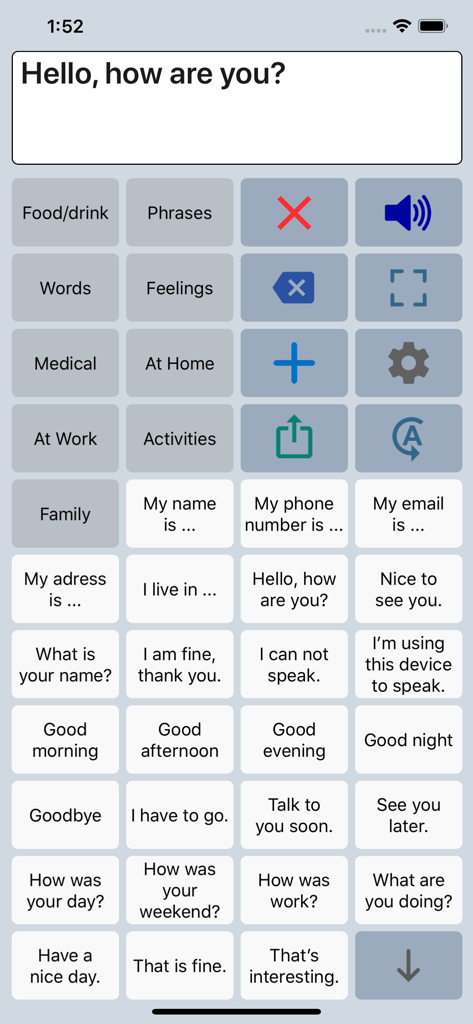
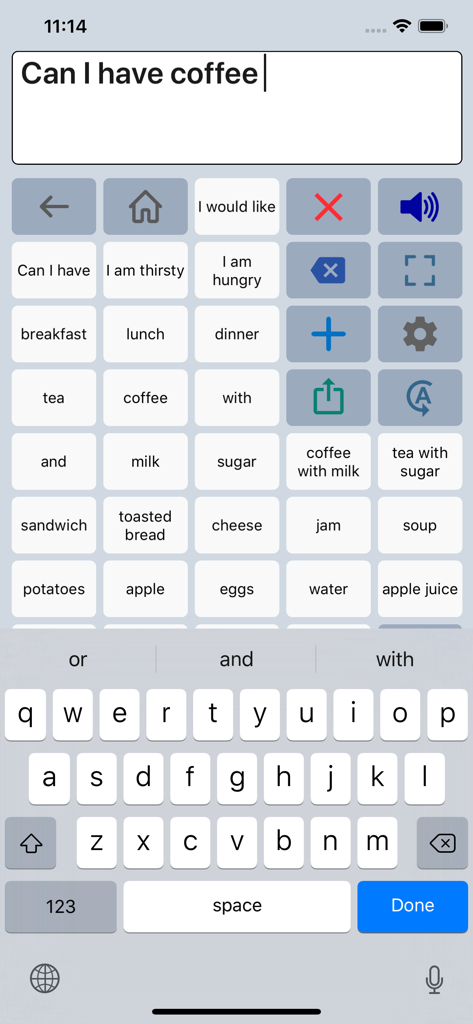
Interface of the Speech Assist Switch AAC app featuring a grid of customizable phrases and categories for speech assistance.

Interface of the Speech Assist Switch AAC app featuring a grid of customizable phrases and categories for speech assistance.

Speech Assist Switch app interface showing a grid of phrases and a keyboard for communication

Speech Assist Switch app interface showing a grid of phrases and a keyboard for communication

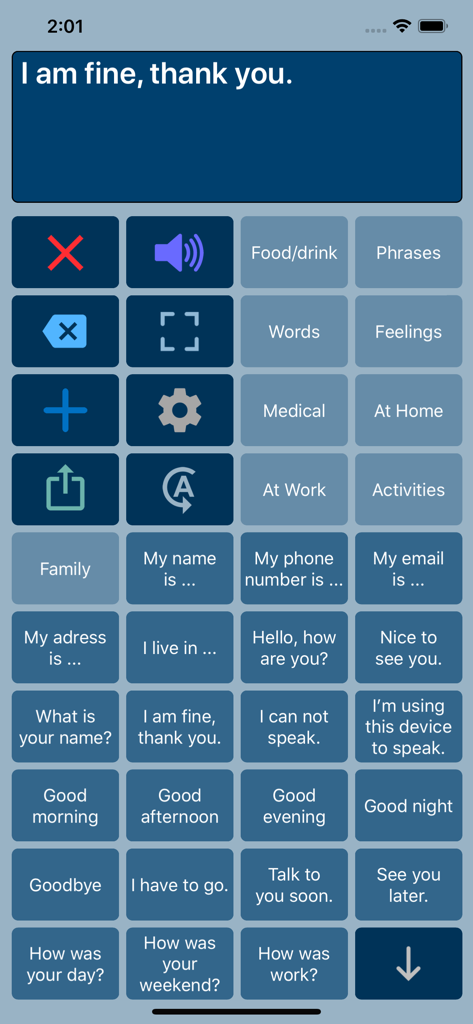
Speech Assist Switch app interface showing a grid of communication buttons with common phrases and category options

Speech Assist Switch app interface showing a grid of communication buttons with common phrases and category options

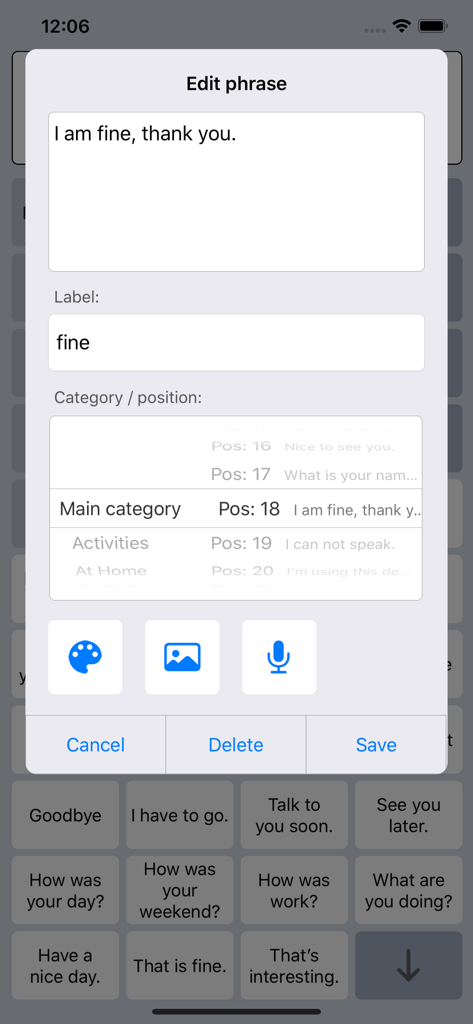
Interface for editing and customizing phrases in the Speech Assist Switch app

Interface for editing and customizing phrases in the Speech Assist Switch app

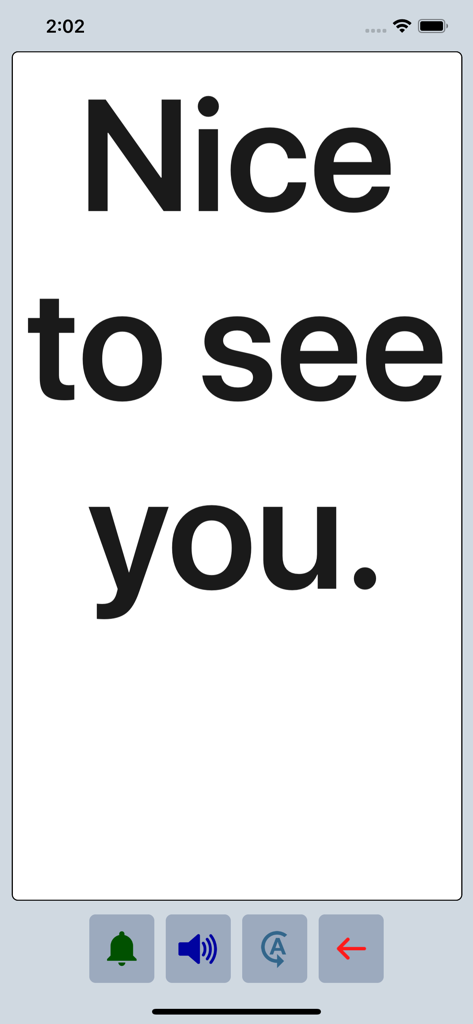
Speech Assist Switch app displaying the phrase Nice to see you in large bold text on a full screen mode.

Speech Assist Switch app displaying the phrase Nice to see you in large bold text on a full screen mode.

Empowering Every Voice with Precision Accessibility

The tools that make this app stand out, trusted by 29K+ users.

🔘

Optimized Scanning Efficiency

Reduce physical fatigue with adjustable row and button grouping, designed to minimize the switch presses needed to find the right words.

📄

Scroll-Free Navigation

Experience fluid interaction using dedicated page-up and page-down buttons, eliminating the difficulty of scrolling for users with motor impairments.

🗣️

A Voice That Is Truly Yours

Choose from 90+ natural iOS voices and personalize your library with custom symbols, photos, and categories tailored to your daily life.

Loved by users worldwide

Trusted by 29K+ people who love this app.

"

"As a Speech-Language Pathologist, finding an AAC app that truly optimizes iOS Switch Control is rare. The ability to customize scanning patterns and use page navigation instead of scrolling has significantly reduced communication fatigue for my students. It is a professional-grade tool that offers incredible value for the accessibility community."

Sarah Miller, M.S., CCC-SLP
"

"This app has given me my voice back. The layout is perfect for my switch setup, and I can finally navigate through my phrases without the frustration of scrolling. The custom symbols and high-quality voices make it feel personal and natural. It is easily the most reliable communication tool I have on my iPad."

David Jenkins, User & Disability Advocate

About the app

Everything you need to know about Speech Assist Switch.

Description

Speech Assist Switch is an AAC app for people who are speech impaired and is designed to be used with iOS Switch Control. With Switch Control people with motor difficulties can operate their iPad with a switch. The app has special features for scanning with iOS Switch Control like the option to adjust the scanning pattern and has page up/down navigation buttons to avoid scrolling. If you don’t need these features, the original app ‘Speech Assistant AAC’ is the better choice. Key features • The app is designed for the iPad. • Easy to use and completely customizable to your needs and preferences. • Categories and subcategories to organize your phrases. • History for quick access to previously typed phrases. • Option to select photos from your Photo Library or Symbols on the buttons. • Option to record speech or use one of the many iOS text-to-speech voices. • Full screen button to show your message with a large font. • iCloud backup and restore (also for recordings). Special features for iOS Switch Control • The scanning pattern can be adjusted in the settings. • All the button are created in one large grid. • The buttons can be made very small, in the settings you can choose from 6 to 12 buttons per row on an iPad. • The category buttons can be placed anywhere and it is possible to create subcategories. • Navigation through the pages can be done with page up/down buttons. • A special optional bar for the keyboard with buttons to move the cursor a letter or word. Scanning pattern • When iOS Switch Control is enabled, the default scanning pattern scans row by row and then button by button. This is not always efficient and therefore the scanning pattern can be adjusted in the settings: • The number of rows that will be grouped during scanning. • The number of buttons in a row that will be grouped during scanning. Categories and phrases • Add, change or delete your own (sub)categories and phrases. • You can create an unlimited number of categories to organize your phrases for quick access. • Create users with their own categories, phrases and voice for different languages, persons or situations. • In the settings you can quickly and easily edit multiple phrases at once. • Backup and Restore your categories and phrases to iCloud, also convenient for transferring them to another iPhone/iPad. Fully Customizable • The size of the buttons, the textbox and the text can be adjusted. • The app has various color schemes and you can also create a personal color scheme. • Change the colors of the icons on the buttons. Full screen • Show your message full screen with a very large font. • Useful for communicating in a noisy environment. • Button to rotate the text to show your message to the person opposite of you. Speech • Pronunciation corrections can be defined in the settings. • The rate and pitch of the speech can be adjusted. • Option to speak each Word or Character directly while typing. • Optional highlighting of the spoken words. • Pause and resume speaking by tapping the speak button (optional setting). Other features • Connect a bluetooth keyboard and create shortcuts for the functions Speak, Clear, Show and Attention Sound. • Button to share your message to mail, text and social media. • Attention sound button on Main and Full screen. • Option to select symbols from the set of 3400 Mulberry Symbols (mulberrysymbols.org) to place on the buttons. About the app • This app is developed by ASoft. • Ben Fullerton, who has Cerebral Palsy, has been a great help with the special features for iOS Switch Control. • For feedback or questions, please contact: speechassistant@asoft.nl Voices • The voice can be selected in the settings of the app. • The app uses the built-in iOS text-to-speech voices. • There are 90 voices in 27 languages available, for instance 9 English US, 6 English UK and 4 Australian voices available.

Latest Version

3.5.2

Size

67.7 MB

First Released

May 3, 2019

Give Your Voice the Freedom It Deserves

Join thousands of users reclaiming their independence with the specialized AAC solution co-designed for efficiency and seamless iOS Switch Control. Download Speech Assist Switch on your iPad today.

Download on App Store