Starling - Mobile Banking

Starling - Mobile Banking

Download on App Store
Spark by MWM logo
Logo of Starling - Mobile Banking

Starling - Mobile Banking: The Award-Winning App Built for Your Digital Life

Experience seamless banking with no overseas fees, smart saving spaces, and 24/7 human support. Join millions who have discovered a simpler way to manage personal and business finances.

Publisher

STARLING BANK LIMITED

Category

Finance

Downloads

5M+

User Rating

4.9/5

Total Ratings

584K+

Locales

1

Finance at Your Fingertips

Discover the interface used by 5M+ users.
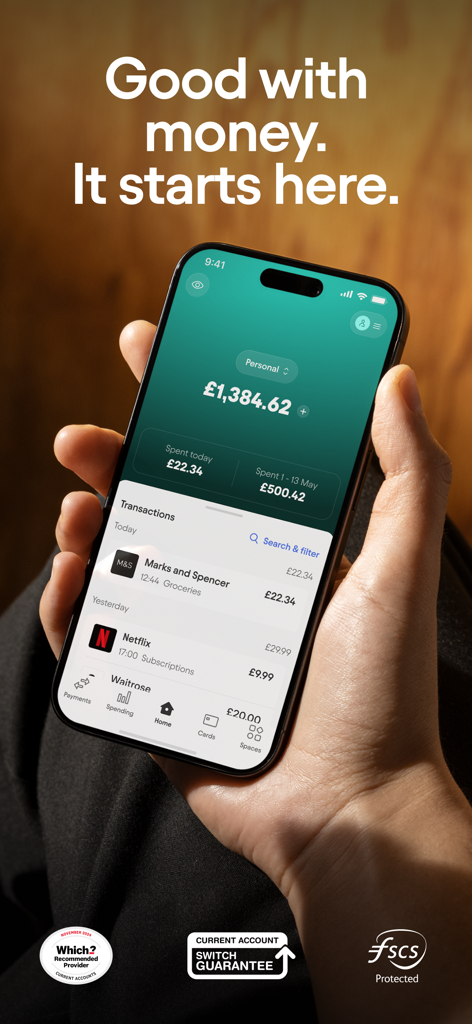
Starling Bank mobile app dashboard showing account balance and recent transactions on an iPhone.

Starling Bank mobile app dashboard showing account balance and recent transactions on an iPhone.

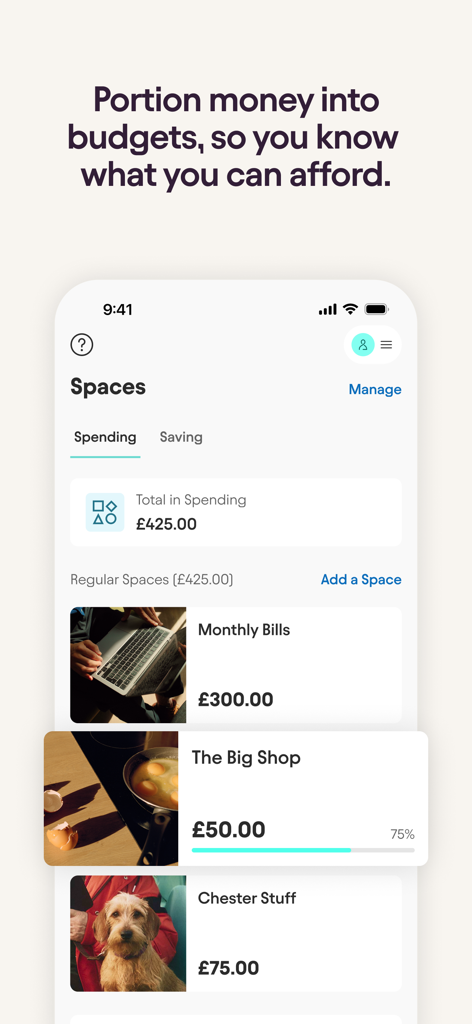
Starling Bank mobile app interface showing the Spaces feature with different budget categories like Monthly Bills and The Big Shop.

Starling Bank mobile app interface showing the Spaces feature with different budget categories like Monthly Bills and The Big Shop.

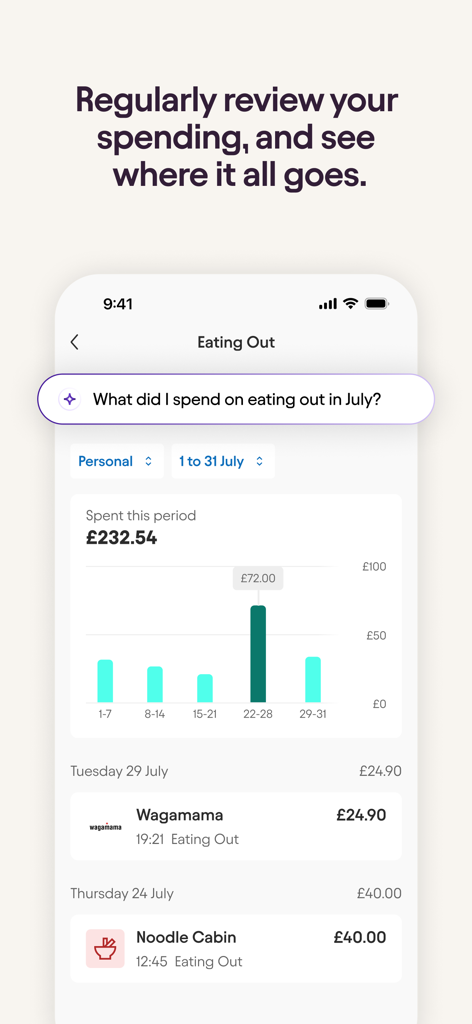
A screenshot of Starling Bank spending insights showing a weekly bar chart and transaction list for eating out expenses

A screenshot of Starling Bank spending insights showing a weekly bar chart and transaction list for eating out expenses

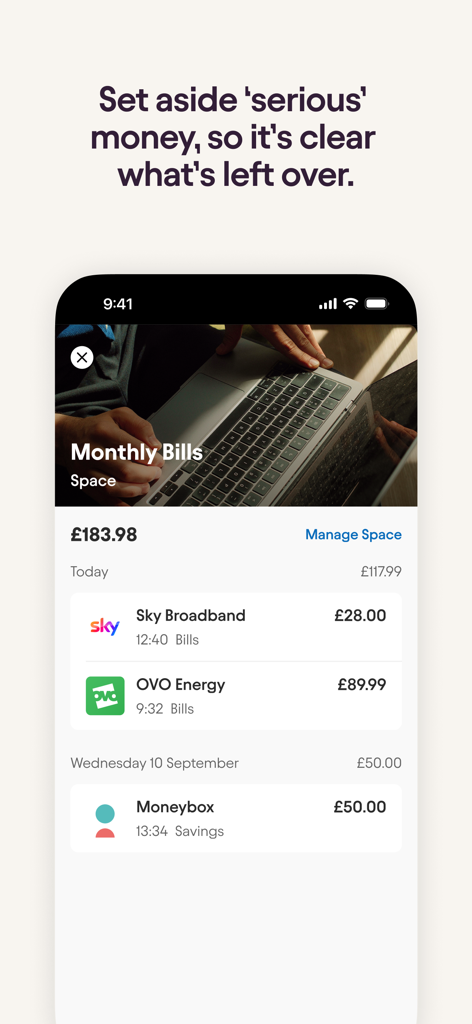
Starling Bank mobile app interface showing the monthly bills space with a list of recent transactions

Starling Bank mobile app interface showing the monthly bills space with a list of recent transactions

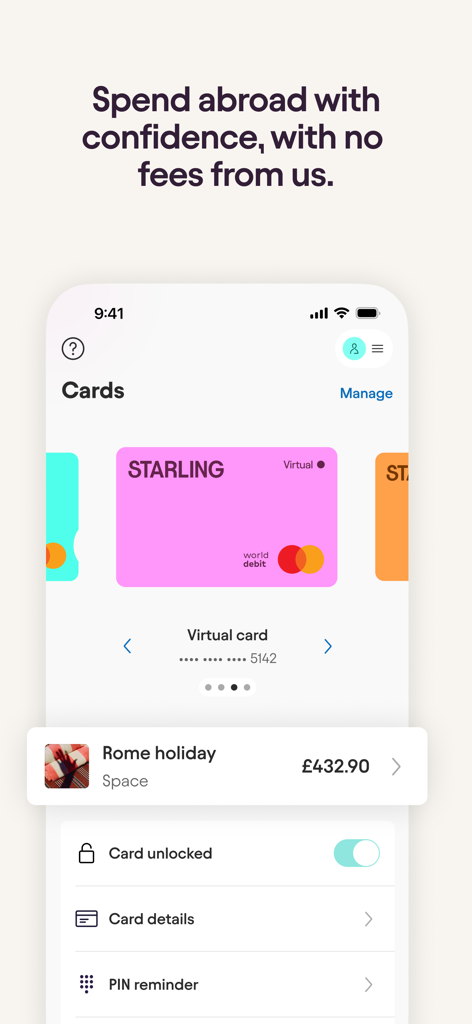
Starling Bank mobile app interface showing a virtual card and a Rome holiday savings space with no fees for overseas spending.

Starling Bank mobile app interface showing a virtual card and a Rome holiday savings space with no fees for overseas spending.

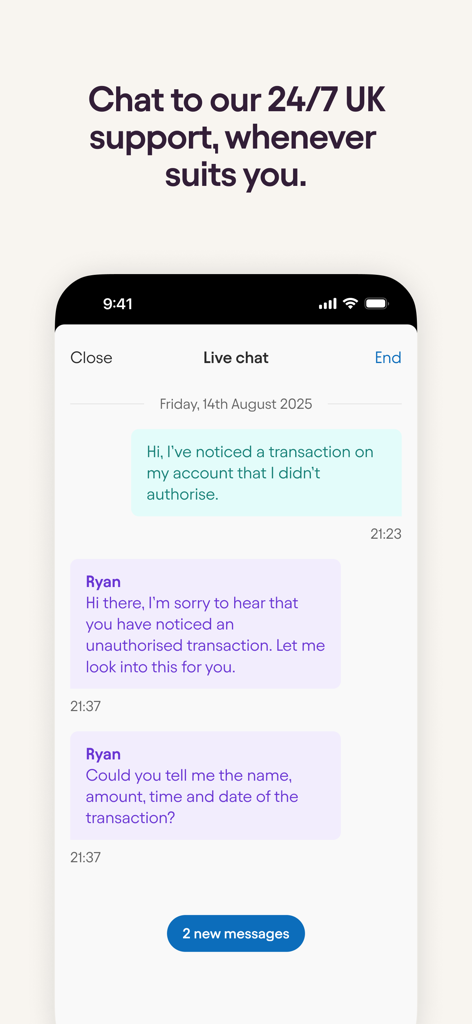
Starling Bank mobile app interface showing a 24/7 live chat conversation with a customer support representative.

Starling Bank mobile app interface showing a 24/7 live chat conversation with a customer support representative.

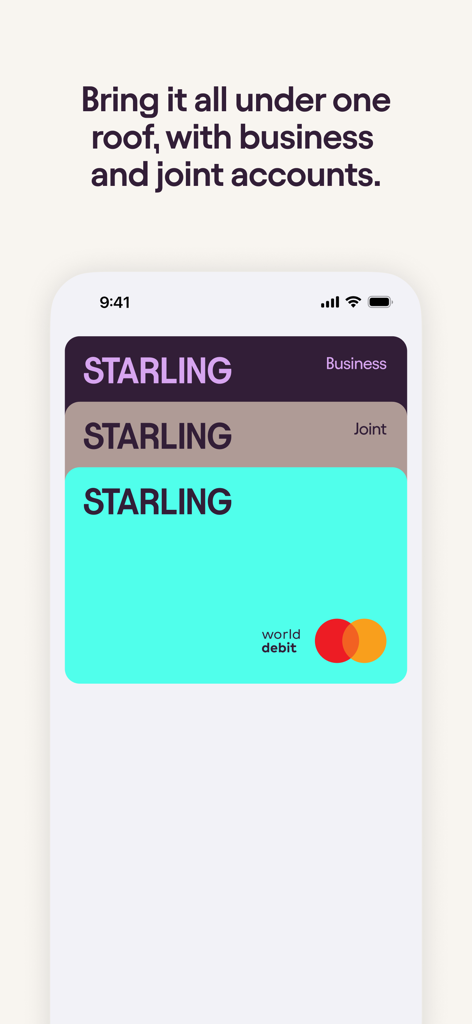
Starling Bank app interface showing stacked business joint and personal debit cards under one roof

Starling Bank app interface showing stacked business joint and personal debit cards under one roof

Banking Built for Your Modern Life

The tools that make this app stand out, trusted by 5M+ users.

✈️

Zero Fees, Anywhere

Spend abroad without the sting. We charge no hidden transaction fees and use the real Mastercard exchange rate for your global lifestyle.

🏺

Budgeting on Autopilot

Organize your money with Spaces. Set aside funds for bills or goals automatically and track your spending habits in real-time.

💼

One App, Total Control

Seamlessly switch between personal and business accounts. Automate your expenses and accounting with zero monthly subscription fees.

Loved by users worldwide

Trusted by 5M+ people who love this app.

"

"Switching to Starling for my freelance business was a game-changer. No monthly fees and the ability to separate my tax savings into 'Spaces' has made accounting stress-free. Plus, the 24/7 support from real humans is unmatched in the fintech world."

Sarah L., Creative Agency Founder
"

"Finally, a bank that understands the modern traveler. I use my card all over the world without worrying about hidden exchange fees or markups. The instant notifications in both local currency and GBP give me total peace of mind wherever I am."

James T., Digital Nomad

About the app

Everything you need to know about Starling - Mobile Banking.

Description

Our personal, business and joint accounts make managing your money as seamless, simple and satisfying as it should be in 2025. It's why we're the Which? Recommended Provider for a sixth year in a row. Apply for a bank account online in minutes - for free - from your phone, and join the millions who have already discovered the better way to bank. What's in it for you? No overseas fees • We won't charge you a penny for using your card abroad, or for withdrawing cash at an ATM. • We'll give you the Mastercard exchange rate, and won't add anything on top. • Get notifications in the local currency, and in GBP. Better budgeting • Use Spaces to set money aside in a virtual change jar. Personalise with pictures, set a target, and track your progress. • Get instant payment notifications and track your balance in real-time • Learn where your money goes, and how to make savings, with Spending Insights • Use Bills Manager to set aside money for your bills. It means your main balance will only show you what's actually available for day-to-day spending. • Save on autopilot - automatically round up payments to the nearest pound and put away the spare change. Pay and get paid seamlessly • Owed money? Send a simple link to get paid back. • Enjoy easy international transfers to 34 countries from your app – no hidden fees or exchange rate markups • Pay people instantly in-app – no fiddly card reader needed • Deposit cheques digitally from your phone and pay in cash at the Post Office. Keep your money safe • Your money is covered up to £120,000 by the Financial Services Compensation Scheme • With 24/7 in-app support from real humans in the UK, we're always here to help • Lock your card in-app and turn settings on and off, such as contactless, online, gambling and swipe payments Business banking No monthly fees. Get mobile and web banking access, 24/7 support and simplified accounting. Deposit cash at the Post Office from as little as £3, and deposit cheques in-app by taking a photo. Automate your expenses, ring-fence money for bills, keep track of invoices with instant payment notifications and spot where your business is spending with smart analytics. Voted Best Business Banking Provider 2023. The joint bank account Manage collective household expenses or set aside money together; our joint account simplifies shared spending. Get instant payment notifications, track your spending with Insights, budget together and make important payments from one account. Banking for the whole family, all in one app Kite is our free debit card and app for 6-15 year olds. It's built seamlessly into the adult's Starling account (personal or joint) for better visibility and control. Starling Bank Limited (trading as Starling) is registered in England and Wales (No. 09092149), 5th Floor London Fruit And Wool Exchange, 1 Duval Square, London, United Kingdom, E1 6PW. We are authorised by the Prudential Regulation Authority and regulated by the Financial Conduct Authority and the Prudential Regulation Authority under registration number 730166.

Latest Version

4.33.1

Size

489.5 MB

First Released

Feb 21, 2019

Ready to bank on your own terms?

Join over 5 million people who have ditched hidden fees for a seamless, mobile-first experience. Apply in minutes and discover why we've been a Recommended Provider for six years running.

Download on App Store
FAQ

Frequently Asked Questions

Everything you need to know about Starling - Mobile Banking

Does Starling - Mobile Banking charge overseas fees?

No, Starling Bank does not charge any fees for using your card abroad or for ATM withdrawals. It provides the Mastercard exchange rate without additional charges.

How does Starling Bank help with budgeting?

Starling Bank offers features like 'Spaces' for setting money aside, instant payment notifications, 'Spending Insights' to track expenses, and 'Bills Manager' to ring-fence money for bills.

Is my money safe with Starling - Mobile Banking?

Yes, your money with Starling Bank is protected up to £120,000 by the Financial Services Compensation Scheme (FSCS). The app also allows in-app card locking and spending controls.

Does Starling - Mobile Banking offer business accounts?

Yes, Starling Bank offers business accounts with no monthly fees. These include mobile and web banking access, 24/7 support, simplified accounting, and smart analytics.

What kind of customer support does Starling Bank provide?

Starling Bank provides 24/7 in-app support from real humans based in the UK. Users can chat directly within the app for assistance with their account.

Does Starling - Mobile Banking offer accounts for children?

Yes, Starling Bank offers "Kite", a free debit card and app for 6-15 year olds. It integrates seamlessly into the parent's Starling personal or joint account for control.

Can I deposit cash and cheques with Starling - Mobile Banking?

Yes. You can deposit cheques digitally by taking a photo in-app. Cash can be paid in at any Post Office location.

What is the 'Spaces' feature in the Starling - Mobile Banking app?

'Spaces' is a budgeting feature in the Starling app that allows users to set money aside in virtual jars. Users can personalize spaces with pictures, set targets, and track progress.

Does Starling - Mobile Banking support international transfers?

Yes, Starling Bank facilitates easy international transfers to 34 countries directly from the app. There are no hidden fees or exchange rate markups applied to these transfers.