Status Saver WT - StoryBox

Status Saver WT - StoryBox

Download on App Store
Spark by MWM logo
Logo of Status Saver WT - StoryBox

Status Saver WT - StoryBox: Your All-In-One Chat Management Toolkit

Effortlessly manage dual accounts, secure your chat history, and message new contacts instantly without cluttering your address book.

Publisher

Pravin Gondaliya

Category

Social Networking

Downloads

406K+

User Rating

4.5/5

Total Ratings

12K+

Locales

1

A Glimpse Inside

Discover the interface used by 406K+ users.
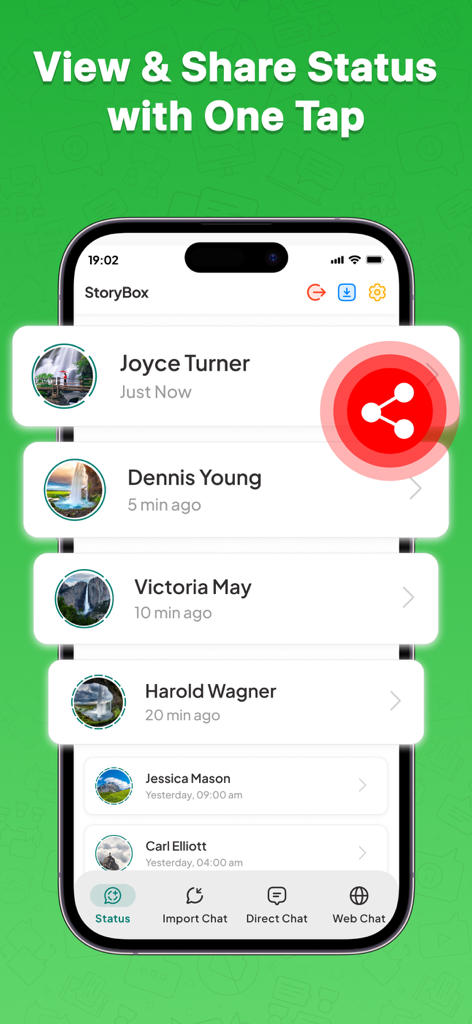
StoryBox app interface showing a list of contact statuses with a highlighted share button.

StoryBox app interface showing a list of contact statuses with a highlighted share button.

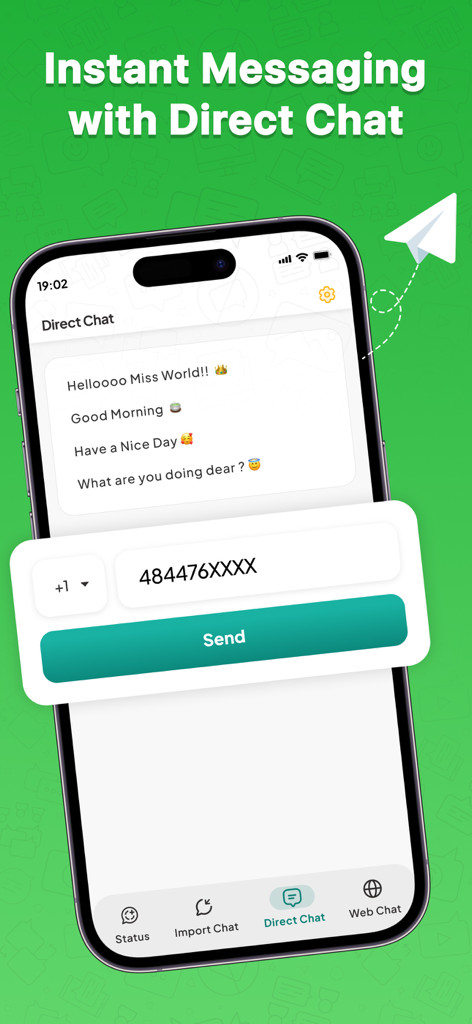
A screenshot of the Status Saver WT app highlighting the Direct Chat feature for sending messages without saving phone numbers to contacts

A screenshot of the Status Saver WT app highlighting the Direct Chat feature for sending messages without saving phone numbers to contacts

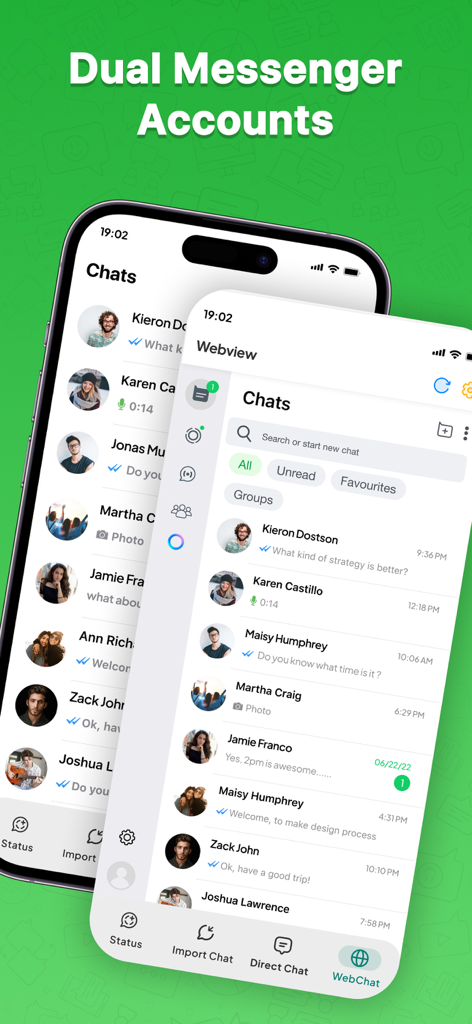
Dual messenger accounts and chat list displayed on a mobile app interface

Dual messenger accounts and chat list displayed on a mobile app interface

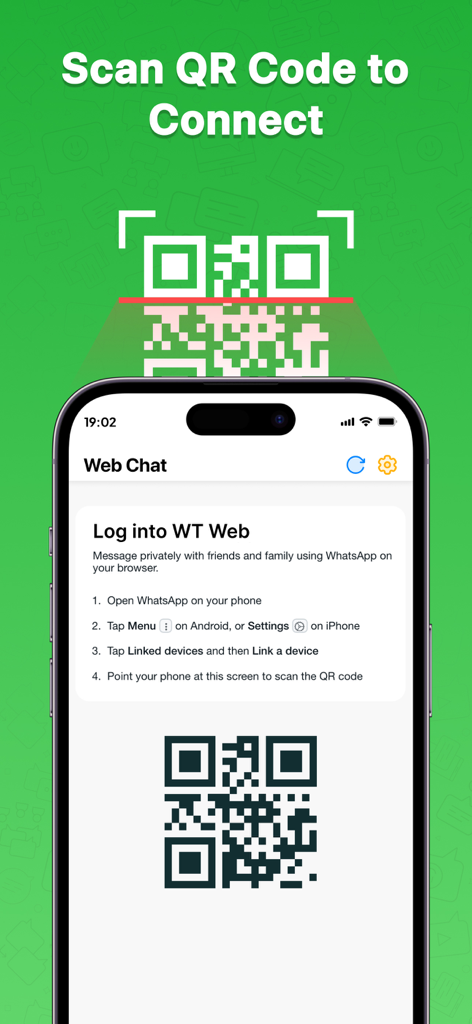
iPhone screen showing a QR code and instructions to scan and connect for web chat

iPhone screen showing a QR code and instructions to scan and connect for web chat

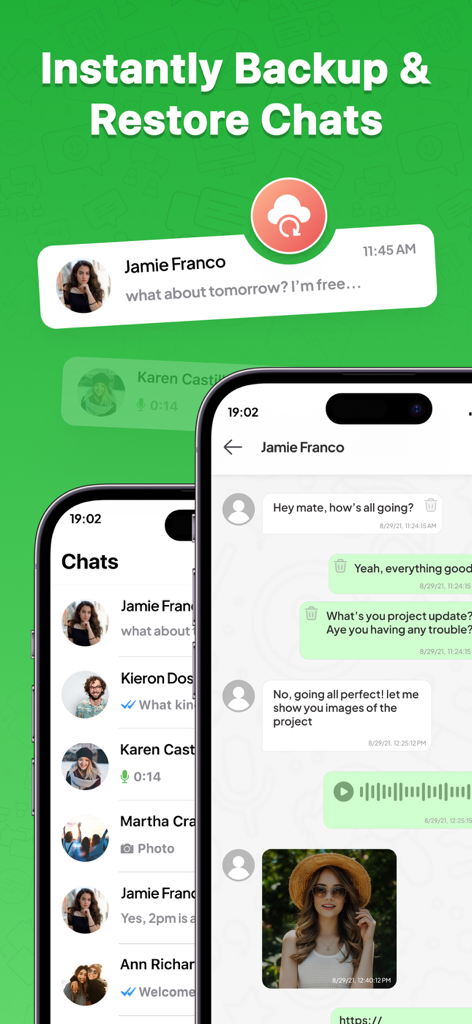
Interface of Status Saver WT StoryBox app displaying chat backup and restore features on mobile screens

Interface of Status Saver WT StoryBox app displaying chat backup and restore features on mobile screens

Take Full Control of Your Chats

The tools that make this app stand out, trusted by 406K+ users.

Frictionless Direct Chat

Message any number instantly without cluttering your contacts. Ideal for one-time business leads or marketplace transactions.

👥

Dual Account Connectivity

Manage two accounts simultaneously on a single device. Keep your professional and personal conversations perfectly separated.

🛡️

Secure Chat Archiving

Never lose a vital business record or personal memory again. Protect your digital history with robust backup and restore tools.

Loved by users worldwide

Trusted by 406K+ people who love this app.

"

"As a freelance consultant, I manage dozens of clients weekly. The Direct Chat feature is a massive time-saver—I can finally message new leads without cluttering my personal contact list with numbers I'll only use once. It has completely streamlined my professional communication."

Marcus Thorne
"

"I love how easy it is to keep my work and private lives separate with the Dual Chat connectivity. The interface is clean and intuitive, and knowing my business chat history is securely backed up gives me total peace of mind. It's the perfect utility for any power user."

Elena Rodriguez

About the app

Everything you need to know about Status Saver WT - StoryBox.

Description

Introduce Status Saver WT - StoryBox, your all-in-one solution for managing your chat communications effortlessly. This Chatting app allows you to back up your important chats, initiate direct conversations with contacts, and seamlessly connect across multiple Chat Messenger accounts with its dual chat messenger (WEB) connectivity feature. With Status Saver WT - StoryBox, you can ensure your vital conversations are safe while enjoying a more streamlined and efficient chatting experience. Here’s a closer look at the standout features of this powerful application. Key Features of the Status Saver WT - StoryBox application: 1. Simple and Unique User Interface Navigate effortlessly through the app with a clean, intuitive design that makes backing up and managing chats a breeze. The unique layout ensures that even first-time users can master the app quickly. 2. Direct Chat Initiate chats directly with contacts without needing to save their numbers first. This feature is perfect for quick and efficient communication. 3. Chat Backup and Restore Never lose important conversations again. With the chat backup and restore feature, you can easily back up your chats and restore them whenever needed. 4. Dual Chat Messenger (Web) Connectivity Stay connected across multiple StoryBox Chat Messenger accounts with the dual Messenger (web) connectivity feature. Manage your chats seamlessly across different accounts from a single device. The Status Saver WT - StoryBox is a comprehensive tool for all your chat Messenger needs. With functionalities like chat backup and restore dual Chat Messenger connectivity, it caters to every requirement. Enhance your chatting experience with the Status Saver WT - StoryBox app, the ultimate tool for managing your chats. Explore the myriad features designed to make your chatting Messenger usage seamless and enjoyable. In summary, the Status Saver WT - StoryBox app is your go-to solution for all things related to Chat Messenger chats. Whether you want to back up or communicate efficiently, this app provides a quick, reliable, and user-friendly platform to do it all. Get started today and transform the way you manage your chat conversations! Disclaimer: The Status Saver WT - StoryBox is an independent tool and is not affiliated with any other app. It is designed to back up chats for personal use. Please respect the privacy of your contacts and ensure you have the right to back up and share messages responsibly. Privacy Policy: https://vasundharaapps.com/storybox-ios/privacy-policy Terms of Use: https://vasundharaapps.com/storybox-ios/terms-of-use

Latest Version

3.4

Size

153.3 MB

First Released

Oct 16, 2024

Upgrade Your Messaging Efficiency Today

Join over 400,000 professionals who use StoryBox to manage dual accounts, secure vital chat backups, and message anyone without cluttering their contact list.

Download on App Store
FAQ

Frequently Asked Questions

Everything you need to know about Status Saver WT - StoryBox

What is Status Saver WT - StoryBox?

Status Saver WT - StoryBox is an all-in-one chatting application for managing communications, backing up important chats, initiating direct conversations, and connecting across multiple Chat Messenger accounts with dual web connectivity.

What are the main features of Status Saver WT - StoryBox?

Status Saver WT - StoryBox offers a simple UI, direct chat, chat backup and restore, and dual chat messenger (Web) connectivity. These features streamline chat management and enhance user experience.

Can I back up my chats using Status Saver WT - StoryBox?

Yes, Status Saver WT - StoryBox includes a chat backup and restore feature. Users can easily back up their important conversations and restore them whenever needed directly within the app.

How do I initiate a direct chat with Status Saver WT - StoryBox?

Status Saver WT - StoryBox allows users to initiate chats directly with contacts without saving their numbers first. This feature is for quick and efficient communication, bypassing the need for prior contact saving.

Does Status Saver WT - StoryBox support multiple chat accounts?

Yes, Status Saver WT - StoryBox provides dual Chat Messenger (Web) connectivity. This feature allows users to manage multiple Chat Messenger accounts seamlessly from a single device for enhanced convenience.

Is Status Saver WT - StoryBox affiliated with other applications?

No, Status Saver WT - StoryBox is an independent tool. It is not affiliated with any other app and is solely designed to back up chats for personal use responsibly.

Can I view and share statuses with Status Saver WT - StoryBox?

Status Saver WT - StoryBox enables users to view and share statuses. The app's user interface is designed to support direct status management with one tap.

How do I connect to Web Chat in Status Saver WT - StoryBox?

Users connect to Web Chat in Status Saver WT - StoryBox by scanning a QR code. This process securely links their chat messenger from their phone to the app, enabling web-based chat.