Tap Roulette PRO - Party Game

Tap Roulette PRO - Party Game

Download on App Store
Spark by MWM logo
Logo of Tap Roulette PRO - Party Game
Tap Roulette PRO: The Fastest Way to Settle Group Decisions

Stop the 'who pays?' debate. Just place your fingers on the screen to pick a person, split into teams, or assign challenges instantly with sleek animations and haptic feedback.

Download on App Store

Publisher

Lucas Yamashita

Category

Games

Downloads

104K+

User Rating

1.0/5

Total Ratings

0

Locales

1

Tap into the Fun

Discover the interface used by 104K+ users.
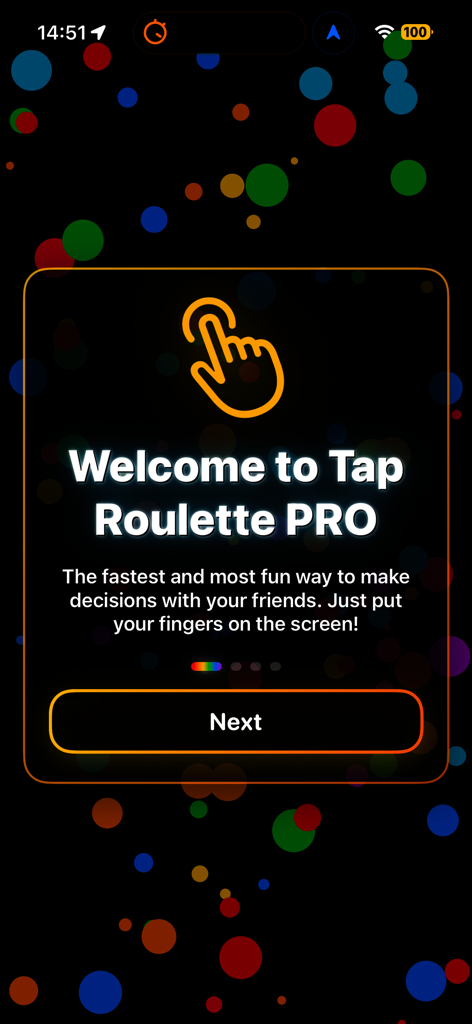
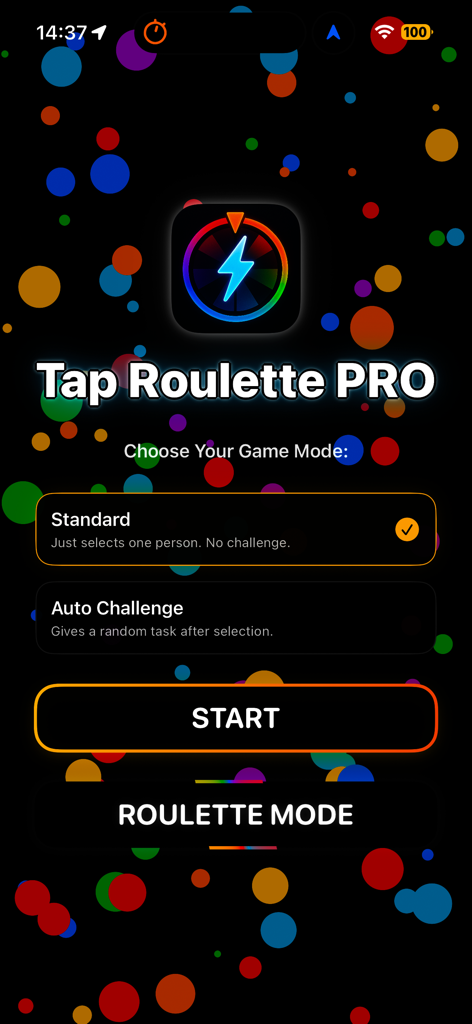
Welcome screen of Tap Roulette PRO party game app

Welcome screen of Tap Roulette PRO party game app

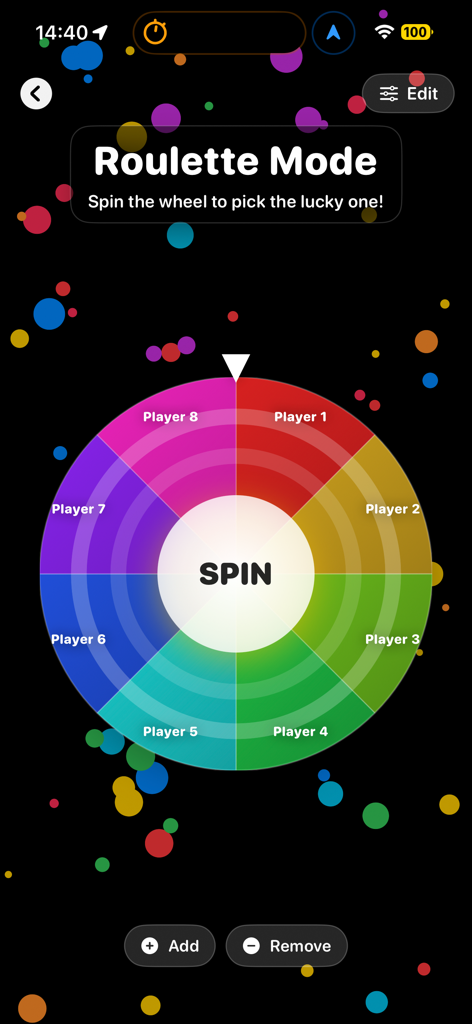
A colorful decision wheel interface in Roulette Mode for the Tap Roulette PRO party game featuring eight player segments and a spin button

A colorful decision wheel interface in Roulette Mode for the Tap Roulette PRO party game featuring eight player segments and a spin button

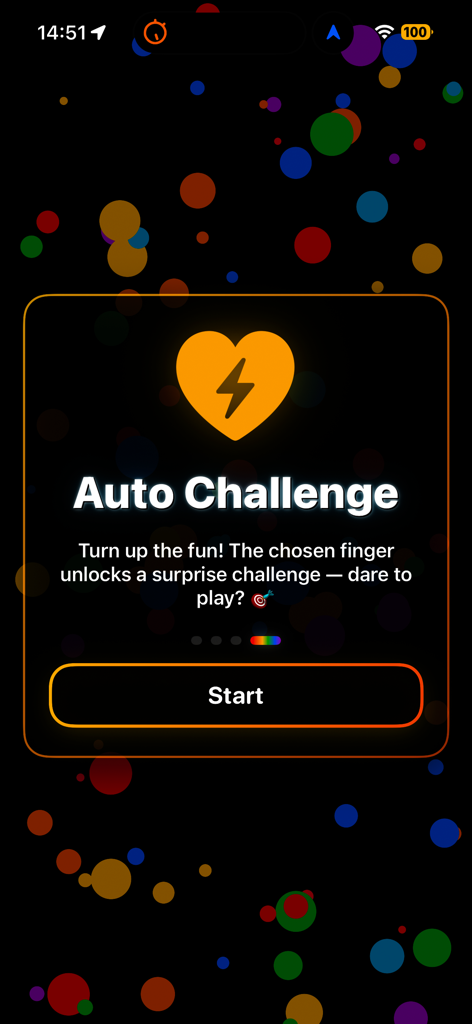
Tap Roulette PRO app interface showing the Auto Challenge mode screen with a heart lightning icon and start button

Tap Roulette PRO app interface showing the Auto Challenge mode screen with a heart lightning icon and start button

Tap Roulette PRO game mode selection screen showing standard and auto challenge options

Tap Roulette PRO game mode selection screen showing standard and auto challenge options

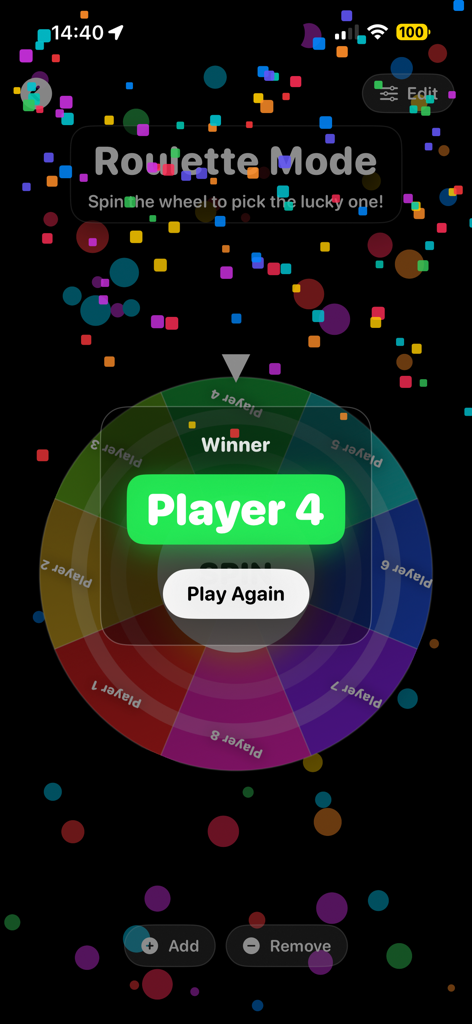
Roulette mode in the Tap Roulette PRO app showing a colorful spinning wheel with Player 4 announced as the winner.

Roulette mode in the Tap Roulette PRO app showing a colorful spinning wheel with Player 4 announced as the winner.

Decide Anything in Seconds

The tools that make this app stand out, trusted by 104K+ users.

👆

Instant Multi-Touch Selection

No setup or typing names required. Just place your fingers on the screen and let the lightning-fast detection pick the 'winner' for you in milliseconds.

💸

Fair Play for Every Social Moment

The ultimate arbiter for deciding who pays the bill, picks the movie, or buys the next round. It is the modern, digital way to draw straws without the mess.

🎲

Pro Modes & Random Team Splits

Level up your hangouts with Roulette Mode or instantly split your group into balanced teams for game nights, beer pong, or carpools.

Loved by users worldwide

Trusted by 104K+ people who love this app.

"

"We use Tap Roulette PRO every time the check comes at dinner! It turns that awkward moment of 'who pays' into a high-stakes game. The animations are sleek and the instant player detection works perfectly every time. It’s a total game-changer for group hangouts."

Alex Rivera
"

"Perfect for house parties! We love the Auto Challenge mode for deciding who has to do a dare, and the group split feature makes picking teams so much easier. It's fast, fair, and looks great on my iPhone. Definitely a must-have for anyone who's indecisive."

Sarah Jenkins

About the app

Everything you need to know about Tap Roulette PRO - Party Game.

Description

Undecided on something with friends or family? Tap Roulette PRO makes it fast, fun, and fair. Place everyone’s fingers on the screen and the app instantly selects one person at random! Perfect for any situation where you need to decide quickly: who pays the bill, what movie to watch, where to go out, or any other moment when no one wants to choose. With exclusive PRO features, Tap Roulette PRO takes decision making to the next level with new modes and exciting twists. Features • Multiple Game Modes • Standard Mode: Instantly selects one person. Simple and fair. • Auto Challenge Mode: The chosen person also gets a random task. • Roulette Mode: Spin the wheel and let fate decide in a unique way. • Instant Results Lightning fast selection with visual highlights and haptic feedback. • Automatic Player Detection Just place your fingers on the screen, no setup needed. • Vibrant Design Colorful animations and a sleek modern dark theme. • Universal Compatibility Works on all iPhone and iPad models. • Exclusive PRO Features • Random group split mode to create teams. • Special effects and surprises when a player is selected. • Access to the new Roulette Mode for more excitement. Why Choose Tap Roulette PRO Faster and more fun than rock paper scissors, Tap Roulette PRO is the best way to make group decisions. Whether at parties, game nights, or casual hangouts, it turns indecision into entertainment. Download now and let Tap Roulette PRO decide. *Optional Subscription: - Tap Roulette PRO offers a weekly subscription at just USD $0.99/week, and other options. Please note prices may vary depending on sales taxes or countries. - The user will be asked to login to his iTunes account (if not already) prior to the purchase and the payment will be charged to iTunes Account at confirmation of purchase. - Additional information is provided stating that subscription automatically renews unless auto-renew is turned off at least 24-hours before the end of the current period. - Subscriptions may be managed by the user and auto-renewal may be turned off by going to the user's Account Settings after purchase. - The account will be charged for renewal within 24-hours prior to the end of the current period. - No cancellation of the current subscription is allowed during active subscription period. - Any unused portion of a free trial period, if offered, will be forfeited when the user purchases a subscription to that publication. - Privacy Policy: http://bit.ly/2kwEPKp  - Terms Of Use: http://bit.ly/45nck5n

Latest Version

1.5

Size

22.6 MB

First Released

Sep 27, 2019

Ready to Settle the Debate?

Stop wasting time on 'I don't know, you pick.' Join 100,000+ users turning social friction into high-stakes fun. Download Tap Roulette PRO and let fate decide the next round.

Download on App Store
FAQ

Frequently Asked Questions

Everything you need to know about Tap Roulette PRO - Party Game

What is Tap Roulette PRO?

Tap Roulette PRO is an app that quickly and fairly selects one person from a group using fingers placed on the screen. It helps make group decisions fun and easy.

How does Tap Roulette PRO make decisions?

Tap Roulette PRO makes decisions by having multiple users place their fingers on the screen. The app instantly and randomly selects one person, providing visual highlights and haptic feedback.

What game modes does Tap Roulette PRO offer?

Tap Roulette PRO offers Standard Mode, Auto Challenge Mode, and Roulette Mode. These modes provide various engaging ways to make group decisions and add excitement.

Does Tap Roulette PRO include a Roulette Mode?

Yes, Tap Roulette PRO includes a Roulette Mode. This exclusive PRO feature allows users to spin a wheel to select a person in a unique and visually engaging way.

What is Auto Challenge Mode in Tap Roulette PRO?

Auto Challenge Mode in Tap Roulette PRO selects a person and assigns them a random task or surprise challenge. This mode adds an exciting twist to group decision-making scenarios.

Is Tap Roulette PRO compatible with all Apple devices?

Yes, Tap Roulette PRO offers universal compatibility. It works seamlessly on all iPhone and iPad models, ensuring broad accessibility for all Apple users.

What are the exclusive features of Tap Roulette PRO?

Exclusive PRO features include a random group split mode for creating teams, special effects and surprises upon player selection, and access to the new Roulette Mode for more excitement.

How much does a subscription to Tap Roulette PRO cost?

A weekly subscription to Tap Roulette PRO costs USD $0.99. Please note that prices may vary depending on sales taxes or specific countries.

Can I cancel my Tap Roulette PRO subscription at any time?

No, cancellation of the current Tap Roulette PRO subscription is not allowed during the active subscription period. Users can turn off auto-renewal at least 24 hours before the period ends.

Does Tap Roulette PRO offer a free trial?

Tap Roulette PRO may offer a free trial. However, any unused portion of a free trial period is forfeited when a user purchases a subscription to the app.

How do I manage my Tap Roulette PRO subscription?

Users manage their Tap Roulette PRO subscriptions and turn off auto-renewal by accessing their iTunes Account Settings after purchase. This process controls future billing cycles.