Tele Web Tools for Messenger

Tele Web Tools for Messenger

Download on App Store
Spark by MWM logo
Logo of Tele Web Tools for Messenger

Tele Web Tools for Messenger: The Ultimate Toolkit for Power Chatting and Style

Seamlessly manage dual accounts, transcribe voice notes to text, and customize your messages with stylish fonts and unique wallpapers—all in one powerful app.

Publisher

Janvi Lathiya

Category

Social Networking

Downloads

1M+

User Rating

4.1/5

Total Ratings

1K+

Locales

1

A Glimpse of the Glow-Up

Discover the interface used by 1M+ users.
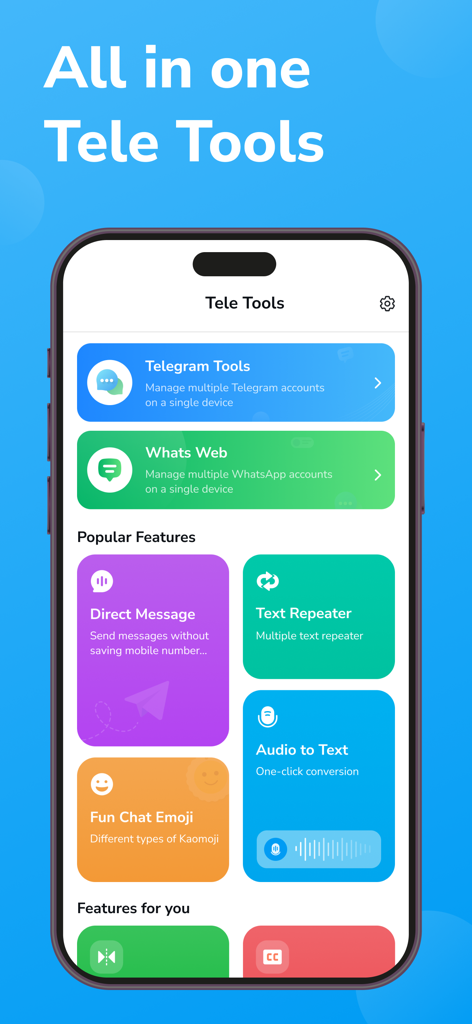
Tele Web Tools app dashboard with messenger utilities like dual chat and audio to text

Tele Web Tools app dashboard with messenger utilities like dual chat and audio to text

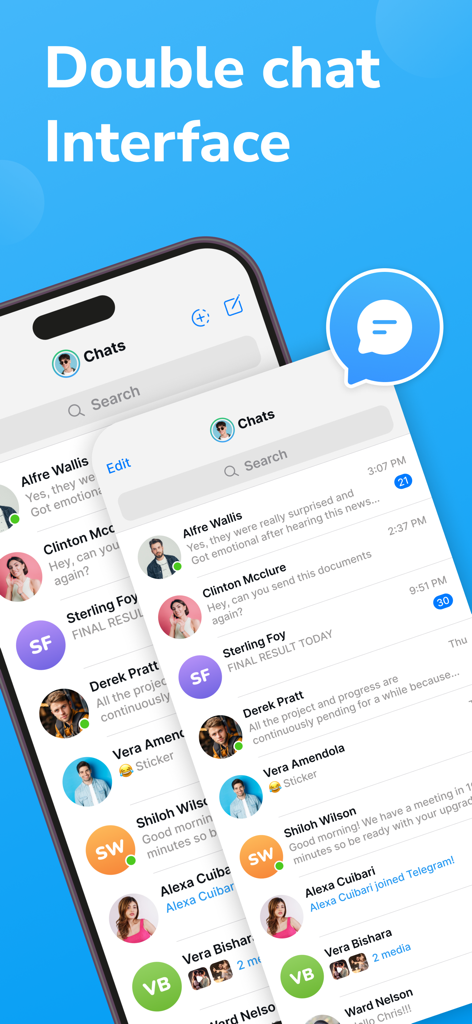
Interface showing dual chat management for a messaging app

Interface showing dual chat management for a messaging app

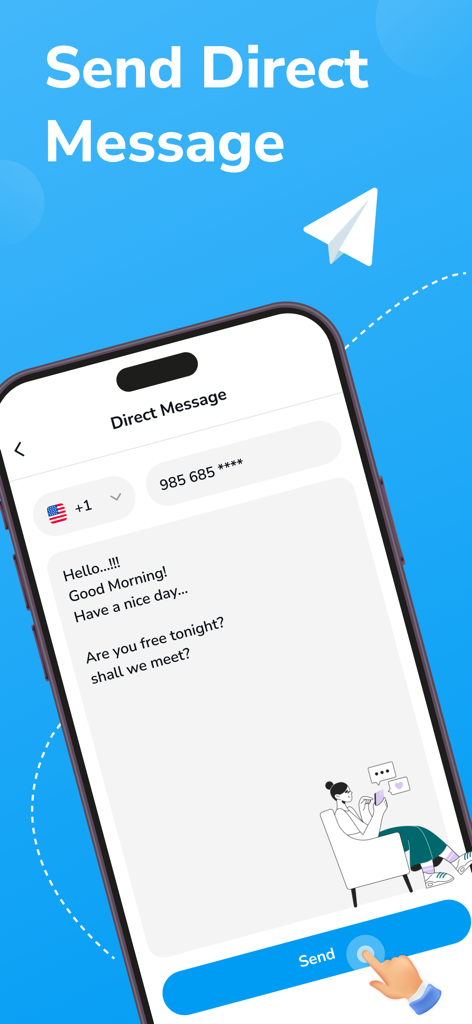
Interface of the Direct Message feature in the Tele Web Tools app showing a phone number input and message box

Interface of the Direct Message feature in the Tele Web Tools app showing a phone number input and message box

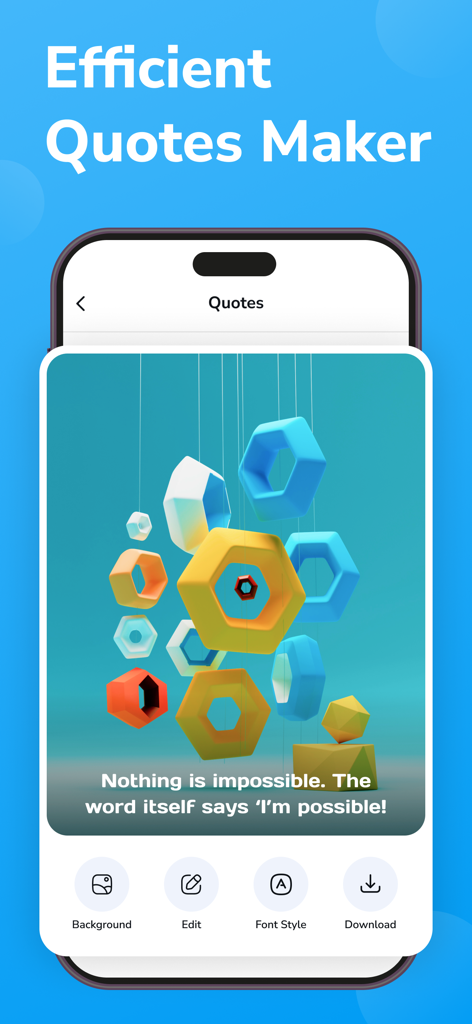
Efficient Quotes Maker screen with an inspirational quote and design tools

Efficient Quotes Maker screen with an inspirational quote and design tools

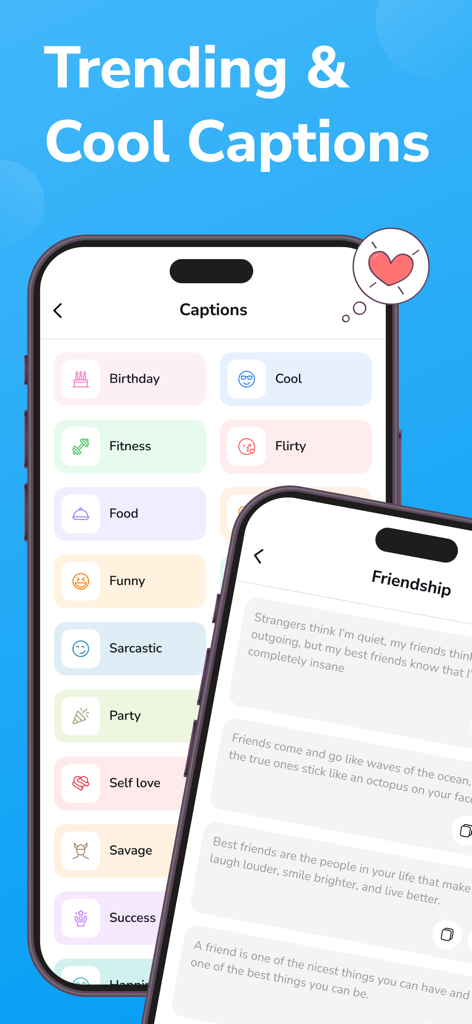
Mobile app screen displaying various trending caption categories and friendship quotes for social messaging

Mobile app screen displaying various trending caption categories and friendship quotes for social messaging

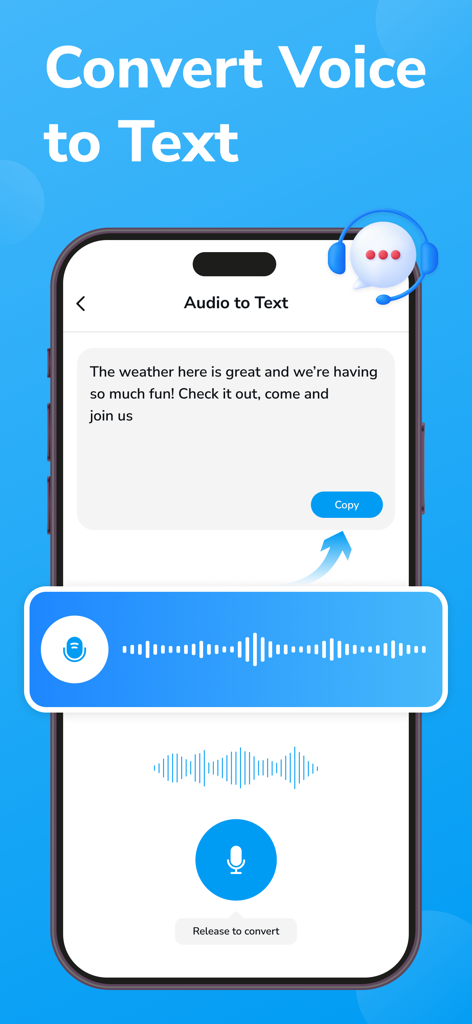
Tele Web Tools app interface showing the voice to text conversion feature

Tele Web Tools app interface showing the voice to text conversion feature

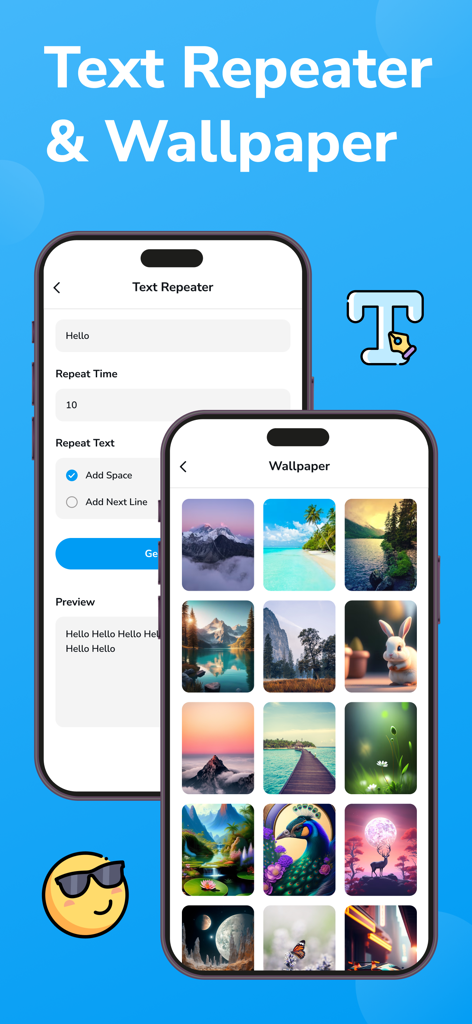
Mobile app interface showing text repeater tools and a gallery of aesthetic chat wallpapers

Mobile app interface showing text repeater tools and a gallery of aesthetic chat wallpapers

Elevate Your Messaging Game

The tools that make this app stand out, trusted by 1M+ users.

📱

Seamless Dual Chat

Manage your personal and professional accounts simultaneously without the friction of logging in and out.

📝

Smart Audio-to-Text

Perfect for busy commuters and students—convert voice notes into readable text instantly when you can't listen.

Aesthetic Personalization

Express your digital identity with stylish fonts and custom wallpapers that make your chats stand out.

Loved by users worldwide

Trusted by 1M+ people who love this app.

"

"As a freelancer managing multiple client groups, the Dual Chat feature is a total game-changer. I can finally keep my professional and personal Telegram accounts separate on one device. Plus, the Audio to Text tool is a lifesaver for when I'm in meetings and can't listen to voice notes."

Marcus T., Digital Consultant
"

"I love how I can customize everything! The stylish fonts and custom wallpapers make my chats look so much better than the standard app. The text repeater and fun emojis also make my group chats way more entertaining. It is the perfect tool for making Telegram feel like my own."

Chloe J., University Student

About the app

Everything you need to know about Tele Web Tools for Messenger.

Description

This versatile app offers a suite of features designed to enhance every aspect of your messaging experience. From dual chat management to fun chat emojis, stylish fonts to personalized wallpapers, this app has everything you need to take your Telegram conversations to the next level. Key Features: Dual Chat: Seamlessly manage multiple Telegram accounts within a single app. Switch between chats effortlessly and stay connected with your various contacts without the hassle of logging in and out. Direct Message: Send direct messages to your contacts quickly and easily. Initiate private conversations with individuals or groups without any distractions. Stylish Fonts: Express yourself with a variety of stylish fonts to choose from. Make your messages stand out and add a personal touch to your conversations. Audio to Text: Convert audio messages into text for easy reading and comprehension. Never miss important details or messages again, even when you can't listen to audio messages. Fun Chat Emojis: Spice up your conversations with a wide range of fun and expressive emojis. From classic smileys to quirky icons, there's an emoji for every mood and occasion. Text to Play: Turn text messages into playable audio clips. Add a unique twist to your messages and make them more engaging and entertaining for your recipients. Text Repeater: Repeat text messages with ease. Save time and effort by sending repeated messages without the need to type them out repeatedly. Quotes: Discover inspirational and motivational quotes to share with your contacts. Spread positivity and encouragement with a curated collection of quotes for every occasion. Wallpaper and Captions: Customize your chat backgrounds with a selection of stylish wallpapers. Add captions to personalize your chats and make them truly your own. Upgrade to Dual Tele Tools today and transform your Telegram conversations into a personalized and engaging experience. Whether you're chatting with friends, colleagues, or loved ones, this app has everything you need to express yourself and connect in meaningful ways. Download now and take your Telegram chats to new heights! Privacy Policy - https://telegramtoolsmessenger.blogspot.com/2024/04/privacy-policy.html Terms & Condtions - https://telegramtoolsmessenger.blogspot.com/2024/04/terms-conditions.html EULA - https://telegramtoolsmessenger.blogspot.com/2024/04/end-user-license-agreement-eula-of.html Disclaimer: This app is an independent tool designed to enhance the user experience for messaging and communication. It is not affiliated with, endorsed by, or sponsored by Telegram Messenger or any of its subsidiaries or services. This app does not attempt to duplicate or replicate any of Telegram's official functionalities.

Latest Version

6.0

Size

80.5 MB

First Released

May 17, 2024

Ready to Supercharge Your Telegram Experience?

Join over 1 million power users today. Manage dual accounts, customize your aesthetic with stylish fonts, and unlock pro tools to chat smarter and faster.

Download on App Store
FAQ

Frequently Asked Questions

Everything you need to know about Tele Web Tools for Messenger

Does Tele Web Tools for Messenger support managing multiple Telegram accounts?

Yes, Tele Web Tools for Messenger allows users to seamlessly manage multiple Telegram accounts within a single app. Users can switch between chats effortlessly.

Can I manage multiple WhatsApp accounts with Tele Web Tools for Messenger?

Yes, Tele Web Tools for Messenger enables users to manage multiple WhatsApp accounts on a single device, as indicated by the "Whats Web" feature in the app interface.

How can I send direct messages using Tele Web Tools for Messenger?

Tele Web Tools for Messenger allows users to send direct messages to contacts quickly and easily. This initiates private conversations with individuals or groups without distractions.

Does Tele Web Tools for Messenger convert audio messages to text?

Yes, Tele Web Tools for Messenger converts audio messages into text. This feature ensures users can easily read and comprehend messages even when they cannot listen to audio.

Does Tele Web Tools for Messenger offer stylish fonts for messages?

Yes, Tele Web Tools for Messenger provides a variety of stylish fonts. Users can choose these fonts to make their messages stand out and add a personal touch to conversations.

What is the Text Repeater feature in Tele Web Tools for Messenger?

The Text Repeater feature in Tele Web Tools for Messenger allows users to repeat text messages with ease. This saves time by sending repeated messages without typing them out multiple times.

Can I find inspirational quotes within Tele Web Tools for Messenger?

Yes, Tele Web Tools for Messenger includes a Quotes feature. Users can discover and share inspirational and motivational quotes from a curated collection for various occasions.

How can I customize my chat backgrounds in Tele Web Tools for Messenger?

Tele Web Tools for Messenger allows users to customize chat backgrounds with a selection of stylish wallpapers. Users can also add captions to personalize their chats.

Where can I find the Privacy Policy for Tele Web Tools for Messenger?

The Privacy Policy for Tele Web Tools for Messenger is available at https://telegramtoolsmessenger.blogspot.com/2024/04/privacy-policy.html.

Is Tele Web Tools for Messenger officially affiliated with Telegram?

No, Tele Web Tools for Messenger is an independent tool designed to enhance user experience. It is not affiliated with, endorsed by, or sponsored by Telegram Messenger or its services.