TestFlight



Join an elite community of early adopters and professionals. Get exclusive early access to beta builds, discover new features first, and provide the direct feedback that defines the next generation of mobile experiences.
Publisher
Category
Developer ToolsDownloads
100M+User Rating
Total Ratings
15M+Locales
33Discover the interface used by 100M+ users.
The tools that make this app stand out, trusted by 100M+ users.
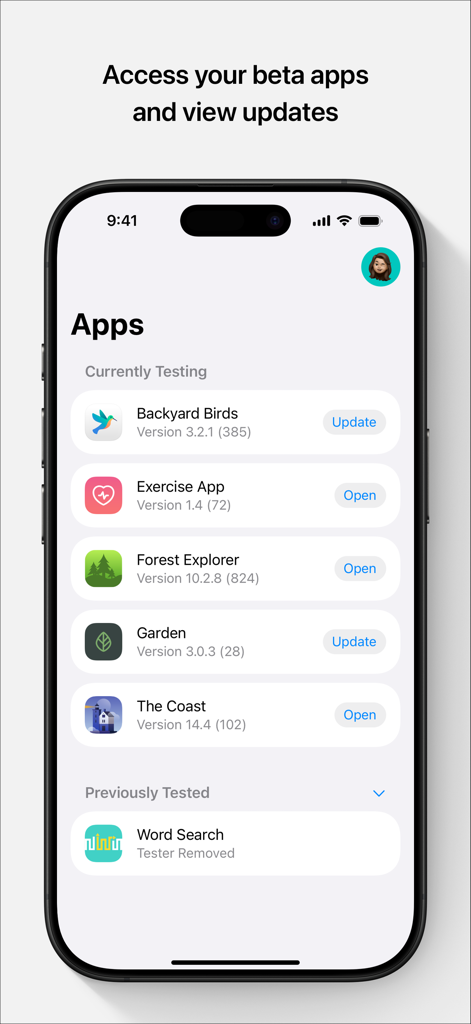
Get a first look at experimental features and unreleased apps across your iPhone, iPad, Mac, and Apple Vision Pro.
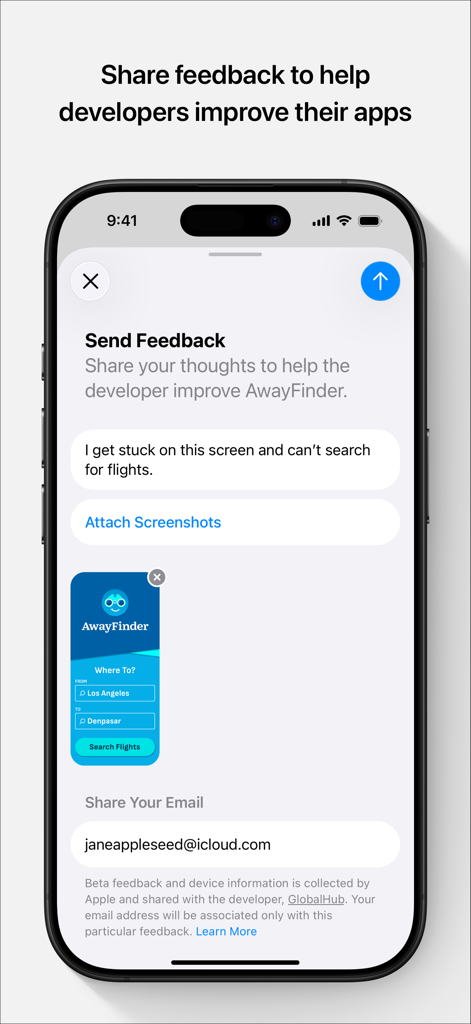
Help developers squash bugs by sharing screenshots and crash reports instantly through a seamless, integrated feedback system.
Stay organized with one central hub to track updates, expiration dates, and invitations for all your active beta projects.
Trusted by 100M+ people who love this app.
"TestFlight is an essential part of our development workflow. It allows us to seamlessly distribute beta builds to our global team and collect actionable crash reports in real-time. The ease of inviting external testers via public links has drastically improved our pre-launch quality assurance process."
"As someone who loves being on the bleeding edge of tech, TestFlight is my favorite app. I get to test upcoming features and provide direct feedback to developers before the apps even hit the App Store. It is incredibly satisfying to see a bug I reported get fixed in the next build!"
Everything you need to know about TestFlight.
Description
Latest Version
4.1.0
Size
16.7 MB
First Released
Jul 23, 2014
Join the inner circle of elite testers. Get exclusive early access to beta versions and help developers build the next generation of software before it hits the App Store.
Everything you need to know about TestFlight
TestFlight enables users to test beta versions of apps and App Clips, providing valuable feedback directly to developers before their apps are released on the App Store.
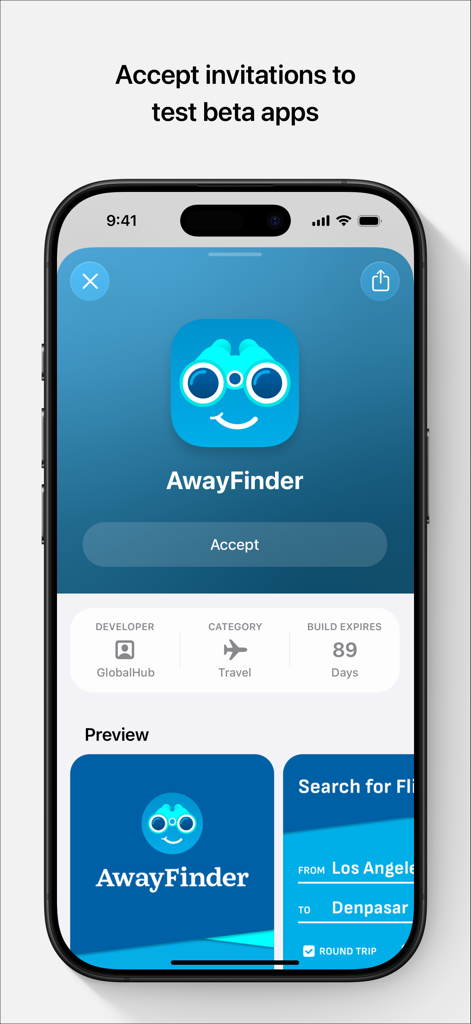
Developers invite testers to TestFlight beta programs through email invitations or by providing a public link. Testers then accept these invitations to begin testing.
When you test a beta app via TestFlight, Apple collects and sends crash logs, usage information, and any submitted feedback to the developer. Apple may also use crash logs and usage for its own product improvement.
Developers use the information collected by TestFlight, including crash logs, usage data, and feedback, to improve their apps and related products before their official release.
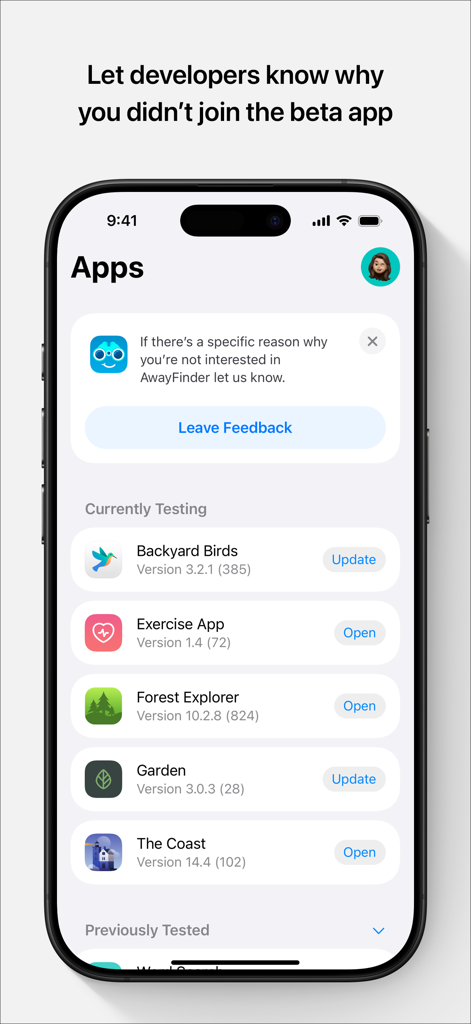
Yes, TestFlight displays all beta apps a user is currently testing or has previously tested within its main interface. This includes apps that require updates.
Yes, TestFlight allows users to update beta apps directly from its interface. An 'Update' button appears next to apps with newer versions available for installation.
Yes, TestFlight presents a dedicated screen to accept beta app invitations, displaying app details, developer, category, and build expiration, with an 'Accept' button.
Yes, TestFlight provides a dedicated feedback interface where users can share thoughts, describe issues, and directly submit feedback to the app's developer.
Yes, TestFlight allows users to attach screenshots to their feedback submissions, providing developers with visual context for reported issues or suggestions.
Yes, TestFlight indicates that beta feedback and device information are collected and shared with the developer, along with the user's email address.
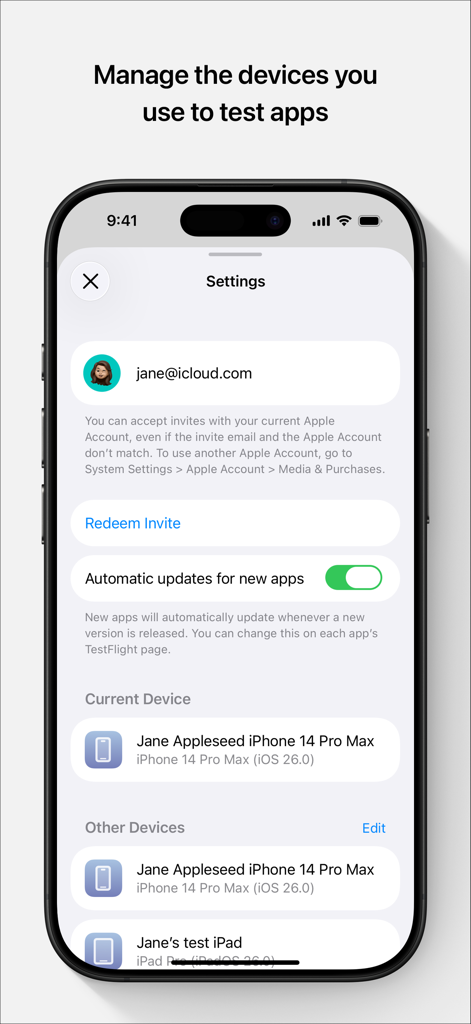
Yes, TestFlight provides a settings menu where users can manage the devices they use for testing apps, listing current and other associated devices.
Yes, TestFlight features an option for 'Automatic updates for new apps'. This toggle enables automatic installation of new beta versions when they become available.
Yes, TestFlight allows users to provide feedback even if they choose not to join a beta app, using a 'Leave Feedback' option within the app list.
Apps with similar features and user experience