
The Event App by EventsAir




Navigate, network, and excel with the ultimate attendee companion. Access personalized schedules, live interaction tools, and real-time updates to maximize every moment of your event.
Publisher
Category
BusinessDownloads
1M+User Rating
Total Ratings
200Locales
1Discover the interface used by 1M+ users.
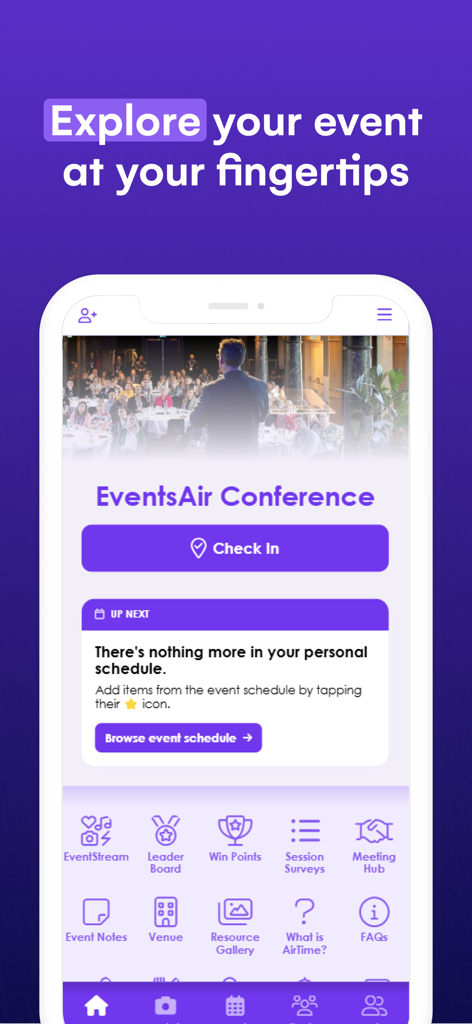
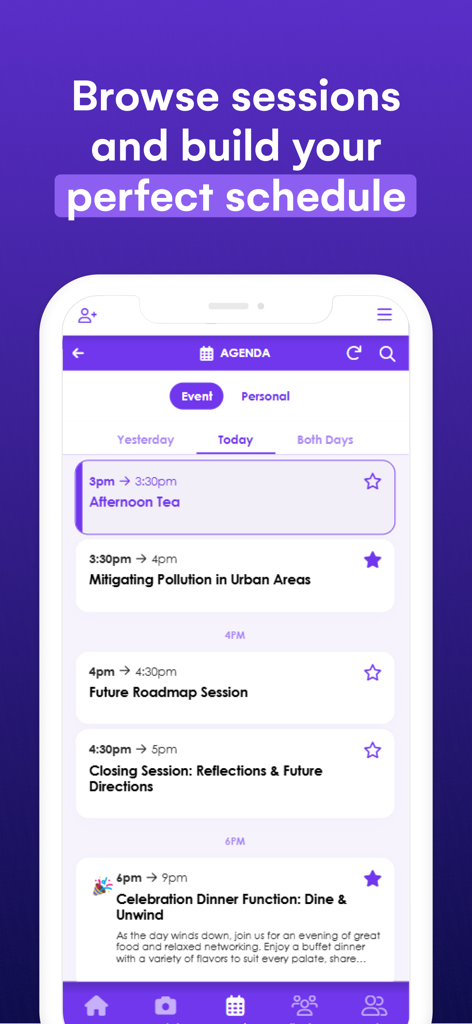
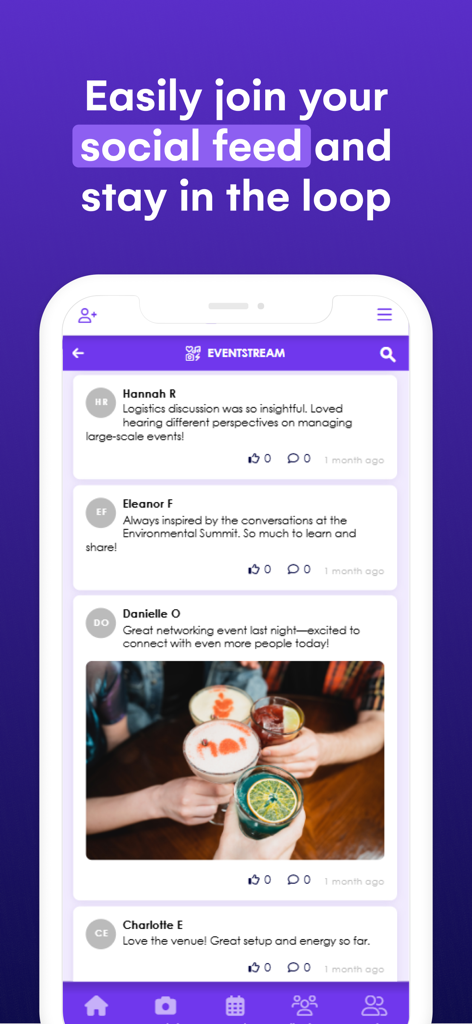
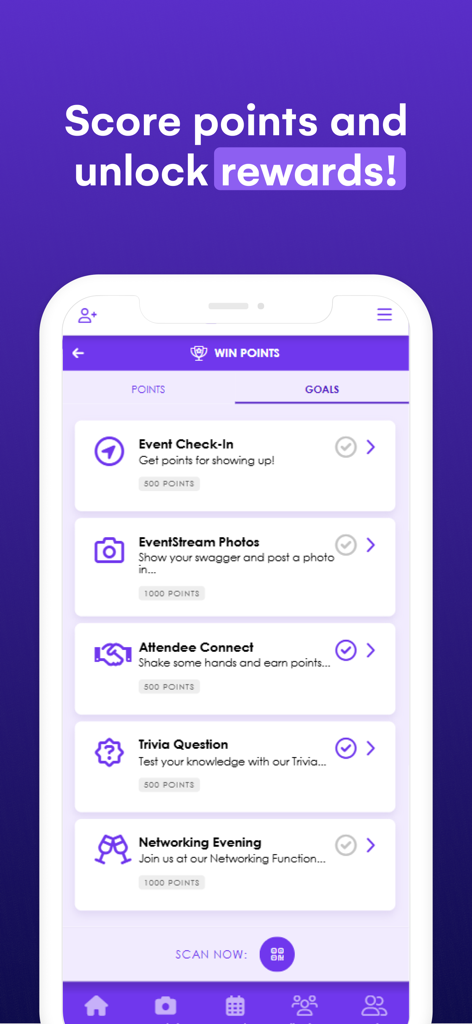
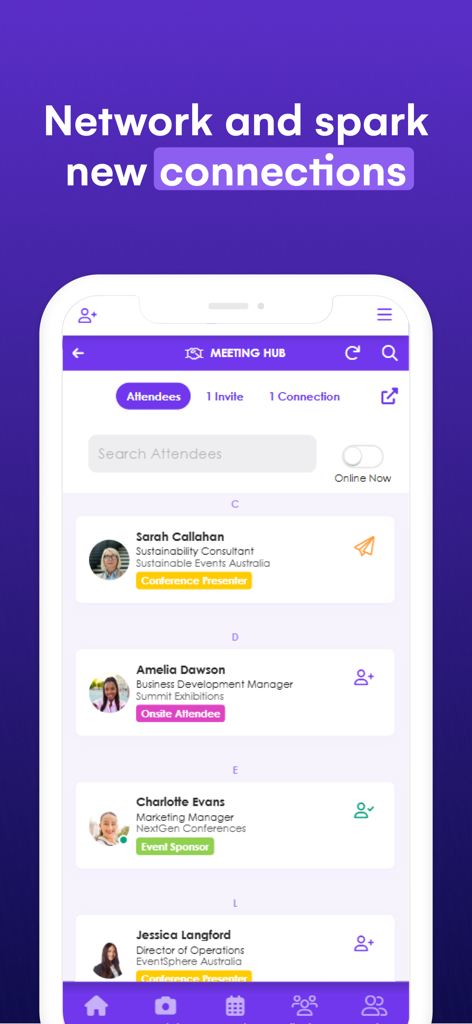
The tools that make this app stand out, trusted by 1M+ users.
Take control of your time by building a custom schedule with smart reminders for the sessions and speakers that matter most to your professional growth.
Skip the small talk and connect with the right people. Browse attendee profiles, exchange digital business cards, and schedule one-on-one meetings effortlessly.
Stay informed with instant notifications for room changes and live updates. Engage with speakers through real-time polling and interactive Q&A sessions.
Trusted by 1M+ people who love this app.
"The Event App made navigating my first large-scale conference a breeze. I loved having my personalized schedule right at my fingertips, and the networking feature allowed me to connect with industry leaders I otherwise would have missed. It completely replaced the old paper programs for me!"
"The gamification and live polling really kept me engaged throughout the sessions. Even when I had to switch to the virtual stream for a few hours, the experience was seamless. Being able to see the leaderboard and earn points made the whole event much more interactive and fun."
Insights from user reviews.
Sentiment Score
Summary
This conference app receives overwhelmingly negative feedback from users, with frequent complaints about its instability and poor functionality. Many users report issues with the app freezing, crashing, or being unable to open entirely, often requiring constant updates. Key features like session favoriting, speaker search, and networking messages are described as broken or severely limited, significantly hindering the conference experience. The app's user interface is also criticized for being clunky, non-intuitive, and having issues such as tiny unadjustable fonts and overlaid text, making it nearly unusable for some attendees, particularly on devices like iPads and with iOS 18.
Common Themes
Everything you need to know about The Event App by EventsAir.
Description
Latest Version
5.5.2
Size
45.1 MB
First Released
Sep 28, 2016
Ready to elevate your experience? Download the app now, enter your unique event code, and unlock your personalized schedule and networking tools in seconds.
Everything you need to know about The Event App by EventsAir
To get started with The Event App by EventsAir, install the app and enter the unique Event App code provided by your event organizer. This code connects you to your specific event.
The Event App by EventsAir provides personalized schedules, networking tools, live interaction, gamification, on-demand content, real-time updates, and essential event information. It supports both in-person and virtual attendees.
Yes, users can access and build personalized schedules within The Event App by EventsAir. It displays sessions, speakers, and event details to help manage your attendance.
Yes, The Event App by EventsAir offers robust networking features. Users can connect with other attendees, schedule meetings, and exchange contact details directly through the app's Meeting Hub.
Yes, The Event App by EventsAir incorporates gamification. Attendees can earn points, complete challenges, and compete on leaderboards for rewards, enhancing engagement during the event.
Yes, The Event App by EventsAir supports both virtual and hybrid event formats. It offers live streaming and interactive tools to engage remote attendees effectively.
The Event App by EventsAir provides essential event information like Wi-Fi passwords, dress codes, travel details, and FAQs. This information is readily accessible within the app.
Yes, The Event App by EventsAir keeps attendees informed with instant notifications and announcements. This ensures users receive critical updates throughout the event.
For any issues with The Event App by EventsAir, contact your event organizer or event staff directly. They are best equipped to provide assistance and troubleshooting for your specific event.
Apps with similar features and user experience

Stichting Amsterdam Dance Event

Cvent, Inc.

parkrun Global Limited

Whova Inc.

SportsEngine, Inc.

Mexeri.ca Digital Ltda Me
Sched

Exposure Events, LLC

Small World Code, LLC
