Top Tags: TagsForLikes app

Top Tags: TagsForLikes app

Download on App Store
Spark by MWM logo
Logo of Top Tags: TagsForLikes app

Top Tags: TagsForLikes app — Boost Your Instagram Reach Instantly

Stop typing hashtags manually. Reach new audiences, get more likes, and grow your following with our trending tag mixer and one-tap keyboard integration.

Publisher

Sergey Pekar

Category

Social Networking

Downloads

634K+

User Rating

4.7/5

Total Ratings

19K+

Locales

10

Growth in Action

Discover the interface used by 634K+ users.
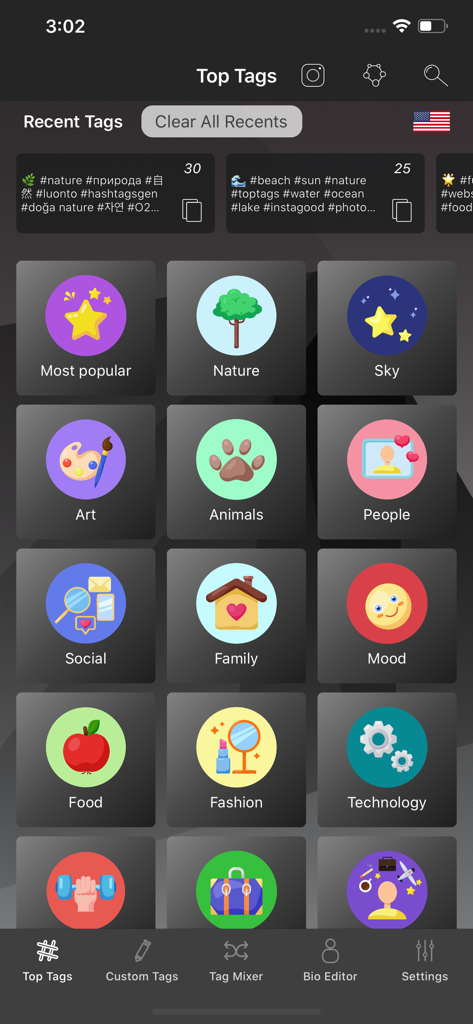
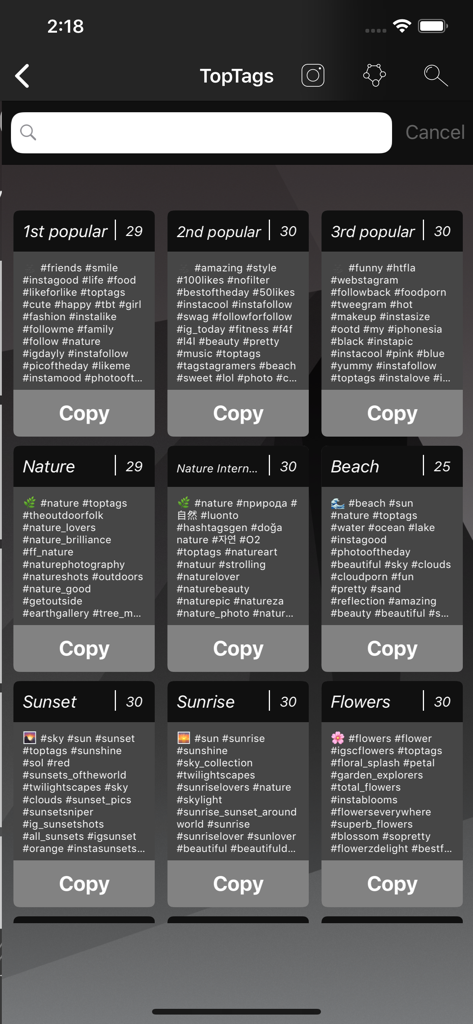
Main screen of the Top Tags app showing a grid of hashtag categories like Nature Fashion and Art for Instagram growth

Main screen of the Top Tags app showing a grid of hashtag categories like Nature Fashion and Art for Instagram growth

Top Tags mobile app interface displaying various hashtag categories and copy buttons for social media engagement.

Top Tags mobile app interface displaying various hashtag categories and copy buttons for social media engagement.

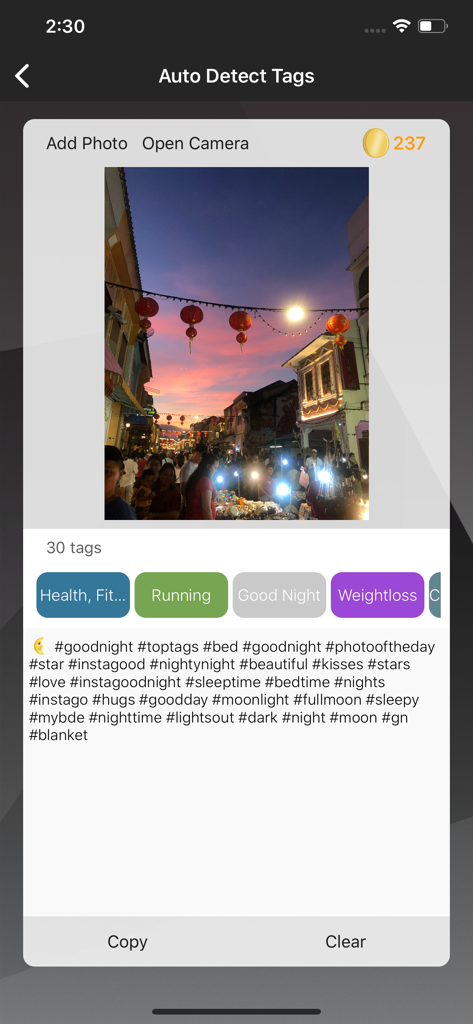
Interface showing auto-detected hashtags for a sunset street market photo in the Top Tags app

Interface showing auto-detected hashtags for a sunset street market photo in the Top Tags app

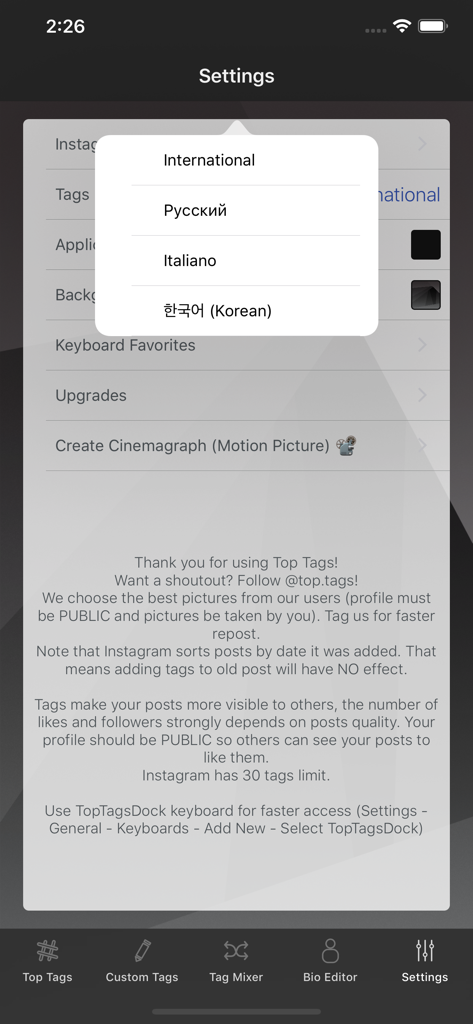
Language selection menu in the Top Tags app settings screen.

Language selection menu in the Top Tags app settings screen.

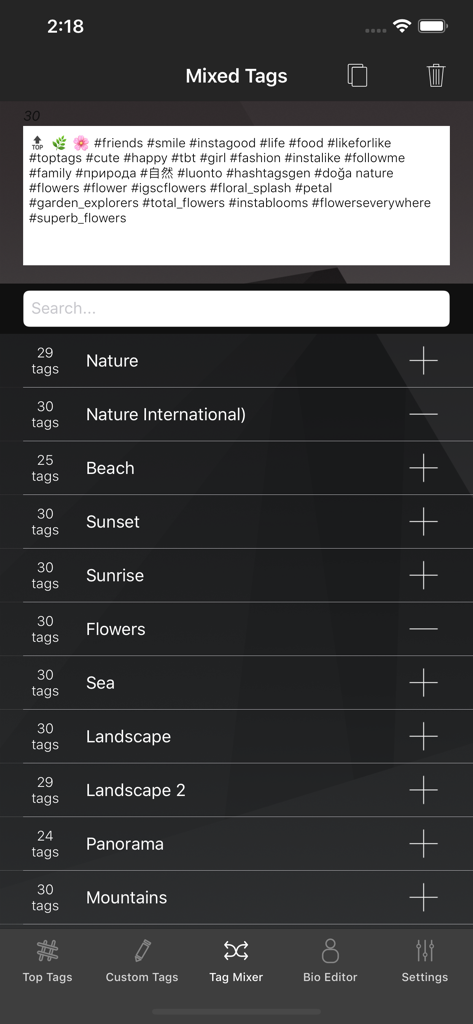
Interface of the Tag Mixer feature in the Top Tags app displaying categories like Nature, Beach, and Sunset to create combined hashtags for Instagram.

Interface of the Tag Mixer feature in the Top Tags app displaying categories like Nature, Beach, and Sunset to create combined hashtags for Instagram.

Explode Your Reach and Engagement

The tools that make this app stand out, trusted by 634K+ users.

⌨️

One-Tap Keyboard Integration

Skip the copy-paste routine. Our custom TopTagsDock keyboard lets you insert trending hashtags directly into Instagram in seconds.

🎛️

Smart Tag Mixer

Niche down for better results. Combine different categories and your own custom sets to create a unique tag recipe for every post.

🔥

Always-Fresh Trending Tags

Stay ahead of the curve with curated lists of the hottest tags in fashion, fitness, and photography, updated daily to maximize visibility.

Loved by users worldwide

Trusted by 634K+ people who love this app.

"

"This app is an absolute lifesaver for my photography page. The keyboard integration makes it so easy to add relevant tags without leaving Instagram, and I've seen a huge jump in my reach and follower count. It is the best tool for anyone serious about growing their social presence."

Chloe V., Travel Influencer
"

"As a small business owner, I don't have hours to waste on hashtag research. Top Tags gives me the most effective categories for my brand instantly. The tag mixer feature is brilliant for targeting specific audiences. Definitely worth it!"

James Miller, Boutique Owner

About the app

Everything you need to know about Top Tags: TagsForLikes app.

Description

Are you are tired of entering Instagram hashtags manually and are looking for tags to promote your Instagram account? Top Tags is the best app for likes and followers! Want to tag your Instagram pictures instantly to get more Likes and Followers? Then try Top Tags keyboard (TopTagsDock)! It's the most effective way to hashtag your posts on Instagram from keyboard. Get your content seen by insta users who are not following you when they search by hashtags - and convert them to followers. Add the most relevant hashtags to boost your Instagram posts. Top Tags has the best features to offer for photography lovers on Instagram: - Always fresh hot Instagram hashtags. - Simple easy to find tags, mix hashtags, add your own. - One Tap to Copy Hashtags directly to Instagram from device keyboard. - Add your favorite tags or most used tag sets to your favorites for quick access from the keyboard. - Great variety of popular hashtag categories: tags4likes, fashion, fitness, nature and many more. - Tag Mixer to get the most from different categories. Top Tags includes Italian Tags, Russian Tags and International (Worldwide) hashtags for Instagram. Top Tags help you reach a broader audience on Instagram with few clicks! Using hashtags on Instagram gets you noticed by more people. 1. Why You Should Use Instagram Hashtags Instagram hashtags are one of the best ways to grow your Instagram account. Using the right hashtag (or combination of hashtags) can help you expose your posts to large and targeted audiences. Your chances of attracting new followers, getting more likes are increased by the use of right hashtags! 2. Why I'm not getting likes? — Is your account private? People cannot search/see your pictures if your account is private (you protect your privacy). If you want to change it: go to your personal Instagram page -> Tap “Edit Your Profile” and at the bottom of the screen turn OFF “Posts are private”. — Your account is public? I give you 3 Tips: — Be selective with your uploads. The best way to gain new followers on Instagram is to provide content that is valuable to others. — Keep your page alive: post regularly with relevant hashtags. 3. How can I contact you? You can contact me at info.catapps@gmail.com, all advices are welcome: hashtags to add, hashtags to update etc. You MAY get more likes and followers using relevant hashtags in your Instagram posts. Fast, easy and the best tags for Instagram likes! Use our app with predefined or custom hashtags to get featured on our Top Tags Instagram page (@top.tags)! New hashtags for Instagram with every update will bring you more likes!

Latest Version

1.59

Size

142.6 MB

First Released

Jun 27, 2015

Ready to Boost Your Reach?

Join over 600,000 creators using Top Tags to beat the algorithm and turn your posts into viral hits. Download now and start growing!

Download on App Store
FAQ

Frequently Asked Questions

Everything you need to know about Top Tags: TagsForLikes app

What is Top Tags: TagsForLikes app?

Top Tags: TagsForLikes app provides Instagram hashtags to help users gain more likes and followers. It offers a keyboard for instant tagging and features like tag mixing and categorized hashtags.

How can Top Tags help me get more Instagram likes and followers?

Top Tags helps by providing relevant hashtags, exposing your posts to targeted audiences, and converting non-followers to followers. Using the Top Tags keyboard ensures efficient hashtag integration.

Does Top Tags: TagsForLikes app provide a keyboard for easy hashtag access?

Yes, Top Tags: TagsForLikes app includes the TopTagsDock keyboard. This allows users to instantly tag Instagram pictures directly from their device keyboard with one tap.

Can I mix hashtags from different categories in Top Tags?

Yes, Top Tags includes a Tag Mixer feature. This allows users to combine hashtags from various categories to create diverse and comprehensive tag sets for their Instagram posts.

How does Top Tags: TagsForLikes app ensure hashtags are fresh?

Top Tags: TagsForLikes app ensures fresh hashtags are available. The app description states that new hashtags for Instagram are provided with every update, keeping the content current.

What hashtag categories are available in Top Tags?

Top Tags provides a great variety of popular hashtag categories. These include tags4likes, fashion, fitness, nature, Most popular, Sky, Art, Animals, People, Social, Family, Mood, Food, and Technology.

How can I contact the developers of Top Tags: TagsForLikes app?

Users can contact the Top Tags: TagsForLikes app developers via email. The contact address provided in the app description is info.catapps@gmail.com for feedback and suggestions.

Does Top Tags support multiple languages for hashtags?

Yes, Top Tags supports multiple languages for hashtags. It includes Italian Tags, Russian Tags, International (Worldwide) hashtags, and Korean hashtags for Instagram.

What is the maximum number of hashtags Instagram allows?

Instagram has a limit of 30 tags per post. Top Tags: TagsForLikes app adheres to this limit, ensuring compliance with Instagram's posting guidelines.

How can I get my posts featured on the Top Tags Instagram page?

To get featured on the @top.tags Instagram page, users must use the Top Tags app with predefined or custom hashtags. Additionally, the user's profile must be public.

Does Top Tags: TagsForLikes app offer an auto-detect feature for hashtags?

Yes, Top Tags: TagsForLikes app features an "Auto Detect Tags" capability. Users can add a photo or open the camera to have the app suggest relevant hashtags automatically.

Why might my Instagram posts not be getting likes, even with Top Tags?

Instagram posts might not get likes if the account is private. Users must ensure their profile is public. Additionally, providing valuable content and posting regularly with relevant hashtags are crucial.

Where can I find my favorite or most used tag sets in Top Tags?

Top Tags allows users to add their favorite or most used tag sets to their favorites. These sets are quickly accessible directly from the TopTagsDock keyboard for convenience.