Top Widgets⁺ Icons & Themes

Top Widgets⁺ Icons & Themes

Download on App Store
Spark by MWM logo
Logo of Top Widgets⁺ Icons & Themes
Top Widgets⁺: Elevate Your Home Screen with Ultimate Aesthetics

Transform your iPhone with immersive 3D wallpapers, futuristic Liquid Glass themes, and smart productivity widgets. Join 27 million users in crafting a digital reflection of your unique style.

Download on App Store

Publisher

Chengdu Tiange Technology Co., Ltd

Category

Utilities

Downloads

27M+

User Rating

4.8/5

Total Ratings

1M+

Locales

11

Visualize Your Style

Discover the interface used by 27M+ users.
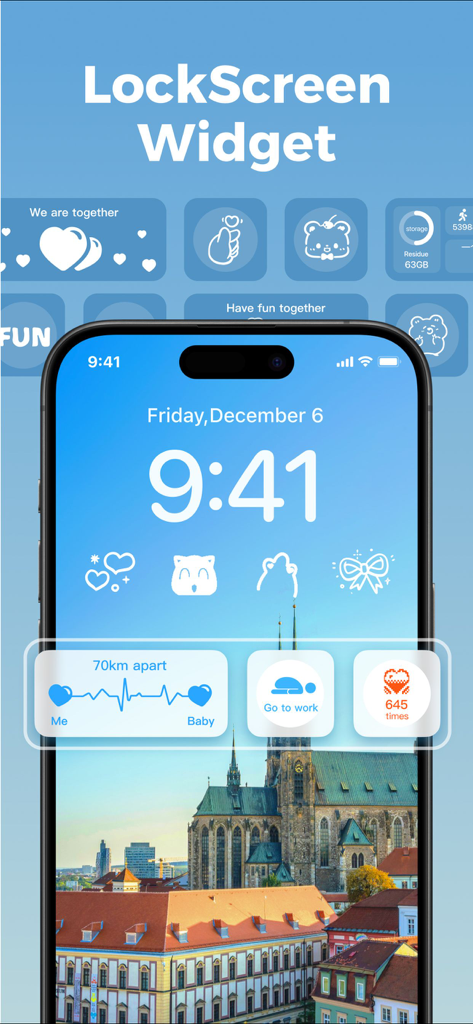
iPhone lock screen with custom aesthetic widgets and cute icons

iPhone lock screen with custom aesthetic widgets and cute icons

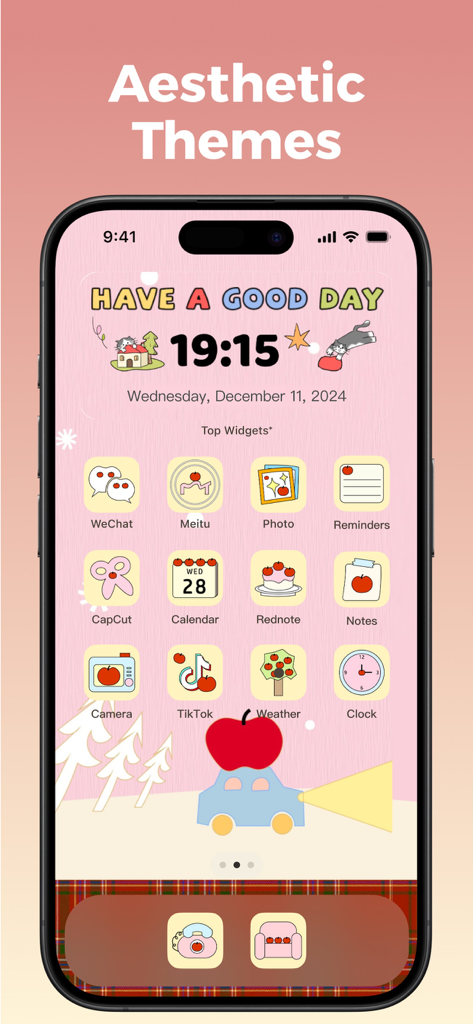
Cute pink aesthetic iPhone home screen with custom icons and widgets

Cute pink aesthetic iPhone home screen with custom icons and widgets

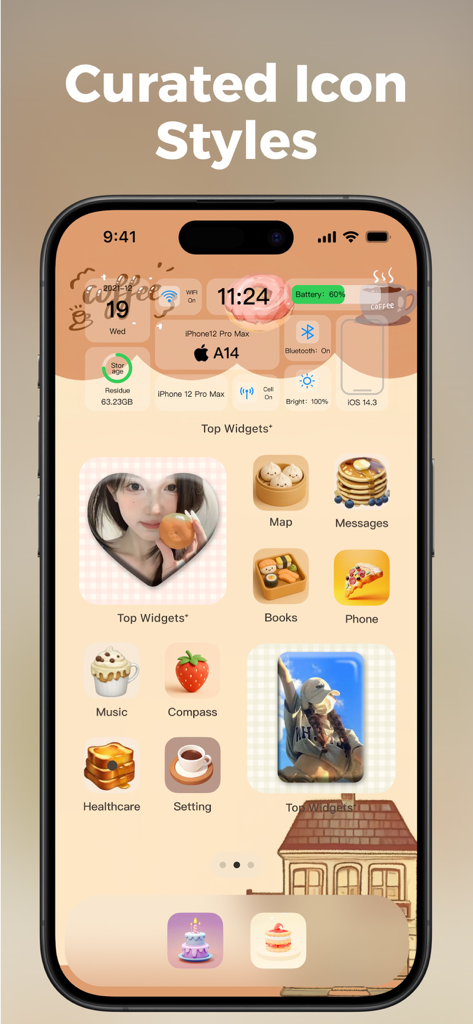
A customized iPhone home screen featuring curated food-themed app icons and aesthetic widgets in a soft beige color palette.

A customized iPhone home screen featuring curated food-themed app icons and aesthetic widgets in a soft beige color palette.

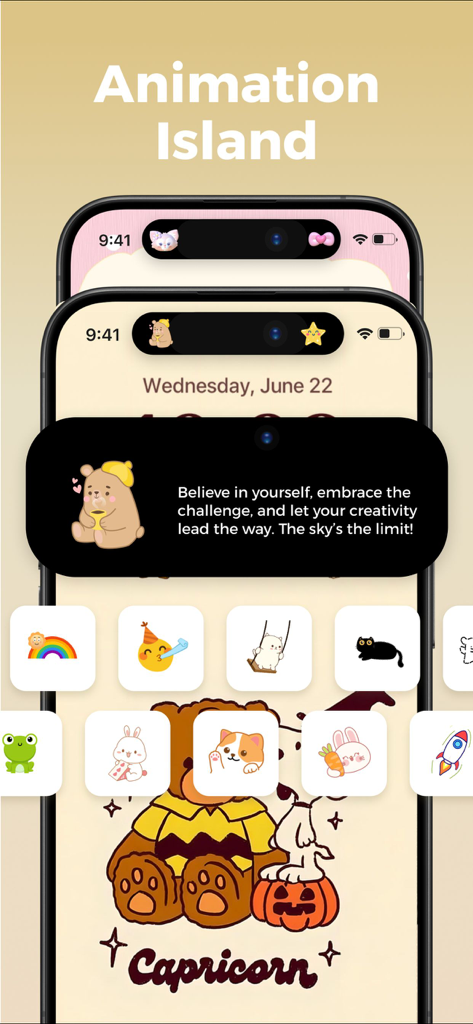
Customizable Dynamic Island animations featuring cute characters and inspirational quotes for iPhone home screen personalization

Customizable Dynamic Island animations featuring cute characters and inspirational quotes for iPhone home screen personalization

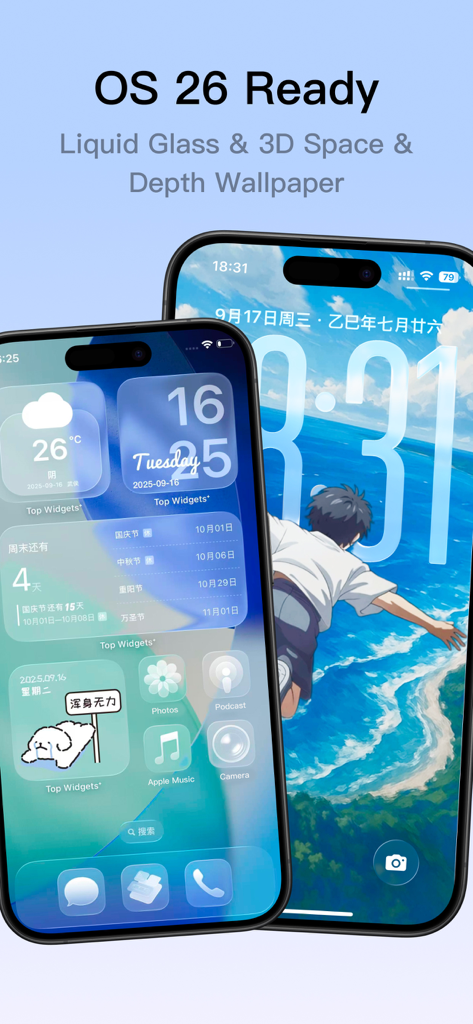
Two iPhones displaying custom OS 26 home screen widgets and 3D depth wallpapers

Two iPhones displaying custom OS 26 home screen widgets and 3D depth wallpapers

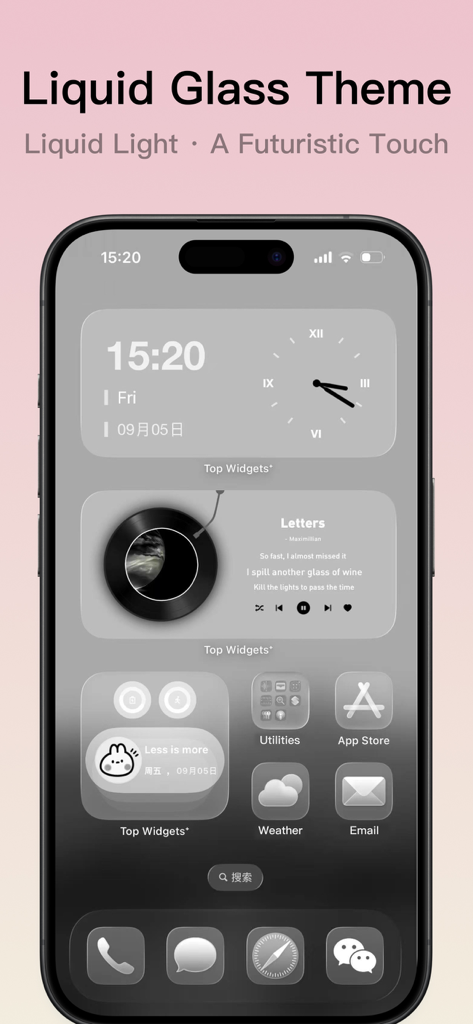
iPhone home screen displaying a grey Liquid Glass futuristic theme with custom widgets and icons

iPhone home screen displaying a grey Liquid Glass futuristic theme with custom widgets and icons

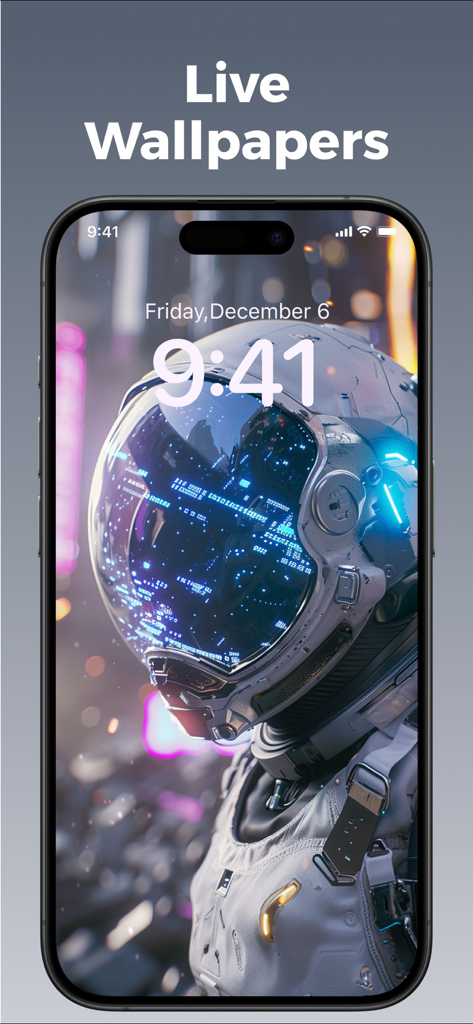
iPhone lock screen featuring a high-tech astronaut live wallpaper with depth effects

iPhone lock screen featuring a high-tech astronaut live wallpaper with depth effects

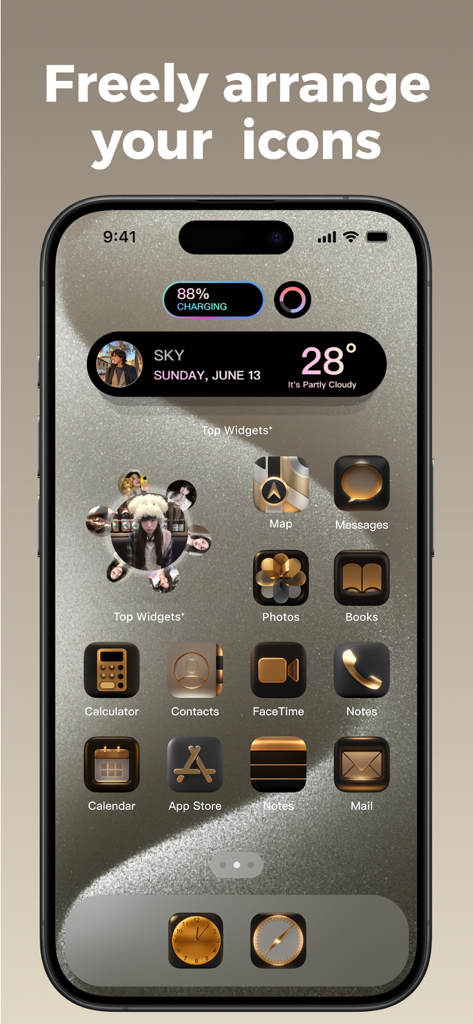
Customized iPhone home screen with aesthetic gold icons and widgets

Customized iPhone home screen with aesthetic gold icons and widgets

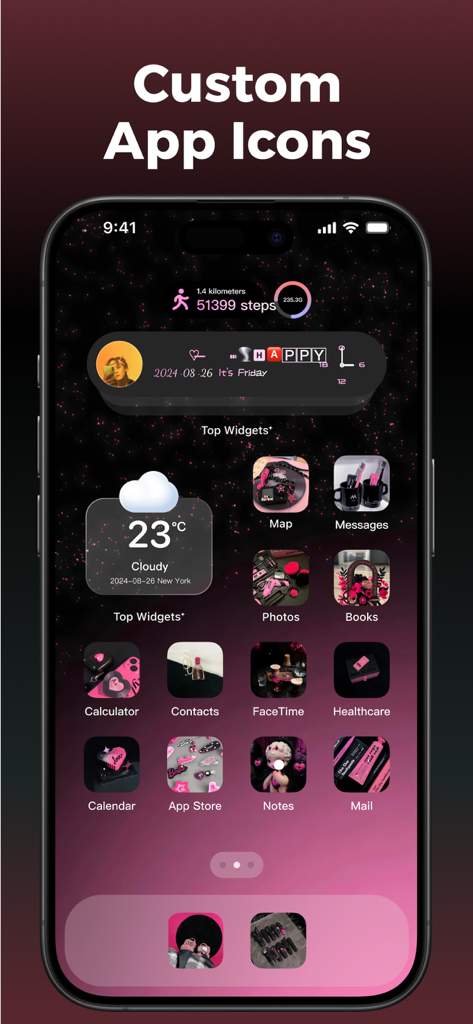
Custom aesthetic iphone home screen with themed icons and widgets

Custom aesthetic iphone home screen with themed icons and widgets

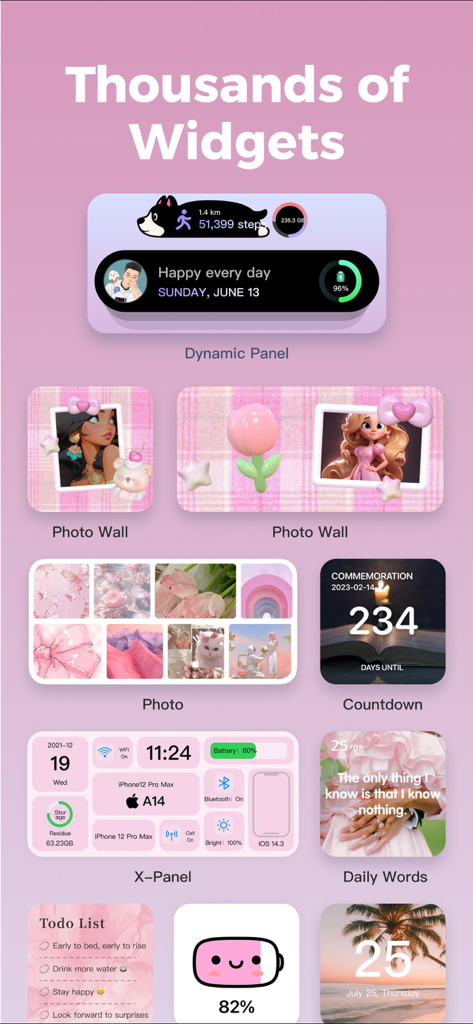
A variety of aesthetic pink iOS widgets including photo walls, X-Panel system info, and countdown trackers.

A variety of aesthetic pink iOS widgets including photo walls, X-Panel system info, and countdown trackers.

Transform Your Digital Identity

The tools that make this app stand out, trusted by 27M+ users.

Next-Gen Visual Aesthetics

Immerse yourself in Liquid Glass themes and 3D Depth wallpapers designed by over 5,000 professional artists to make your screen feel alive.

📊

Real-Time System Insights

Turn your home screen into a high-tech cockpit with the X-Panel, displaying live battery, storage, and network performance at a glance.

🌈

Aesthetic Wellness Tracking

Stay in tune with your goals using integrated mood trackers and HealthKit-synced step counters that look as good as they function.

Loved by users worldwide

Trusted by 27M+ people who love this app.

"

"I have tried every customization app out there, but TopWidgets⁺ is on another level. The Liquid Glass themes and 3D depth wallpapers make my phone look so futuristic and aesthetic. I love that I can track my mood and my steps right on my home screen without it looking cluttered. It is the perfect blend of style and daily mindfulness."

Chloe R.
"

"The X-Panel is a game-changer for my workflow. Being able to see my battery, storage, and network speed at a glance in such a sleek design is exactly what I needed. It has completely replaced my messy folders with organized Quick Launch icons. If you are a tech enthusiast who values both productivity and a clean UI, this is a must-have."

Marcus T.

About the app

Everything you need to know about Top Widgets⁺ Icons & Themes.

Description

▶ Featured by the App Store ◀ ▶ Loved by Millions of Users ◀ ▶ The Top Choice for Personalization & Productivity ◀ TopWidgets⁺ brings an unprecedented home screen experience to OS 26. Powered by the latest system features, it introduces Liquid Glass visuals, 3D depth wallpapers, and customizable dynamic covers, creating a multi-dimensional, immersive interaction space. Every time you light up your screen, it’s not just functionality—it’s a visual and artistic celebration. With contributions from 5,000+ professional designers, new creative inspirations are continuously added. From depth effects to liquid lighting, from dynamic wallpapers to thematic aesthetics—TopWidgets⁺ transforms your home screen into a true expression of style, mood, and individuality. 【Immersive Visual Upgrades for OS 26】 Depth Wallpapers: Built with intelligent layering and dynamic interaction, seamlessly merging time and elements to create a vivid sense of depth and space. Liquid Glass Themes: Transparent, fluid, and crystal-like visuals where light and shadow intertwine, delivering a futuristic look and feel. Custom Dynamic Wallpapers: Freely adjust fonts, colors, and textures—every detail is uniquely yours. 【Key Features】 X-Panel: Real-time display of battery, storage, network, and more—efficient and stylish. Work Calendar: Record daily moods and mark emotional states—an essential for every busy professional. Mood Tracker: Instantly log your current mood on the home screen to stay in tune with your emotions. Today: Clearly view and manage daily tasks so nothing important gets overlooked. Quick Launch: One-tap access to your favorite apps and functions, boosting efficiency. Step Counter: Syncs with HealthKit to display real-time steps, calories, and activity records. Charging & Standby Effects: Fun charging animations and horizontal standby widgets that bring extra personality to your lock screen. DIY Home Screen: Customize fonts, colors, and backgrounds to create limitless styles. 【HealthKit】- TopWidgets⁺ has integrated with HealthKit to synchronize health data into the app. When you record daily step data in TopWidgets⁺, we will request HealthKit data permission to display exercise data in step-related widgets. 【Location Information】- When using the weather widget, we need to obtain location permission to display the required information for the current widget. 【Photo Permission】- When adding a background image to a widget, we need to obtain photo permission to upload the background image. This permission is also required when saving images to your phone. Privacy Policy: https://app.topwidgets.com/agreements/en/privacy.html User Agreement: https://app.topwidgets.com/agreements/en/UserAgreement.html

Latest Version

2.8.3

Size

351.0 MB

First Released

Apr 7, 2023

Ready to Level Up Your Aesthetic?

Join over 27 million users and start building your dream home screen today. Experience the future of personalization with TopWidgets⁺.

Download on App Store
FAQ

Frequently Asked Questions

Everything you need to know about Top Widgets⁺ Icons & Themes

What is TopWidgets⁺?

TopWidgets⁺ offers an enhanced home screen experience for OS 26, featuring Liquid Glass visuals, 3D depth wallpapers, and customizable dynamic covers. It transforms the home screen into a visual and artistic space.

Does TopWidgets⁺ support OS 26?

Yes, TopWidgets⁺ is powered by the latest system features and brings an unprecedented home screen experience specifically to OS 26.

What visual upgrades does TopWidgets⁺ offer for OS 26?

TopWidgets⁺ offers immersive visual upgrades for OS 26, including Depth Wallpapers with intelligent layering, Liquid Glass Themes with transparent visuals, and customizable Dynamic Wallpapers.

Can I customize my home screen with TopWidgets⁺?

Yes, TopWidgets⁺ allows extensive home screen customization. Users can freely adjust fonts, colors, and backgrounds to create limitless styles and express their individuality.

What is the X-Panel feature in TopWidgets⁺?

The X-Panel in TopWidgets⁺ displays real-time system information such as battery, storage, and network status efficiently and stylishly on the home screen.

Does TopWidgets⁺ integrate with HealthKit for fitness tracking?

Yes, TopWidgets⁺ integrates with HealthKit. It synchronizes health data to display real-time steps, calories, and activity records in step-related widgets within the app.

What permissions does TopWidgets⁺ require for weather widgets?

When using the weather widget, TopWidgets⁺ requires location permission. This permission is necessary to display the required weather information for the current widget.

How many designers contribute to TopWidgets⁺ content?

Over 5,000 professional designers contribute to TopWidgets⁺. New creative inspirations are continuously added, offering a wide range of depth effects, liquid lighting, and dynamic wallpapers.

Can I create custom app icons with TopWidgets⁺?

Yes, TopWidgets⁺ allows users to create custom app icons. This feature enables personalization of the home screen with unique icon styles.

Does TopWidgets⁺ offer live wallpapers?

Yes, TopWidgets⁺ offers live wallpapers. Users can choose from a variety of options to enhance their lock screen and home screen visuals.