Transact eAccounts

Transact eAccounts

Download on App Store
Spark by MWM logo
Logo of Transact eAccounts

Transact eAccounts: Your Digital Campus ID and Wallet

Access your dorm, pay for meals, and track balances on the go. Ditch the plastic card and manage your entire campus life directly from your iPhone or Apple Watch.

Publisher

Transact Campus, LLC

Category

Education

Downloads

1M+

User Rating

4.8/5

Total Ratings

50K+

Locales

1

Your Campus Life, Visualized

Discover the interface used by 1M+ users.
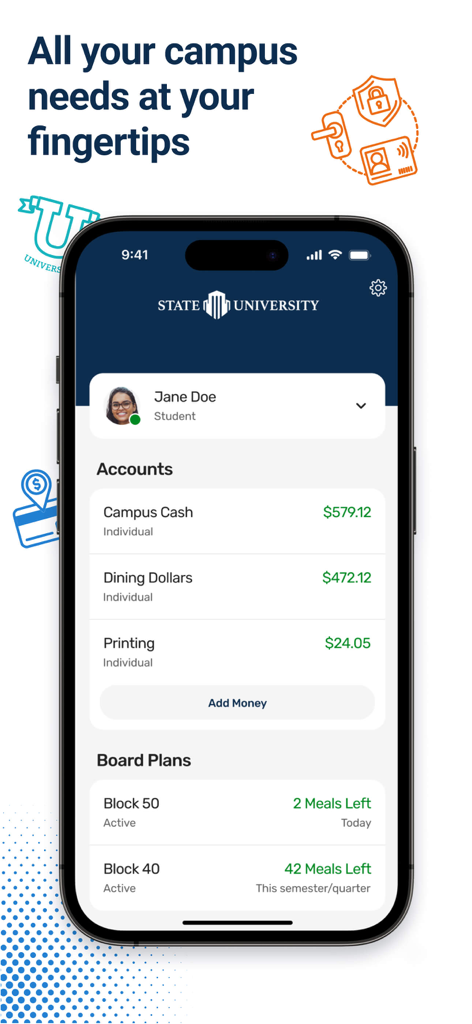
Smartphone screen displaying a student's campus account balances and meal plans on the Transact eAccounts app

Smartphone screen displaying a student's campus account balances and meal plans on the Transact eAccounts app

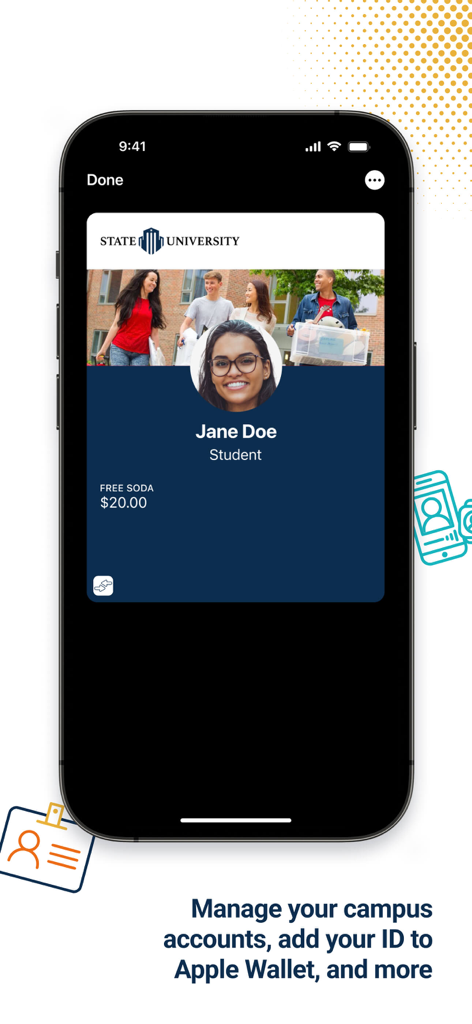
Digital student ID card displayed on a smartphone screen within the Transact eAccounts app

Digital student ID card displayed on a smartphone screen within the Transact eAccounts app

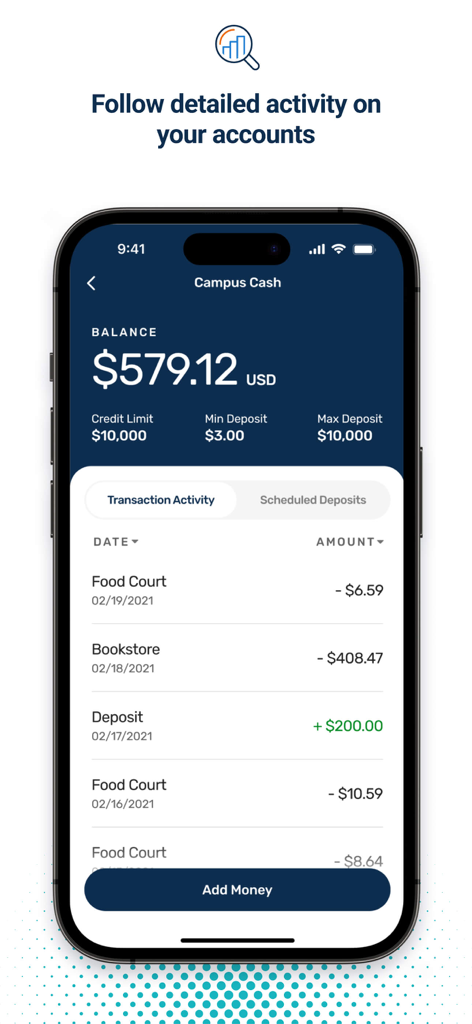
Transact eAccounts mobile app screen showing campus cash balance and recent transaction activity

Transact eAccounts mobile app screen showing campus cash balance and recent transaction activity

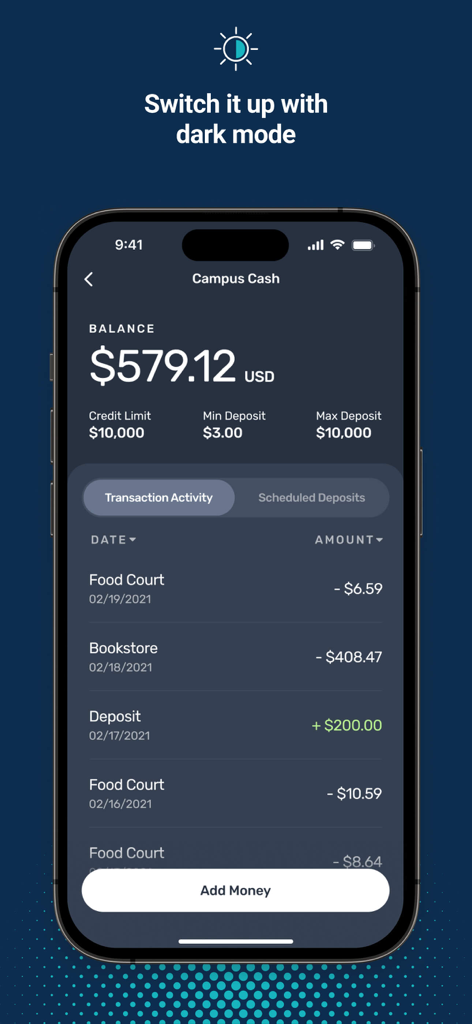
Iphone screen showing Transact eAccounts app in dark mode displaying campus cash balance and recent transactions history.

Iphone screen showing Transact eAccounts app in dark mode displaying campus cash balance and recent transactions history.

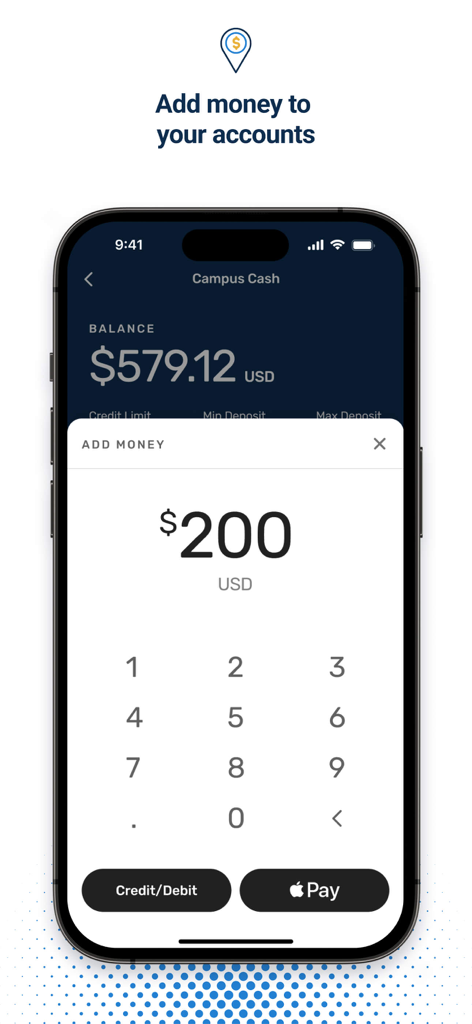
Interface for adding money to a campus cash account within the Transact eAccounts mobile app.

Interface for adding money to a campus cash account within the Transact eAccounts mobile app.

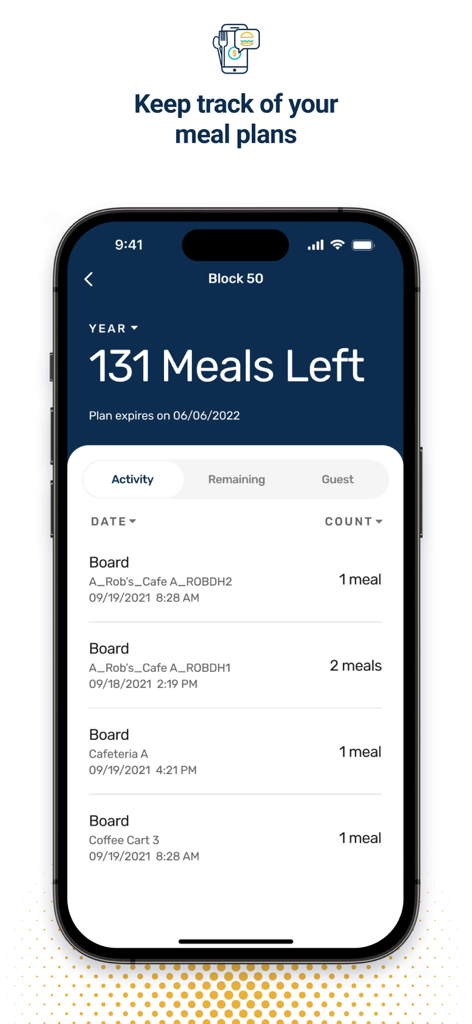
Transact eAccounts mobile app screen showing meal plan balances and campus dining transaction history.

Transact eAccounts mobile app screen showing meal plan balances and campus dining transaction history.

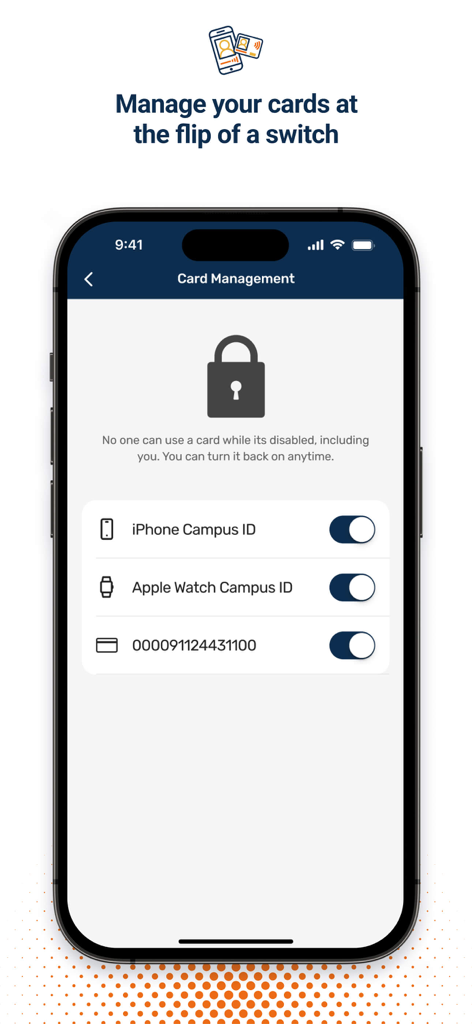
An iPhone showing the card management screen of the Transact eAccounts app with toggle switches to enable or disable digital campus IDs.

An iPhone showing the card management screen of the Transact eAccounts app with toggle switches to enable or disable digital campus IDs.

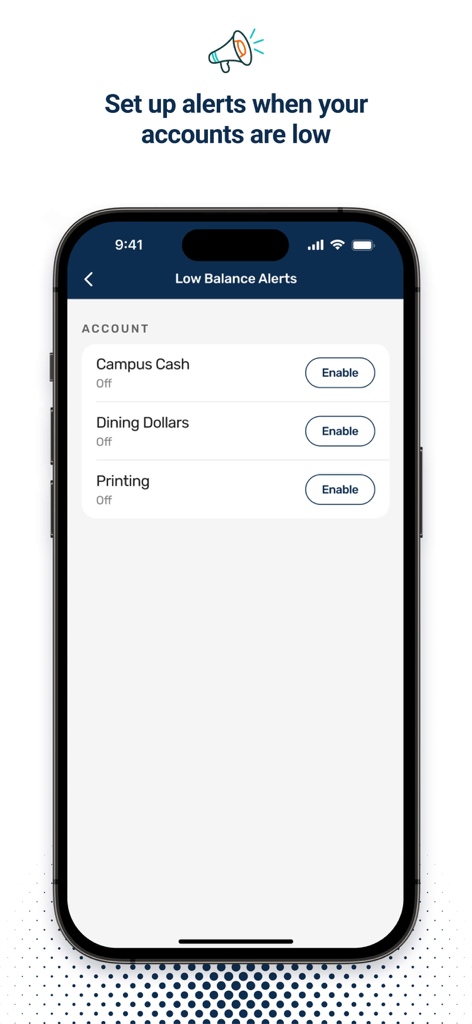
Mobile interface for setting up low balance alerts for campus cash, dining dollars, and printing accounts.

Mobile interface for setting up low balance alerts for campus cash, dining dollars, and printing accounts.

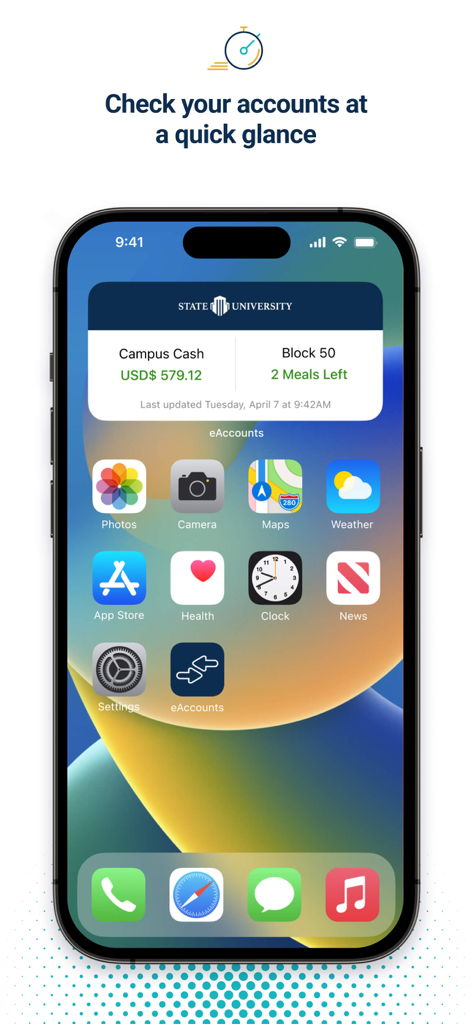
Transact eAccounts iOS home screen widget displaying campus cash balance and remaining meal plan counts for a university student.

Transact eAccounts iOS home screen widget displaying campus cash balance and remaining meal plan counts for a university student.

The Only Campus Key You Need

The tools that make this app stand out, trusted by 1M+ users.

💳

Your Digital Campus ID

Access residence halls, the library, and events by adding your ID to your Apple Wallet for effortless entry.

Instant Mobile Top-Ups

Add money to your accounts in seconds using Apple Pay so you never run out of funds at the dining hall or laundry room.

🛡️

Real-Time Control

Track every transaction instantly and freeze your card the moment it goes missing for total peace of mind.

Loved by users worldwide

Trusted by 1M+ people who love this app.

"

"Honestly, not having to carry a physical ID card is a total game changer for my daily routine. I used to lose my plastic card all the time, but now I just tap my Apple Watch to get into my dorm, the library, and even the gym. It is fast, secure, and I never have to worry about being locked out again."

Jordan S., Undergraduate Student
"

"I love how easy it is to manage my meal plan and laundry credits right from my phone. I can check my balance while standing in line and instantly add funds using Apple Pay if I am running low. The transaction history is also super helpful for keeping my campus spending on track throughout the semester."

Chloe M., Graduate Student

About the app

Everything you need to know about Transact eAccounts.

Description

For users at participating campuses and institutions, eAccounts mobile makes it easy to view account balances, add money and track recent transactions. At select campuses, users can now add their ID card to Wallet to access places like your residence hall, the library, and events; or pay for laundry, snacks, and dinners using their iPhone and Apple Watch. Key Features & Benefits: • View account balances • Track recent transactions • Add money to accounts using Apple Pay or a previously-saved payment method • Add your ID card to Apple Wallet (select campuses) • Barcode (select campuses) • Report cards lost or found • Multi Factor Authentication • App Shortcuts • Change PIN Requirements: • Campus or institution must subscribe to eAccounts service • Campus or institution must enable mobile features to provide access to users • Wi-Fi or cellular data plan for Internet access Contact your campus ID card office to check availability.

Latest Version

2025.2.2

Size

26.1 MB

First Released

Mar 22, 2020

Your Entire Campus, Right in Your Pocket

Join over 1 million students who have ditched the plastic ID. Download Transact eAccounts today to manage your meal plan, pay for laundry, and unlock your dorm with a single tap.

Download on App Store
FAQ

Frequently Asked Questions

Everything you need to know about Transact eAccounts

What is the purpose of the Transact eAccounts app?

The Transact eAccounts app helps users at participating campuses manage their campus accounts. It allows viewing balances, tracking transactions, adding funds, and managing ID cards, including adding them to Apple Wallet.

How can I add money to my account using Transact eAccounts?

Yes, users can add money to their Transact eAccounts. The app supports adding funds using Apple Pay or a previously saved payment method directly through its "Add Money" interface.

Does Transact eAccounts integrate with Apple Wallet for ID cards?

Yes, Transact eAccounts integrates with Apple Wallet. At select campuses, users can add their ID card to Apple Wallet, enabling access and payments with their iPhone and Apple Watch.

Can I view my account balances in Transact eAccounts?

Yes, Transact eAccounts allows users to view current balances for various campus accounts like Campus Cash, Dining Dollars, and Printing. It also shows remaining meals for board plans.

How do I check my transaction history in Transact eAccounts?

Users can track their recent transactions in Transact eAccounts. The app provides detailed activity, including dates, amounts, and descriptions for deposits and purchases within accounts like Campus Cash.

Does Transact eAccounts have multi-factor authentication?

Yes, Transact eAccounts features Multi Factor Authentication (MFA). This security measure helps protect user accounts and ensures the safety of personal and financial information within the application.

What are the system requirements for using Transact eAccounts?

To use Transact eAccounts, your campus must subscribe to the service and enable mobile features. A Wi-Fi or cellular data plan is also required for internet access.

Can I disable my campus ID card through the Transact eAccounts app?

Yes, users can disable their campus ID cards using the Card Management feature in Transact eAccounts. This includes iPhone Campus ID, Apple Watch Campus ID, and physical cards.

Does Transact eAccounts offer low balance alerts for accounts?

Yes, Transact eAccounts allows users to set up and enable low balance alerts. These notifications are available for various accounts such as Campus Cash, Dining Dollars, and Printing.

Is dark mode available in the Transact eAccounts app?

Yes, dark mode is available in the Transact eAccounts app. Users can switch to this display option for a different visual experience within the application.