VEED Shorts: AI videos

VEED Shorts: AI videos

Download on App Store
Spark by MWM logo
Logo of VEED Shorts: AI videos

VEED Shorts: AI videos that turn raw clips into viral gold

Skip the manual editing. Automatically add captions, generate AI B-roll, and remove background noise to create professional TikToks, Reels, and LinkedIn videos in seconds.

Publisher

VEED Ltd

Category

Photo & Video

Downloads

3M+

User Rating

4.8/5

Total Ratings

51K+

Locales

1

Creation Made Easy

Discover the interface used by 3M+ users.
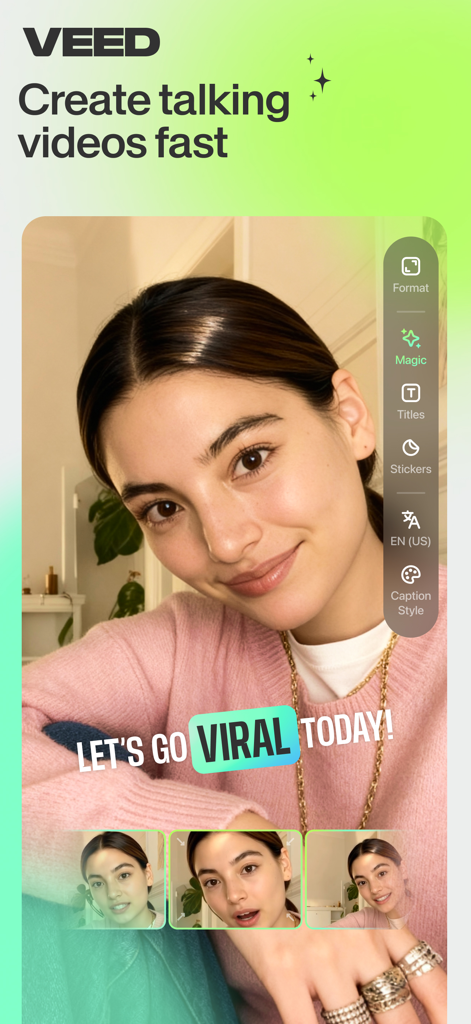
Interface of VEED Shorts app showing a video creator with viral captions and editing tools

Interface of VEED Shorts app showing a video creator with viral captions and editing tools

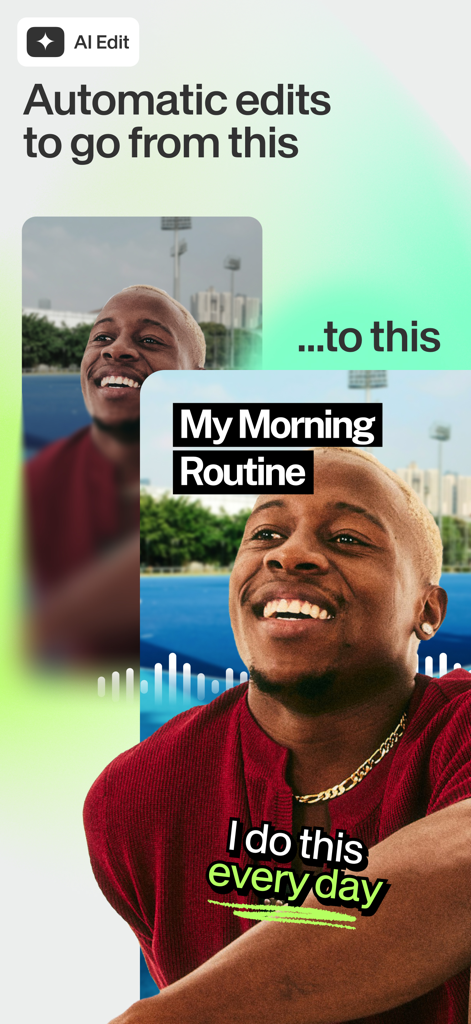
A before and after comparison of a raw video clip transformed into a polished social media video with AI captions and titles

A before and after comparison of a raw video clip transformed into a polished social media video with AI captions and titles

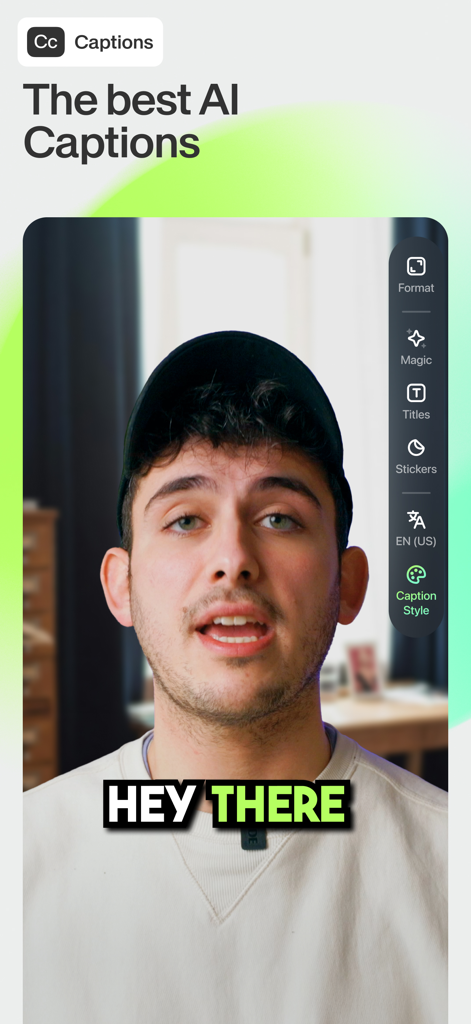
Interface of the VEED app showing a creator using the auto-captions feature with a stylish yellow and black text overlay

Interface of the VEED app showing a creator using the auto-captions feature with a stylish yellow and black text overlay

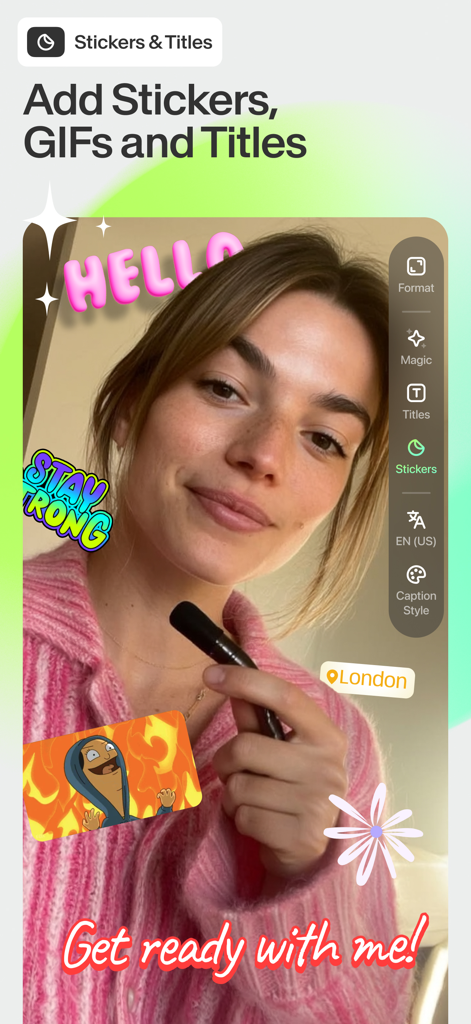
Young woman using the VEED Shorts app to add colorful stickers, GIFs, and animated titles to her video content.

Young woman using the VEED Shorts app to add colorful stickers, GIFs, and animated titles to her video content.

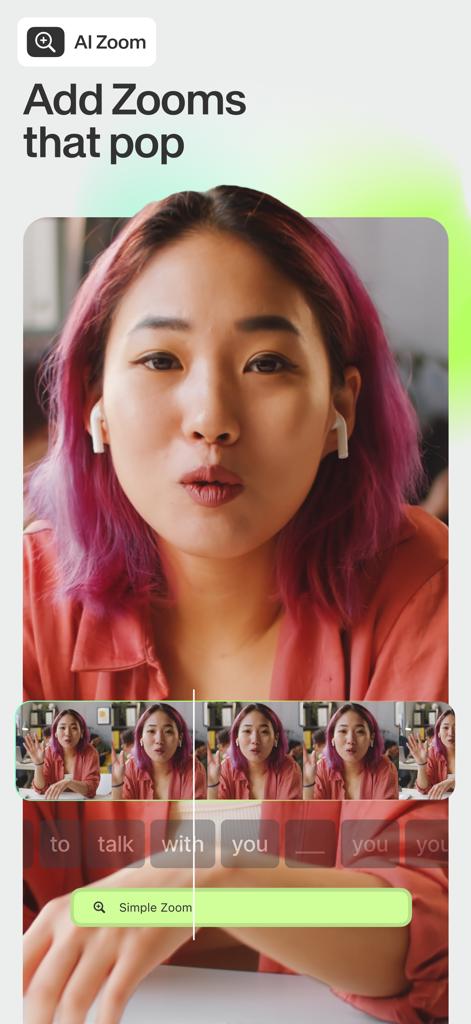
Mobile app interface of VEED Shorts showing the AI zoom feature with a video timeline and editing tools

Mobile app interface of VEED Shorts showing the AI zoom feature with a video timeline and editing tools

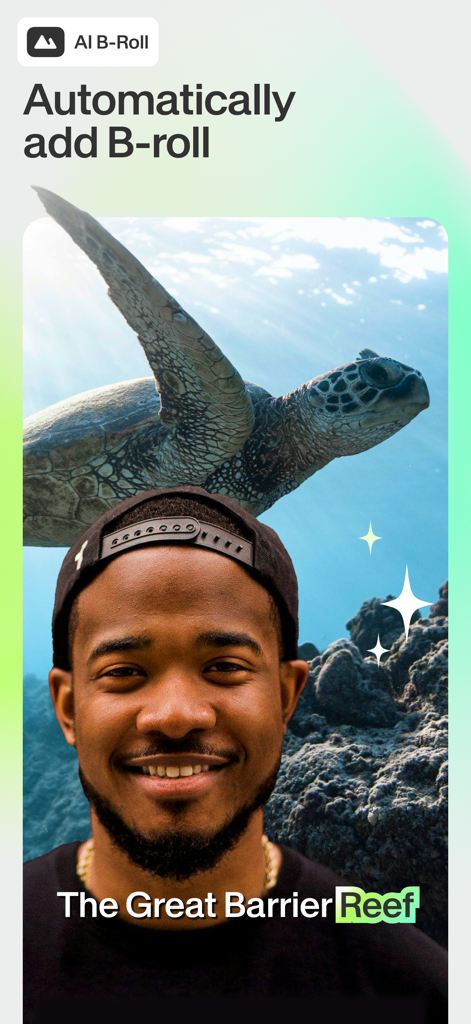
A man using the VEED app to automatically add AI generated B-roll of a sea turtle to his video

A man using the VEED app to automatically add AI generated B-roll of a sea turtle to his video

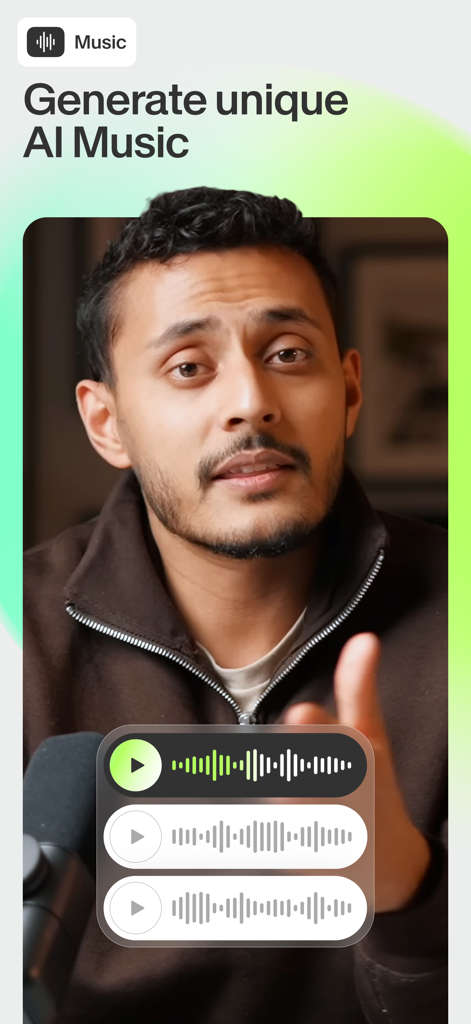
A video creator using the VEED Shorts app to generate unique AI music for social media content.

A video creator using the VEED Shorts app to generate unique AI music for social media content.

Create Viral Content in Record Time

The tools that make this app stand out, trusted by 3M+ users.

Automatic AI Editing

Upload your footage and let AI handle the cuts, zooms, and styles. Swipe through professional edits and pick the look that fits your brand.

💬

Smart Auto-Captions

Boost engagement with precise captions. Automatically remove filler words and translate your message to reach a global audience instantly.

🎬

AI-Powered B-Roll

Never run out of footage. Generate stunning B-roll and studio-quality background music to keep your audience hooked from start to finish.

Loved by users worldwide

Trusted by 3M+ people who love this app.

"

"As a solo digital consultant, I need to stay active on LinkedIn, but I don't have hours to spend on editing. VEED's AI noise removal and auto-captions have been a game changer for me. It makes my videos sound like they were recorded in a professional studio, even when I'm just at my desk. I can go from raw footage to a polished post in minutes."

Marcus Thorne, Solopreneur
"

"I'm literally obsessed with the AI B-roll and zoom features! It keeps my TikTok and Reels content so engaging without me having to do any manual cuts. The caption styles are much better than the basic ones in other apps, and the AI music generator is a lifesaver for avoiding copyright strikes. My views have definitely seen a boost since I started using it."

Chloe Rivera, Lifestyle Creator

About the app

Everything you need to know about VEED Shorts: AI videos.

Description

Creating short-form videos has never been easier. VEED is an app designed to help you make amazing video content for Instagram, TikTok, Twitter/X, Youtube Shorts and Linkedin. Millions of people are already using the app. To use VEED, simply download the app and record or upload a video. VEED is the video editor that works for everyone: Whether you’re a creator, small business owner, or a marketeer, or a first-time social user - there will be something for you! For all your shorts, reels and other videos. Take a look at our top features and why our users love them: AUTOMATIC EDITING WITH AI - VEED edits your video for you - so you can save time! - You just upload or record your video, and we’ll apply all the edits automatically - The edits come in different styles, pick your favorite by swiping - Don’t like certain edits? Just toggle them off - We’ll remember your settings for next time FEATURES Auto captions - Add auto-captions to maximize your views - Select from a variety of auto-caption styles to stand out on social - Translate your captions into a different language than the one you’re speaking - Remove unwanted silences and filler words automatically Titles - Easily add text effects to your videos - Select from a variety of styles Video editor - Edit all of your videos on one platform - Trim your clips, add music, stickers, GIFs, text, and B-roll AI zooms - Automatically zoom in at key times AI background music - Generate your own AI music - Royalty-free AI background noise removal - Remove the noise from your video - Always sound like you’re in a studio AI B-roll - Generate B-roll to support your story - Generate in different styles - Using top image generation models such as Flux and Nano-banana Share across all social platforms - Share to Instagram, TikTok, YouTube, and other social platforms in just one tap - Mojo easily resizes your content depending on the platform you’re sharing to Stickers and graphics - Add stickers, GIFS and other graphics into your videos PAYMENT: If you subscribe via Apple, your payment will be charged to the App Store Account at confirmation of purchase. Subscription automatically renews unless auto-renew is turned off at least 24 hours before the end of the current period. Account will be charged for renewal within 24 hours prior to the end of the current period at the rate of the selected plan. Subscriptions and auto-renewal may be managed by going to Account Settings on your iPhone after purchase. ABOUT VEED.IO VEED.IO is the fastest way to create pro-level videos on the web. Now, we are bringing that same power to your iPhone. We want to make the best mobile video editing app around, so we’ll be eagerly listening to your feedback to help take this app to the next level. We're always open to feedback, email us yours at mobile-support@veed.io The VEED team TERMS: www.veed.io/terms-of-use PRIVACY POLICY: www.veed.io/privacy

Latest Version

8.2.1

Size

250.4 MB

First Released

Aug 15, 2022

Ready to Go Viral Without the Effort?

Join 3M+ creators and professionals using AI to turn raw clips into polished content for TikTok, Reels, and LinkedIn. Download VEED now and let the AI edit your next hit in seconds.

Download on App Store
FAQ

Frequently Asked Questions

Everything you need to know about VEED Shorts: AI videos

What is VEED Shorts: AI videos?

VEED Shorts: AI videos is an app that simplifies creating short-form video content for platforms like Instagram, TikTok, Twitter/X, YouTube Shorts, and LinkedIn. It provides tools for making professional-level videos fast.

How does automatic editing work in VEED Shorts: AI videos?

VEED Shorts automatically applies edits after you upload or record a video. Users can select from different styles by swiping or toggle off unwanted edits. The app remembers user settings for future use.

Which social media platforms does VEED Shorts: AI videos support for sharing?

VEED Shorts: AI videos supports sharing content directly to Instagram, TikTok, YouTube, Twitter/X, and LinkedIn. The app resizes content for each platform.

Can VEED Shorts: AI videos generate automatic captions?

Yes, VEED Shorts: AI videos generates automatic captions. It offers various caption styles, translation into other languages, and removes silences and filler words automatically.

How do I add titles and text effects using VEED Shorts: AI videos?

VEED Shorts: AI videos allows users to easily add titles and text effects to videos. The app provides a variety of styles to choose from for these text elements.

What video editing features are available in VEED Shorts: AI videos?

VEED Shorts: AI videos provides a comprehensive video editor to trim clips and add music, stickers, GIFs, text, and B-roll. All these features are available on one platform.

Does VEED Shorts: AI videos use AI for video zooms?

Yes, VEED Shorts: AI videos features AI zooms. It automatically zooms in at key moments within the video content to enhance visual engagement.

Can VEED Shorts: AI videos generate AI background music?

Yes, VEED Shorts: AI videos can generate royalty-free AI background music. Users can create unique musical compositions directly within the app.

Does VEED Shorts: AI videos offer AI background noise removal?

Yes, VEED Shorts: AI videos includes AI background noise removal. This feature cleans up audio, making it sound professional, as if recorded in a studio environment.

Does VEED Shorts: AI videos have an AI B-roll generation feature?

Yes, VEED Shorts: AI videos generates AI B-roll to support video narratives. It offers different styles and uses image generation models like Flux and Nano-banana for B-roll creation.

How do subscriptions and payments work for VEED Shorts: AI videos?

Payment for VEED Shorts subscriptions is charged to your App Store Account upon purchase. Subscriptions auto-renew unless turned off 24 hours before the period ends. Manage renewals via iPhone Account Settings.

How can I contact support for VEED Shorts: AI videos?

Users can contact support for VEED Shorts: AI videos by emailing their feedback or inquiries to mobile-support@veed.io. The team actively welcomes user input.

Where can I find the terms of use and privacy policy for VEED Shorts: AI videos?

The terms of use for VEED Shorts: AI videos are available at www.veed.io/terms-of-use. The privacy policy is located at www.veed.io/privacy.