VoCat - My Own Vocabulary

VoCat - My Own Vocabulary

Download on App Store
Spark by MWM logo
Logo of VoCat - My Own Vocabulary

VoCat - My Own Vocabulary: Master Every Word with Your Personal Cat Study Buddy

Build the ultimate custom dictionary for SATs, language exams, or medical terms. Import lists instantly, study offline, and reach your goals with Nero the cat by your side.

Publisher

DevStory Corp.

Category

Education

Downloads

311K+

User Rating

4.9/5

Total Ratings

5K+

Locales

72

A Glimpse Inside

Discover the interface used by 311K+ users.
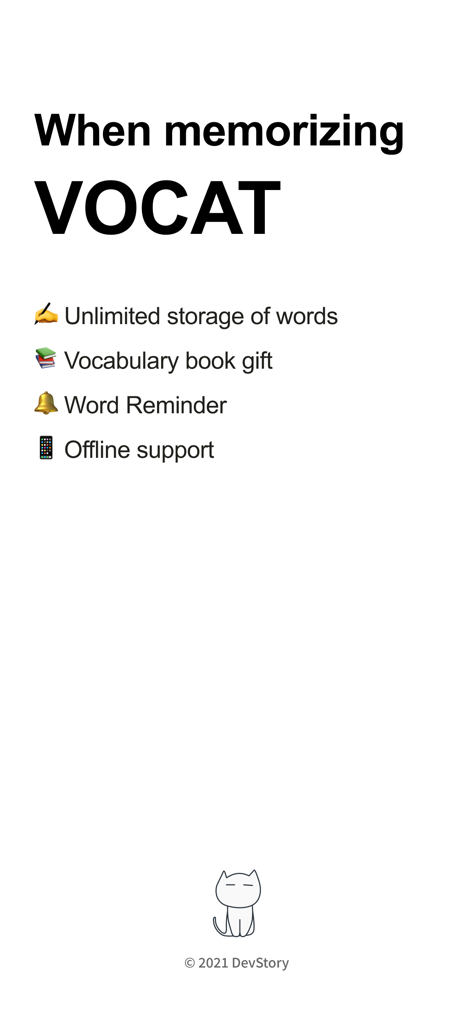
Overview of VoCat app features including unlimited words word reminders and offline support

Overview of VoCat app features including unlimited words word reminders and offline support

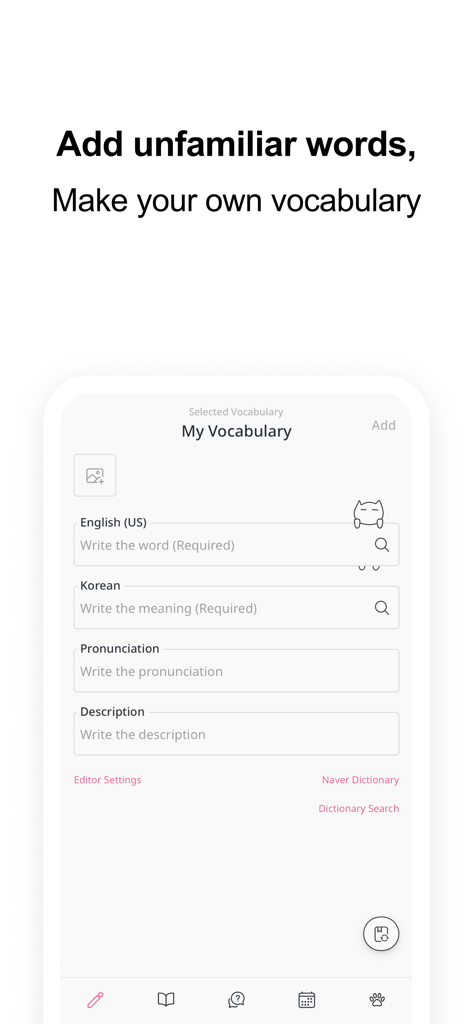
Smartphone screen of VoCat app for adding a new word with translation and pronunciation fields

Smartphone screen of VoCat app for adding a new word with translation and pronunciation fields

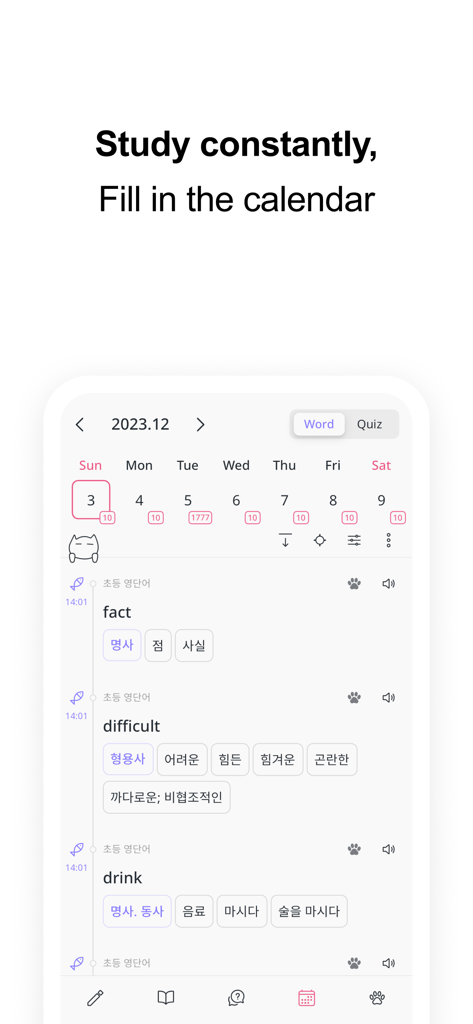
VoCat app screen showing a calendar view for tracking vocabulary study progress and word lists

VoCat app screen showing a calendar view for tracking vocabulary study progress and word lists

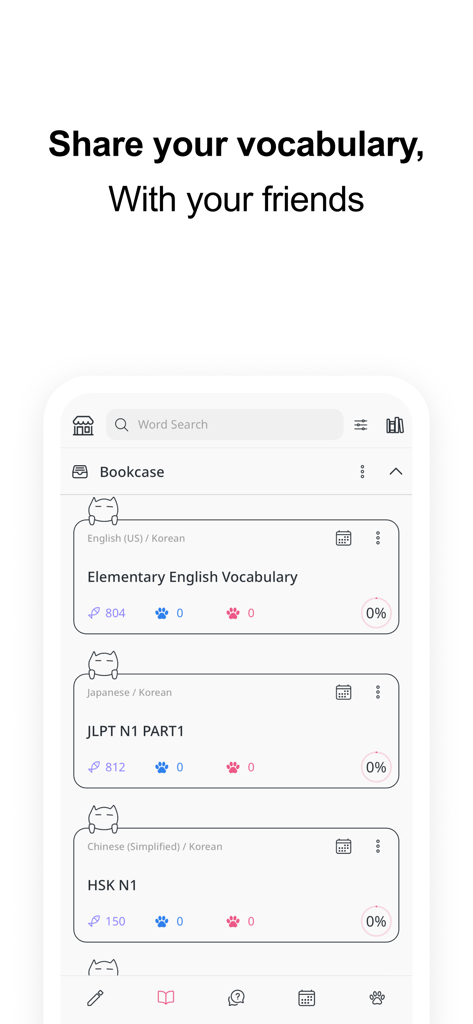
VoCat app interface showing the bookcase section with shared vocabulary lists for English, Japanese, and Chinese.

VoCat app interface showing the bookcase section with shared vocabulary lists for English, Japanese, and Chinese.

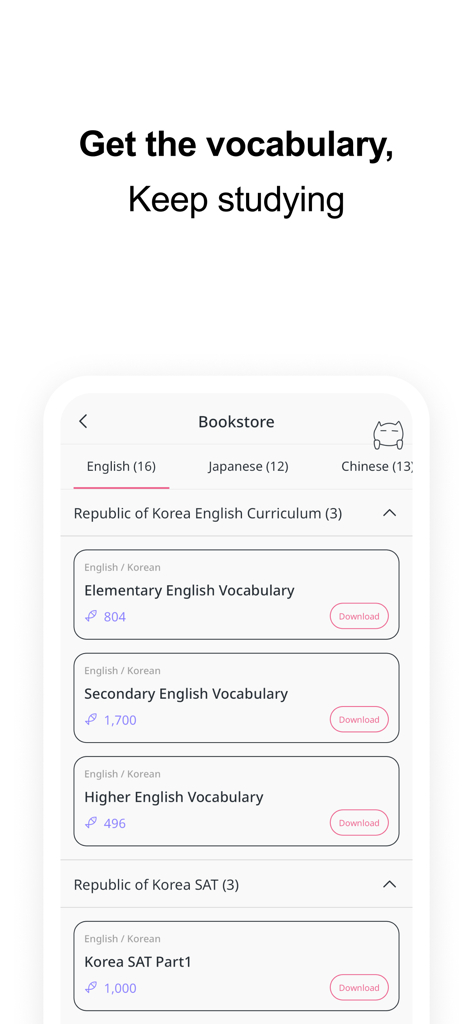
VoCat app Bookstore screen showing downloadable vocabulary lists for English, Japanese, and Chinese curricula

VoCat app Bookstore screen showing downloadable vocabulary lists for English, Japanese, and Chinese curricula

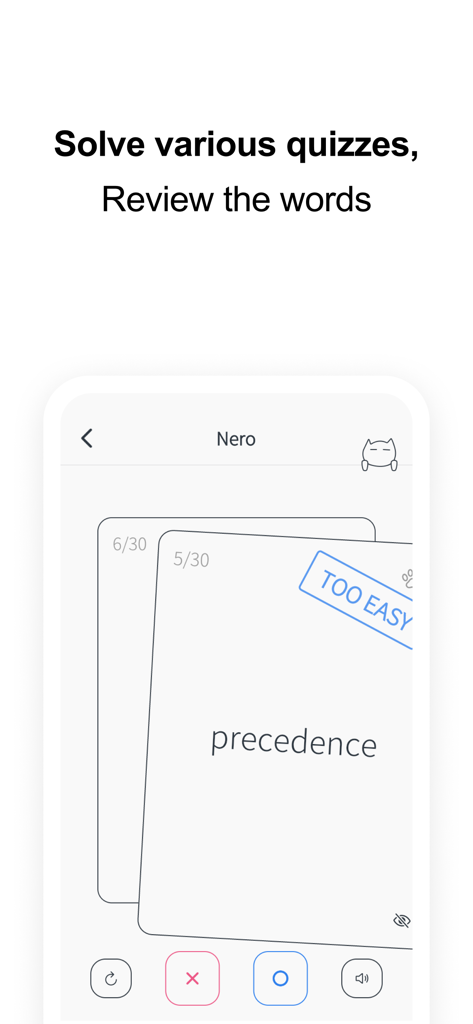
Vocabulary quiz screen in the VoCat app showing a flashcard for the word precedence.

Vocabulary quiz screen in the VoCat app showing a flashcard for the word precedence.

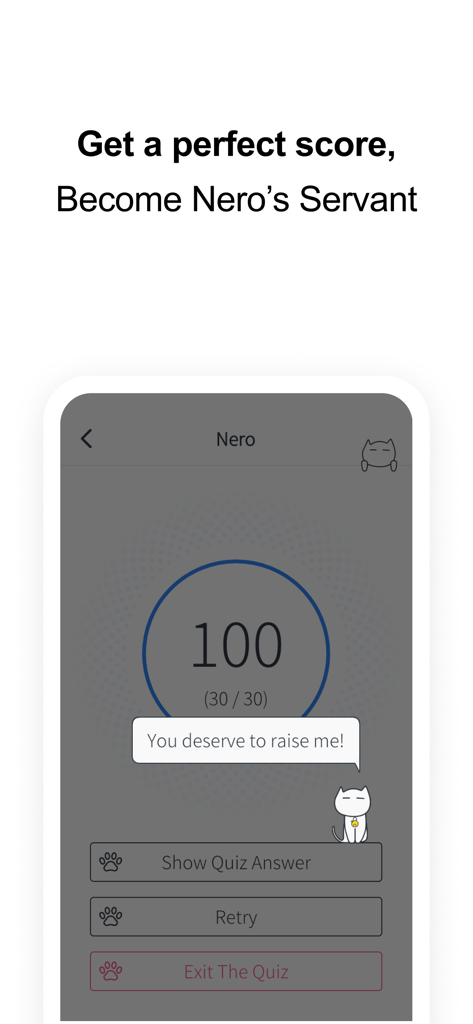
VoCat app quiz result screen showing a perfect score of 100 with Nero the cat mascot

VoCat app quiz result screen showing a perfect score of 100 with Nero the cat mascot

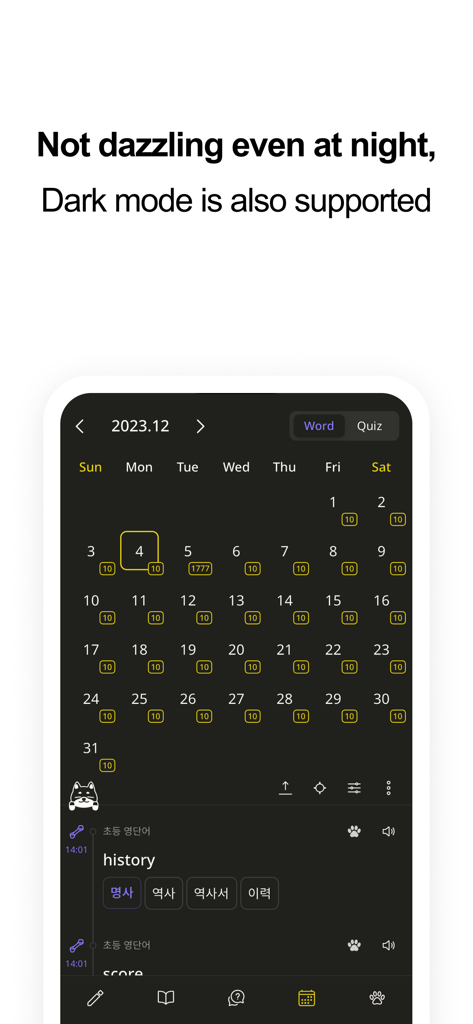
VoCat app interface showing the study tracking calendar in dark mode featuring the cat mascot Nero.

VoCat app interface showing the study tracking calendar in dark mode featuring the cat mascot Nero.

Study Smarter, Not Harder

The tools that make this app stand out, trusted by 311K+ users.

Your Dictionary, Your Rules

Skip the manual typing. Use Google Translate auto-complete or bulk import CSV files to create custom lists tailored to your specific goals in seconds.

📸

Visualize Your Success

Boost retention by attaching personal photos to words. Study in an aesthetic, stress-free environment that turns a boring chore into a creative hobby.

🧠

Active Recall Made Fun

Crush your exams with Flashcards, Multiple Choice, and Dictation modes. Track your progress on the study calendar and stay consistent with smart notifications.

Loved by users worldwide

Trusted by 311K+ people who love this app.

"

"VoCat is a game-changer for my JLPT prep! The auto-complete feature with Google Translate makes building my own lists so fast, and Nero the cat is the cutest motivation. I love seeing my progress on the calendar—it is the perfect mix of aesthetic and functional."

Chloe S.
"

"This is the ultimate tool for medical school. I can import all my complex terminology via CSV and use the flashcards for active recall during my commute. The offline support is essential for study sessions in the library without distraction. Simply the best customization out there."

Dr. Marcus T.

About the app

Everything you need to know about VoCat - My Own Vocabulary.

Description

You can create your own vocabulary with no limit to the number of words, and use the app even without data :) The cute cat Nero is a bonus. Easily create your own vocabulary • Just enter a word and Google Translator automatically completes the meaning, part of speech, and synonyms. • It is very convenient to use, so you can easily add words. • You can easily find the results of Naver Dictionary and Google Translate with one click of a button. • You can create a vocabulary in Excel or Google Sheets and easily add it to the app in CSV format. Record with images • You can select a photo from the album and record it with words. • You can record by taking pictures with the camera directly. Share it easily • You can share the vocabulary as CSV. • Share the vocabulary with your friends to study together. Back up safely • You can back up your entire data as a file. • Back up your entire data to Google Drive with the click of a button to keep it safe. Use the vocabulary prepared in the bookstore • English • SAT words • Japanese • JLPT • Chinese • HSK • Medicine See what you've studied on the calendar • You can see the words added that day on the calendar. • Quiz history is also displayed on the calendar, so you can review it. Learn by taking quizzes • At the end of the quiz, you can retest by collecting only the wrong words. • Swipe Cards (FlashCard) • Multiple Choice • Dictation • Blinker Get word alerts • It is important to see the words often! • You can receive word notifications at any time you want. Plan your study schedule • You can make a schedule by specifying how many words in the vocabulary to study per day. • According to the learning schedule, you can select only the words you want to learn today and take the quiz. Listen to the words • Words will be read using the built in speech engine (TTS, Text To Speech). • You can listen to words like listening to music. The following languages are supported • Afrikaans • Albanian • Amharic • Arabic • Armenian • Assamese • Aymara • Azerbaijani • Bambara • Basque • Belarusian • Bengali • Bhojpuri • Bosnian • Bulgarian • Catalan • Cebuano • Chinese (Simplified) • Chinese (Traditional) • Corsican • Croatian • Czech • Danish • Dhivehi • Dogri • Dutch • English (US, UK, Ireland, India, Australia) • Esperanto • Estonian • Ewe • Filipino (Tagalog) • Finnish • French • Frisian • Galician • Georgian • German • Greek (Ancient) • Greek (Modern) • Guarani • Gujarati • Haitian Creole • Hausa • Hawaiian • Hebrew (Biblical) • Hebrew (Modern) • Hindi • Hmong • Hungarian • Icelandic • Igbo • Ilocano • Indonesian • Irish • Italian • Japanese • Javanese • Kannada • Kazakh • Khmer • Kinyarwanda • Konkani • Korean • Krio • Kurdish • Kurdish (Sorani) • Kyrgyz • Lao • Latin • Latvian • Lingala • Lithuanian • Luganda • Luxembourgish • Macedonian • Maithili • Malagasy • Malay • Malayalam • Maltese • Maori • Marathi • Meiteilon (Manipuri) • Mizo • Mongolian • Myanmar (Burmese) • Nepali • Norwegian • Nyanja (Chichewa) • Odia (Oriya) • Oromo • Pashto • Persian • Polish • Portuguese (Portugal, Brazil) • Punjabi • Quechua • Romanian • Russian • Samoan • Sanskrit • Scots Gaelic • Sepedi • Serbian • Sesotho • Shona • Sindhi • Sinhala (Sinhalese) • Slovak • Slovenian • Somali • Spanish • Sundanese • Swahili • Swedish • Tagalog (Filipino) • Tajik • Tamil • Tatar • Telugu • Thai • Tigrinya • Tsonga • Turkish • Turkmen • Twi (Akan) • Ukrainian • Urdu • Uyghur • Uzbek • Vietnamese • Welsh • Xhosa • Yiddish • Yoruba • Zulu • Crimean Tatar • Swazi Would you like to make your own vocabulary?

Latest Version

4.3.17

Size

158.2 MB

First Released

Nov 10, 2020

Ready to Master Your Vocabulary with Nero?

Join 300,000+ learners building their own personalized study space. Whether you're acing the SATs, surviving med school, or learning a new language, start your aesthetic study journey today.

Download on App Store
FAQ

Frequently Asked Questions

Everything you need to know about VoCat - My Own Vocabulary

What is VoCat - My Own Vocabulary app?

VoCat - My Own Vocabulary is an application for creating personal vocabulary lists with unlimited words, offering offline access, and various study tools like quizzes, a calendar, and word alerts.

Can I use VoCat - My Own Vocabulary without an internet connection?

Yes, VoCat - My Own Vocabulary supports offline use. Users can access their vocabulary and study without an internet connection.

How does VoCat - My Own Vocabulary help me create a vocabulary?

VoCat assists by automatically completing the meaning, part of speech, and synonyms of a word using Google Translator. It also integrates Naver Dictionary and Google Translate for easy reference.

Does VoCat - My Own Vocabulary support importing existing word lists?

Yes, VoCat - My Own Vocabulary allows users to import vocabulary lists in CSV format, enabling easy addition of words created in Excel or Google Sheets.

Can I share my vocabulary lists with others using VoCat - My Own Vocabulary?

Yes, VoCat - My Own Vocabulary allows users to share their created vocabulary as a CSV file. Users can share lists with friends for collaborative study.

What types of quizzes does VoCat - My Own Vocabulary offer?

VoCat - My Own Vocabulary provides various quiz types including Swipe Cards (FlashCard), Multiple Choice, Dictation, and Blinker. It also allows retesting of incorrect words.

Does VoCat - My Own Vocabulary offer pre-made vocabulary sets?

Yes, VoCat - My Own Vocabulary includes a bookstore with prepared vocabulary sets. These include English (SAT words), Japanese (JLPT), Chinese (HSK), and Medicine.

Can VoCat - My Own Vocabulary remind me to study words?

Yes, VoCat - My Own Vocabulary features word alerts. Users can receive notifications for words at any desired time to ensure frequent review.

Does VoCat - My Own Vocabulary support dark mode?

Yes, VoCat - My Own Vocabulary supports dark mode. This feature allows for comfortable viewing and study during nighttime.

Can I backup my data in VoCat - My Own Vocabulary?

Yes, VoCat - My Own Vocabulary provides backup options. Users can back up their entire data as a file or safely back it up to Google Drive with a single click.

What languages does VoCat - My Own Vocabulary support for learning?

VoCat - My Own Vocabulary supports an extensive list of languages for learning, including major ones like English, Japanese, Chinese, Korean, Spanish, French, and German.

How can I track my study progress in VoCat - My Own Vocabulary?

VoCat - My Own Vocabulary allows users to track study progress via a calendar. The calendar displays words added daily and quiz history, facilitating review.

Does VoCat - My Own Vocabulary offer text-to-speech for words?

Yes, VoCat - My Own Vocabulary reads words aloud using its built-in speech engine (TTS). Users can listen to words, similar to listening to music.