VSCO: Photo Editor & Presets

VSCO: Photo Editor & Presets

Download on App StoreDownload on Google Play
Spark by MWM logo
Logo of VSCO: Photo Editor & Presets

VSCO: Create Your Best Work and Connect with a Global Creative Community

Unlock iconic film presets, professional AI tools, and a space where art is valued over likes. Elevate your photography and join the community designed for real expression.

Publisher

Visual Supply Company

Category

Photo & Video

Downloads

121M+

User Rating

4.6/5

Total Ratings

1M+

Locales

16

Inside the Creative Lab

Discover the interface used by 121M+ users.

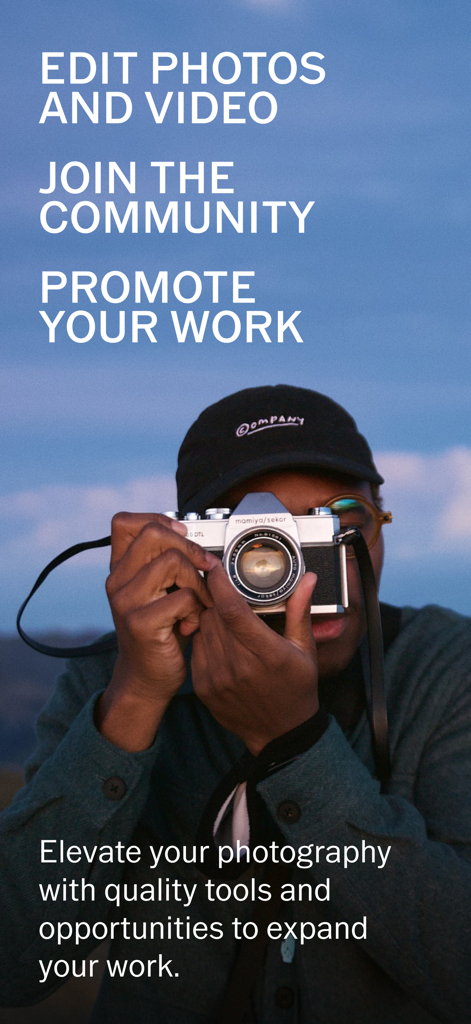
A photographer with a vintage camera promoting VSCO photo and video editing tools and community

A photographer with a vintage camera promoting VSCO photo and video editing tools and community

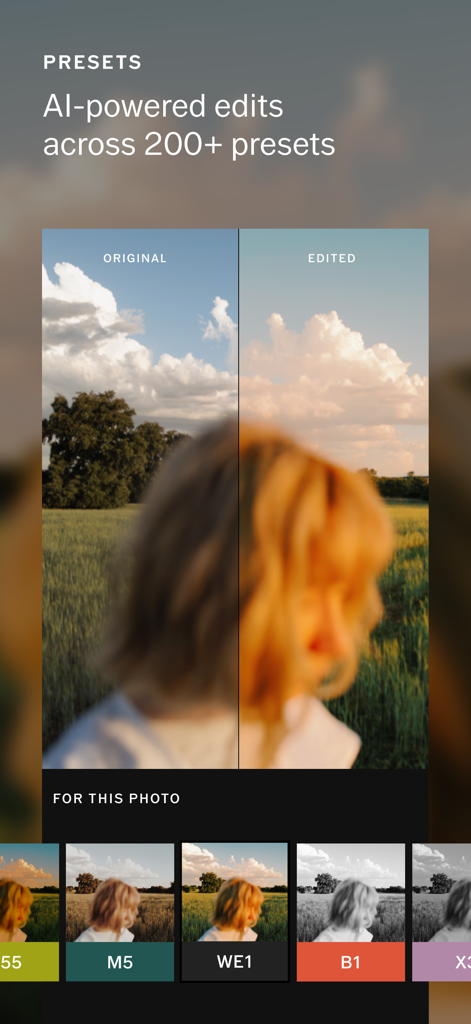
VSCO photo editor interface showing a before and after comparison of an AI powered preset edit

VSCO photo editor interface showing a before and after comparison of an AI powered preset edit

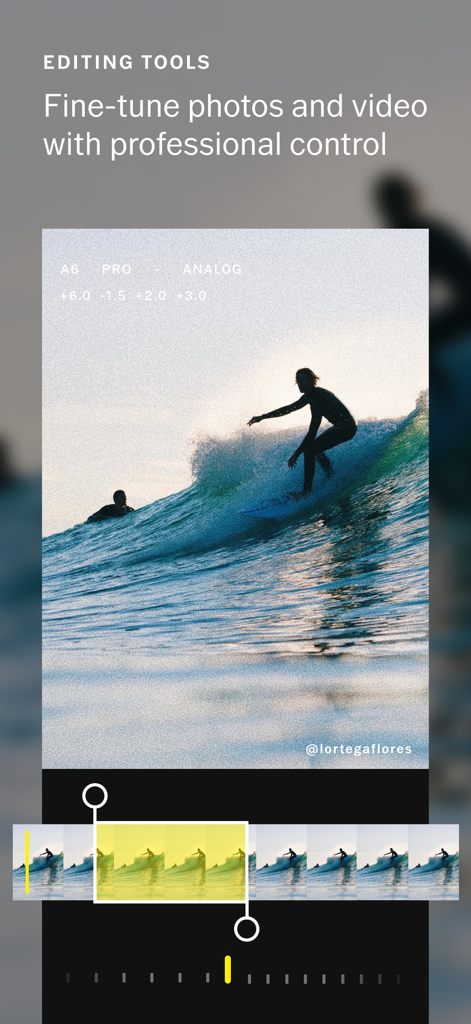
VSCO app interface showing professional video editing tools with a surfing clip.

VSCO app interface showing professional video editing tools with a surfing clip.

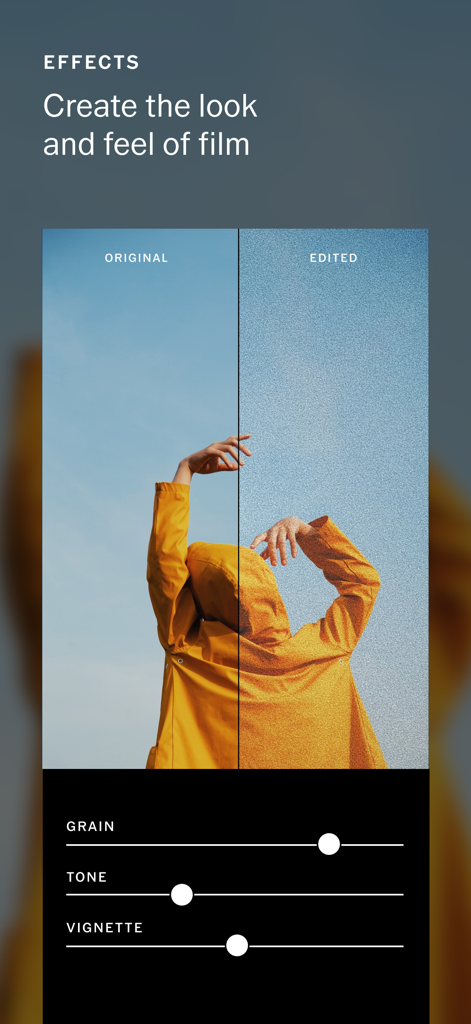
VSCO app screenshot showing before and after film grain and tone editing tools

VSCO app screenshot showing before and after film grain and tone editing tools

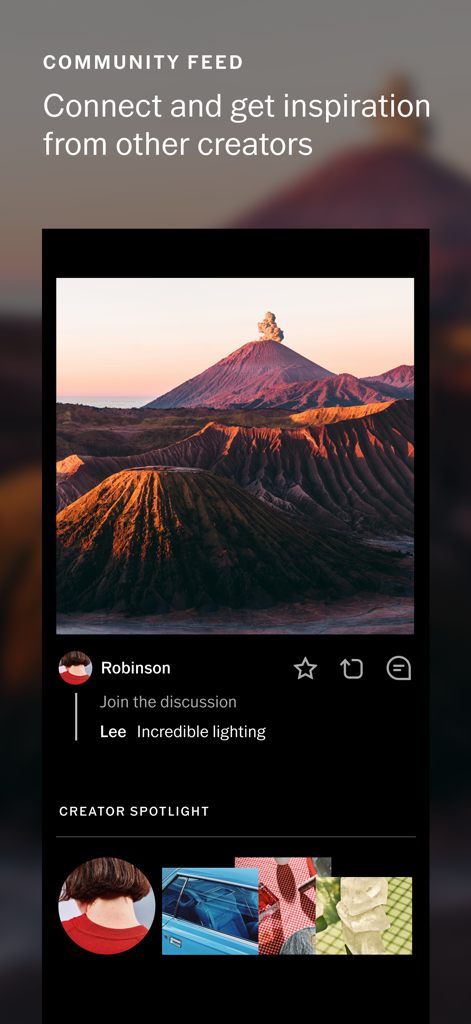
VSCO app community feed featuring photography and creator spotlights

VSCO app community feed featuring photography and creator spotlights

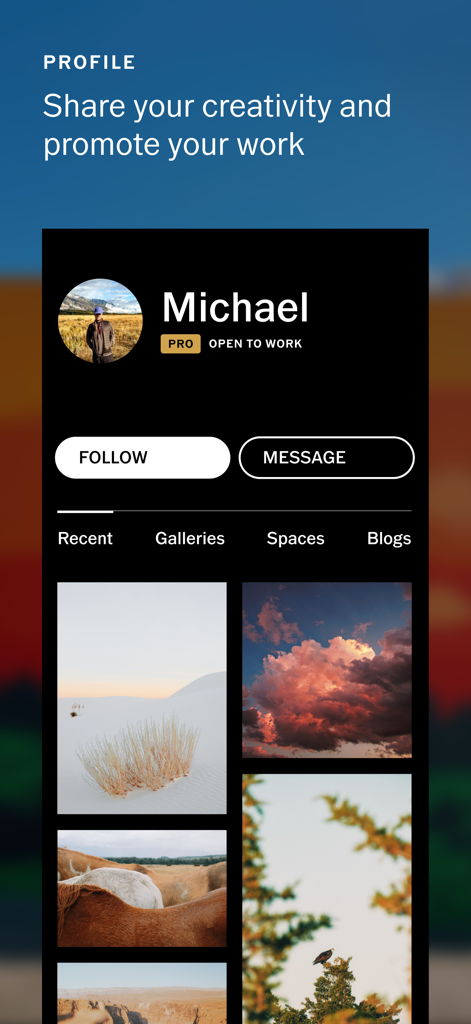
VSCO Pro user profile showcasing a professional photography portfolio and open to work status

VSCO Pro user profile showcasing a professional photography portfolio and open to work status

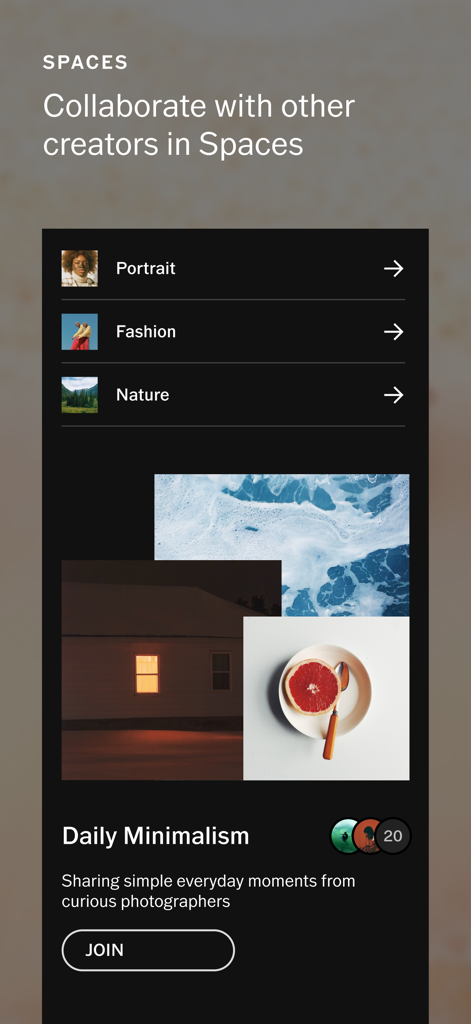
VSCO app interface showing the Spaces feature for creative collaboration among photographers

VSCO app interface showing the Spaces feature for creative collaboration among photographers

Empower Your Visual Storytelling

The tools that make this app stand out, trusted by 121M+ users.

🎞️

Pro-Level Film Emulation

Transform your shots with 200+ presets that recreate the soul of analog film, from vintage Kodak to cinematic Fuji stocks.

Pressure-Free Community

Focus on your craft in a social space without public likes or comments. Share your vision and find inspiration in a curated feed.

💼

Unlock Career Opportunities

Build a professional portfolio and connect with brands. Use Spaces to collaborate with peers and take your creative work to the next level.

Loved by users worldwide

Trusted by 121M+ people who love this app.

"

"As a freelance photographer, VSCO Pro is my go-to mobile studio. The film emulation presets are the most accurate I have ever used, and the ability to share work with clients through private Spaces has completely streamlined my professional workflow. It is the only platform where I feel free to focus on the art rather than the algorithm."

Elena Rodriguez
"

"I love that VSCO is a sanctuary from the pressure of likes and comments. The AI tools like Remove and Upscale help me perfect my travel shots in seconds, and the community here is genuinely inspiring. It is the perfect place to curate my aesthetic and experiment with video montage without the performative noise of other apps."

Jordan Smith

Review Analysis

Insights from user reviews.

Sentiment Score

26%
Negative

Summary

VSCO is currently receiving largely negative feedback from its user base, marked by substantial increases in subscription pricing and a perceived shift towards locking essential features behind paywalls. Users frequently report significant app instability, including crashes, lagging performance, and issues with saving edits or accessing account functionalities, particularly for those on iPhone 16 Pro Max with iOS 26 experiencing consistent app crashes. Furthermore, intrusive and interactive advertisements are widely criticized for disrupting the user experience and hindering navigation. Despite these concerns, a segment of users continues to appreciate the app's powerful editing features and unique filters, but many long-term customers feel the value no longer justifies the cost.

Common Themes

Subscription pricing(18)
App stability and bugs(14)
Intrusive ads(9)
Feature paywalls(9)
Editing features and filters(7)
Missing or removed features(5)
Account and support issues(5)
App decline(5)

About the app

Everything you need to know about VSCO: Photo Editor & Presets.

Description

VSCO — community, tools, and exposure for all photographers. VSCO is a community-driven platform that equips photographers to expand creatively and professionally. We empower photographers to connect with other creatives and businesses with our suite of creative tools that spans from mobile to desktop and across our global community. FREE PHOTO EDITOR Take your photography to the next level with free VSCO presets. Easily import and edit your RAW photos. Use editing tools like Contrast and Saturation to make your photos pop or try adding Fade for a more subdued look. Find the perfect composition and align your perspective with Crop and Skew. Save and recreate your favorite edits with Recipes. ADVANCED PHOTO EDITING TOOLS Join VSCO Membership to access VSCO’s complete preset library with over 200+ presets. Recreate vintage film looks inspired by Kodak, Fuji, Agfa, and others with Film X. Use advanced photo editing tools like HSL, Dodge & Burn, Split Tone, and Grain. Frame your images with bold colors using Borders. AI PHOTO EDITING Edit photos with high-fidelity AI tools like AI Remove and Upscale (more coming soon). Included with VSCO Pro membership. Unlimited edits. No credits or token required. VIDEO EDITOR Transform your videos on mobile with the same premium VSCO presets and advanced editing tools from our photo editor. Adjust white balance and experiment with color control with HSL. Easily create short video GIFs with DSCO. PRO PRESETS Join VSCO Pro Membership to refine your signature photo or video style with Pro presets. Pro presets allow you to edit and customize our most iconic tools, adjusting preset contrast, color, tone, and more. COLLAGE PHOTOS AND VIDEOS Make photo and video collages in seconds. Create layered multimedia collages with pre-set templates or start with a blank canvas. Edit and combine video scenes with Montage, and use Collage to create new compositions with photos, text, and customizable shapes. VSCO SPACES Create shared and private galleries, get feedback, and discuss the creative process. Spaces are collaborative environments that provide a safe space for creators to workshop ideas, share inspiration, and connect. With Client Spaces, easily set a password for secure sharing that improves your professional workflow. DISCOVER WORK OPPORTUNITIES Expand your reach with opportunities you won't find anywhere else. Get matched with top brands that want to hire on Hub. Join Brand Challenges and submit to monthly prompts that can get your photos licensed, and you paid. Post your photos with #VSCO for an opportunity to be curated to the VSCO Collection. PROFESSIONAL PROFILE Create a professional profile that showcases your unique skills. Post photos and videos, organize your work into Galleries, and tell stories with Blogs. Add your experience and let others know that you're open to collaborating and professional work. INSPIRED BY COMMUNITY Join a community that opens the door to your creativity. Start discussions on posts, repost inspiring photos, and make direct connections with messaging. Curate a Feed captures your unique interests and showcases photographers you follow from around the world. Explore even more features on desktop at http://vsco.co MEMBERSHIP TRIAL AND SUBSCRIPTION TERMS Start your VSCO membership with a free 7-day trial. Once the trial is over, you’ll be charged an annual subscription fee. Your VSCO membership will automatically renew unless auto-renew is turned off at least 24 hours before the end of the current period. You can go to your Settings > iTunes Account & App Store > Apple ID > Subscriptions to manage your membership and turn auto-renew off. Your iTunes Account will be charged when the purchase is confirmed. Read more about our terms and conditions here — http://vsco.co/about/terms_of_use Read more about our privacy policy here — http://vsco.co/about/privacy_policy

Latest Version

454.0.0

Size

313.8 MB

First Released

Jun 6, 2013

Elevate Your Visual Storytelling

Join a community that values craft over clout. Download VSCO today to access professional film presets, advanced AI tools, and a space designed for real creators.

Download on App StoreDownload on Google Play
FAQ

Frequently Asked Questions

Everything you need to know about VSCO: Photo Editor & Presets

What is VSCO and what does it offer photographers?

VSCO is a community-driven platform providing creative tools for mobile and desktop photography. It empowers photographers to connect with other creatives and businesses, fostering both creative and professional expansion within a global community.

Does VSCO include a free photo editor for users?

Yes, VSCO provides a free photo editor. It includes free presets, RAW import, and editing tools like Contrast, Saturation, Fade, Crop, and Skew. Users can also save and recreate their favorite edits with Recipes.

What advanced editing tools are available with VSCO Membership?

VSCO Membership unlocks over 200 presets and advanced editing tools. These include Film X for vintage looks, HSL, Dodge & Burn, Split Tone, and Grain. Users can also frame images with bold colored Borders.

Does VSCO offer AI-powered photo editing features?

Yes, VSCO Pro Membership includes high-fidelity AI tools like AI Remove and Upscale for photo editing. These features provide unlimited edits, without requiring credits or tokens, to enhance images.

Can VSCO be used as a video editor?

Yes, VSCO functions as a mobile video editor. It applies premium VSCO presets and advanced editing tools, allowing adjustments for white balance and color control with HSL. Users can also create short video GIFs with DSCO.

How do VSCO Pro presets enhance photo and video editing?

VSCO Pro Membership provides Pro presets, allowing users to customize iconic tools. Users refine their signature style by adjusting preset contrast, color, tone, and other elements for both photos and videos.

Does VSCO allow users to create photo and video collages?

Yes, VSCO enables users to create photo and video collages rapidly. It offers pre-set templates or a blank canvas. Montage combines video scenes, while Collage arranges photos, text, and customizable shapes.

What are VSCO Spaces and how do they function for creators?

VSCO Spaces are collaborative environments for creators. They provide a safe place to workshop ideas, share inspiration, and discuss the creative process. Client Spaces offer password-protected sharing for professional workflows.

How does VSCO help photographers find work opportunities?

VSCO helps photographers find work through Hub, matching them with top brands. Users can join Brand Challenges, submit to monthly prompts for photo licensing, and potentially be curated to the VSCO Collection.

Does VSCO offer a free trial for its membership?

Yes, VSCO provides a free 7-day trial for its membership. An annual subscription fee is charged automatically after the trial, unless auto-renew is turned off.

How do I turn off auto-renewal for my VSCO membership?

To turn off VSCO membership auto-renewal, navigate to Settings > iTunes Account & App Store > Apple ID > Subscriptions. Auto-renew must be disabled at least 24 hours before the current period ends.

Is VSCO available for desktop users?

Yes, VSCO extends its features to desktop users. More comprehensive functionality is available and accessible through the official website, vsco.co.

How can a professional photographer use the VSCO profile?

VSCO provides a professional profile to showcase unique skills. Users post photos and videos, organize work into Galleries, and tell stories with Blogs. It also indicates openness to collaborations and professional work, as seen with the "PRO" badge.