Wink: Video Enhancer & Editor

Wink: Video Enhancer & Editor

Download on App StoreDownload on Google Play
Spark by MWM logo
Logo of Wink: Video Enhancer & Editor

Wink: Transform Every Video into an AI-Powered 4K Masterpiece

Elevate your social media presence with professional-grade AI enhancement, cinematic retouching, and instant 4K upscaling designed for the next generation of creators.

Publisher

Xiamen Meitu Technology Co., Ltd.

Category

Photo & Video

Downloads

76M+

User Rating

4.9/5

Total Ratings

2M+

Locales

11

A Glimpse of Magic

Discover the interface used by 76M+ users.

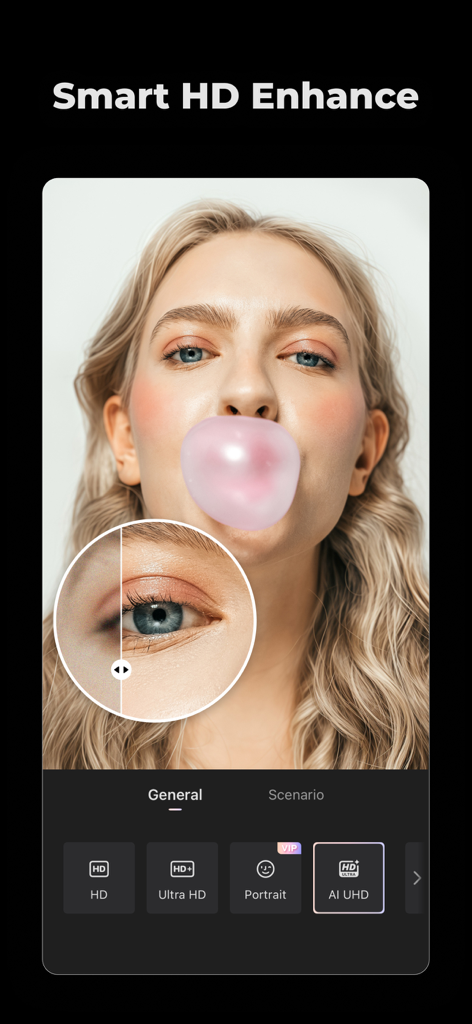
Wink app interface showing the Smart HD Enhance feature with a portrait comparison and AI UHD option selected

Wink app interface showing the Smart HD Enhance feature with a portrait comparison and AI UHD option selected

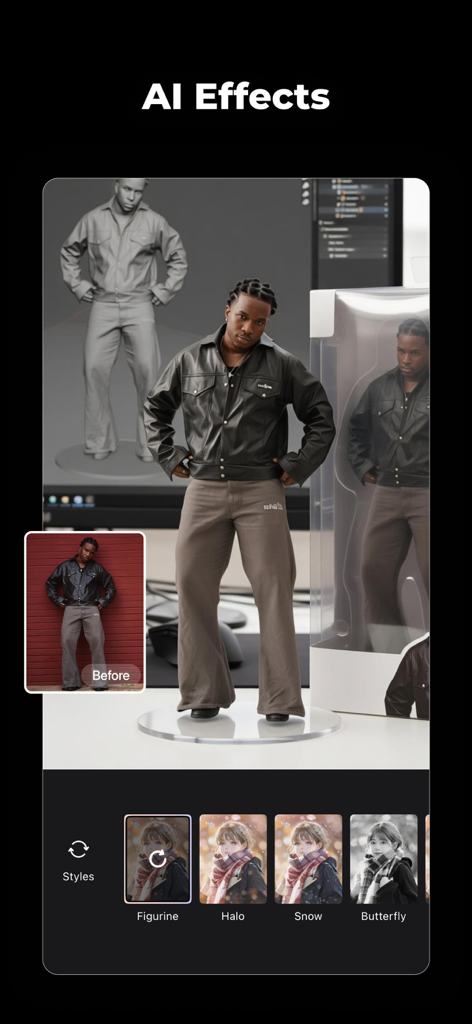
Wink app interface showing AI figurine effect style

Wink app interface showing AI figurine effect style

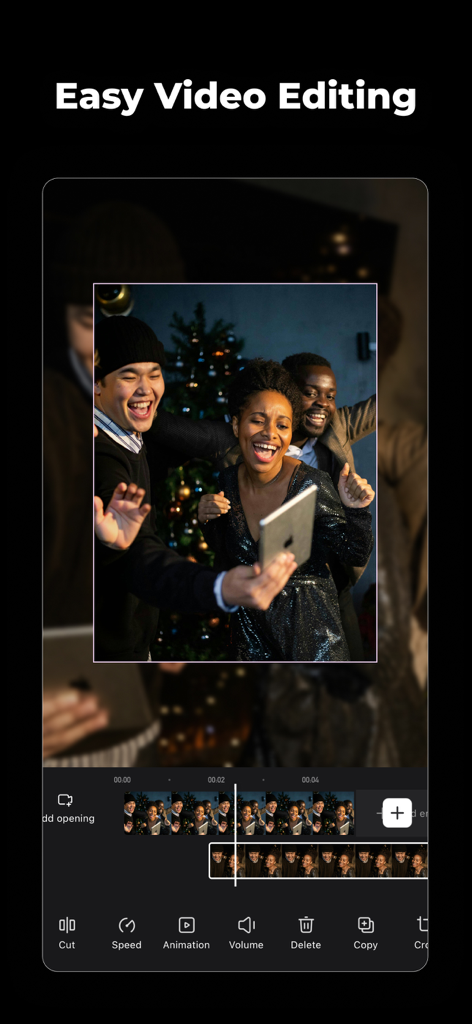
Smartphone interface of Wink video editor showing a video timeline and various editing tools.

Smartphone interface of Wink video editor showing a video timeline and various editing tools.

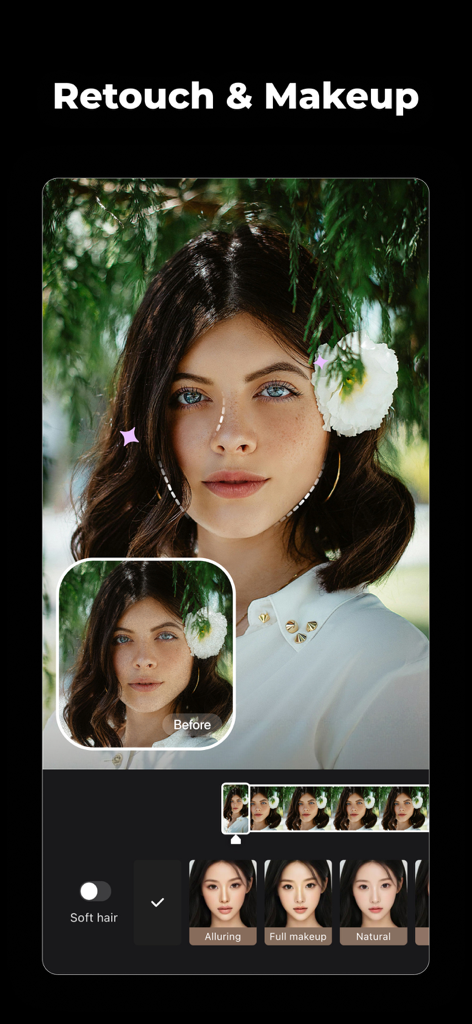
Wink app interface showing video retouch and makeup features on a portrait

Wink app interface showing video retouch and makeup features on a portrait

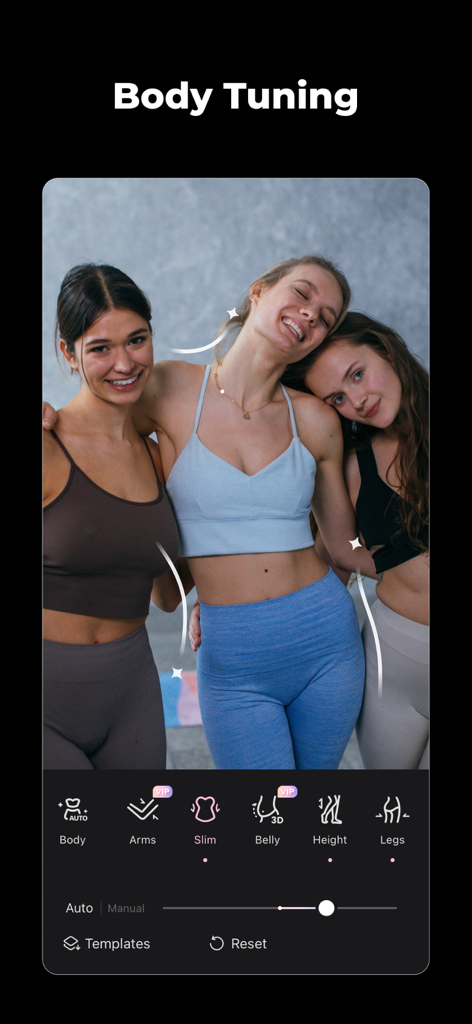
A mobile app interface for Wink video editor showing body tuning features such as slimming and height adjustments for a group of three women in fitness wear.

A mobile app interface for Wink video editor showing body tuning features such as slimming and height adjustments for a group of three women in fitness wear.

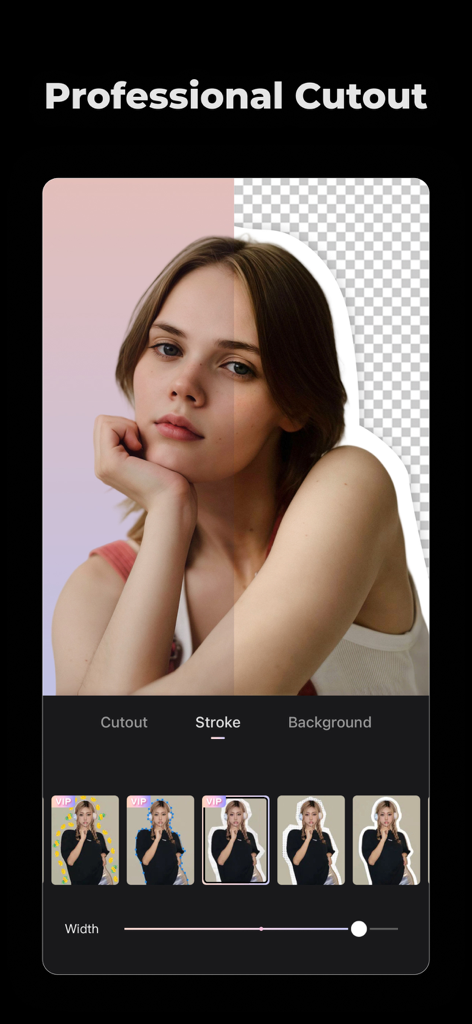
Wink video editor professional cutout and stroke tool for portrait videos

Wink video editor professional cutout and stroke tool for portrait videos

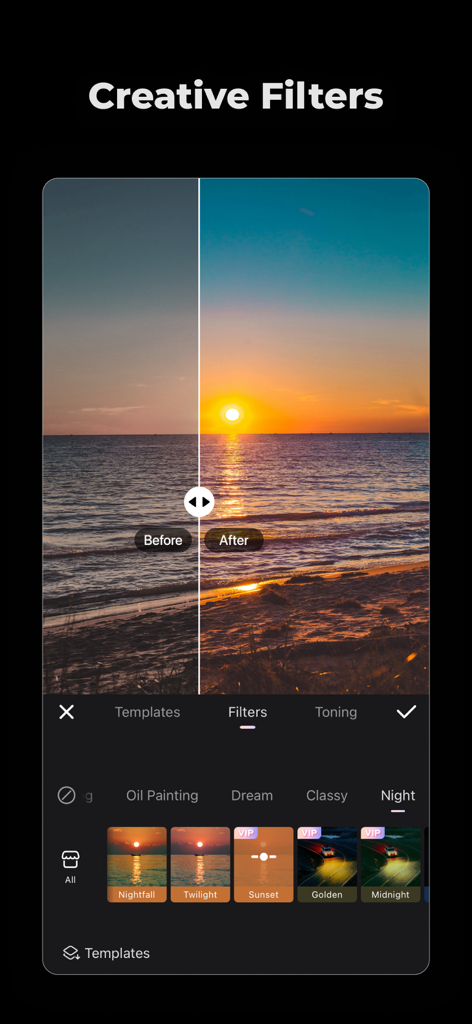
Before and after comparison of a sunset over the ocean using creative video filters in the Wink app.

Before and after comparison of a sunset over the ocean using creative video filters in the Wink app.

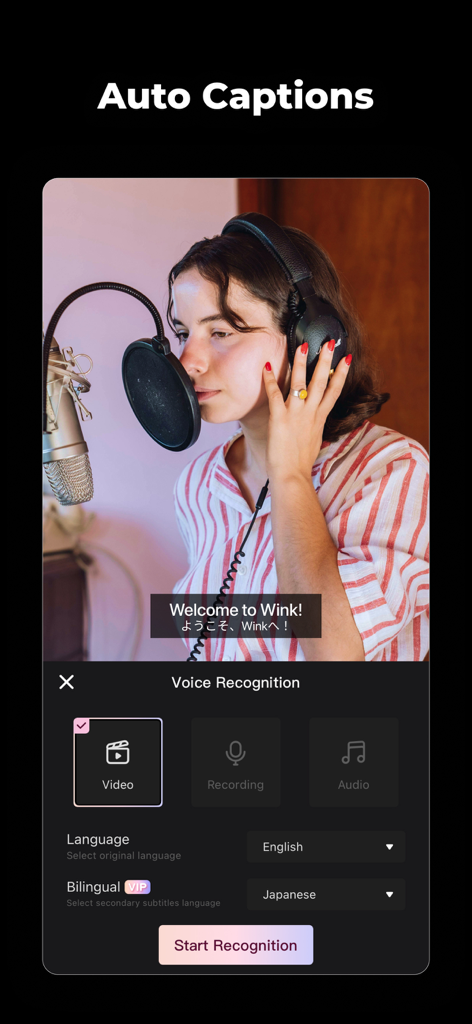
Interface of the Wink app showing the AI auto captions feature with bilingual subtitle options

Interface of the Wink app showing the AI auto captions feature with bilingual subtitle options

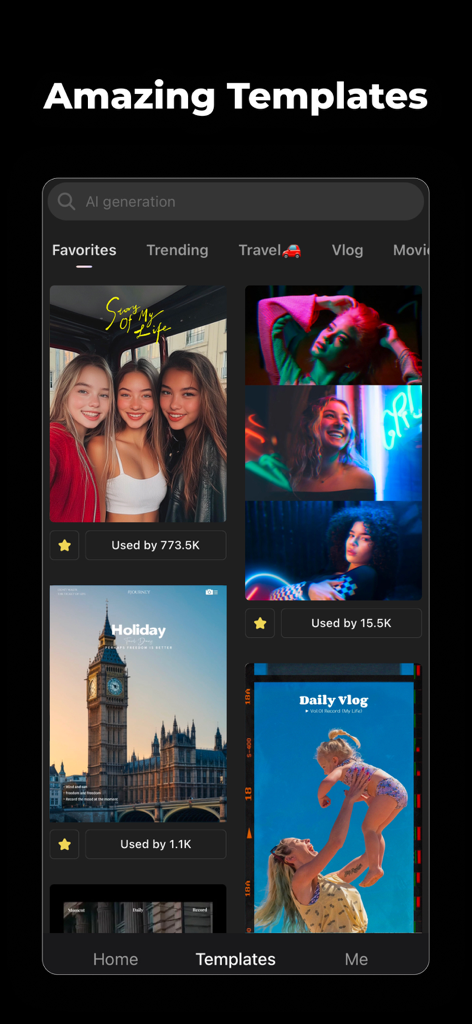
Wink app interface showing a selection of video editing templates for vlogs and social media content

Wink app interface showing a selection of video editing templates for vlogs and social media content

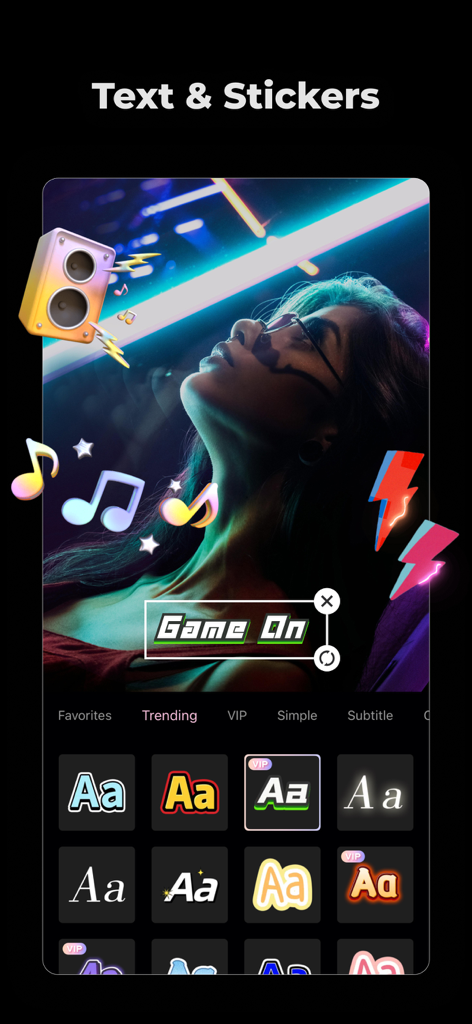
A mobile screen showing text and sticker editing features for a neon aesthetic video.

A mobile screen showing text and sticker editing features for a neon aesthetic video.

Cinematic Quality, Effortless Style

The tools that make this app stand out, trusted by 76M+ users.

AI-Powered 4K Enhancement

Turn low-res, shaky clips into crystal-clear 4K masterpieces. Say goodbye to noise and grain with one-tap restoration.

🤳

Pro Video Retouching

Look your best in motion. Fine-tune facial features, brighten your smile, and perfect your look while maintaining a natural aesthetic.

💬

Instant AI Captions

Boost engagement with automatic, bilingual subtitles. Perfect for the 80% of followers who watch your Reels and TikToks on mute.

Loved by users worldwide

Trusted by 76M+ people who love this app.

"

"Wink is a literal lifesaver for my GRWM videos! The AI retouching tools are so subtle and natural—my skin looks flawless without looking 'filtered.' Plus, the auto-subtitles are a total game changer for my engagement on Reels."

Chloe V.
"

"I had some old, grainy footage from a trip that I thought was unusable. The 4K Upscaler and Noise Reduction completely transformed it. It is the only app I have found that actually delivers on video quality restoration without the lag."

Jordan M.

About the app

Everything you need to know about Wink: Video Enhancer & Editor.

Description

Wink l Make any low-quality video & photo into HD/Ultra HD/4K with before/after comparisons. l Making video editing easier than ever! l Various creative video transition effects enhance final results! l Fine-tune your selfies with video retouch tools to highlight your day! Video & Photo Enhance - Video Enhancer: Enhance portraits and selfies to stunning output. - 4K Upscaler: AI-powered 4K upscaling for enhanced video quality. - Stabilize: Smooth out shaky footage for professional-looking videos. - Noise reduction: Reduce video noise and grain for professional-looking results. - AI Color: Give your video a vibrant, fresh look with our easy-to-use color enhancement tool Video Retouch - Manual Face Slimming: Adjust your facial features as you wish - Body Shape: Achieve a supermodel physique! - Stylish Makeup: Providing a range of natural makeup - Face Editor: Remove acne, Face Plump, Skin tone ... and more! - Whiten Teeth: Say goodbye to brown teeth and show off your smile! Video Editing - Professional Editing: Color, Crop, Speed, Split, Mirror, Soundtrack and more! - Templates: Easily apply to create high-quality vlogs - Quality Restoration: Clear AI-enhanced video restoration! - Effects: Adds texts, stickers, and transitions to enhance your videos - Automatic Subtitle: Utilizes intelligent voice recognition for easy text inputting AI Captions - Accurate AI subtitles for your videos in seconds - Support Bilingual: Create dual-language subtitles for your videos - Support 8 languages Wink VIP - Access exclusive VIP features Wink offers a wide range of exclusive VIP features to enhance retouching experience. We are committed to providing you with an improved service. We look forward to your continuing support. - Subscriptions Wink VIP-Monthly Subscription offers a subscription period of one month. Wink VIP-Annual subscription entails a 12-month period. *The subscription price is determined based on the information provided in the in-app purchase (iAP) application. - Instructions for Payment and Cancellation "Payment" will be credited to your iTunes account once you have confirmed and paid for your subscription. "Renewal" subscriptions for "Monthly/Annual" plans are automatically renewed and will incur charges to your iTunes account following your purchase confirmation. The subscription will be automatically renewed. To cancel it, please disable the automatic renewal at least 24 hours before the subscription period ends. Within 24 hours before the subscription cycle expires, Apple will automatically debit your iTunes account, extending your subscription for a new cycle. "To cancel your subscription, kindly navigate to the "Settings" section on your iPhone, click on "Apple ID," proceed to the "Subscription" screen, and choose "Wink" to terminate your subscription. - Agreement Terms of Service:https://pro.meitu.com/wink-cut/agreements/common/service-global.html?lang=en Privacy Policy:https://pro.meitu.com/wink-cut/agreements/common/policy-global.html?lang=en

Latest Version

2.27.0

Size

239.6 MB

First Released

Dec 17, 2021

Ready to Glow Up Your Feed?

Join over 76 million creators using AI to transform blurry clips into 4K cinematic masterpieces. Download Wink now and make every video post-worthy in seconds.

Download on App StoreDownload on Google Play
FAQ

Frequently Asked Questions

Everything you need to know about Wink: Video Enhancer & Editor

What does the Wink app do?

The Wink app enhances low-quality videos and photos to HD, Ultra HD, or 4K. It also offers video retouching, professional editing tools, and AI captions to improve media quality.

Can Wink enhance video quality to 4K?

Yes, Wink features an AI-powered 4K Upscaler that enhances video quality to 4K. It also supports HD and Ultra HD enhancements for various media.

Does Wink offer a VIP subscription?

Yes, Wink offers a VIP subscription that provides access to exclusive features. Users can choose between monthly and annual subscription periods to enhance their experience.

How do I cancel my Wink VIP subscription?

To cancel your Wink VIP subscription, navigate to "Settings" on your iPhone, click "Apple ID," proceed to the "Subscription" screen, and choose "Wink" to terminate your subscription.

What video editing features does Wink provide?

Wink provides professional video editing features including color adjustment, cropping, speed control, splitting, mirroring, soundtrack addition, and quality restoration. Users can also apply templates and effects.

Does Wink support bilingual AI captions?

Yes, Wink supports bilingual AI captions for videos. It offers accurate AI subtitles and supports 8 different languages for diverse content creation.

Can I retouch faces and bodies with the Wink app?

Yes, Wink offers video retouching tools like manual face slimming, body shape adjustments, stylish makeup, face editing (acne, plump, skin tone), and teeth whitening features.

Does Wink help stabilize shaky video footage?

Yes, Wink includes a 'Stabilize' feature. This tool smooths out shaky footage, resulting in professional-looking videos with improved clarity and steadiness.

Does Wink offer AI color enhancement for videos?

Yes, Wink provides an 'AI Color' tool. This feature gives videos a vibrant, fresh look through easy-to-use color enhancement, optimizing visual appeal.

Are Wink VIP subscriptions automatically renewed?

Yes, Wink VIP monthly and annual subscriptions are automatically renewed. Charges incur to your iTunes account, and renewal occurs 24 hours before the period ends.