Zip & RAR File Extractor

Zip & RAR File Extractor

Download on App Store
Spark by MWM logo
Logo of Zip & RAR File Extractor

Zip & RAR File Extractor: The All-in-One Productivity Hub for iPhone and iPad

Unzip any archive, edit PDFs, and convert media instantly. From AI-powered OCR to secure cloud transfers, manage your professional workflow with the ultimate mobile tool trusted by 12M+ power users.

Publisher

PENGHUI ZHAO

Category

Utilities

Downloads

12M+

User Rating

4.7/5

Total Ratings

160K+

Locales

20

Mobile Power, Visualized

Discover the interface used by 12M+ users.
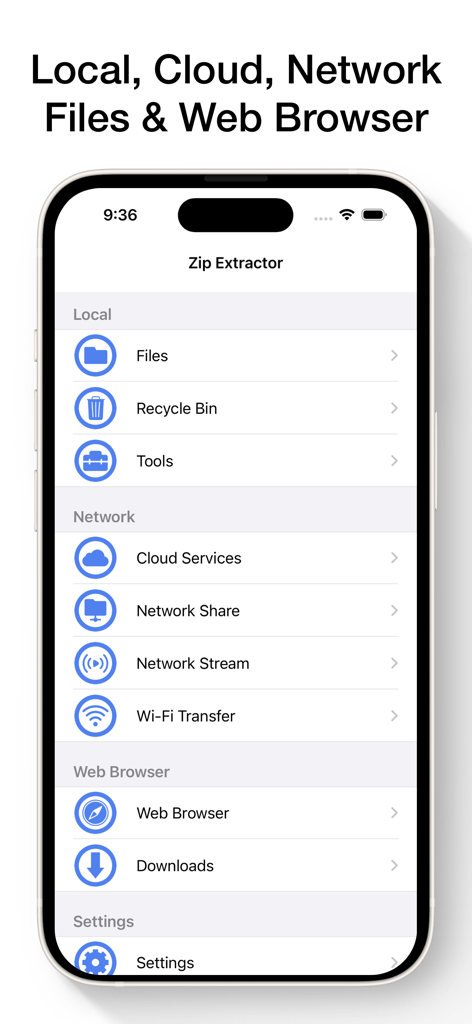
Main menu of the Zip and RAR File Extractor app showing local and cloud file management options

Main menu of the Zip and RAR File Extractor app showing local and cloud file management options

Screenshot of the Zip and RAR File Extractor app showing a list of local folders and PDF documents on an iPhone.

Screenshot of the Zip and RAR File Extractor app showing a list of local folders and PDF documents on an iPhone.

iOS app interface showing options to create zip files with plain or AES password protection

iOS app interface showing options to create zip files with plain or AES password protection

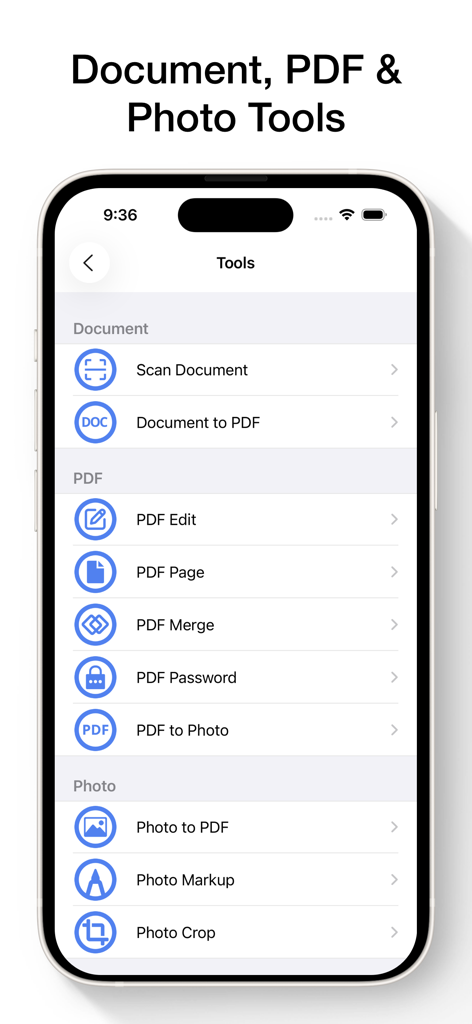
Zip and RAR File Extractor app interface showing a list of document, PDF, and photo management tools

Zip and RAR File Extractor app interface showing a list of document, PDF, and photo management tools

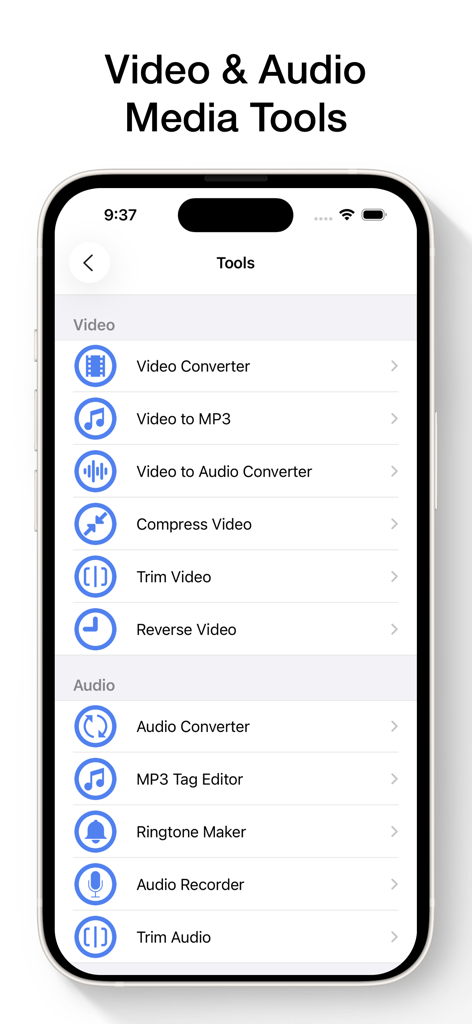
Mobile app interface displaying video and audio editing and conversion tools.

Mobile app interface displaying video and audio editing and conversion tools.

Cloud storage services integration in Zip and RAR File Extractor app

Cloud storage services integration in Zip and RAR File Extractor app

Zip and RAR File Extractor app screen displaying network connection options including FTP SFTP SMB WebDAV and NFS

Zip and RAR File Extractor app screen displaying network connection options including FTP SFTP SMB WebDAV and NFS

Music player interface on iPhone showing background playback controls and track details

Music player interface on iPhone showing background playback controls and track details

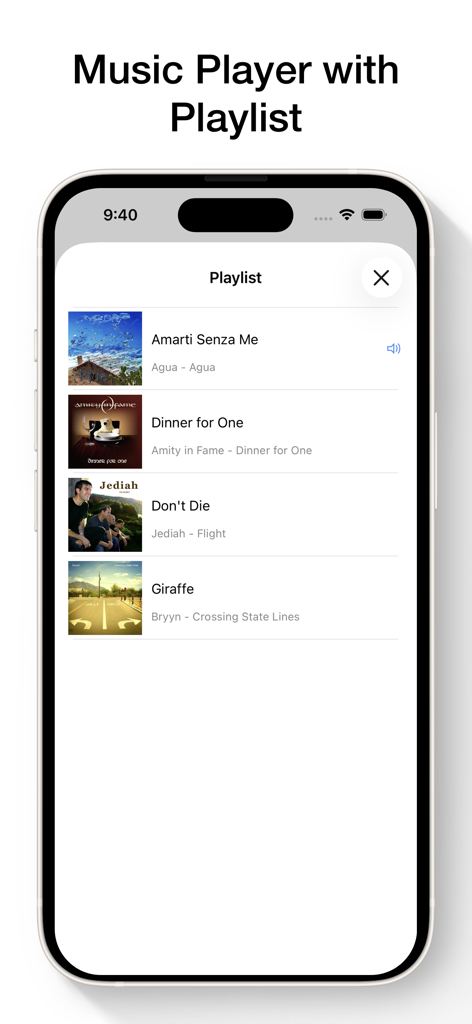
In-app music player with a custom playlist for audio files managed within Zip and RAR File Extractor.

In-app music player with a custom playlist for audio files managed within Zip and RAR File Extractor.

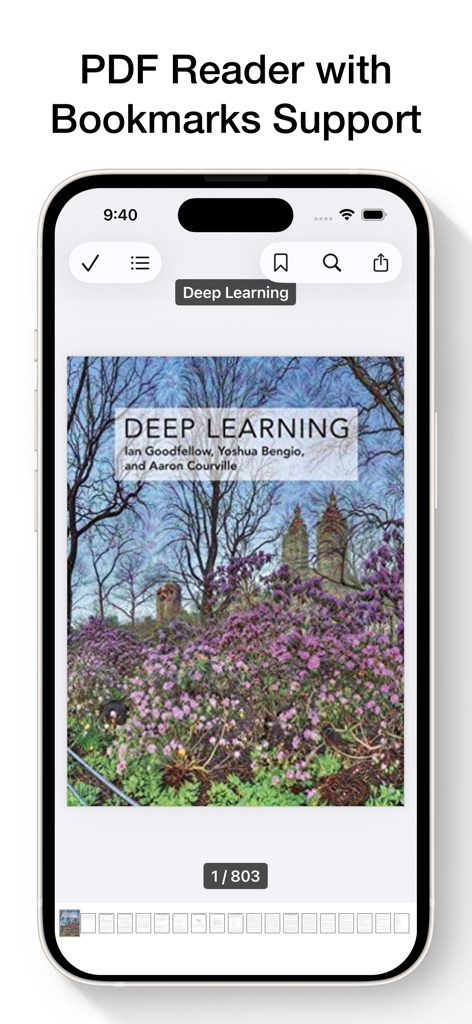
Mobile app PDF reader with bookmark support displaying a digital book on iPhone

Mobile app PDF reader with bookmark support displaying a digital book on iPhone

Master Your Mobile Workflow

The tools that make this app stand out, trusted by 12M+ users.

📦

Pro-Level File Archiving

Instantly unzip ZIP, RAR, and 7Z files. Create secure, AES-encrypted archives to keep your sensitive data protected while on the go.

🛠️

The Swiss Army Knife for Files

Convert videos to MP3, edit PDFs, and use AI-powered OCR to extract text from images—all without leaving the app.

☁️

Seamless Cloud & Server Access

Connect directly to iCloud, Google Drive, or your own FTP/SMB servers to stream media and manage documents across all your devices.

Loved by users worldwide

Trusted by 12M+ people who love this app.

"

"This app is an absolute lifesaver for my freelance business. I can extract RAR files from clients, convert videos to MP4, and sign PDFs all in one place. It has completely replaced three other subscriptions I used to pay for. It is the closest thing to a desktop experience on my iPad."

Sarah Jenkins
"

"As a grad student constantly juggling research papers, the OCR and translation features are incredible. I can scan a physical document and have the text extracted in seconds. Plus, the seamless integration with Google Drive and FTP servers makes managing my thesis files effortless."

David Thorne

Review Analysis

Insights from user reviews.

Sentiment Score

32%
Negative

Summary

The app receives highly mixed feedback, with a significant number of users expressing extreme frustration primarily due to an overwhelming amount of intrusive advertisements, some even requiring a premium subscription for removal. While several users appreciate its core functionality for file extraction and find it generally useful, many report critical issues such as files failing to open, particularly photos and HTML files after recent updates. The pricing model, often perceived as a scam with daily subscriptions to access basic features, also contributes to a negative user experience alongside reports of the app slowing down or crashing.

Common Themes

Overall Utility(9)
File Extraction/Compression(6)
Ease of Use(2)
App Performance(2)
Ad Experience(1)
Pricing Model(1)

About the app

Everything you need to know about Zip & RAR File Extractor.

Description

Zip & RAR File Extractor – Unzip, Archive, Convert & Manage Files The ultimate file extractor, archiver, and file manager for iPhone and iPad. Quickly unzip ZIP files, extract RAR & 7Z archives, create secure ZIP files, convert media, and view any file format – all in one powerful app. Unzip & Extract Files • Easily open compressed files on iOS • Extract ZIP files (supports password and AES encryption) • Open RAR files (including password-protected) • Unpack 7Z files with password support • Supports TAR, GZIP and other archive formats Create Compressed Files • Create ZIP files with or without password and AES encryption • Create 7Z files with password • Combine multiple files and folders into one archive • Compress and organize your files with ease AI Tools • Advanced OCR (Optical Character Recognition): Accurately extract text from images in seconds • Multilingual Translation: Instantly translate text into 40+ languages Document Tools & PDF Converter • Scan documents • Convert documents to PDF • Edit PDFs: Markup, fill forms, add/remove pages, merge, protect with password • Export PDF pages to images Photo Tools • Convert photos to PDF • Annotate and crop photos Audio & Video Converter Tools • Convert video formats (MP4, MOV, MKV, AVI, RMVB, etc.) • Convert videos to MP3 or audio-only formats • Trim videos, compress video size, and reverse playback • Convert audio formats (MP3, M4A, WAV, AAC, FLAC, OGG, etc.) • MP3 tag editor, audio trimmer, ringtone maker, audio recorder File Viewer – Play & Read Any File • Music Player: MP3, M4A, W4P, WP4, AAC, WAV, CAF, AIFC, RM, FLAC, OGG, AC3 and more • Video Player: MP4, M4V, MOV, MPV, 3GP, AVI, RMVB, MKV, DIVX, FLV, H264 and more • Photo Viewer: BMP, PNG, JPG, JPEG, GIF, TIF, TIFF, ICO • PDF Reader & EPUB Reader • Document Viewer: DOC, DOCX, XLS, PPT, RTF, TXT, PAGES, KEY, and more Import & File Management • Import and export files from iCloud, Dropbox, Google Drive, OneDrive, Box • Import and export files from FTP, SFTP, SMB, WebDAV, and NFS servers • Access all your files directly through the iOS Files app • Download files using the built-in web browser or from a direct URL • Play video and music via Network Stream (HTTP, HTTPS, FTP, etc.) • Stream videos and music from Dropbox, Google Drive, OneDrive, Box, or FTP, SFTP, SMB, WebDAV, and NFS servers • Transfer files wirelessly between your computer and device over Wi-Fi • Supports iTunes File Sharing for quick transfers • Open files from other apps (Email, Safari, etc.) Secure File Access • Lock the app using Passcode, Touch ID, or Face ID • Keep sensitive documents and media safe and private Why Users Love It Trusted by millions of users globally, Zip & RAR File Extractor is the fastest, most reliable way to unzip files, manage documents, convert videos, and compress data—all on your iPhone and iPad. Best For Unzipping RAR/ZIP files, opening archives, compressing folders, scanning & editing PDFs, converting video/audio, managing downloads, and staying productive on iOS. Subscription Details Payment will be charged to your iTunes account at confirmation. Subscriptions renew automatically unless turned off at least 24 hours before the current period ends. Manage your subscription and auto-renewal in iTunes settings. Terms of Service: https://www.fingerjoystudios.com/zip/terms-of-service/ Privacy Policy: https://www.fingerjoystudios.com/zip/privacy-policy/

Latest Version

7.2

Size

97.0 MB

First Released

Dec 13, 2013

Master Your Mobile Workflow Today

Join over 12 million power users who trust the ultimate all-in-one tool to unzip, convert, and manage every file format on iPhone and iPad.

Download on App Store
FAQ

Frequently Asked Questions

Everything you need to know about Zip & RAR File Extractor

How does Zip & RAR File Extractor open compressed files?

Zip & RAR File Extractor easily opens compressed files on iOS. It extracts ZIP, RAR, and 7Z archives, supporting both plain and AES password protection for ZIP files, and password support for RAR and 7Z.

Can users create secure ZIP files with Zip & RAR File Extractor?

Yes, users can create secure ZIP files with Zip & RAR File Extractor. The app supports creating ZIP files with or without password and AES encryption, and combines multiple files and folders into one archive.

What AI tools are included in Zip & RAR File Extractor?

Zip & RAR File Extractor includes AI tools for Advanced OCR, which accurately extracts text from images. It also offers Multilingual Translation, instantly translating text into over 40 languages.

Does Zip & RAR File Extractor offer PDF editing capabilities?

Yes, Zip & RAR File Extractor offers PDF editing capabilities. Users can markup, fill forms, add or remove pages, merge PDFs, and protect PDFs with a password directly within the app.

Can Zip & RAR File Extractor convert video and audio formats?

Yes, Zip & RAR File Extractor can convert various video formats like MP4 and MOV, and audio formats such as MP3 and M4A. It also includes tools for trimming and compressing videos.

Which cloud services does Zip & RAR File Extractor integrate with?

Zip & RAR File Extractor integrates with popular cloud services including iCloud, Dropbox, Google Drive, OneDrive, and Box. Users can import and export files directly from these platforms.

How does Zip & RAR File Extractor secure user files?

Zip & RAR File Extractor secures user files by allowing app locking with Passcode, Touch ID, or Face ID. This feature keeps sensitive documents and media private and safe within the application.

How do subscriptions work for Zip & RAR File Extractor?

Zip & RAR File Extractor subscriptions charge payment to your iTunes account upon confirmation. They renew automatically unless turned off at least 24 hours before the current period ends via iTunes settings.

What archive formats does Zip & RAR File Extractor support for extraction?

Zip & RAR File Extractor supports extracting multiple archive formats including ZIP, RAR, 7Z, TAR, and GZIP. It also handles password-protected ZIP, RAR, and 7Z files.

What types of files can Zip & RAR File Extractor view?

Zip & RAR File Extractor functions as a versatile file viewer, supporting music, video, and photo formats. It also reads PDFs, EPUBs, and various document types like DOC, DOCX, XLS, and PPT.