
7-Eleven Multicopy



Turn any 7-Eleven into your personal office. Print travel documents, scan paperwork, and create high-quality photo postcards directly from your smartphone with a fast Wi-Fi connection—no registration or password required.
Publisher
Category
UtilitiesDownloads
15M+User Rating
Total Ratings
27K+Locales
2Discover the interface used by 15M+ users.
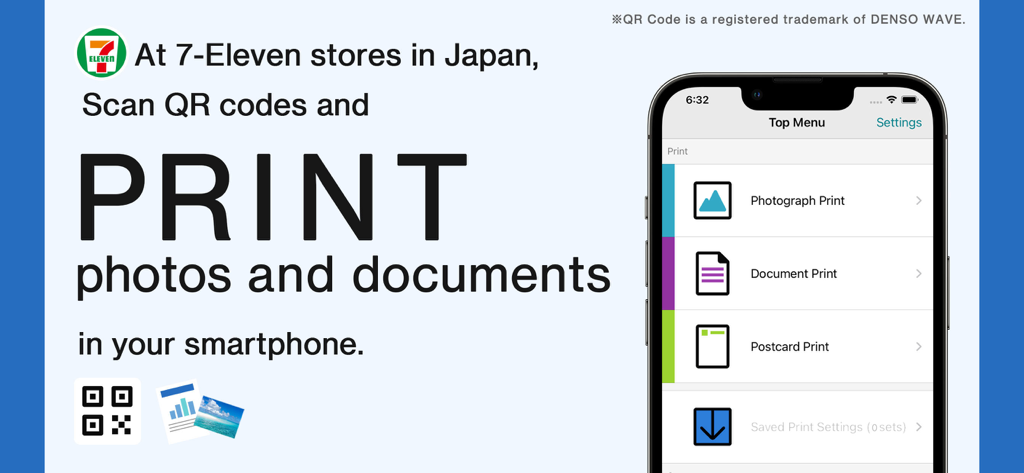
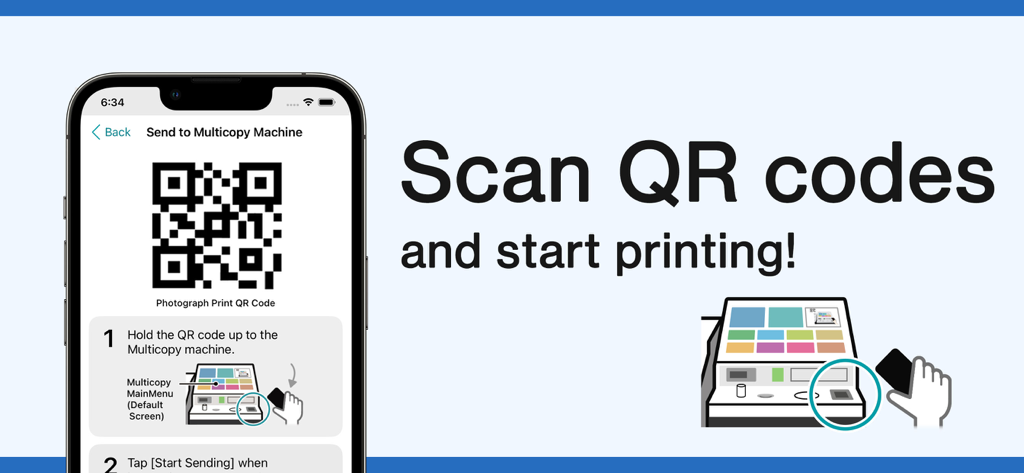
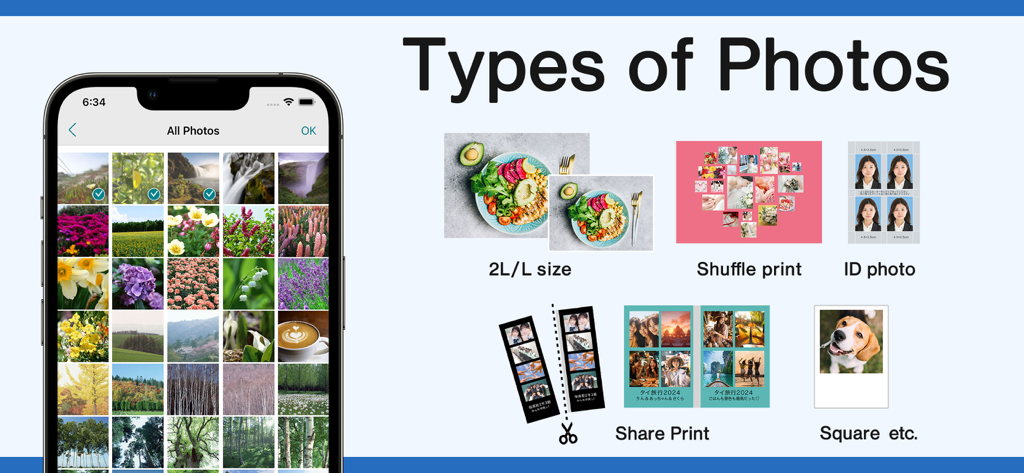
The tools that make this app stand out, trusted by 15M+ users.
Skip the registration and passwords. Connect via Wi-Fi and print directly from your smartphone in seconds with a simple, English-friendly interface.
Print high-quality PDFs for visas, rail passes, or insurance documents whenever you need them. 7-Eleven is your 24/7 reliability partner in Japan.
Bring your iPhone gallery to life. Print high-resolution photos and custom postcards to share your journey with friends and family back home.
Trusted by 15M+ people who love this app.
"A absolute lifesaver for my trip to Tokyo! I needed to print out my rail pass vouchers and some insurance documents urgently. The English interface made it incredibly easy to connect my iPhone to the machine via Wi-Fi, and I had my prints in seconds without needing to create an account."
"As a digital nomad living in Japan, I use this app weekly to scan signed contracts and print high-quality photos to send as postcards. The 600dpi scan quality is professional grade, and the fact that it works at every 7-Eleven makes it my portable office."
Everything you need to know about 7-Eleven Multicopy.
Description
Latest Version
1.5.12
Size
38.7 MB
First Released
May 11, 2021
No accounts, no passwords, no hassle. Download the essential tool for printing and scanning across Japan—fully localized in English for your convenience.
Everything you need to know about 7-Eleven Multicopy
The 7-Eleven Multicopy app prints photos and documents from smartphones and saves scanned physical documents to the device at 7-Eleven stores in Japan.
Users send documents via Wi-Fi from the 7-Eleven Multicopy app to a Multi-copy machine in 7-Eleven stores in Japan. The process uses a QR code and requires no password.
Yes, the 7-Eleven Multicopy app scans physical documents to save images directly to your smartphone. It offers high-resolution scanning at 600dpi B&W or 400dpi full-color.
For photos, the 7-Eleven Multicopy app supports JPEG, TIFF, BMP, and PNG. For documents and postcards, it supports PDF, XPS, XDW, JPEG, TIFF, BMP, and PNG.
The 7-Eleven Multicopy app exclusively works with Multi-copy machines located at 7-Eleven stores in Japan. It does not operate outside this specific region.
The 7-Eleven Multicopy app offers Document Print, Photograph Print, and Postcard Print services. Users can also utilize their own postcard paper for printing.
No, the 7-Eleven Multicopy app provides simple operation without requiring any password. Security is ensured through its Wi-Fi connection method.
The 7-Eleven Multicopy app supports iOS/iPadOS versions 17 to 18, and 26.
The 7-Eleven Multicopy app produces various photo prints including 2L/L size, Shuffle print, ID photo, Share Print, and Square.
Yes, users pay for printing documents or photos, and for saving scanned data using the 7-Eleven Multicopy app.
The maximum file size for Photograph, Document, or Postcard Print with the 7-Eleven Multicopy app is 30 MB per file. A maximum of 60 items is allowed.
The 7-Eleven Multicopy app supports saving scanned data in PDF, XDW, JPEG, and TIFF formats.
Apps with similar features and user experience

PlusMinusOne, Inc.

Princh ApS

KOPIKS, OOO
Sharp Corporation

FamilyMart Co.,Ltd.

FUJIFILM Corporation

VISIONOTS Co.,Ltd

WEPA Inc.

Xerox Corporation
