Xerox® Workplace

Xerox® Workplace

Download on App StoreDownload on Google Play
Spark by MWM logo
Logo of Xerox® Workplace

Xerox® Workplace: Secure, Frictionless Mobile Printing for the Modern Workforce

Connect instantly to any printer, release documents securely, and integrate your favorite cloud apps into one seamless professional workflow from your mobile device.

Publisher

Xerox Corporation

Category

Productivity

Downloads

307K+

User Rating

4.6/5

Total Ratings

0

Locales

12

Your Workflow in Focus

Discover the interface used by 307K+ users.
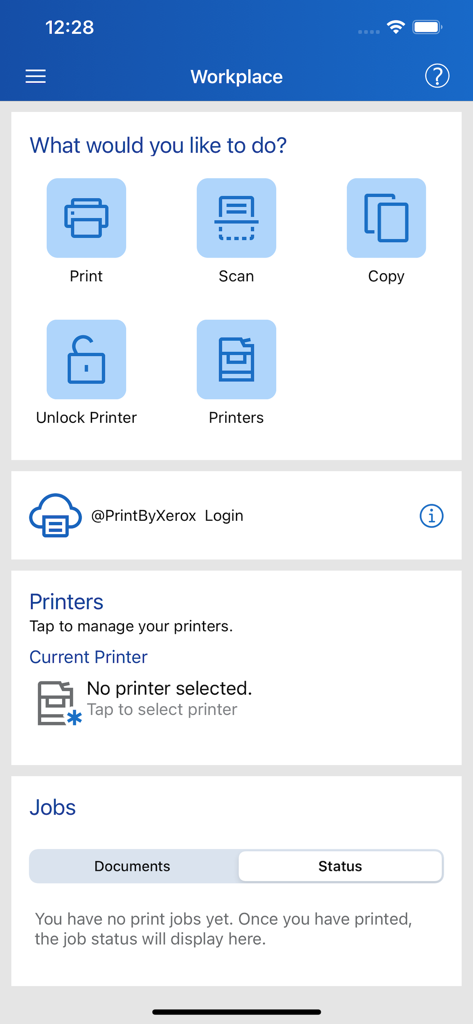
Xerox Workplace app dashboard showing options for print scan copy and printer management

Xerox Workplace app dashboard showing options for print scan copy and printer management

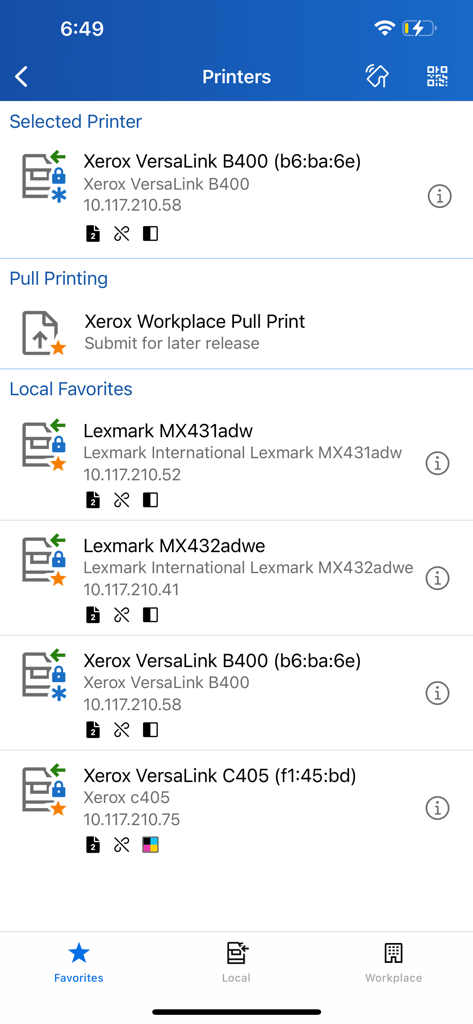
Xerox Workplace app interface displaying a list of selected printers, pull printing options, and local favorites.

Xerox Workplace app interface displaying a list of selected printers, pull printing options, and local favorites.

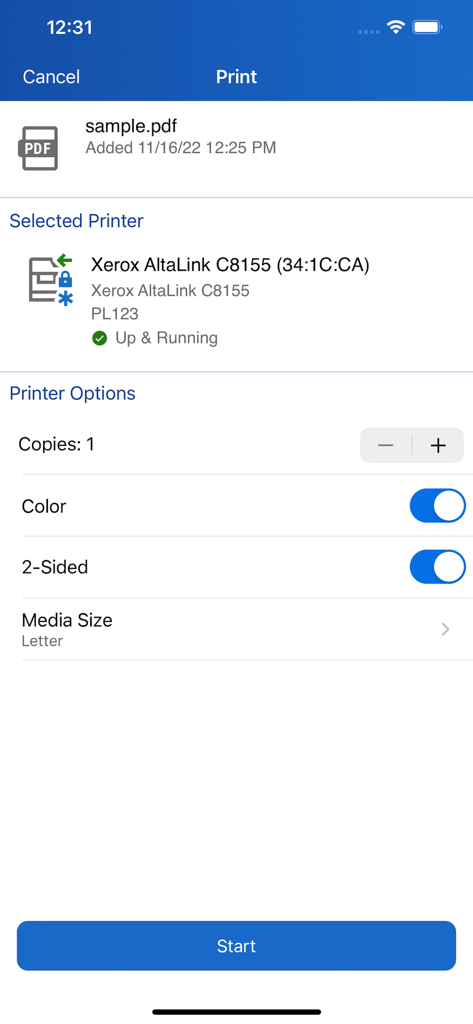
Interface of the Xerox Workplace app showing print settings and printer status for a PDF document.

Interface of the Xerox Workplace app showing print settings and printer status for a PDF document.

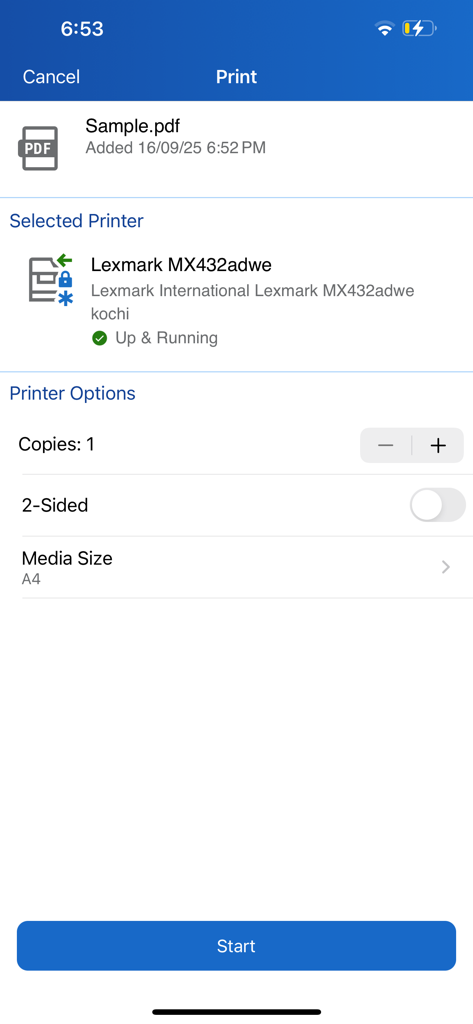
Xerox Workplace app interface displaying document print settings for a selected printer

Xerox Workplace app interface displaying document print settings for a selected printer

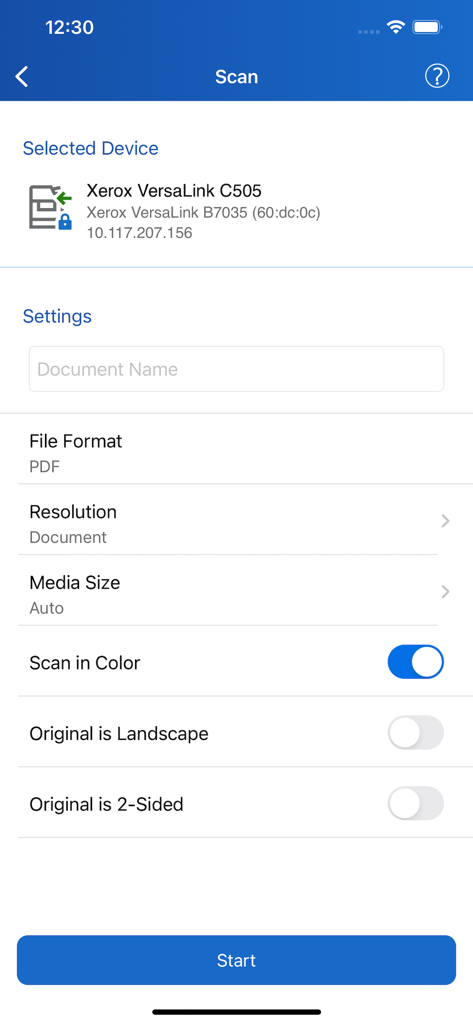
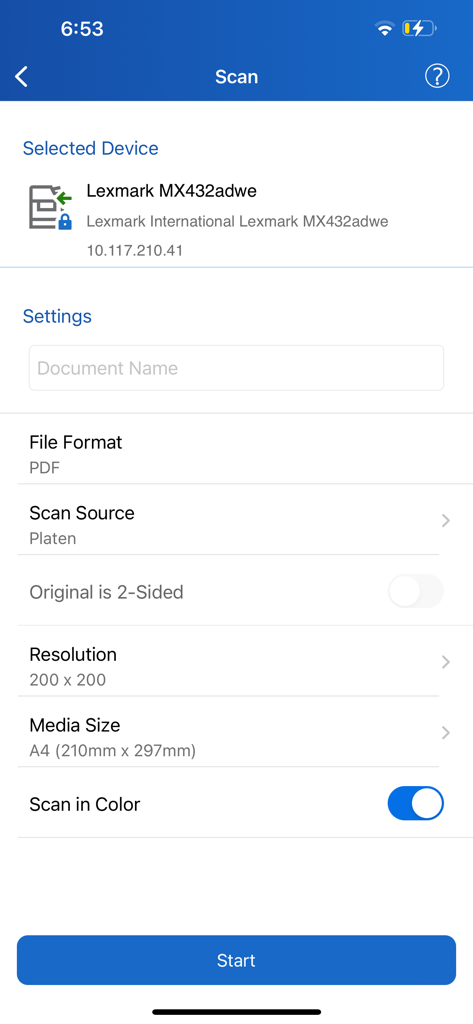
Xerox Workplace app scanning interface showing document settings for a printer

Xerox Workplace app scanning interface showing document settings for a printer

Scan settings interface in the Xerox Workplace app showing device and document options

Scan settings interface in the Xerox Workplace app showing device and document options

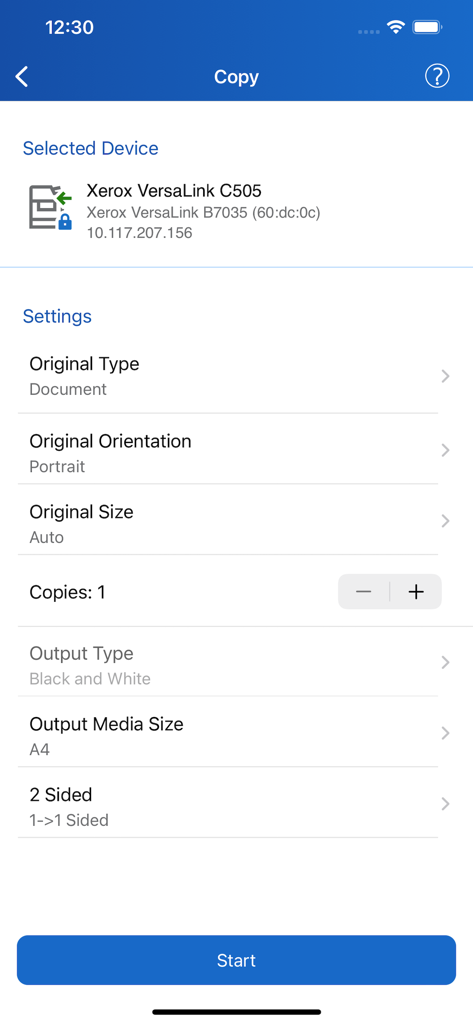
Copy settings screen in the Xerox Workplace app showing document orientation and output options

Copy settings screen in the Xerox Workplace app showing document orientation and output options

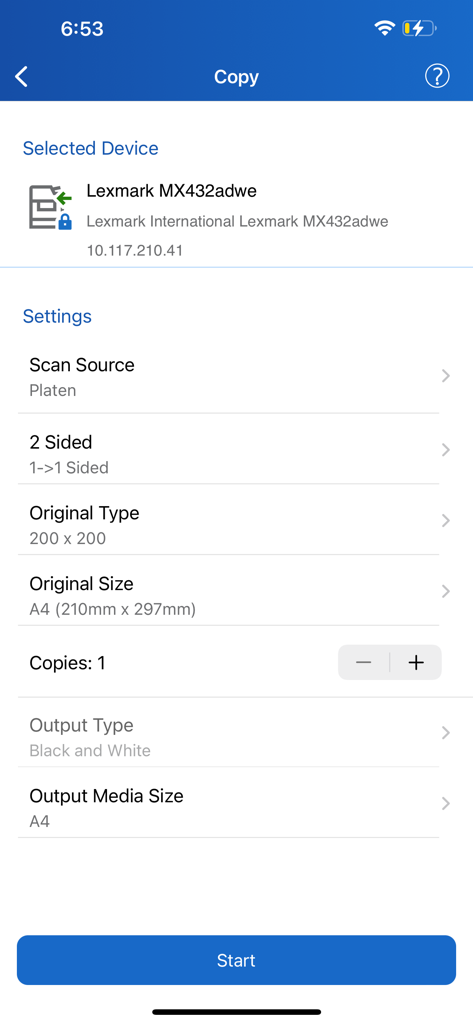
Xerox Workplace mobile app screen showing document copy configuration options including paper size and output type

Xerox Workplace mobile app screen showing document copy configuration options including paper size and output type

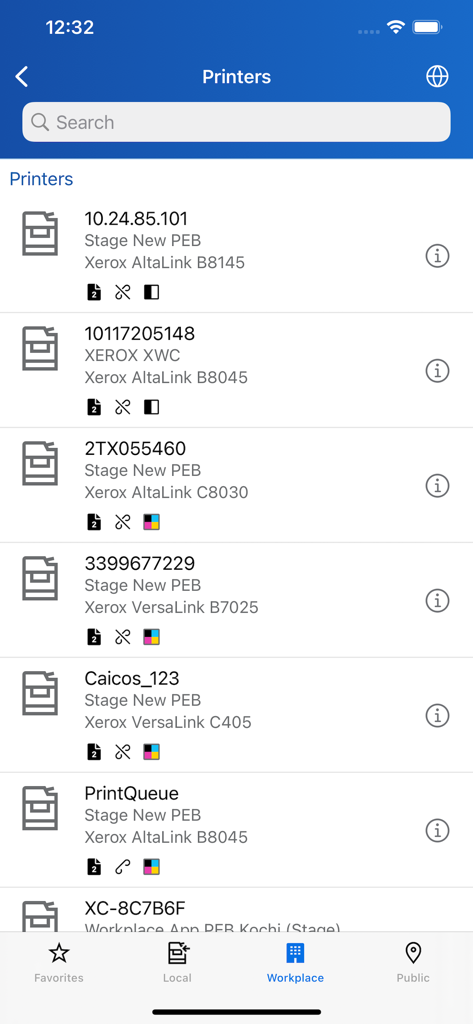
A mobile app screen displaying a searchable list of available Xerox printers with model details and status icons.

A mobile app screen displaying a searchable list of available Xerox printers with model details and status icons.

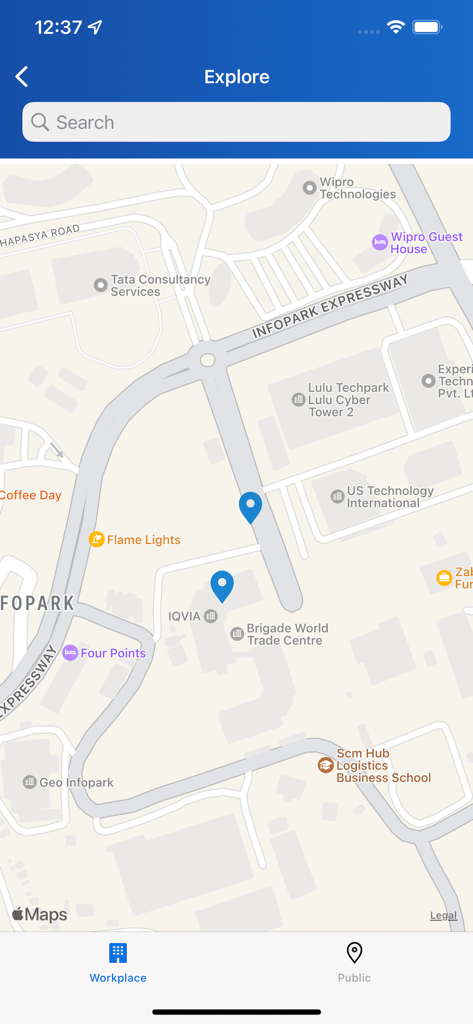
Xerox Workplace app map view showing nearby printer locations with blue pins

Xerox Workplace app map view showing nearby printer locations with blue pins

The Modern Command Center for Your Office

The tools that make this app stand out, trusted by 307K+ users.

📱

One-Tap Instant Connection

Skip the complex network setup. Connect to any Xerox MFP instantly by scanning a QR code or using NFC for seamless, driver-free printing.

🔒

Secure Pull Printing

Protect sensitive data by releasing documents only when you are standing at the printer. Your phone acts as a secure key for total confidentiality.

☁️

Seamless Cloud Integration

Print and scan directly from Google Drive, Dropbox, and Office 365. Access your professional files and manage workflows from anywhere in the world.

Loved by users worldwide

Trusted by 307K+ people who love this app.

"

"Managing a hybrid team means I'm constantly moving between my home office and our headquarters. The Xerox® Workplace app is a total game-changer; I can securely release sensitive contracts via NFC only when I'm physically standing at the printer. It is seamless, secure, and fits perfectly into my mobile-first workflow."

Sarah Jenkins, Operations Director
"

"I spend most of my day on the road visiting clients. Being able to print documents directly from my Google Drive or scan site reports using the MFP wirelessly from my phone has saved me hours of administrative headache. The QR code pairing is incredibly fast—no more struggling with network settings or printer drivers."

Michael Chen, Field Sales Consultant

About the app

Everything you need to know about Xerox® Workplace.

Description

DESCRIPTION The Xerox® Workplace mobile app enables simple local printing and scanning with your Xerox MFP. When used in conjunction with Xerox® Workplace Cloud / Suite (www.Xerox.com/mobile), it further allows users to connect in a controlled secure way from any anywhere, to any device over any network (without direct printer connection.) KEY STANDARD FEATURES -Add and connect to a printer by simply scanning the printer specific QR Code or using NFC to tap on NFC-enabled MFP -Open documents directly from this app for easy print and preview - Use the camera function to capture a picture and then print it -Select print options such as 1-Sided/ 2-Sided, color/ black-white, stapled, paper-size, page range, and Secure Print pin (for direct print only) -Print directly from other applications such as Dropbox, Google Drive and more -Integrated Public/Hot Spot printing -Scan documents from your MFP wirelessly from within the app Additional Features when used with Xerox Workplace Suite or Cloud - Controlled and secure user permissions with mobile app user account log in - Unlock supported Xerox Printers, using the mobile app instead of a card (unlock code or NFC) - Print to Xerox, Fuji Xerox and non-Xerox including HP, Ricoh, Epson, Canon and others’ network print devices - Print MS Office, Adobe Acrobat, email, text, Open Office and various image formats - Use GPS to find locations and available printers - View the currently selected printer status - Print documents immediately or upload them securely for release later at any licensed printer (pull print) - Job accounting support - Capability to integrate with a single release queue including jobs sent from desktop PC, MAC and Chrome book - View all waiting pull print jobs to release at any printer from your mobile device Feature availability depends on Xerox Workplace solution Mobile Print solution version and Administrator configuration HOW TO GET STARTED WITH XEROX® WORKPLACE 1.) Obtain your Company Code information for your Xerox® Workplace Solution from your administrator 2.) Download and install Xerox® Workplace App 3.) Register & Login to Xerox® Workplace using your Company Code and Credentials 4.) Browse your Mobile Device and open a document to print 5.) Select “Open In…” using Workplace to Upload, Preview & Print your Documents* 6.) Select an available printer, printer options and release your document *Actual names and availability of menu commands may vary across mobile platforms. Visit www.xerox.com/mobile for more information on Xerox Mobile Solutions

Latest Version

6.1.3

Size

35.2 MB

First Released

May 10, 2012

Ready to Streamline Your Hybrid Workflow?

Join thousands of corporate professionals who print, scan, and release documents securely from their mobile devices. Connect to your office ecosystem and start printing with Xerox® Workplace today.

Download on App StoreDownload on Google Play
FAQ

Frequently Asked Questions

Everything you need to know about Xerox® Workplace

What is the primary function of the Xerox® Workplace mobile app?

The Xerox® Workplace app enables local printing and scanning with a Xerox MFP. When connected to Xerox® Workplace Cloud/Suite, it offers secure, controlled access for printing and scanning from anywhere.

How can users connect to a printer using the Xerox® Workplace app?

Users can connect to a printer by scanning its specific QR Code or by using NFC to tap on an NFC-enabled MFP. This provides quick and simple printer setup.

What print options are available within the Xerox® Workplace app?

The Xerox® Workplace app allows users to select print options such as 1-Sided/2-Sided, color/black-white, stapled, paper-size, page range, and Secure Print pin.

Can the Xerox® Workplace app print documents from other applications?

Yes, the Xerox® Workplace app supports direct printing from other applications like Dropbox, Google Drive, and various other integrated sources.

Does the Xerox® Workplace app support scanning documents?

Yes, the Xerox® Workplace app allows users to wirelessly scan documents directly from their Multifunction Printer (MFP) from within the application.

Does Xerox® Workplace support printing to non-Xerox brand printers?

Yes, when used with Xerox Workplace Suite or Cloud, the app supports printing to Xerox, Fuji Xerox, and non-Xerox network print devices, including HP, Ricoh, Epson, and Canon.

How do I get started with the Xerox® Workplace app?

To start, obtain your Company Code, download the app, register and log in, then open a document on your device, select "Open In..." with Workplace, choose a printer, and release your document.

Does Xerox® Workplace offer secure print release functionality?

Yes, the app allows users to upload documents securely for release later at any licensed printer, known as pull print, ensuring job privacy and security.

Can the Xerox® Workplace app help find nearby printers?

Yes, when used with Xerox Workplace Suite or Cloud, the app can use GPS to find locations and display available printers to the user.

What document formats can the Xerox® Workplace app print?

The Xerox® Workplace app can print MS Office, Adobe Acrobat, email, text, Open Office, and various image formats when integrated with Xerox Workplace Suite or Cloud.

Can the Xerox® Workplace app unlock a printer?

Yes, the mobile app can unlock supported Xerox Printers using an unlock code or NFC, serving as an alternative to a traditional card.

Does the Xerox® Workplace app include copy functionality?

Yes, the app features a "Copy" function allowing users to manage settings like original type, orientation, size, copies, output type, and output media size for their selected device.