Add Music to Video Editor

Add Music to Video Editor

Download on App Store
Spark by MWM logo
Logo of Add Music to Video Editor

Add Music to Video Editor: Make Every Video Sound Iconic

The all-in-one audio studio for creators. Layer multiple tracks, record pro voice-overs, and precision-edit your soundtrack to make your TikToks and Reels stand out from the crowd.

Publisher

Add Music to Video Maker & Editor LLC

Category

Photo & Video

Downloads

7M+

User Rating

4.6/5

Total Ratings

97K+

Locales

1

The Studio in Your Pocket

Discover the interface used by 7M+ users.
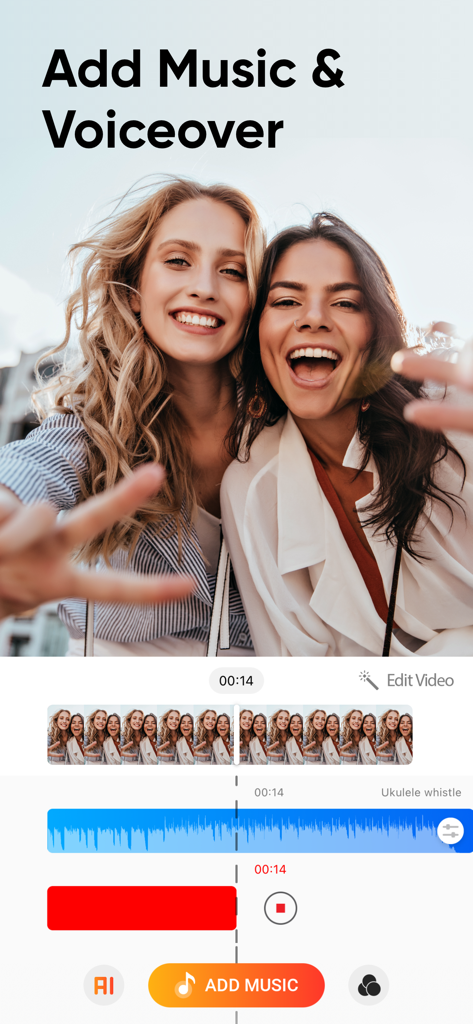
Interface of the Add Music to Video Editor app showing multi-track audio layering for music and voiceovers on a social media video.

Interface of the Add Music to Video Editor app showing multi-track audio layering for music and voiceovers on a social media video.

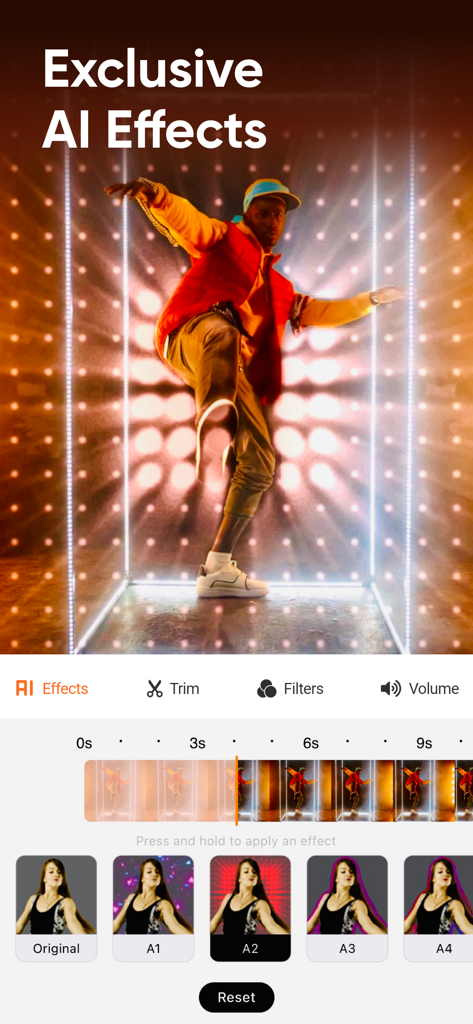
A mobile video editor interface showcasing exclusive AI effects and a video editing timeline.

A mobile video editor interface showcasing exclusive AI effects and a video editing timeline.

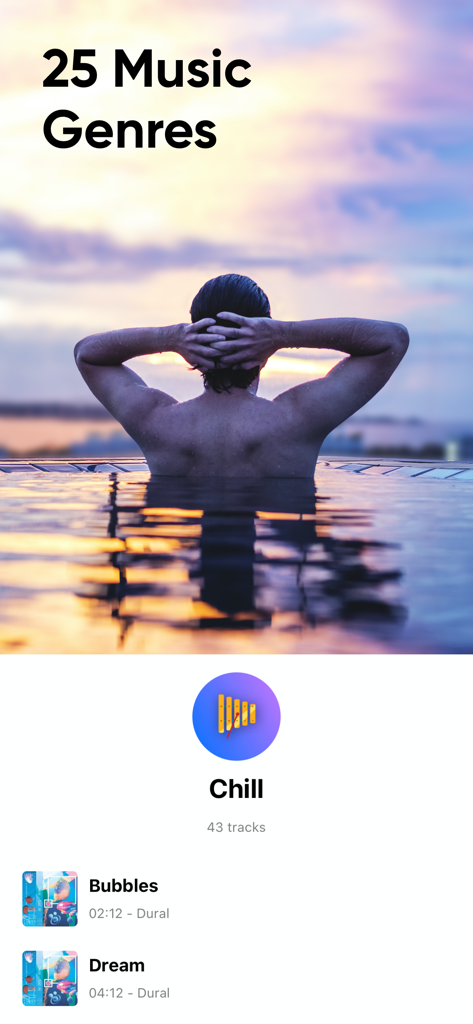
Interface of the Add Music to Video Editor app displaying 25 music genres and a selection of chill background tracks.

Interface of the Add Music to Video Editor app displaying 25 music genres and a selection of chill background tracks.

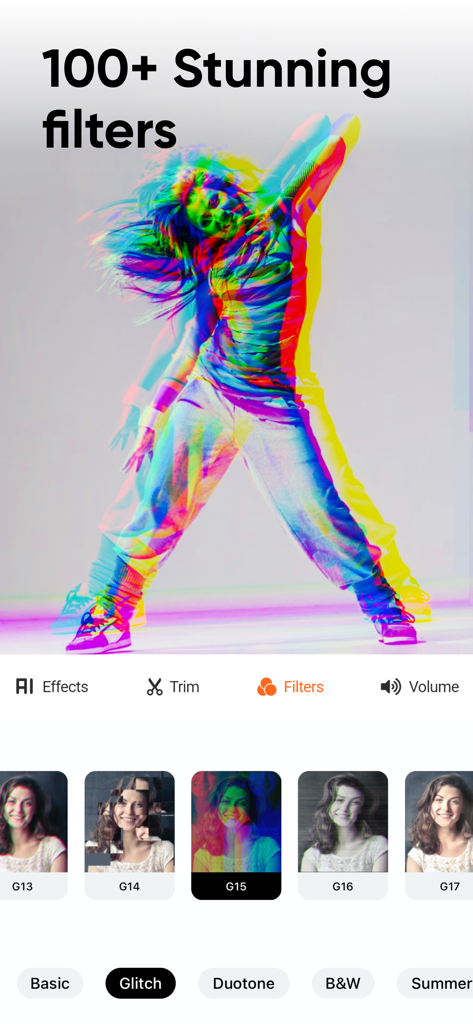
Mobile app interface showing over 100 stunning video filters and glitch effects for social media creators

Mobile app interface showing over 100 stunning video filters and glitch effects for social media creators

children playing with beach ball on the shore with share with everyone text overlay

children playing with beach ball on the shore with share with everyone text overlay

Level Up Your Content with Pro Audio

The tools that make this app stand out, trusted by 7M+ users.

🎙️

Layer Your Voice & Music

Record professional voice-overs and blend them with unlimited background tracks for a cinematic audio experience.

✂️

Frame-Perfect Audio Sync

Precisely trim and position your audio tracks to hit every transition and beat with expert-level timing.

🚀

Built for Social Trends

Export your creations directly to TikTok, Reels, and Snapchat to keep your content flowing and your audience engaged.

Loved by users worldwide

Trusted by 7M+ people who love this app.

"

"I've tried so many editors for my GRWM videos, but this is the only one that lets me layer my voice-over perfectly with a low-fi background track. It's so much more intuitive than the built-in TikTok editor. My Reels finally sound like they were edited on a professional computer!"

Chloe V.
"

"This app is a game-changer for my workout montages. Being able to add multiple audio tracks and position them exactly where the beat drops makes such a difference. The trim tools are super precise, and I love that I can share directly to Instagram in seconds."

Marcus J.

About the app

Everything you need to know about Add Music to Video Editor.

Description

Add background music and sound effects to your short-form videos to make the videos more engaging! Edit videos sound just like a pro. A must-have app for the content creator. FEATURES 1. Voice-overs: Record your voice over the video. 2. Multiple Music Tracks: Add unlimited background audio tracks, music & voice to your video. 3. Trim Audio: Cut out any unwanted moments from the audio. 4. Trim Video: Cut out any unwanted moments from the videos. 5. Positioning Tracks: Position your music tracks for perfect editing! 6. Share Videos: Share your content on Tiktok, Vine, Snapchat, Instagram & Facebook.
 DISCLAIMER: You might be required to sign up for an auto-renewable In-App Purchase to access all features and functionalities of the app.
 SUBSCRIPTION INFO:
 Subscribe to take advantage of the features described above. • Subscription Length: Weekly, Monthly, and Yearly. • Your payment will be charged to your iTunes Account as soon as you confirm your purchase. • You can manage your subscriptions and turn off auto-renewal from your Account Settings after the purchase. • Your subscription will renew automatically unless you turn off auto-renew at least 24 hours before the end of the current period. • The cost of renewal will be charged to your account 24 hours before the end of the current period. • When canceling a subscription, your subscription will stay active until the end of the period. Auto-renewal will be disabled, but the current subscription will not be refunded. • Any unused portion of a free trial period, if offered, will be forfeited when purchasing a subscription.
 Terms of service: http://www.addmusictovideo.com/terms.html Privacy policy: http://www.addmusictovideo.com/privacy.html
 CONTACT US We believe your feedback, ideas, or complaints will help us to make the app better. Do not hesitate to contact us about anything. Mail: info.addmusic@gmail.com Website: http://www.addmusictovideo.com/support.html

Latest Version

9.0

Size

103.6 MB

First Released

Dec 12, 2014

Ready to Make Your Content Stand Out?

Join over 7 million creators who use our pro-level audio tools to turn everyday clips into viral-ready masterpieces. Download now and start layering your perfect soundtrack.

Download on App Store