Video Maker with Music Editor

Video Maker with Music Editor

Download on App Store
Spark by MWM logo
Logo of Video Maker with Music Editor

Video Maker with Music Editor: Create Viral Social Content in Seconds

Elevate your TikToks and Reels with unlimited tracks, cinematic audio effects, and easy-to-use editing tools designed for creators who want more views.

Publisher

Mosaic S.r.l.

Category

Photo & Video

Downloads

14M+

User Rating

4.1/5

Total Ratings

43K+

Locales

1

Style in Every Frame

Discover the interface used by 14M+ users.
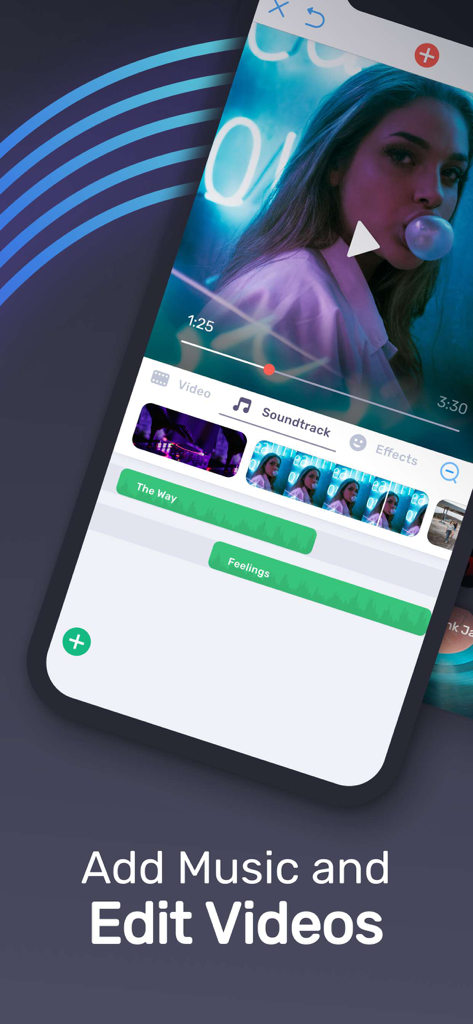
Mobile app interface for adding multiple music tracks and editing video frames

Mobile app interface for adding multiple music tracks and editing video frames

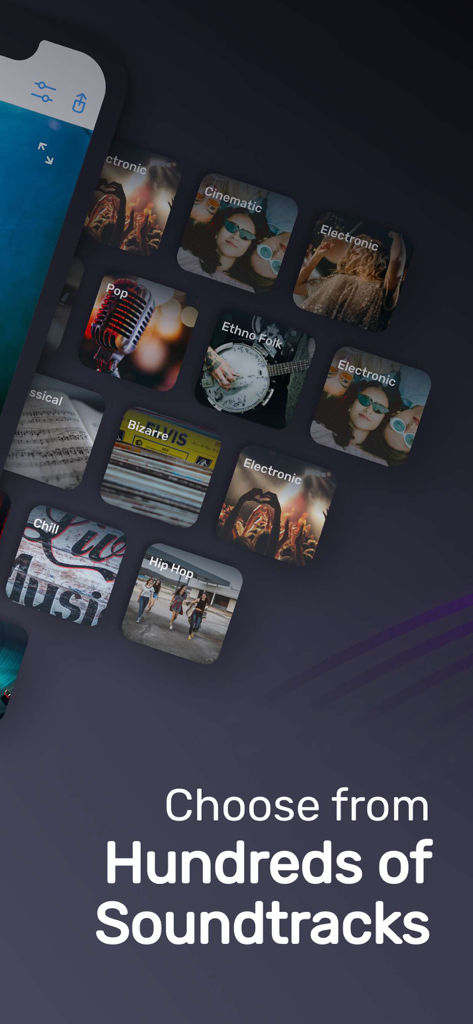
Interface showing various music genres for video editing soundtracks

Interface showing various music genres for video editing soundtracks

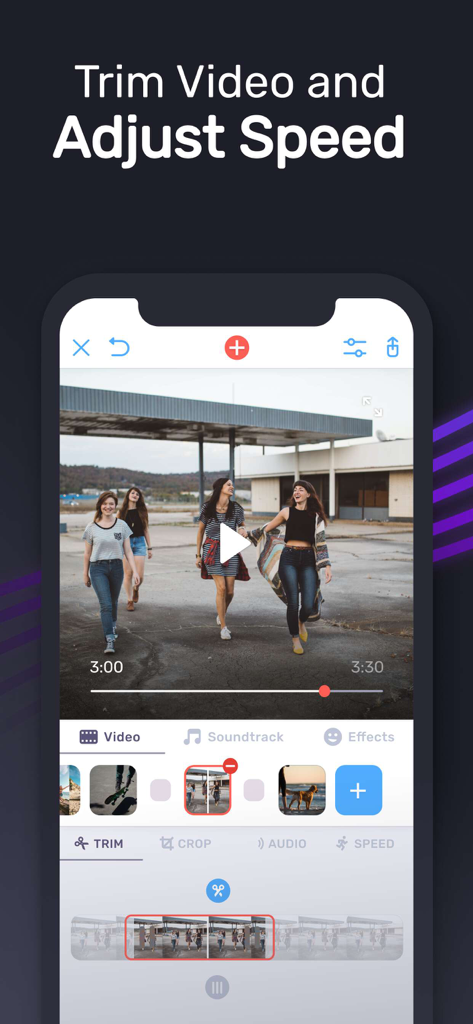
A mobile app interface showing video trimming and speed adjustment tools with a timeline editor

A mobile app interface showing video trimming and speed adjustment tools with a timeline editor

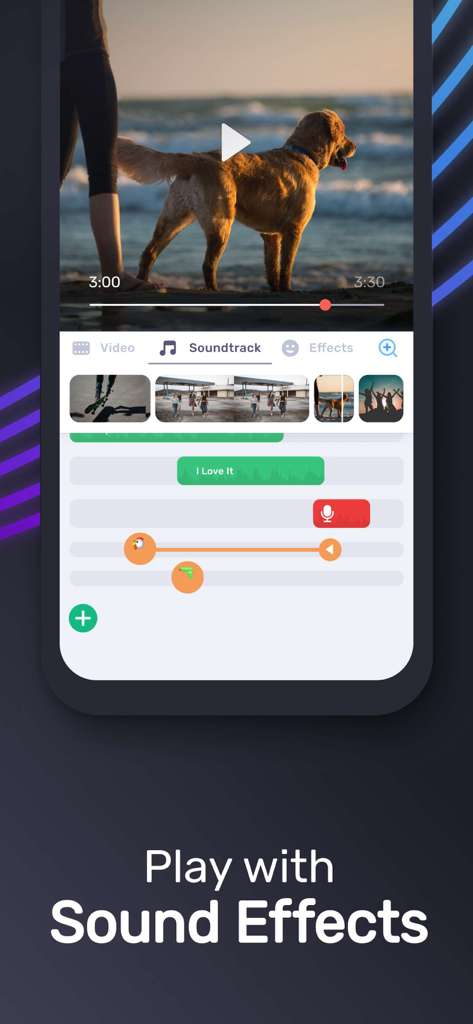
Mobile video editing interface showing soundtracks and sound effects

Mobile video editing interface showing soundtracks and sound effects

Turn Every Clip Into a Viral Moment

The tools that make this app stand out, trusted by 14M+ users.

🎵

Curated Trending Beats

Access a massive library of mood-based tracks—from Cinematic to Lo-fi—to instantly set the perfect vibe for your audience.

✂️

Pro-Level Snappy Edits

Trim and cut frame-by-frame with zero effort. Remove the boring bits and keep your followers hooked with seamless transitions.

🎙️

Studio-Quality Audio Mix

Layer unlimited tracks, record custom voiceovers, and use pro-fades to create a polished sound that demands attention.

Loved by users worldwide

Trusted by 14M+ people who love this app.

"

"This is my go-to for Instagram Reels and TikToks! The UI is so sleek and I love how I can quickly add cinematic music to match the vibe of my lifestyle content. It makes editing on the go so much faster, and the volume control is a total game-changer for my voiceovers."

Sienna R.
"

"Perfect for making family memories. I used it to create a montage of our summer vacation and adding the acoustic background tracks made it feel like a professional movie. It is super easy to trim out the parts I do not want and the fade-in features make the audio sound great."

Marcus T.

About the app

Everything you need to know about Video Maker with Music Editor.

Description

Best App To Add Music on Video! Make Music Video Easily! Best Video Editing App! • Add Unlimited background music to videos! • Make your own music videos! • Record your own voice over video! • Make funny Dubsmush videos! • Give life to your videos! • Get more likes & views on Youtube, Instagram, Facebook or Vine! Key Features: ========== • Add Unlimited Music Tracks on Videos. • Record Your Own Voice Over Video. • Edit Video: Trim & Cut frame by frame. Remove any unwanted part of your video. • Edit Audio: Trim, Fade-in, Fade-out. • Huge Collection of Awesome Music Tracks. • Volume Control For Audios. • Video Mute/UnMute. • Minimum Processing Time. • Beautiful UI With Stunning Design. • Very Easy to use. Instructions: ========= • Select your video to edit from gallery. (From 1st page of the App) • Trim or Cut your videos to remove any unwanted frame. (Single Tap on Video Frame) • Add music from your iPhone, from app’s track list or by recording. (Press on ‘+ Add Music’ Button) • Edit & Trim audio. (Single Tap on Audio) • Change the position of the music tracks. (Tap & Hold Tracks then Slide Left or Right) • Save or Share your edited videos. Fade-in Means: Gradually increase the level of audio volume at the beginning. Fade-out Means: Gradually decrease the level of audio volume at its end. Music Track Categories: ================== • Free • Club/Party • Cinematic • Rock • Romantic • Sad/Emotional • Acoustic • Pop • Ambient • Relaxing SUBSCRIPTION INFO: Subscribe to take advantage of the features described above. •Subscription length: Weekly •Your payment will be charged to your iTunes Account as soon as you confirm your purchase. •You can manage your subscriptions and turn off auto-renewal from your Account Settings after the purchase. •Your subscription will renew automatically, unless you turn off auto-renew at least 24 hours before the end of the current period. •The cost of renewal will be charged to your account in the 24 hours prior to the end of the current period. •When canceling a subscription, your subscription will stay active until the end of the period. Auto-renewal will be disabled, but the current subscription will not be refunded. •Any unused portion of a free trial period, if offered, will be forfeited when purchasing a subscription. Terms of service: https://support.bendingspoons.com/tos?app=1006386292 Privacy policy: https://bendingspoons.com/privacy.html?app=1006386292 Have a feature request you would like to see in a future version of the app? Do not hesitate to contact us at videomusic@bendingspoons.com Disclaimer: You will be required to sign up for an auto-renewable In-App Purchase before you are able to access the app.

Latest Version

3.7.21

Size

64.6 MB

First Released

Jun 25, 2015

Ready to Go Viral? Start Creating Today.

Join 14M+ creators making professional music videos in seconds. Level up your Reels, TikToks, and Stories with the ultimate mobile editing toolkit.

Download on App Store
FAQ

Frequently Asked Questions

Everything you need to know about Video Maker with Music Editor

How can I add music to my videos using Video Maker with Music Editor?

Yes, Video Maker with Music Editor allows users to add music from their iPhone, the app's track list, or by recording. Users press the '+ Add Music' button, then edit and trim audio.

Does Video Maker with Music Editor offer video trimming features?

Yes, Video Maker with Music Editor provides video trimming and cutting capabilities. Users can trim and cut videos frame by frame to remove unwanted sections from their footage.

Can I record my own voice over a video in Video Maker with Music Editor?

Yes, Video Maker with Music Editor enables users to record their own voice over videos. This feature is integrated into the app's audio editing functionalities.

What music categories are available in Video Maker with Music Editor?

Video Maker with Music Editor offers diverse music categories including Free, Club/Party, Cinematic, Rock, Romantic, Sad/Emotional, Acoustic, Pop, Ambient, and Relaxing soundtracks.

Is Video Maker with Music Editor a subscription-based app?

Yes, Video Maker with Music Editor operates on a subscription model. Access to its features requires an auto-renewable In-App Purchase, with a weekly subscription length.

How do I manage my subscription for Video Maker with Music Editor?

Users manage their Video Maker with Music Editor subscription and auto-renewal settings via their iTunes Account Settings. This process is accessible after the initial purchase.

Can I adjust audio levels in Video Maker with Music Editor?

Yes, Video Maker with Music Editor includes volume control for audios. It also supports audio trimming, fade-in, and fade-out effects for comprehensive sound editing.