Dolby On: Record Audio & Video

Dolby On: Record Audio & Video

Download on App Store
Spark by MWM logo
Logo of Dolby On: Record Audio & Video

Dolby On: Record Audio & Video — Your Mobile Studio for Pro Sound

Turn your phone into a professional recording suite with one tap. Capture music, podcasts, and videos with legendary Dolby technology and automatic studio effects—no extra gear required.

Publisher

Dolby Laboratories, Inc.

Category

Music

Downloads

1M+

User Rating

4.8/5

Total Ratings

17K+

Locales

1

Studio Quality in Sight

Discover the interface used by 1M+ users.
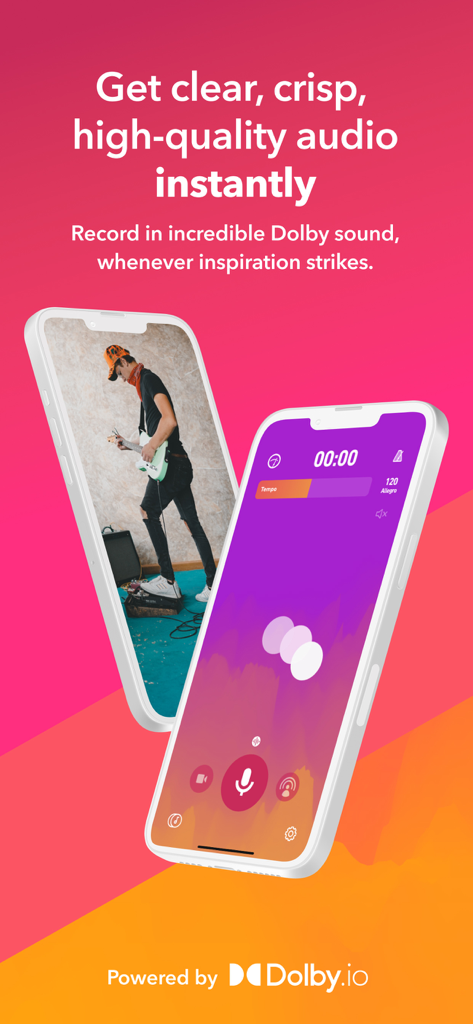
Dolby On mobile app interface for recording high quality audio and video

Dolby On mobile app interface for recording high quality audio and video

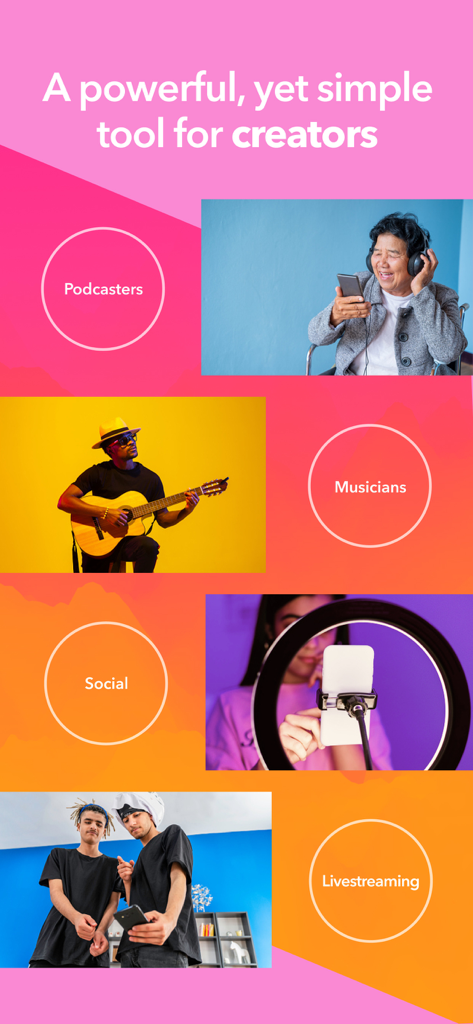
Collage showing musicians podcasters and social media creators using the Dolby On app

Collage showing musicians podcasters and social media creators using the Dolby On app

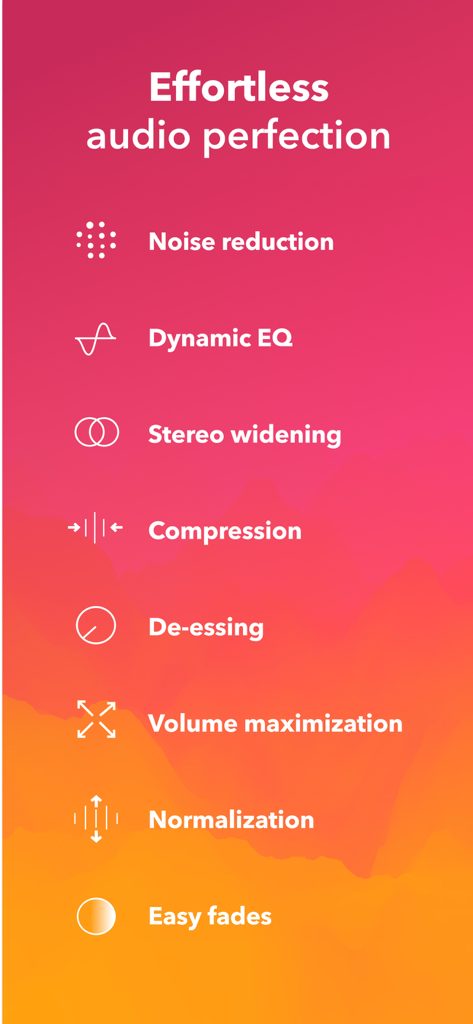
List of automated audio processing features in the Dolby On app including noise reduction and dynamic EQ

List of automated audio processing features in the Dolby On app including noise reduction and dynamic EQ

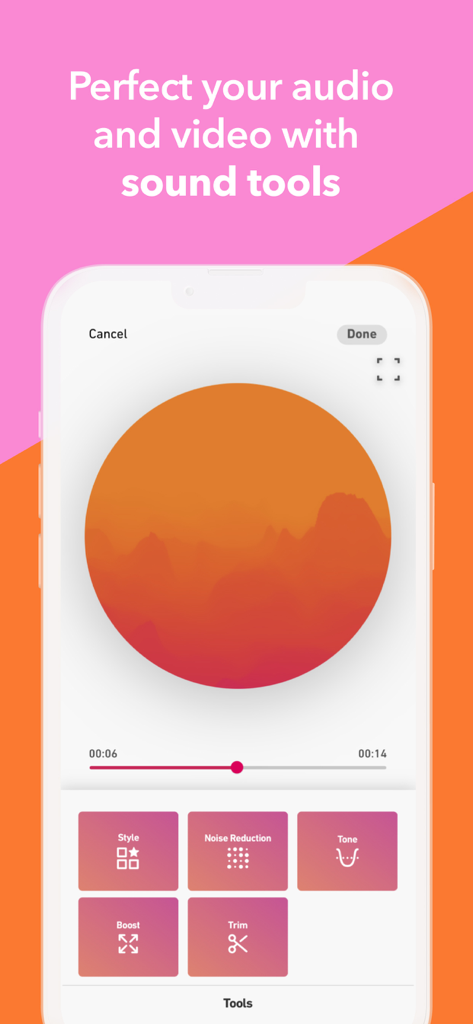
Interface of the Dolby On app showing various sound editing tools like style, noise reduction, and tone.

Interface of the Dolby On app showing various sound editing tools like style, noise reduction, and tone.

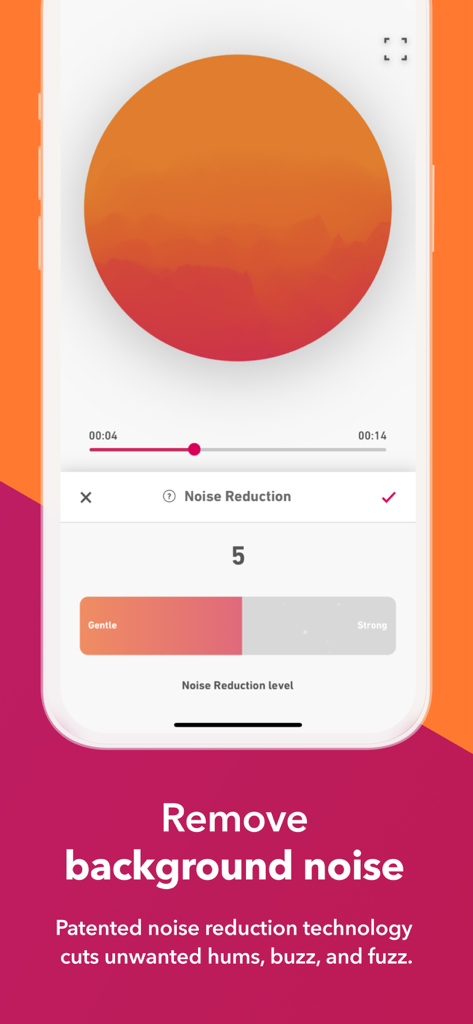
Interface of the Dolby On app showing a noise reduction slider for audio and video recording

Interface of the Dolby On app showing a noise reduction slider for audio and video recording

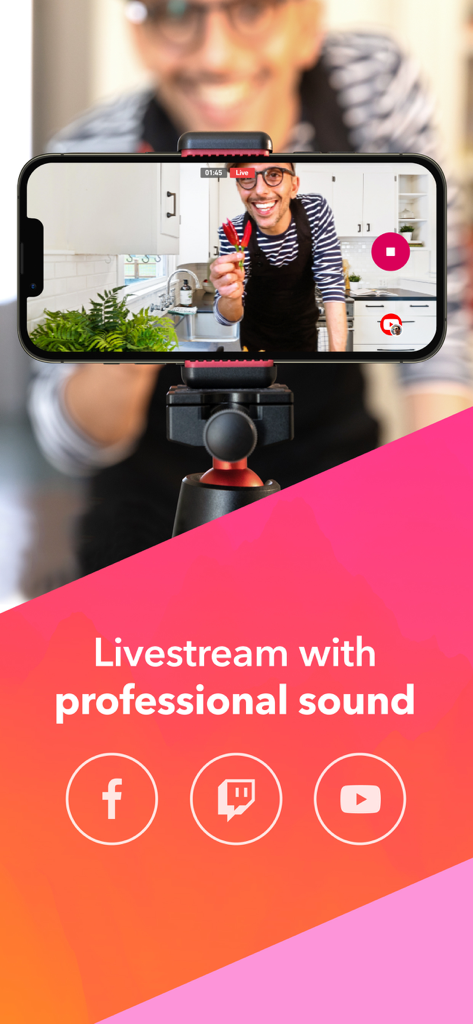
A smartphone on a tripod livestreaming a video to social media with professional sound quality.

A smartphone on a tripod livestreaming a video to social media with professional sound quality.

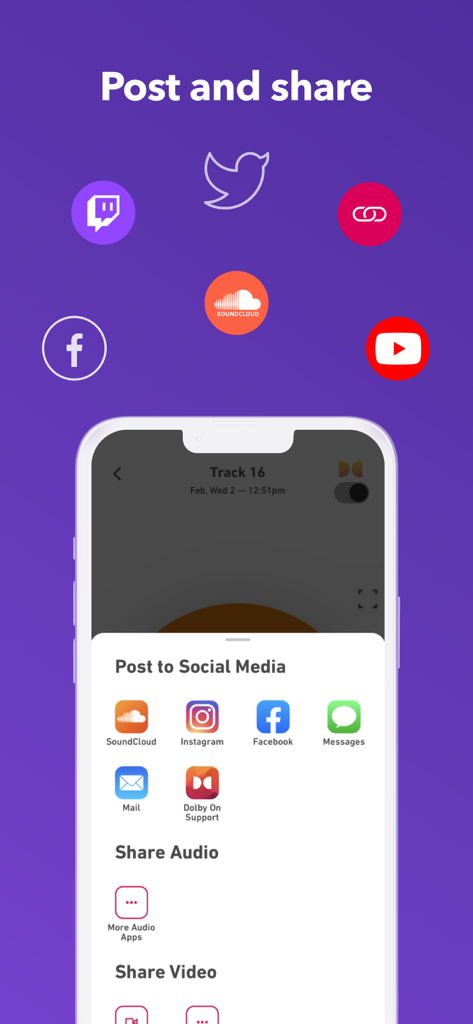
Interface showing options to share audio and video recordings to social media platforms like SoundCloud Instagram and Facebook

Interface showing options to share audio and video recordings to social media platforms like SoundCloud Instagram and Facebook

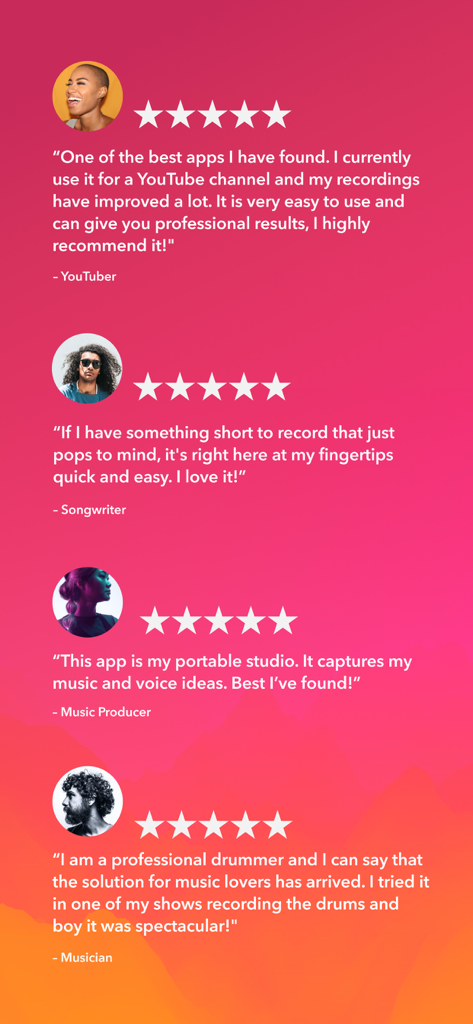
Five star user testimonials from content creators for the Dolby On recording app

Five star user testimonials from content creators for the Dolby On recording app

Pro Studio Sound, No Gear Required

The tools that make this app stand out, trusted by 1M+ users.

One-Tap Professional Polish

Apply automatic EQ, compression, and spatial audio to make your demos and videos sound like they were mixed in a professional studio.

🔇

Intelligent Noise Reduction

Record anywhere—from busy streets to noisy rooms. Our AI removes background distraction, leaving only your talent.

📱

Made for Social Creators

Instantly export high-quality tracks to SoundCloud or share videos with pro-audio directly to TikTok and Instagram.

Loved by users worldwide

Trusted by 1M+ people who love this app.

"

"I was skeptical that an app could replace a studio mic, but Dolby On is a game changer for my song demos. It cuts out the background hiss and gives my guitar a richness I never thought my phone could capture. It's literally a one-tap studio in my pocket."

Marcus T., Independent Artist
"

"My followers immediately noticed the difference in audio quality on my Reels. Whether I'm livestreaming or recording a quick vlog outdoors, the noise reduction and EQ styles make everything sound professional without any extra gear."

Elena G., Digital Content Creator

About the app

Everything you need to know about Dolby On: Record Audio & Video.

Description

Dolby On is the only free audio recorder and sound editor for voice, music, video, and more with cutting-edge Dolby audio technology. Effortlessly record live music & videos, import from your library, or livestream to Twitch or Facebook Live to apply a suite of automatic studio effects including noise reduction, limiting, spatial audio, EQ, and more. Get incredible audio quality through a studio recorder on your phone! A RECORDING APP & AUDIO EDITOR WITH INCREDIBLE SOUND, AUTOMATICALLY Effortlessly record live music & videos with a suite of automatic studio effects in an easy-to-use recorder. You can even record in other apps and import into Dolby On to edit, enhance, and improve songs with Dolby technology. When you’re ready, share your creations with your fans on your favorite social channels, send to collaborators, upload directly to SoundCloud, export lossless audio, or even livestream right to Facebook; all with spectacular audio in an accessible recorder. RECORD & EDIT AUDIO & VIDEO WITH AN EASY-TO-USE RECORDER • Clears up the audio quality with noise reduction, de-essing, and a fade in/out: record music and voice • Shapes your recording with Dolby’s unique Dynamic EQ and spatial audio for tone and space • Boosts fullness and cut through with compression and pro limiting designed for live music to achieve ideal loudness • Optimizes the sound for popular music platforms, Facebook live streaming, and other social media • Record and export in lossless audio for even better sound • VoiceOver support on Track Details and Sound Tools to improve usability for the vision impaired MAKE IT YOUR OWN WITH POWERFUL SOUND EDITING IN YOUR POCKET • Customize your voice and video recording with free music studio audio effects and vocal editor • Six custom-designed, unique sound styles to apply to your music recording — like photography filters for audio, Styles are professionally designed sound presets based on analyzing thousands of songs • Use Dolby’s Dynamic EQ to get fine-tuned treble, bass and mids control and tune your recording • Use the free audio editor to trim the recording to edit out slow starts and stops • Animated cover art so that you can share your audio tracks directly to social media or SoundCloud • Use your favorite external mic to color your voice memo, music recording, or video recording RECORD AUDIO. RECORD VOICE. RECORD VIDEO. RECORD MUSIC. • Capture ideas and demo recordings. Record your voice memos and music memos in a simple recording studio app! • Document rehearsals or the gig for your archive with audio & video recordings captured in studio microphone sound • Grab sounds and inspirations in the field to sample in your next music creation. Select lossless audio for even better recording quality • Record high-quality shareable audio & record video content for your fans • Use free demo tracks to hear the full effects of Dolby on and test out our easy-to-use, powerful Sound Tools • Import videos or audio captured in other apps to reduce background noise and improve sound quality • Host amazing sounding livestreams without extra gear or technical skills YOUR CREATIONS, ANYWHERE YOU WANT THEM • Share voice or music recording to fans directly to Soundcloud, Instagram, and Facebook. • Livestream to Facebook Live or Twitch with amazing sound quality • Send ideas, demos, rehearsal and show recordings directly to your band and collaborators via text message or email • Export your recordings, songs, and videos for additional editing: take your ideas into your favorite audio editor (DAW) or video editor ONE RECORD BUTTON, 50 YEARS OF DOLBY INNOVATION We’ve used five decades worth of audio innovation to give you one powerful audio recorder and video app. Advanced Dolby audio processing takes care of the sound quality, so you can focus on the fun part: creating.

Latest Version

1.15

Size

92.5 MB

First Released

Sep 4, 2019

Your Studio is One Tap Away

Join over a million creators who have traded phone-mic quality for legendary Dolby sound. Download the free app today and make your next recording sound professional instantly.

Download on App Store
FAQ

Frequently Asked Questions

Everything you need to know about Dolby On: Record Audio & Video

What is Dolby On?

Dolby On is a free audio recorder and sound editor. It uses Dolby audio technology to record and enhance voice, music, and video, providing automatic studio effects and sharing options.

Is Dolby On free to use?

Yes, Dolby On is a free audio recorder and sound editor. It offers cutting-edge Dolby audio technology and studio effects without cost.

What sound editing tools are available in Dolby On?

Dolby On provides tools like noise reduction, Dynamic EQ, stereo widening, compression, de-essing, volume maximization, normalization, and easy fades for audio perfection.

Can Dolby On be used for livestreaming?

Yes, Dolby On enables livestreaming directly to platforms like Twitch and Facebook Live. It applies automatic studio effects to ensure professional sound quality during broadcasts.

How does Dolby On reduce background noise?

Dolby On uses patented noise reduction technology. This feature automatically clears up audio quality by cutting unwanted hums, buzz, and fuzz from recordings and imports.

Can I import audio and video into Dolby On for editing?

Yes, users can import audio and video captured in other apps into Dolby On. The app then applies Dolby technology to reduce background noise and improve sound quality.

What sharing options does Dolby On offer for recordings?

Dolby On allows sharing recordings directly to SoundCloud, Instagram, Facebook, and via messages or email. Users can also livestream to Facebook Live or Twitch.

Does Dolby On support lossless audio recording and export?

Yes, Dolby On supports recording and exporting audio in lossless format. This feature ensures even better sound quality for creators.

Can I use an external microphone with Dolby On?

Yes, Dolby On supports the use of your favorite external microphone. This allows users to enhance voice memos, music recordings, or video recordings.

Who is Dolby On designed for?

Dolby On is designed for creators including podcasters, musicians, social media content creators, and livestreamers. It provides professional audio tools in an easy-to-use app.