AEON CARD MOBILE

AEON CARD MOBILE

Download on App Store
Spark by MWM logo
Logo of AEON CARD MOBILE

AEON CARD MOBILE: Your Seamless Financial Bridge to Cambodia

Manage your credit, track transactions, and pay instantly with Scan to Pay. Stay in total control of your finances and rewards from anywhere in the world, whether you are home in the US or traveling abroad.

Download on App Store

Publisher

AEON SPECIALIZED BANK CAMBODIA PLC

Category

Finance

Downloads

358K+

User Rating

2.5/5

Total Ratings

200

Locales

2

Seamless Control at Your Fingertips

Discover the interface used by 358K+ users.
The splash screen of the AEON CARD MOBILE application featuring the company logo

The splash screen of the AEON CARD MOBILE application featuring the company logo

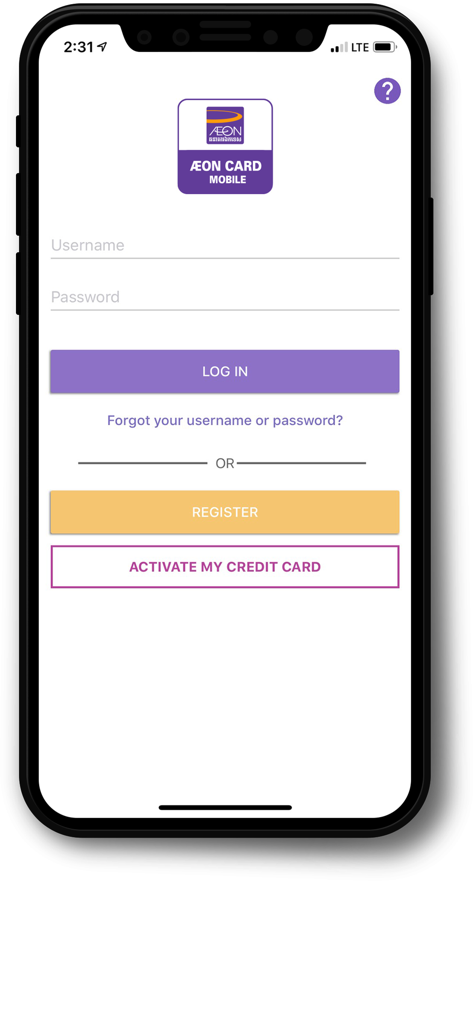
AEON CARD MOBILE app login screen with username and password fields and registration options

AEON CARD MOBILE app login screen with username and password fields and registration options

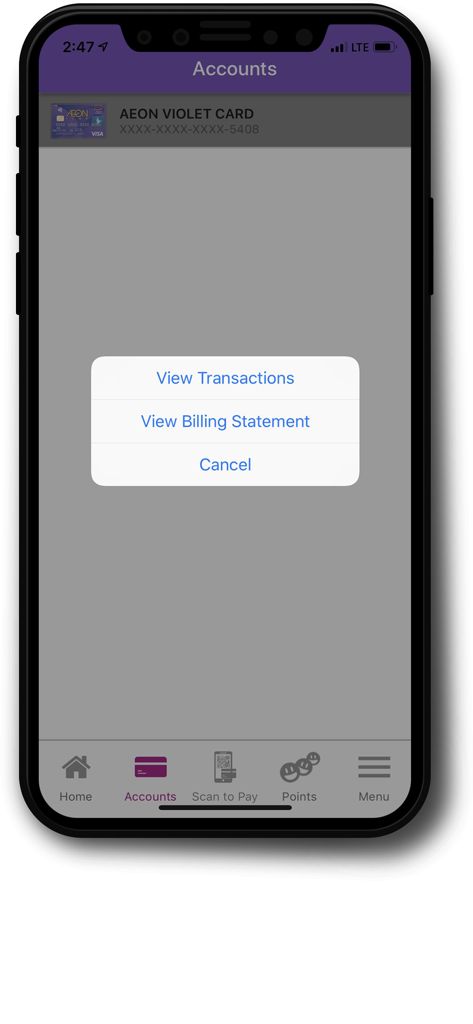
AEON CARD MOBILE account screen showing options to view transactions or billing statements

AEON CARD MOBILE account screen showing options to view transactions or billing statements

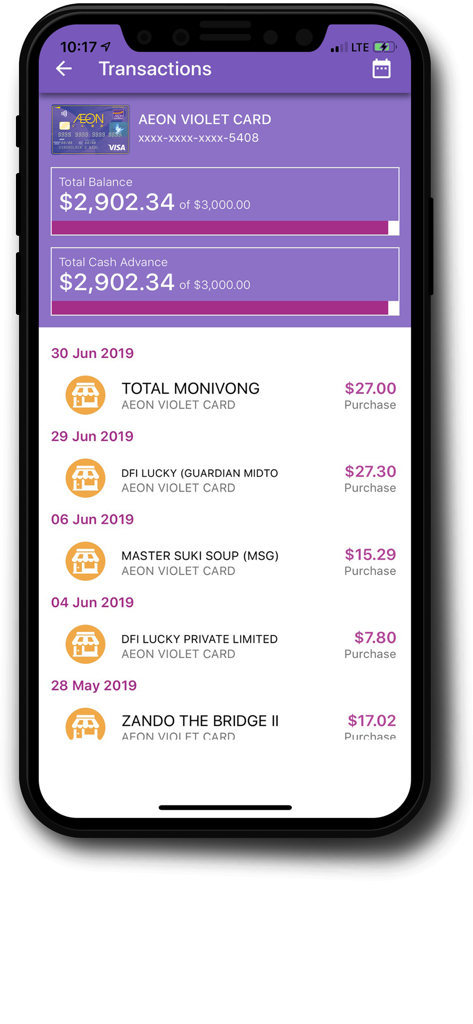
Smartphone screen showing the transaction history and credit balance on the AEON CARD MOBILE app.

Smartphone screen showing the transaction history and credit balance on the AEON CARD MOBILE app.

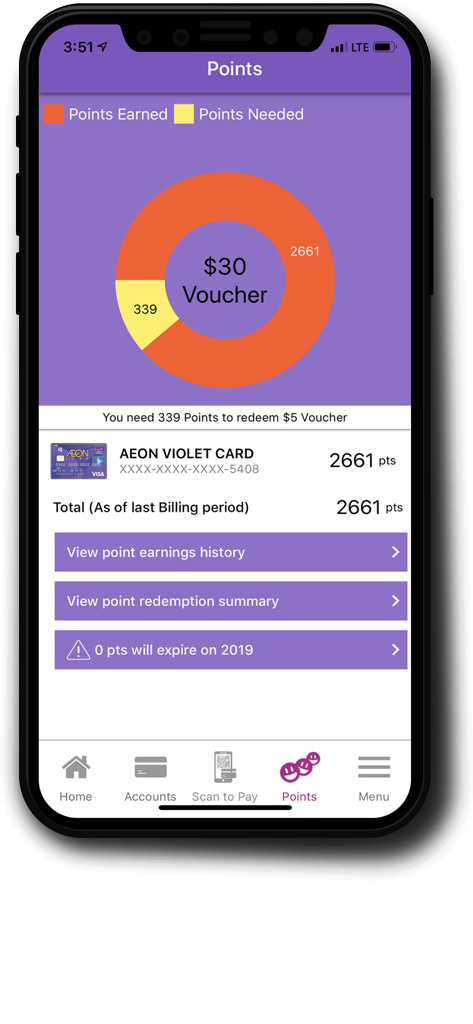
AEON CARD MOBILE app points and rewards screen showing voucher progress and earned points

AEON CARD MOBILE app points and rewards screen showing voucher progress and earned points

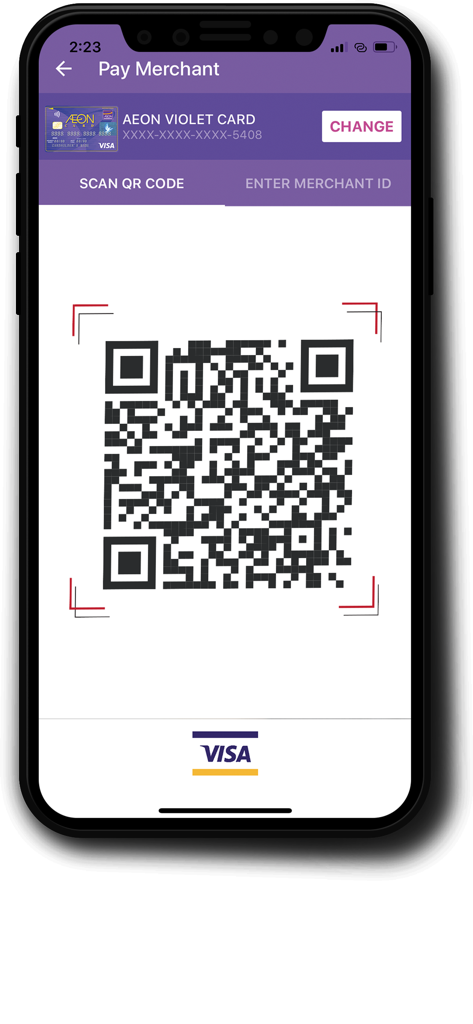
AEON Card Mobile pay merchant screen with QR code scan feature

AEON Card Mobile pay merchant screen with QR code scan feature

Manage Your AEON Card from Anywhere

The tools that make this app stand out, trusted by 358K+ users.

🌏

Transnational Management

Check your credit limit and view billing statements instantly from the USA. Stay on top of your Cambodian financial health without the international wait.

🤳

Seamless Scan to Pay

Be payment-ready for your next trip home. Use secure QR codes to pay merchants across Cambodia directly from your iPhone, the standard for local payments.

🛡️

Instant Security Control

Protect your account with the ability to hold or un-hold your card instantly. Security that travels with you, from the US to Phnom Penh.

Loved by users worldwide

Trusted by 358K+ people who love this app.

"

"Living in Long Beach and managing a credit line in Cambodia used to be a hassle, but this app makes it seamless. I can check my credit limit, track transactions, and even receive my billing statements directly on my iPhone without worrying about international mail or time zones."

Sophea K.
"

"The Scan to Pay feature is a total game-changer when I travel back to Phnom Penh. I also love the peace of mind that comes with the 'Hold Card' function; I can freeze my card instantly from the US if I need to. It's a must-have for anyone balancing life between both countries."

Rathana S.

About the app

Everything you need to know about AEON CARD MOBILE.

Description

Benefits: -Card less payment with scan to pay merchant -Manage your AEON Card anytime, anywhere on your mobile phone -Never miss your billing -Track your transactions -Points earned every payment transaction -Secure your AEON Card AEON CARD MOBILE is a mobile application “App’ which is developed to satisfy AEON Cardholder. AEON CARD MOBILE allows AEON Cardholder to manage his or her AEON Card and make payment though Scan to Pay Function. AEON CARD MOBILE will allow customer to: Scan to Pay: A simple, secure, and fast way to pay through QR Code. Card Activation: Allow customer to activate his or her AEON Card on the smart phone via AEON CARD MOBILE. Link/Unlink Card: Link/unlink AEON Card as source of fund for Scan to Pay. Hold/Un-hold Card: Allow customer to hold/un-hold card in case card was lost or any other case. Credit Limit Inquiry: Allow customer to track his or her credit limit balance on smart phone. Transaction history Inquiry: Allow customer to view his or her transaction history on smart phone. Monthly Billing Statement: Expand channel to receive monthly billing statement from existing email channel to AEON CARD MOBILE App HOW TO USE: Account Information: -Click on "Account" to View Card Transaction and Billing Statement. -Click on "Card" to choose: 1. View Transaction 2. View Billing Statement -Click on "View Transaction" to view available Balance and detail Transaction. -Click on "View Billing Statement" to view Statement Payment: -Click on "Scan to pay" to make Payment to merchant: 1. Scan the QR Code or 2. Enter Merchant ID -Confirm Payment: Input the amount to be paid -Verification: Input 4 digits of PIN -Confirm the transaction Point Inquiry: -Click on "Points" to inquiry point Information: 1. View point earning history 2. View point redemption summary 3. Expiry of points -View point earning history -View point redemption summary -View point expiration Profile Settings: -menu-setting-EN Click on "Menu" and then click on "PROFILE SETTINGS" -Profile Settings: 1. Link/Unlink 2. Hold Card 3. Change PIN 4. Change Password

Latest Version

1.4.2

Size

38.4 MB

First Released

May 31, 2018

Your Financial Bridge to Cambodia, Right in Your Pocket

Manage your AEON Card from the USA with ease. Download now to track your credit, earn points, and stay ready for your next trip with secure Scan to Pay.

Download on App Store